Sorting algorithm differs between desktop and android

When sorting on artist, title or album, the result is not the same on all platforms. Basically I want the same sort result.
One example is the words "A" and "The" which are disregarded on desktop but sorted on android.
Another problem is that sorting (noticed on desktop) does not use the full text. It seems that only the first 2-3 words are part of the sorting. As an example, search for "edward elgar nimrod". Sort the songs on artist and notice that for example the orchestra "Hallé" and "Norther String Quartet" are not placed together.
Comments

Hey @bosi! Welcome to the Community.
First off, we'd like to gather more info about this. Could you let us know the operating system and Spotify versions currently running on both of your devices?
Keep us posted 🙂
Have you tried my examples?
This is an old problem since years I think. All my devices are updated with the latest version of spotify. Currently desktop is 1.0.60.492.gbb40dab8 and Android is 8.4.11.1283.armV7
Roger that, @bosi.
We'd like to suggest something: have you tried saving the tracks you'd like to have showing first? If you've already done it, try un-saving them and then saving those songs back again. This will give them a sort of priority among your related searches.
Give it a shot on both of your devices and let us know if that works. We'll be waiting for your reply 🙂
Have you tried my examples? Can you reproduce the bug? Do you need more examples or any other information?
What do you mean by saving tracks? Save into a playlist? Save to "my music" (which seem to be named "your library" now!?). I see that I was not clear in the first post. The bug appears both in the search result lists and in (saved) playlists. In your library it is not possible to sort the songs.
Don't worry, @bosi.
We'd like to try something out in order to reproduce the issue just as you mention it: could you send us the Spotify links or URIs for the exact songs you'd like us to try with? We'll search for them on a couple mobile devices by entering the song titles and checking for any inconsistencies.
On the other hand, try saving your tracks to the Songs section in Your Library (by tapping the checkmark icon). This could help prioritize when you're searching for them in the future, instead of showing other results first.
Try it out and let us know if it helps.
I have assembled a small playlist which I hope you can access:
https://open.spotify.com/user/11162189037/playlist/2GsPf0R59pZ7FIIRaiP9Ru
I cannot see that saving the song to "your library" makes any difference. Besides, it would not work as a solution anyway as I would hit the 10k limit directly.
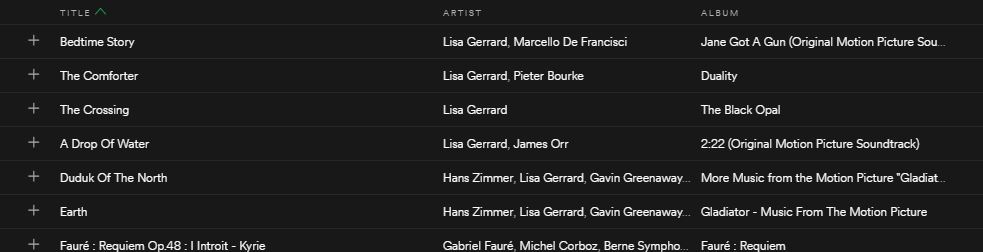
In this play, sort the songs on title. This first screenshot shows how it looks on desktop.
1. In this playlist, sort the songs on title. This first screenshot shows how it looks on desktop. Notice that the word "The" and "A" is not part of the sorting (ok).
1. In this playlist, sort the songs on title.
The screenshots below shows how it looks on desktop and Android. Notice that the word "The" and "A" is not part of the sorting (ok) on desktop.
An Android, the words "The" and "A" is part of the sorting, so the result differs from desktop.
I have no opinion on whether to include or exclude "The" and "A" as long as the same method is used on all platforms.
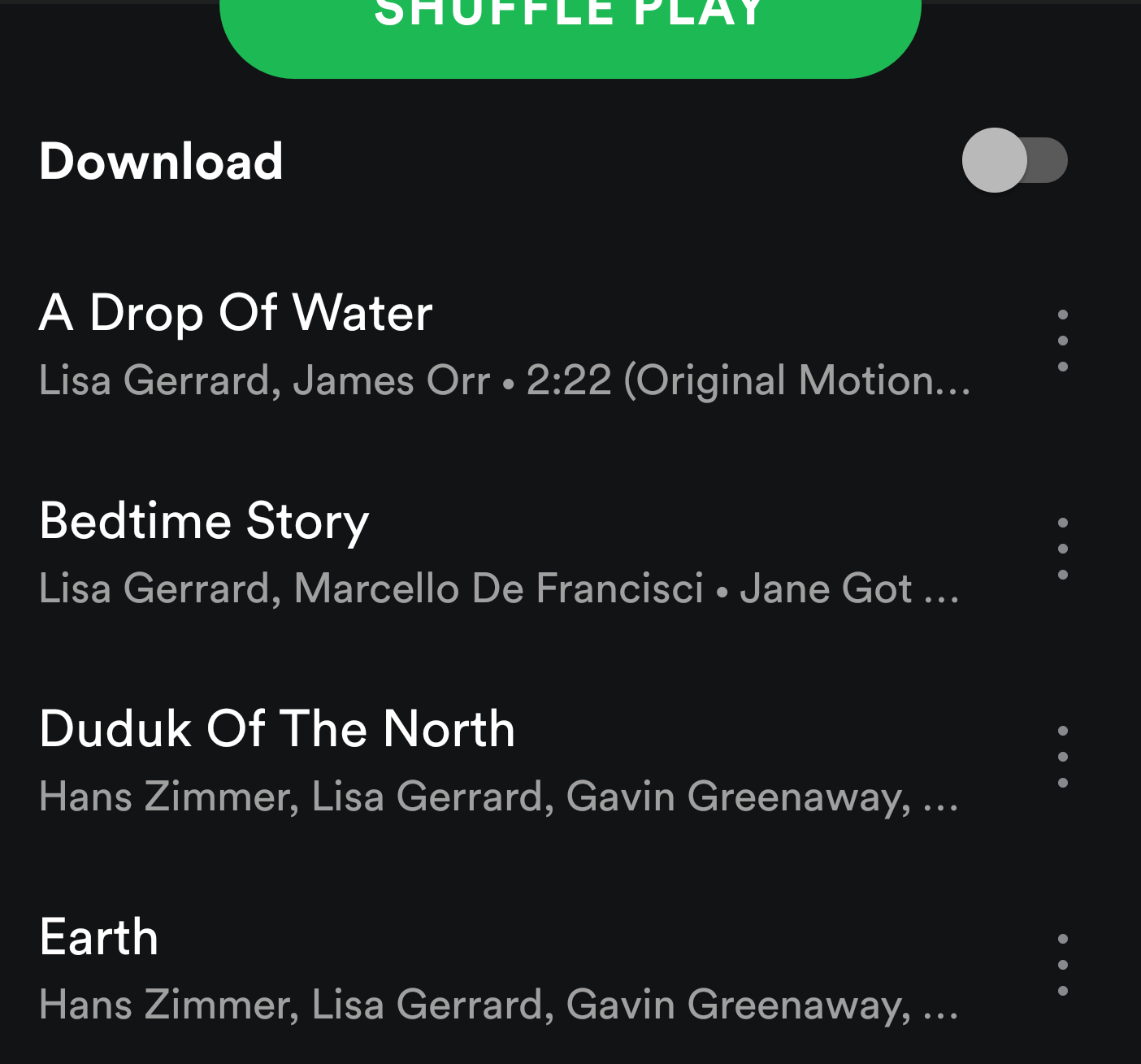 Sorting on title, Android, part 1
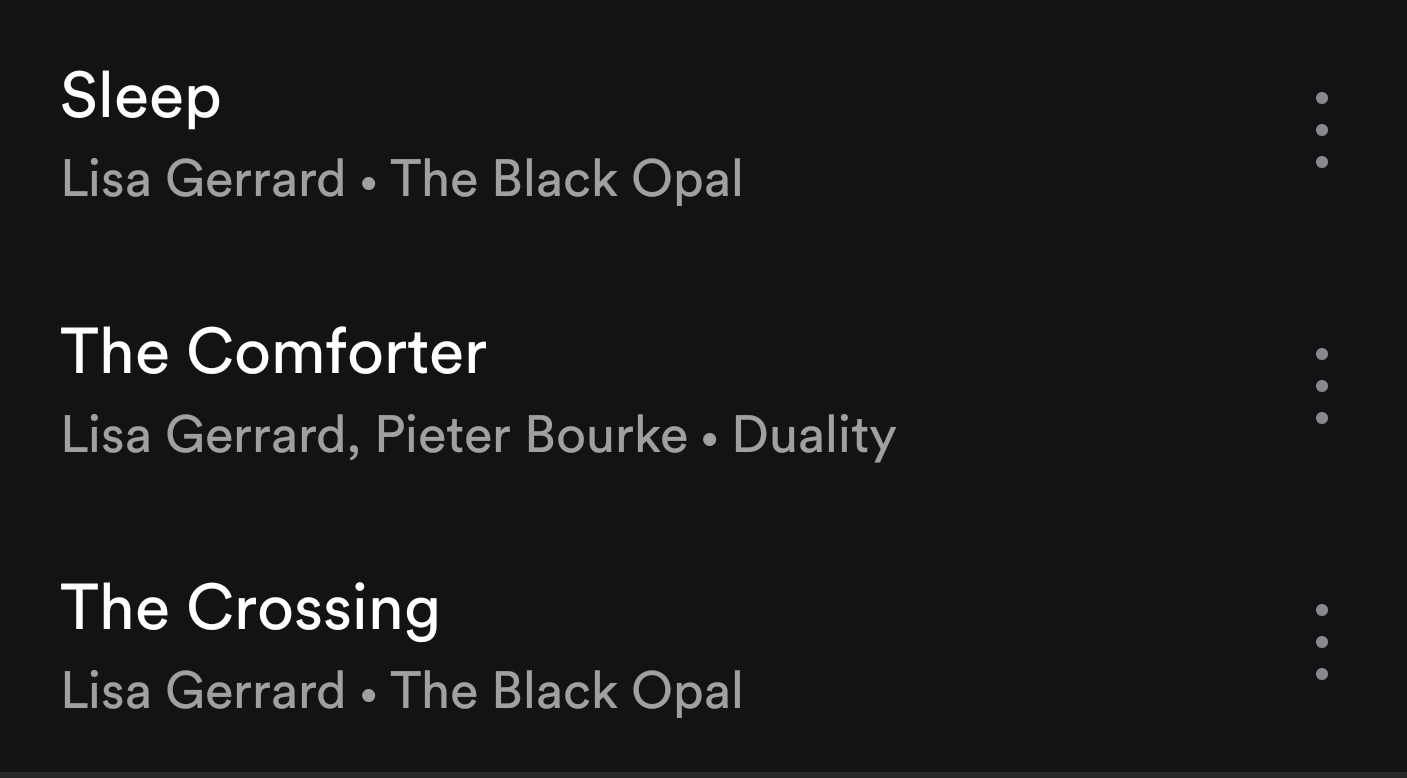 Sorting on title, Android, part 2
2. Second problem is sorting on Artist. This first example show that the sorting seem to disregard everything after the first comma character in the artist field. The text after "Gabriel Fauré" does not come in alphabetical order. The two screenshots here show this problem
2. Second problem is sorting on Artist. This first example show that the sorting seem to disregard everything after the first comma character in the artist field. The text after "Gabriel Fauré" does not come in alphabetical order. The two screenshots here show this problem
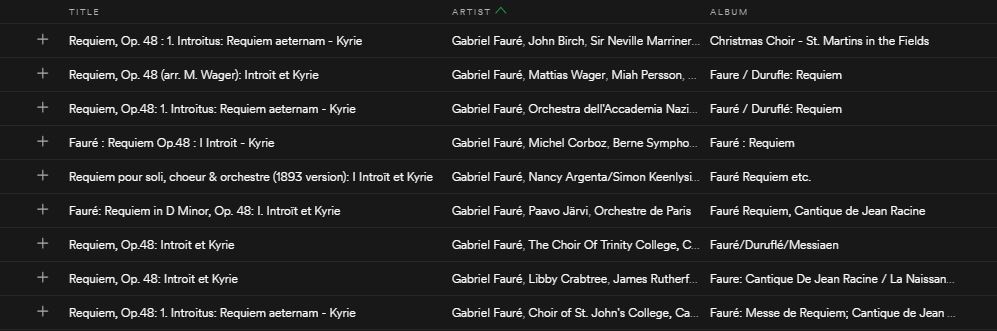
 Sorting on artist, example 2
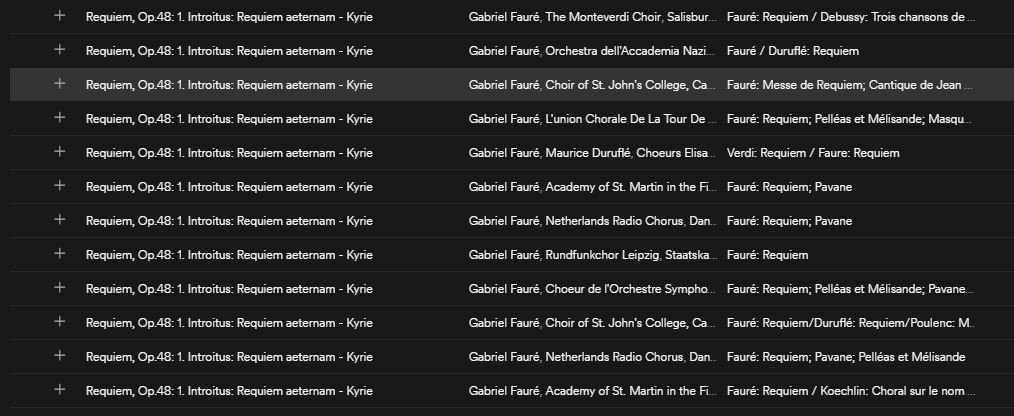
3. The third problem is that the sort order change after deleting a song. The playlist in these examples is sorted on title. This first picture show how it looks before deleting the song that is selected. The second screenshot show the result after deletion. You can see that the songs with the same title has been shuffled around and comes in another order than before deleting the song. This makes it very difficult to handle.
I hope this information is enough for this issue to be sent to the maintenance for correction.
3. The third problem is that the sort order change after deleting a song. The playlist in these examples is sorted on title. This first picture show how it looks before deleting the song that is selected. The second screenshot show the result after deletion. You can see that the songs with the same title has been shuffled around and comes in another order than before deleting the song. This makes it very difficult to handle.
It looks like the forum "push" the pictures together so that you cannot see the caption text of the first picture.
I hope this information is enough for this issue to be sent to the maintenance for correction.
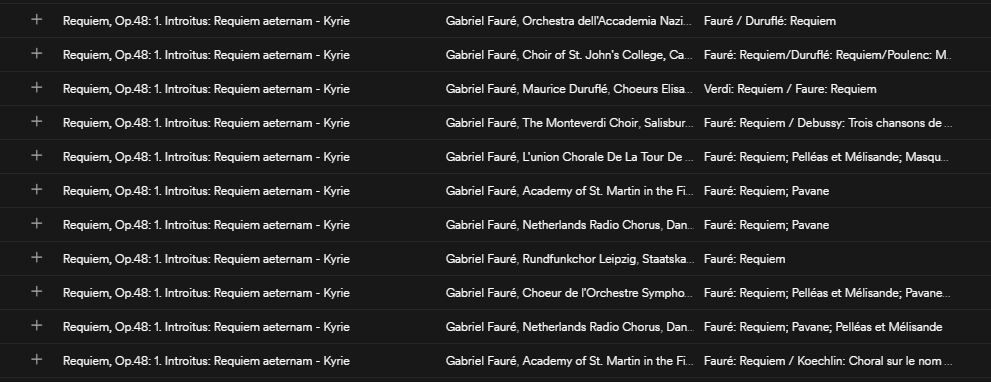 After deletion

Thanks for that info!
We'll report this to the right team. Hopefully, we'll have an update about this soon and we'll make sure to share it with you.
Thank you.

You're welcome @bosi!

Hey @bosi!
We're closing this thread for now as under investigation. Our team is already aware of this and we're working to have this resolved soon. If you still any help, just give us a shout.
All the best 🙂

Another example, search for "Gabrile Fauré Requiem" and sort it on artist. The list is not sorted alphabetcially in any way...maybe due to the character 'é'?
Additionally, sorting on song and when there are several songs with the same name, then if one of these songs are deleted from the playlist, the sort order of the songs with that name is changed. Highly annoying.