Lockscreen-controls not working on Huawei P9

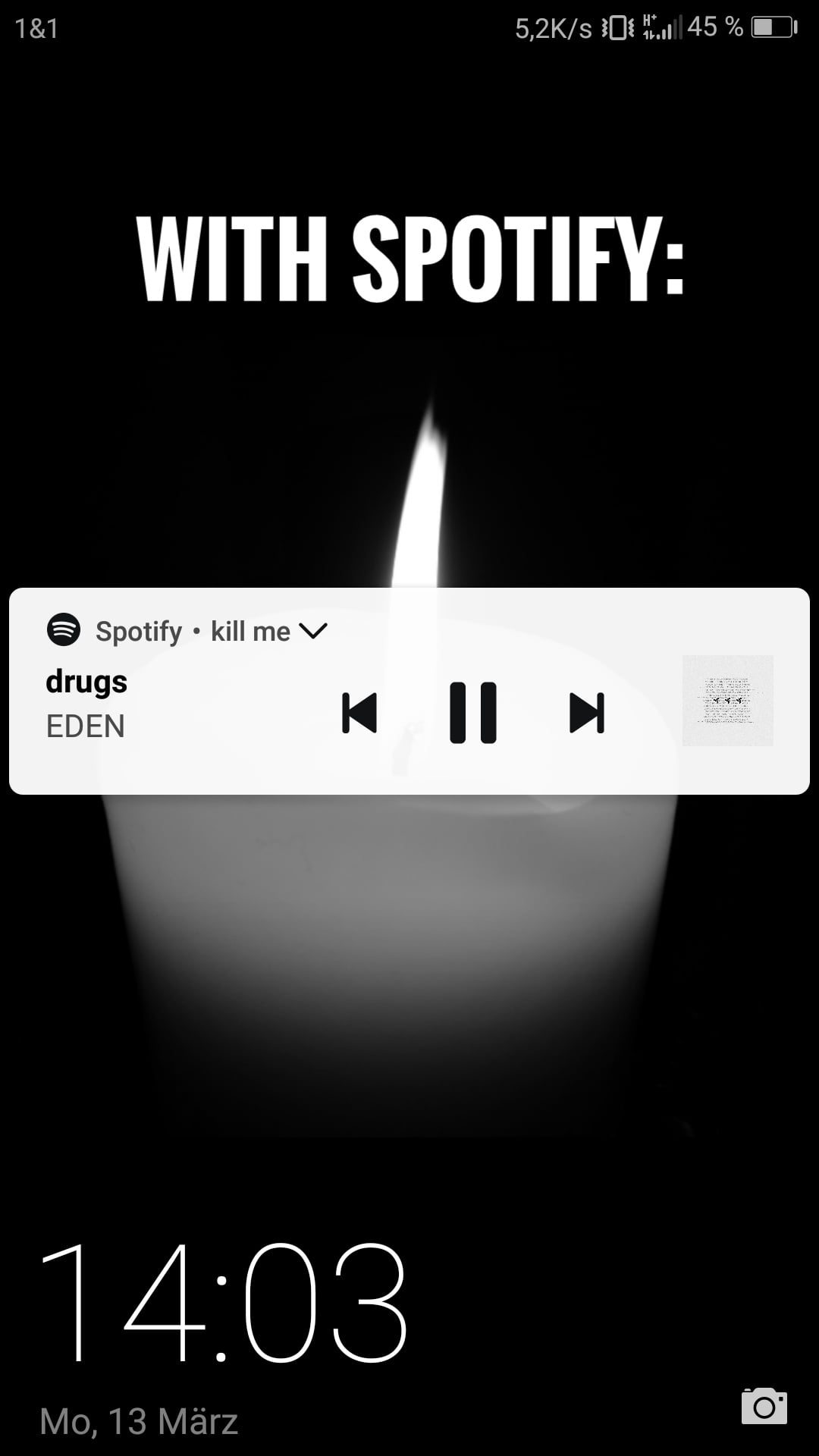
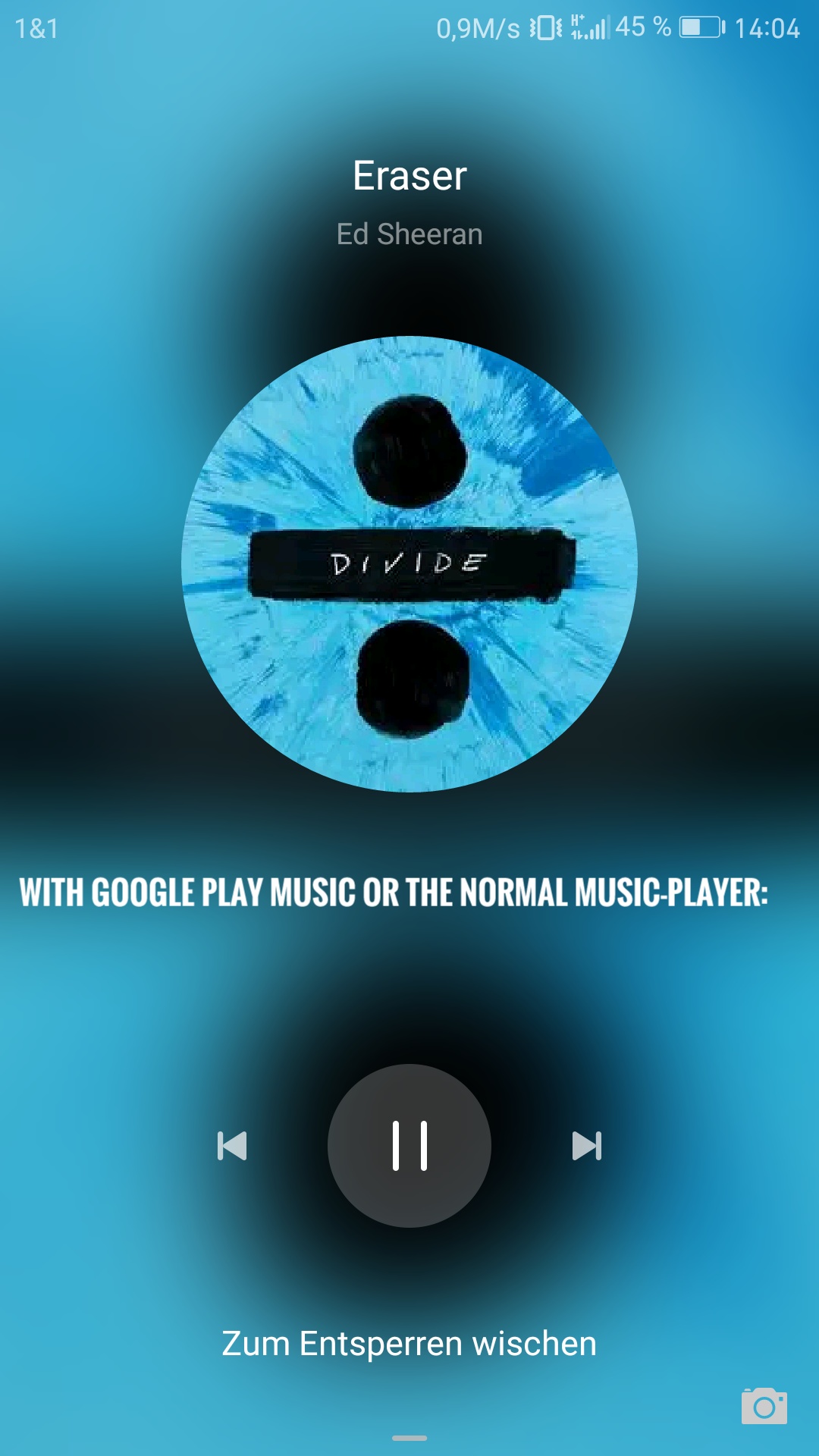
It is not possible to control the Huawei P9 with EMUI 5.0 and Andoid 7.0, just as with Google Play Music or the Music app. The only thing you can control is a notification, but that is very flawed. The Huawei support could not help me, and it apparently also no normal Spotify support. In the Internet and on the community page of Spotify I have unfortunately found nothing. I hope for a solution.
Accepted answers
All comments


Did it work before and stopped after an update to spotify? Have you tried reinstalling, following the steps here?


Link:
https://community.spotify.com/t5/Live-Ideas/Android-Support-the-HUAWEI-Lock-Screen-Android-7/idc-p/1635299



same hera and uninstalling spotify as nothing hasbeen done about it. extremely annoying

Solved! Use a cusotm lock screen like Next
https://play.google.com/store/apps/details?id=com.microsoft.next

Please fix it spotify!!!

Sorry, but that's not what I want 'cause that's not what it was.
As I wrote in a past comment here, we're not asking any particular new improvement, we're asking to solve a problem raised in march (circa).
This situation is ridicolous, guys. And by the way, same view for Apple Music.

1. Play a song on Spotify
2. Drag down the top status bar.
3. Hold down the notification on which song is playing
4. A special menu opens up, select more option.
5. A new window opens with permissions for the app (Spotify in this case)
6. Manually activate the option "display on locked screen".
Now your pause, next, back tools will show up on the locked screen and not only when your phone is unlocked and you use the top notification bar.

Same here. I am extremely annoyed and cannot understand how Spotify charges me monthly and doesn't bother to fix a huge bug like this one! It's been more than 6 months now...

Sorry, doesn't work. Any other ideas?...

If you use themes, that's not default by Huawei - the solution won't work.
At least, that's my experience. Had to roll back to default themes by Huawei, and then I could have the Spotify app in lockscreen.
Same issue, P9 Lite, Emui 5, Android 7. Spotify controls are not showed in locked screen. When i press on/off button, a screen with a numeric keyword appears to enter the code to unblock the phone. I have to press 'volver' key and I can see the Spotify controls, i mean, is another step. I have the phone unblocked by fingerprint.

Back in the days I had a special function on my Huawei P9 special case. I could control the music on the transparent piece but that is deleted, why and how can I fix it?

This is not the solution to the issue asked. Why do you say it is solved?
Did you get the chance to try my proposed fix?
I didn't say that it was fixed but i asked something
Yes, but still the same problem: just a notification bar and not the "old version" interface.


I had a similar issue using the Huawei P smart. For me it was to do with Face-unlock, I must have switched something without realising the consequences.
Assuming your notification settings are correct (see other posters). Then to fix, go to Go into Settings>>Security & privacy>>Face unlock. Then either of the following will work:
1. Use 'Slide to unlock' with 'Smart lock screen notifications' on.
2. Use 'Slide to unlock' with 'Smart lock screen notifications' off.
3. Use 'Direct unlock' with 'Smart lock screen notifications' off
4. Delete face data, i.e. no longer use Face unlock.
Link:
https://community.spotify.com/t5/Live-Ideas/Android-Support-the-HUAWEI-Lock-Screen-Android-7/idc-p/1635299