New Your Library test (iOS & Android)

Spotify is testing a new version of Your Library in the mobile app with select users. There is currently no way to sign up for this test without being invited, but we thank you for your interest.
This thread is your go-to destination for asking questions, getting help for issues you may have, as well as to share your impressions and feedback on this new version of Your Library.
Note: Some of the screenshots shown might be slightly different than the latest version of the test
What's new?
- See your entire collection in one simple list
- Easy filters to find your favorites, faster
- More control at your fingertips with a new grid view
- Unified search allows you to search through your entire collection and see your recent searches
- Faster settings navigation allows you to tap on your profile picture to get to settings faster
Here is a walkthrough of what's new:
One simple list:
Your Library is now one simple list. At the top, tap the filters to filter the content you want to see and tap on the sort options to change the sort order of the list.
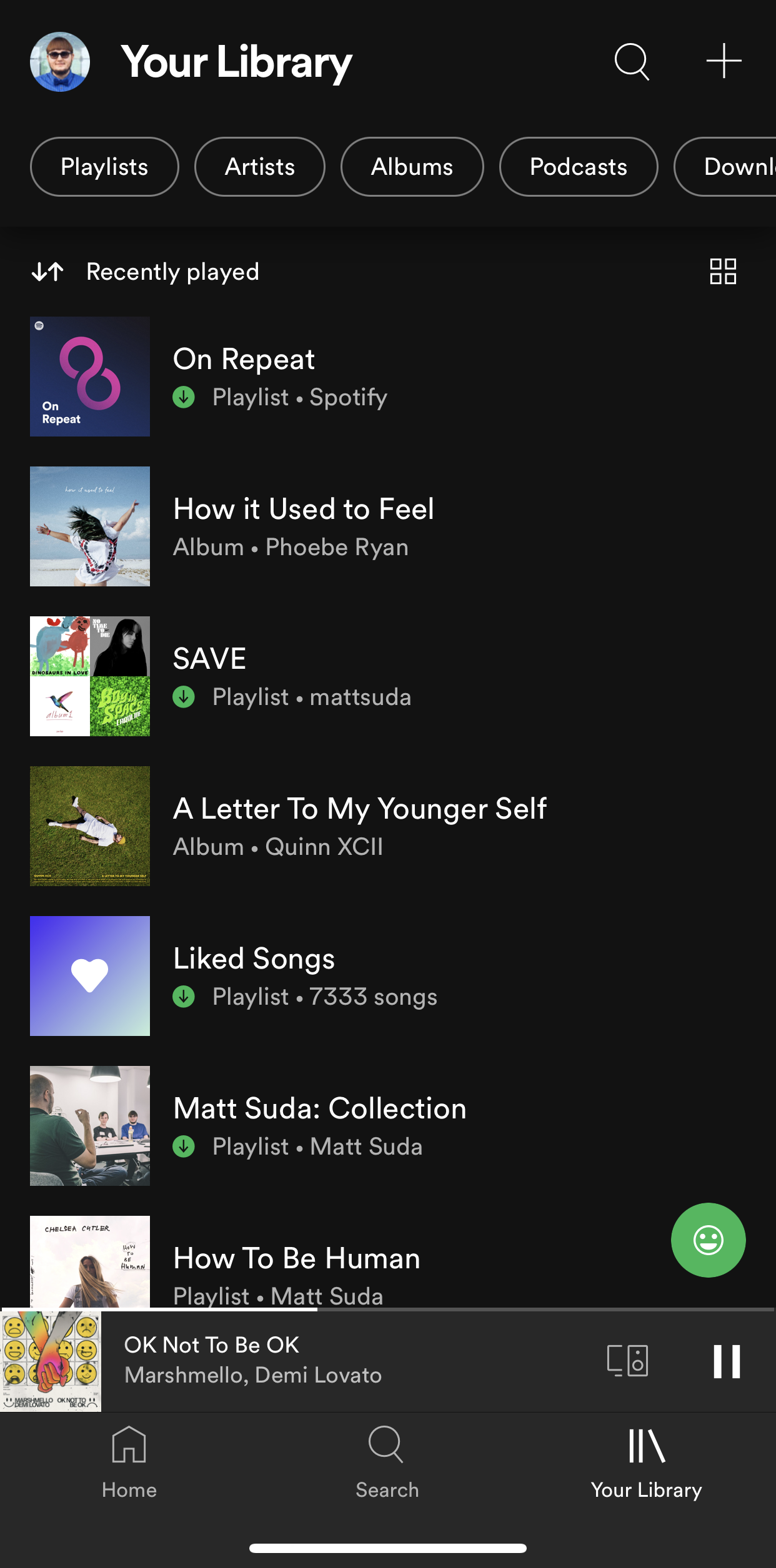
Filter Options:
At the top, tap the filters to filter the content you want to see. Tap the X and then chose another filter to see another type of content. Having no filter selected will show all types of content in the list.
- Playlists
- Artists
- Albums
- Podcasts
- Downloaded
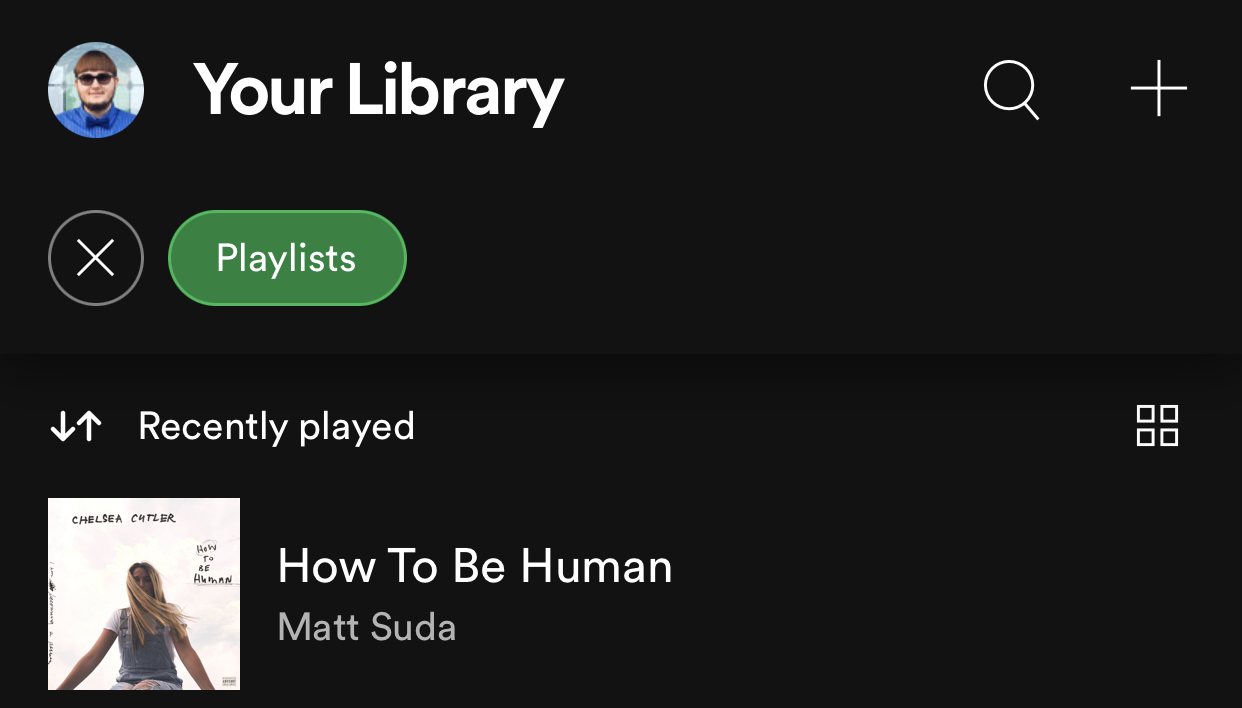
Sort Options:
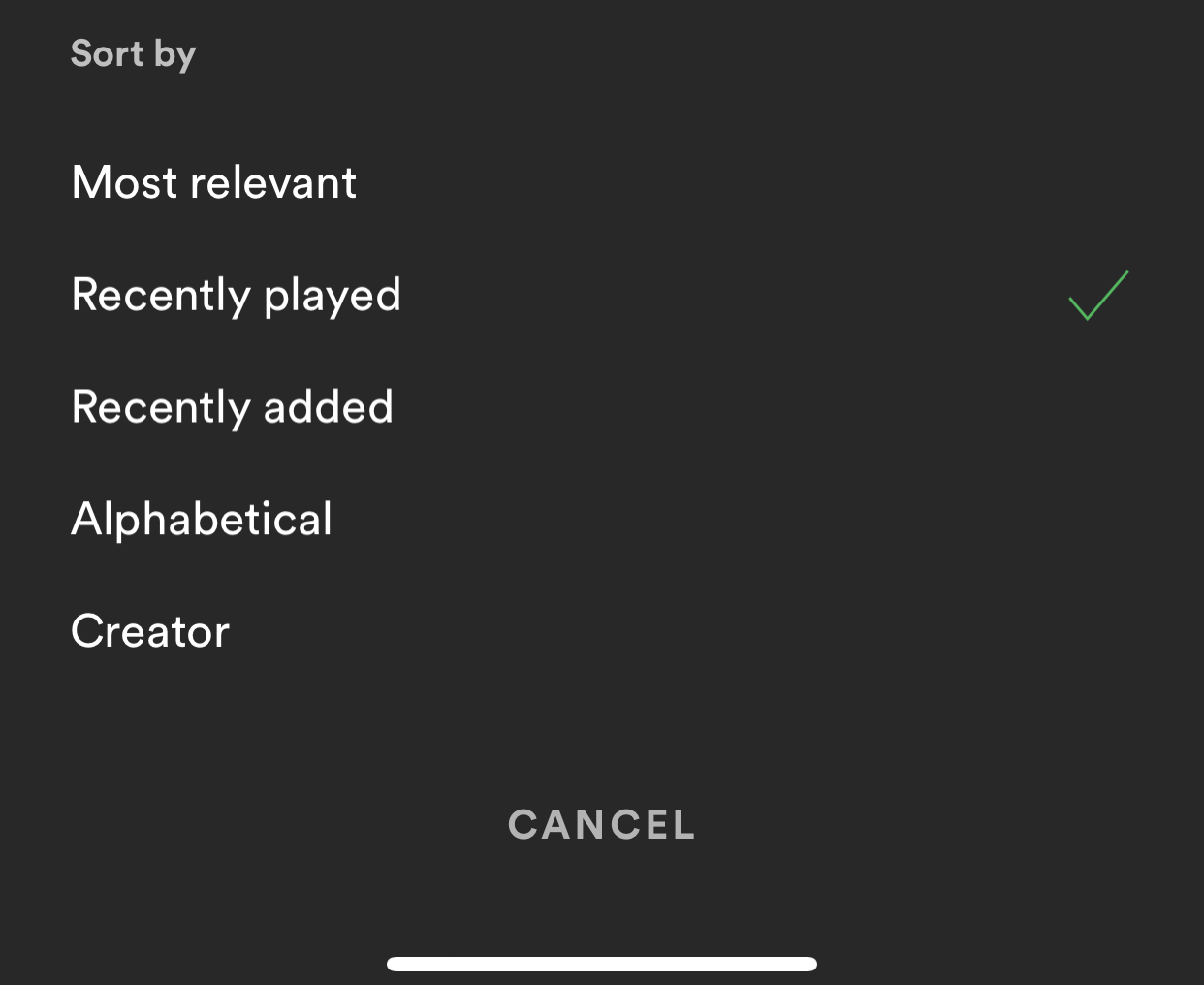
At the top, tap on the sort options to change the sort order of the list.
- Most relevant
- Recently played
- Recently added
- Alphabetical
- Creator
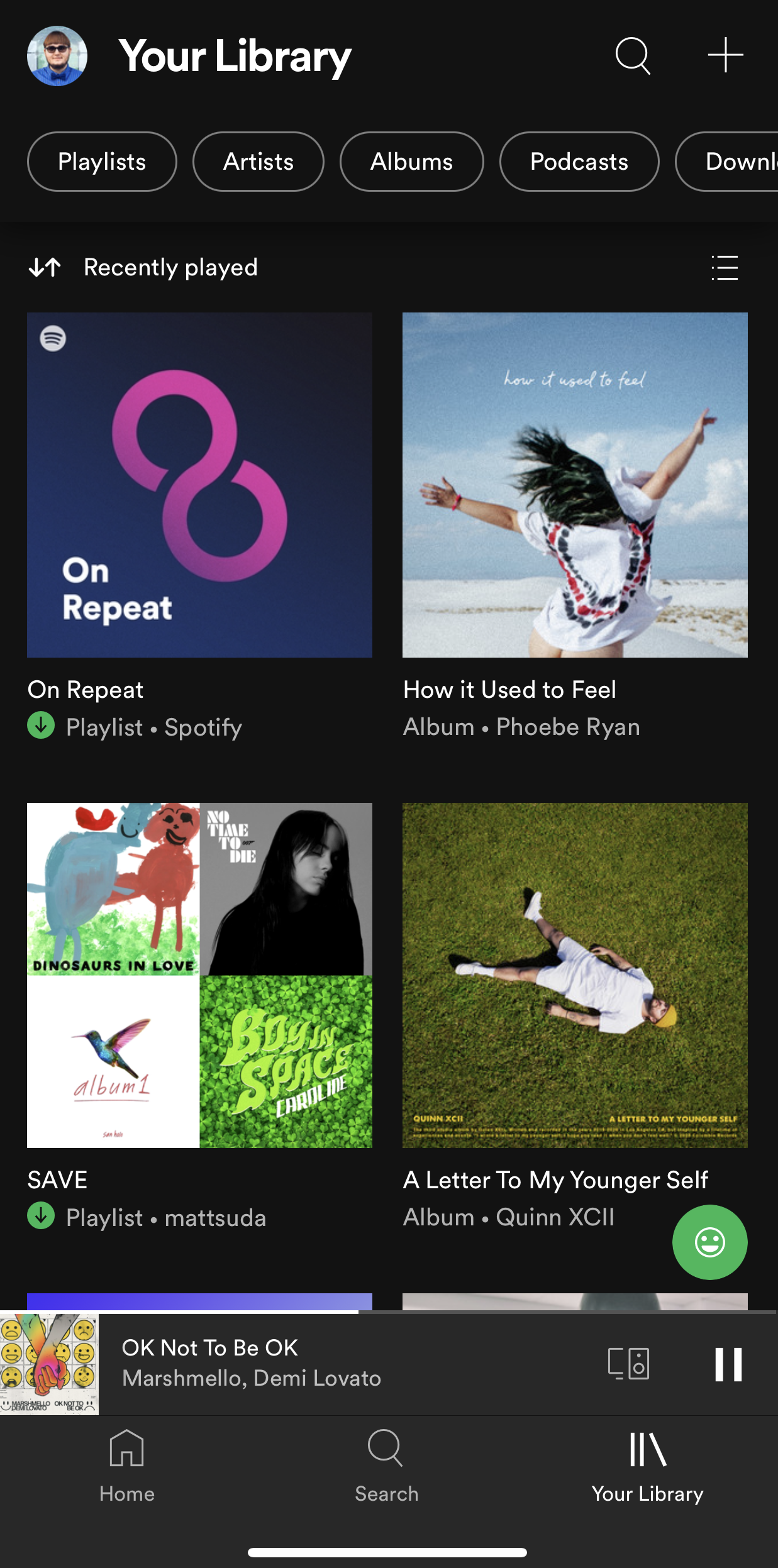
New grid view:
Are you a visual person? You're in control. With the new grid view you can view Your Library with bigger artwork if that's your jam. This is great for when you're on the go or in the car so you can find what you're looking for faster. To switch to the grid view, tap on the squares icon to the right. Tap on it again to go back to list view.
New unified search:
The new unified search can be accessed by tapping the search icon in the top right. This new search allows you to quickly search through your entire library without having to go to a specific content section.
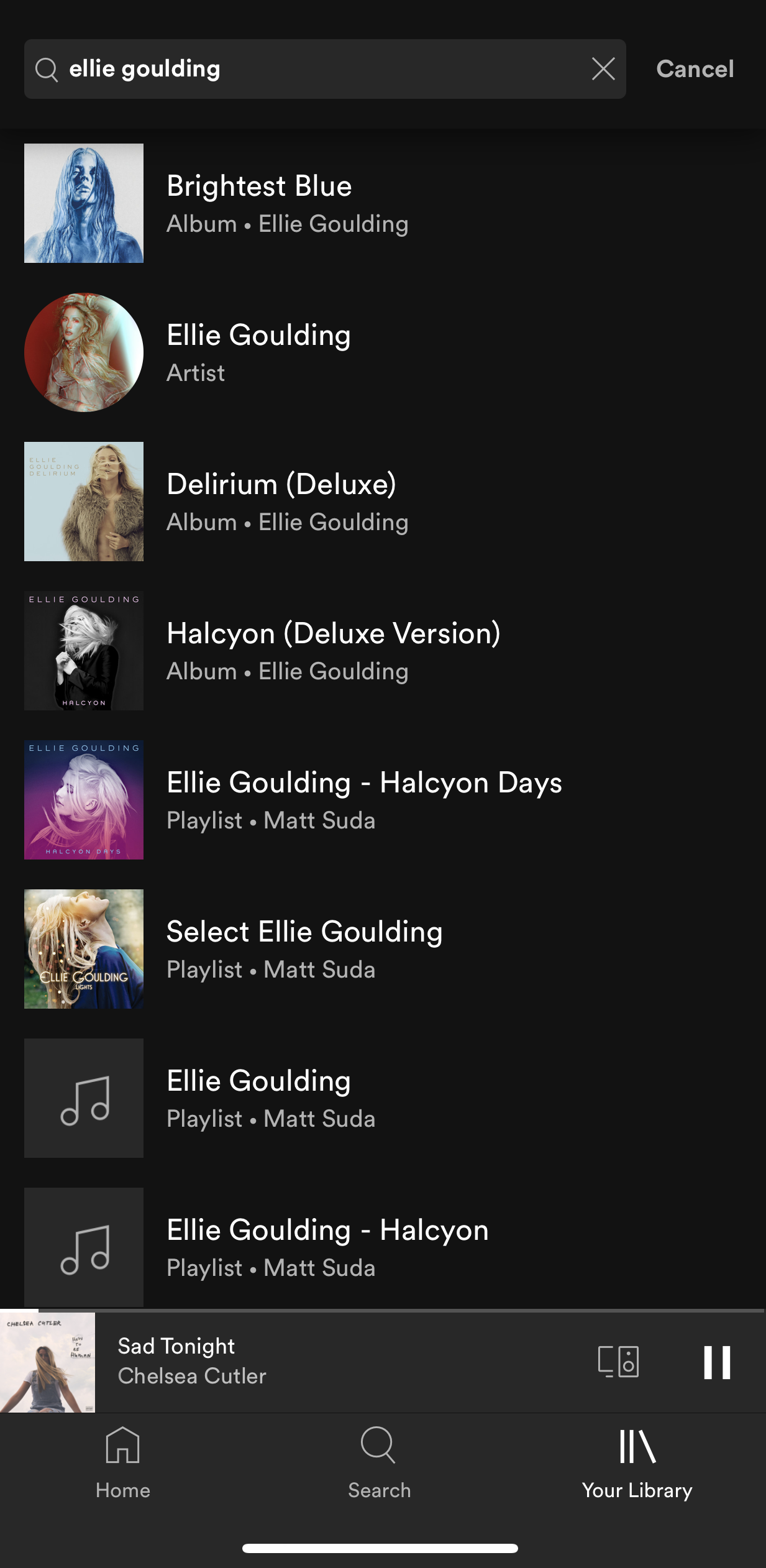
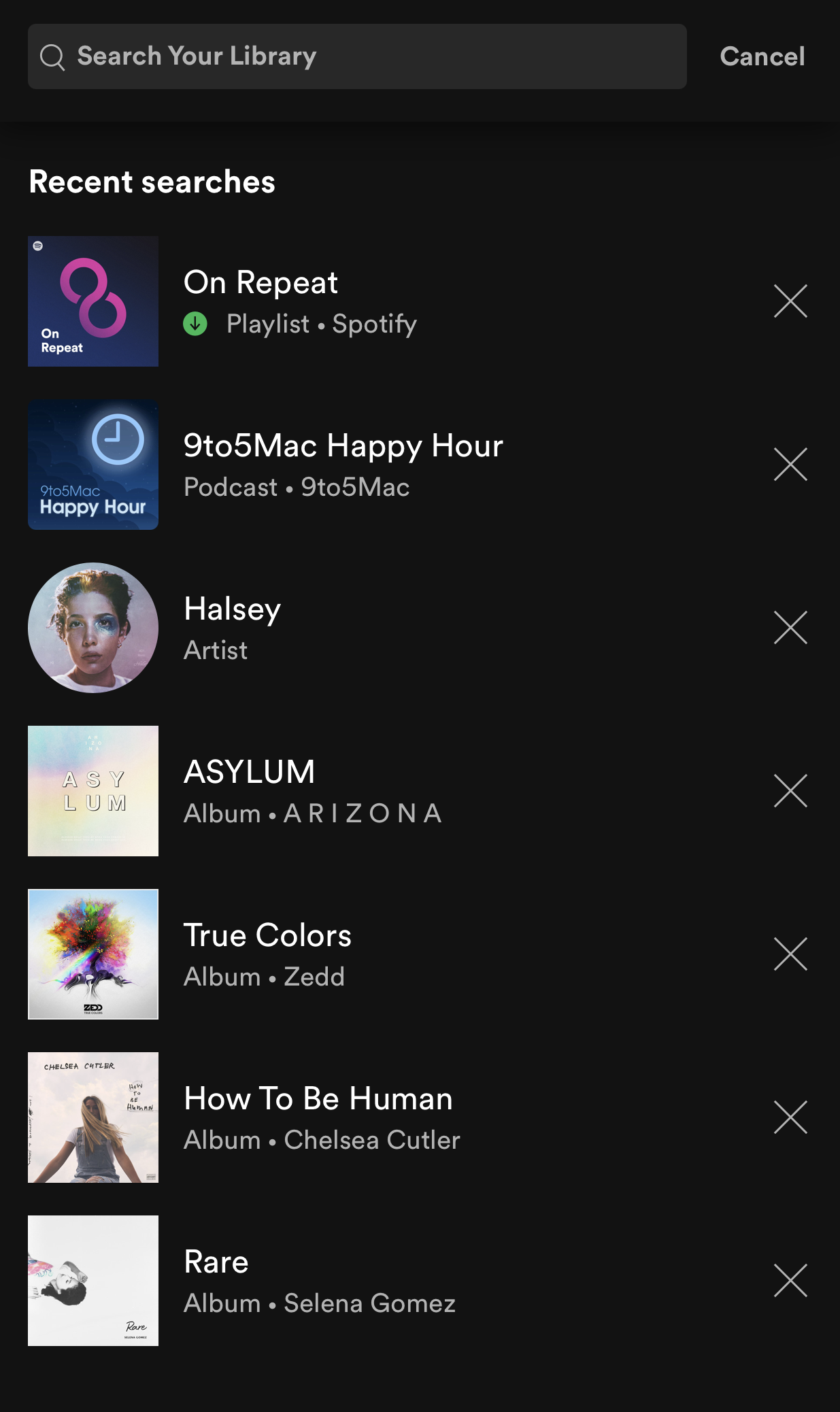
Recent searches:
The new unified search also shows you your most recent Your Library searches so you can quickly get back to what you previously searched for.
Note: Remember that this is a test and features may change during the new Your Library test. Features in this test might not end up being generally released. The purpose of this test is to gather feedback and help improve the new Your Library. Please read this help article for more information about Spotify feature testing.
The other Stars and I got the chance to test the new mobile Your Library first and now more users will be able to test it out and give their feedback to the team. If you are a passionate Spotify user and would like to join the Spotify Star Program and be part of cool experiences like this then check out this page.
Accepted answers
All comments

Recently, the mobile library has changed. Instead of being sorted by playlists, albums, and artists, everything is one big jumbled mess and i have to filter what i want to see to even be able to find what I'm looking for.
The three category system was MUCH more efficient and user-friendly. I can't see why you made the change, and hope that you will be reverting back soon.


Mixed feelings on this update...
I love seeing my listening history and It gets me to podcasts in fewer clicks.
That said, it also disrupts an essential workflow for me. I like to proactivity pick & download podcast episodes I want to listen to. In the "old" library, it was very helpful to see all the episodes I downloaded in one list.
With the new library, I have to go show-by-show to find the ones I downloaded. If I downloaded an episode from a show I don't subscribe to, I have no way of finding it.

I went to listen to something on Spotify and the UI for the Your Library section changed for the worse.
I don't like that the default is to now mix together everything and then you toggle "Playlists" or "Podcasts and Shows" in order to separate them. It was better when it just said "Music" and "Podcasts" options at the top and they were completely separate.
If I click on "Podcasts and Shows" the podcasts are all out of order, and the sorting mechanism sorts by "Recently played" (not sure what the point of that is) and "Recently added" (again not sure the point.) Maybe these are useful and I just have no idea why, but I want podcasts to just be sorted by which podcast has most recently released an episode. You can get to this by clicking on "New episodes" but this also has a section for episodes I am in the middle of, which is useful, but I don't know why it's under "New episodes." It should be moved somewhere else.
Good features - blue dot that shows a show has a new episode from the "Home" tab, and the progress bar that shows how far you are into the episode.
TLDR - just switch it back to "Music" and "Podcasts" and under the "Podcasts" tab just sort it by shows that have most recently released episodes.

You claim one of the sorting options is “custom order” but all that I get shown is recently played, recently added, alphabetical, and by creator. How do I get custom order?? I absolutely hate this new interface

I DESPISE the new Library organization. Being able to easily toggle from Music to Podcasts was a great experience. Within Podcasts, the fact that shows are no longer ordered by added most recent episode is REALLY frustrating and is already making me listen FEWER minutes per day.

i hate it

Completely agree.
Just cancelled my subsciption after nearly 2 hours on support chat trying to get reverted back to the old UI. Terrible from Spotify completely breaks how I use podcasts on the app!

"My Episodes" is a useless playlist that automatically appears without any mechanism to disable, and it is beginning to infuriate me. When I download a podcast episode, it automatically gets added to this list - this is useless because I can find my downloaded episodes in the "Downloads" tab and/or create a playlist for any podcast episodes I want to save. After I've listened to an episode, it remains in the "My Episodes" list. After I've deleted a download, it remains in the "My Episodes" list. The only way to get rid of this playlist I never asked for and have no use for is to individually delete each entry.
Please get rid of this feature, or at least allow users to disable it. I can manage my downloads and playlists on my own. Spotify has introduced a solution without a problem, which has just become a problem itself.

I know, this is so annoying. Not sure why anyone would think that a permanent fix on people’s screens that 90% of people don’t need and isn’t able to be removed was a good idea.
Edit: Okay just realized you can slide it to the side and unpin it, but auto pinning it is still annoying since obviously some people don’t pin stuff and didn’t know how to undo it.

I got the new UI there are 3 weeks ago, really like it! I'd like to share feedback here. While I was in a playlist, when I clicked to download it and came back to my library, I got that glitch over the iOS status bar.
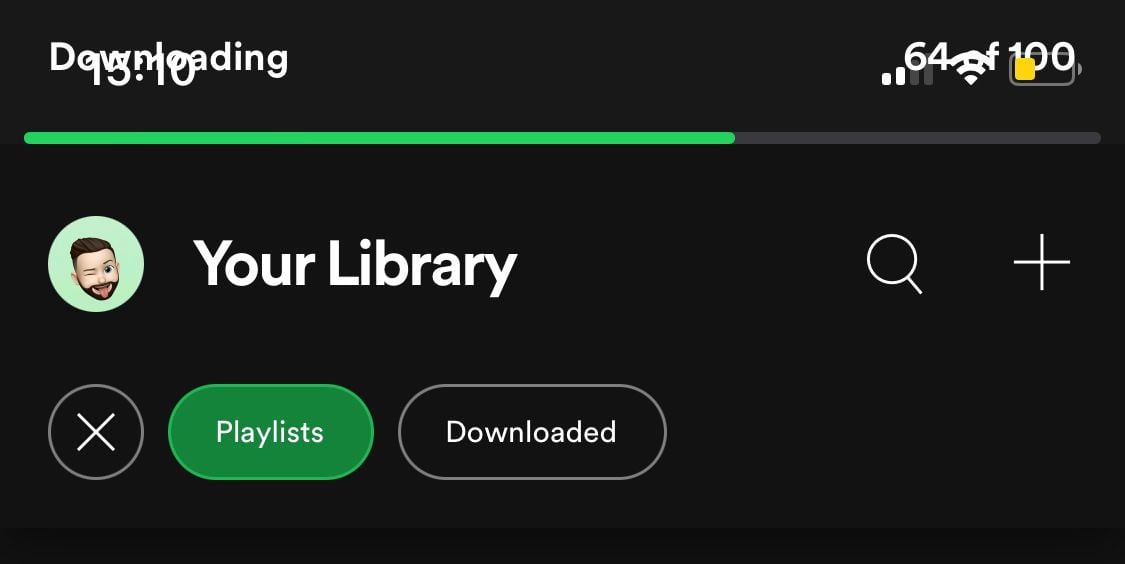
Update: it's gotten WORSE. Now when I remove an episode from the "My Episodes" playlist, it automatically un-downloads the episode!
(On the Episodes tab, when I select the "down arrow" icon to download, the "plus sign" icon automatically turns into a green checkmark to indicate the episode has also been added to "Your Episodes." If I select the green checkmark, the "Add to Playlist" dialogue appears, and if I select "Your Episodes," I get a warning: "Remove this episode? You won't be able to play this offline. [Remove or Cancel]" In order to remove from the playlist but keep the file downloaded, I have to navigate to the playlist itself to remove....)
Stop the madness! Get rid of the automatic add feature OR get rid of the "Downloads" tab! Spotify needs to pick a single file storage / navigation system and stick with it.

I dont like the change.
I always had free control over the organization of my Library, putting the ones I hear the most in the first; the ones I like, but I hear little, for the end, others I play for the end to find from the bottom up. In short I have a way to quickly find the various albums and playlists I own.
In this new update I can only choose the order that YOU want, not the order I want.
Keep it the new changes but add the option of the client to organize the library itself.

i get that they should keep downloads and "my episodes" separate, but what they REALLY need to do is make podcast management more dynamic. you cant even organize your shows by genre. you cant even make a playlist that appears in the podcast section. for all the money they spend on the ringer and joe rogan, they really need to invest in the UX for podcasters


- Exactly. Completely unnecessary feature. Keep it simple, Spotify.

I did not ask any questions about my spotify library !!
I asked no questions about my Library, if you had read my question you would know that ...

I recently updated my app and the new combined library is annoying. It's much easier to have the old "tab" based system with playlists, albums and artists separately rather than the new combined library where I have to filter everything.

When I click on Your Library from the Home screen, I immediately see all my albums. So far so good.
But when I click on any filter whatsoever, the list becomes empty. Be it Albums, or Downloaded, or both together, the list is empty. What am I missing here?
When I then unclick the filters, the list remains empty. The only way to get it back is to go again to Home and to click Your Library again.
With all the plethora of feedback and bugs posted here, I can't even tell if this behavior is a bug or a feature... Sure feels like a bug.
Any suggestion?

I have a question/suggestion. I turned off automatic updates in fear that this awful interface would roll out as a permanent update. But now I'm getting notifications that Spotify would like to update. If Spotify could be more specific about what's changing with updates that would be helpful. If I'm just missing a security patch or something, I'd obviously like that. But if/when the testing ends for this new my library view. . . well, I'd probably just stick with the previous version for as long as it halfway worked. Does that make sense? So I guess I'm asking two things - if this library thing is definitely on the way and could the update notifications be a little more specific?
Hey @Inudesu
Usually features are coded into the app and then switched on for users server side so even older versions of the app could still have the feature as long as it's enabled on the server. It wouldn't make much difference whether you are using an older version of the app or a newer version except that you wouldn't have the latest fixes that the new version has. From time to time you will see visual changes but most of the time each app update includes bug fixes and improvements. It is recommended to keep your Spotify app up to date for the best experience.
For the latest Spotify news check out the Newsroom.
Thanks for that information. So much for my brilliant plan. If these kinds of changes happen regardless of version, I guess I'm free to upgrade but potentially stuck with awful user interface changes I'd have got either way.
My only hope now is the almost universal pushback from this thread on these changes to the my library view. Fingers crossed.
Any insights on where this is at in development?

Hi - I like adding a filter (in my case I select ‘Album’ and ‘Downloaded’ - I use this all the time) however when I return to Spotify, it’s reset itself and I have to select those two fields again. It’s a bit annoying. Cheers.
Sorry to hear you are having trouble with the new Your Library.
Are you still having this issue?
Hi there - yes, it’s still happening.
Hi everyone, this conversation is moving to the new release thread. This thread is now locked.
Come on over to get an overview of what's new and share your feedback:
Hi everyone, this conversation is moving to the new release thread. This thread is now locked.
Come on over to get an overview of what's new and share your feedback:
New Your Library view (iOS & Android)