[iOS + Android] Playlists keep starting from the beginning

None of the below information is required. Im
However, the more you provide the easier it will be for us to try and help.
Plan
Premium
Country
US
Device
iPhone 12
Operating System
iOS 16.0.2
My Question or Issue
when I am playing a playlist the queue suddenly keeps starting from the beginning. I don’t have shuffle on and I am on Wi-Fi and casting to my tv using a chromecast.
Accepted answers
All comments

Just to add some additional detail, the queue will typically play 2-4 songs from the playlist (both created by me and made by Spotify) but then will automatically jump back to the first song and then cycle the 2-4 songs over and over.
They are apparently having this issue on the Android side of things too. Here are 5 pages of people experiencing it:
https://community.spotify.com/t5/Android/Queue-ignores-playlist-and-repeats-4-5-tracks/td-p/5367297

Hey @mattpdejong and @deepakvenkat, thank you for the replies.
Could you please attach the video recording in mp4 format, or upload it to YouTube or Google drive and make it public, so we can visualize it?
Also, what's the model of the affected device? (@deepakvenkat yours is an iPhone 12, right?)
Find attached screen grab of the queue resetting back to the first song of the playlist. I have an iPhone 7 Plus.

This is happening to me on my iPad Air iPadOS 15.4.1. Spotify premium. App version 8.7.94.551. Playing on my Alexa EchoShow 5. A few songs will play in my 4 hour playlist and then start over. I’ll then play again where it had left off, play that one song, and instead of continuing down the list of songs, starts over at the beginning.

This is happening to me too since a few days on iPhone 12, iOS is 16.1.1, latest Spotify version. After about 4 tunes the playlists starts over again. Does not happen on albums, but on playlists generated by Spotify and others.

I am having the same issue whenever I connect to a bluetooth speaker -- it plays the first two songs then restarts the playlist, even if I skip songs it goes back to the first two again
I am having the same issue whenever I connect to a bluetooth speaker from IOS-- it plays the first two songs then restarts the playlist, even if I choose a random song, once done it goes back to the first two again.
Iphone 13 Pro Max, IOS 16.0, Amazon Echo Studio
Spotify v 8.7.94
Every playlist
Hey @mattpdejong @deepakvenkat @HelenaMariana @Christinolini
Could you please let me know if you only experience this while listening to your content on an external device?
Also, those who haven't sent their exact make/model, operating system and Spotify version of their device, please can you do so?
Additionally, it would be great to know what troubleshooting steps you've already tried and when you started experiencing this.
Thank you for your collaboration 😊

I have the error too. Android 13, Samsung A52, Spotify Connect ----> Yamaha NP-S303. Appears on every playlist. Spotify version is the latest. If the Spotify application is running in the background, it randomly jumps back to the beginning of the list, BUT if the Yamaha is left alone and I close the Spotify application, it does not jump back to the beginning of the playlist, the Yamaha MusicCast application displays the track title and artist and controls the track progression . I hope the error can be resolved soon, because it's quite annoying, but at least it's manageable FOR ME.

Reinstalling the app on my phone did not help. Actual albums play just fine with songs in the correct order but any playlist is unusable.
I’m using Spotify Connect on KEF with iPhone Xr iOS 16.2
Spotify version 8.7.94.551
Edit: It seems that when I start playing a playlist from my Mac the list keeps playing in order. But if I then select a song in the list from my phone, when that song ends the list starts from the first song again instead of advancing to the next one.
Spotify for macOS (Intel) 1.1.85.895.g2a71e1b8
I have this problem with all music except albums. So all playlists created by me, others and Spotify keeps starting from the beginning over and over. No difference if the content is downloaded or not. I use Spotify Connect for speakers over wifi.
I have as suggested from Spotify Cares to log out from account and start the phone again with no result.

Same problem here. I think it happens only with Spotify Connect though. iPhone on iOS 16.0 (20A362) and Yamaha MusicCast Vinyl 500.
With Spotify Connect, the error is present if the Spotify application remains open after sending to the MusicCast device. Try what I wrote above, that after sending to a MusicCast device, you close the Spotify application and control it from the MusicCast application. Of course, it doesn't solve the problem of Connect, but at least it can be used UNTIL then. If you need to choose a playlist, open the Spotify app only for that time.

I’m on Spotify version 8.7.94 it’s when I connect to a Sonos beam speaker. (So through wifi) I’m on iPhone 14 pro 16.1.2. When I connected to a Sony Bluetooth speaker I didn’t have the problem.
Thank you Bittencourt. 1) When listening directly on my iPad or if I connect via Bluetooth through the iPad settings to the Alexa EchoShow, so far, there is not a problem, i.e., the problem only seems to exist when connecting to Alexa EchoShow via Spotify directly. However, the sound is much better when connecting directly—better than just a Bluetooth connection to the Alexa EchoShow. 2) Troubleshooting efforts include completely removing Spotify and data and doing a complete re-install, doing a hard re-boot of my iPad. 3) This problem has only started this month.
Hi Helena, I did a test to see if connecting to speakers via Bluetooth from your device settings, and, although the sound is not as good and not as loud, the problem ceased. Have you tried this?
Unfortunately I cannot try this as my speakers are only accessible via wifi.
Also, listening from USA

Am a premium member.
Have a playlist with 2000 numbers and I want it to at all the way from the top till the bottom.
When starting to play from somewhere in the middle it will play the next song working down the list but after a number of songs it somehow starts at the top of the playlist again.
So the normal play order is broken together with the broken shuffle play, https://community.spotify.com/t5/Live-Ideas/All-Platforms-Option-to-have-a-true-shuffle/idi-p/4880594
I'm really getting fed up with Spotify.
Yes this closing of the Spotify app seems to work as a workaround for the time being.
Hi @Bittencourt
I am only experiencing this when playing on an external device, in my case Bose Smart Soundbar 900 and Bose Smart Portable Speaker (both connected via Wifi). I cannot recreate the problem when listening on my phone only.

I did the clean reinstall and this just happened again.

Plan
Premium
My Question or Issue.
It appears that this has been an issue in the past as well as currently. I've already posted this in a reply on another thread, but I couldn't find any topics that were dedicated to just this, and I'm not sure it belongs in that other thread. Apologies if this is a duplicate that I couldn't find. This issue has gotten so bad, I'm about ready to cancel my account after many years of being a customer. This has been going on for weeks. I have a few friends who use Spotify who have expressed the same frustrations and issues. I am shocked there aren't more complaints.
Doesn't matter the playlist. It gets through maybe 2-5 songs, and then resets to the first song that started playing (it is worse on shuffle). While it does it at all times, it's much worse if I navigate away from a playlist to either add a song to a different playlist or remove a song from the playlist I'm on. This issue is also at its worst if I'm synced to another device like my Xbox One or AV receiver and streaming/controlling through my smartphone.
I have a pixel pro 6 running android 13. Please fix this ASAP. I cannot express how aggravating this is.

Hey there folks,
Thank you for your replies in this thread.
Does the issue occur on a different device with your account? We'd suggest to try logging in into a friend or a family member's device and test if you'll experience the same.
Let us know how it goes, and if possible, send us a screen recording of what happens and we'll have a closer look.

PS5 Spotify Updated to Latest Version
Spotify Premium Solo
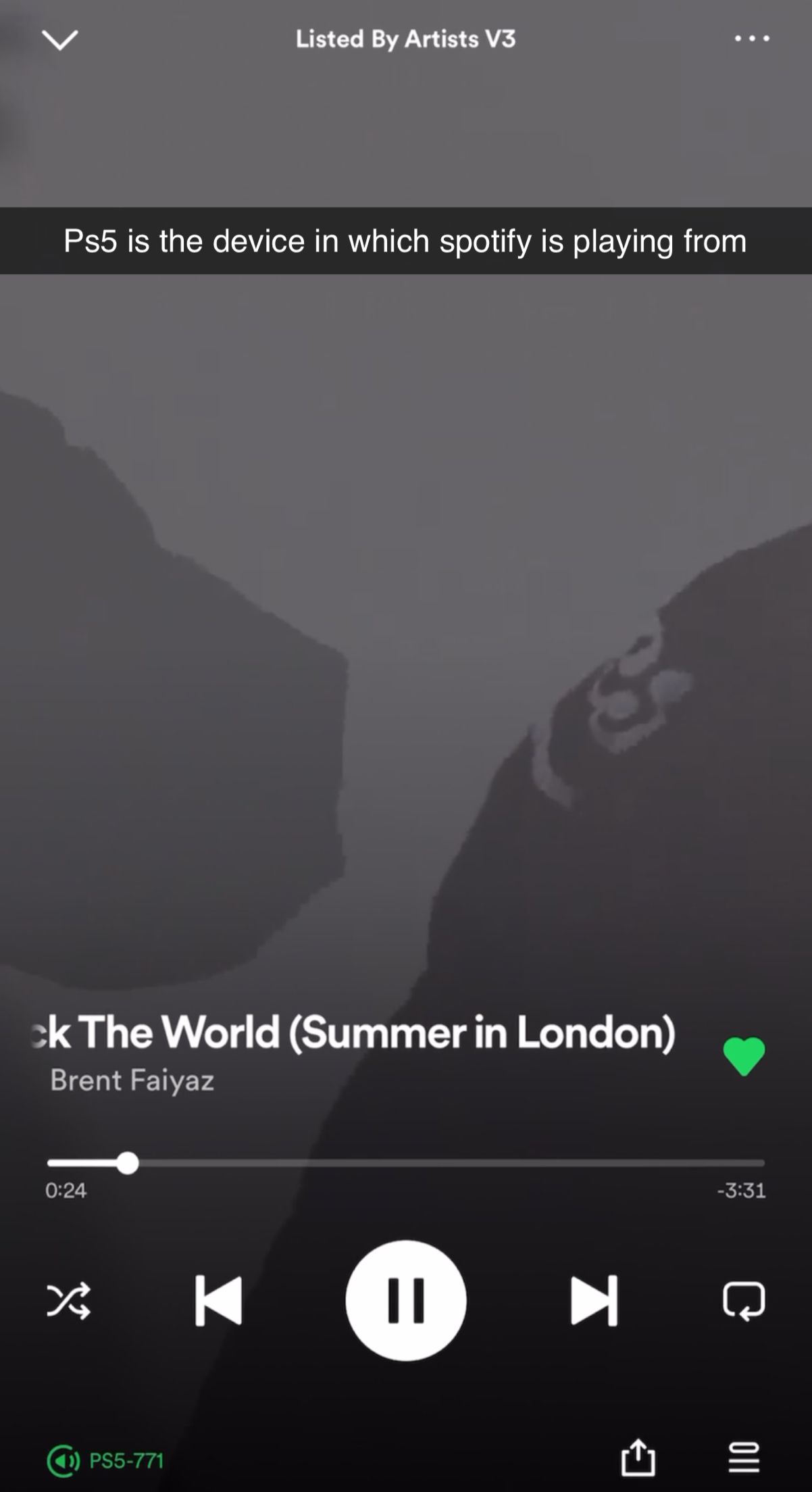
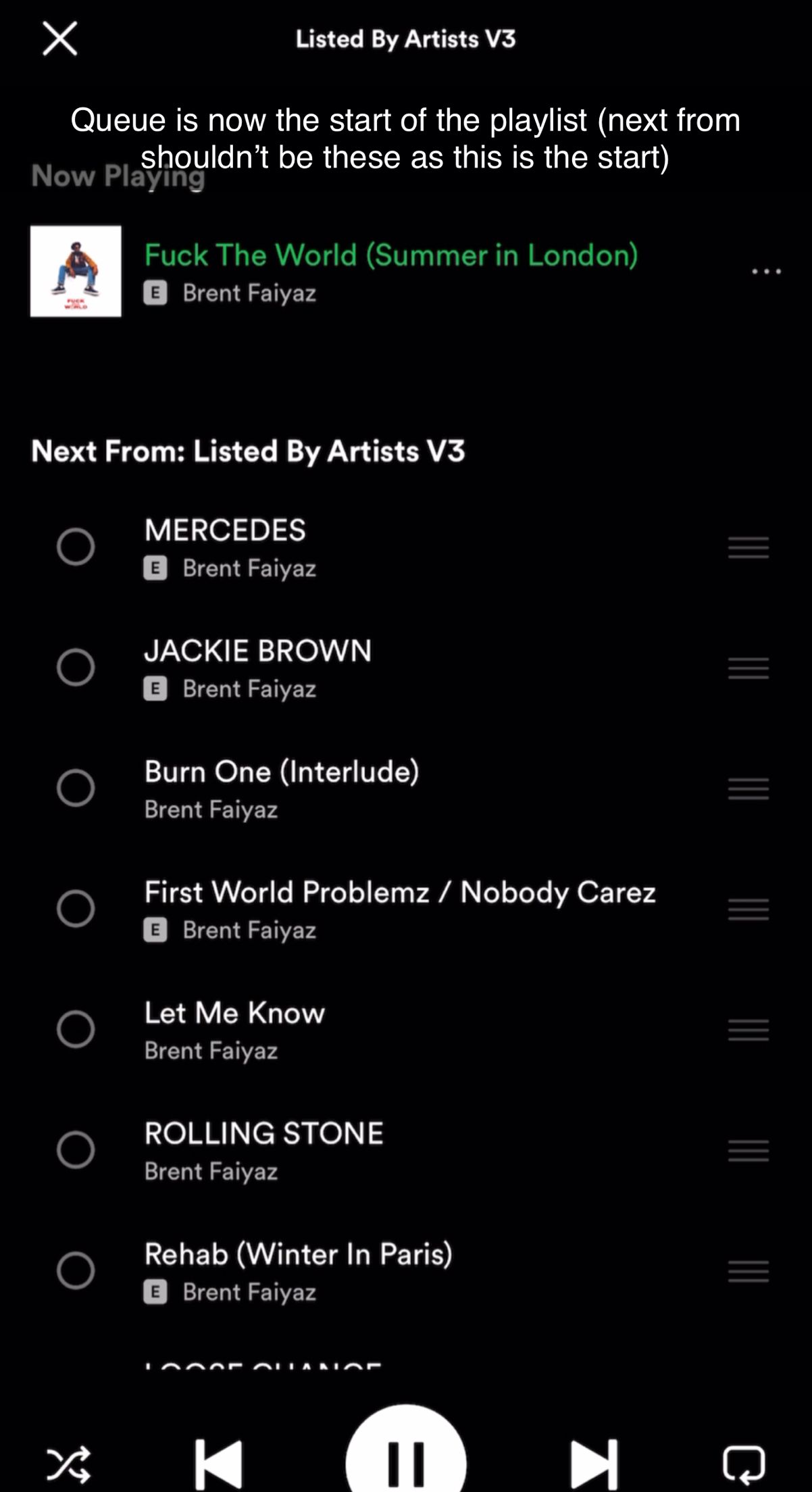
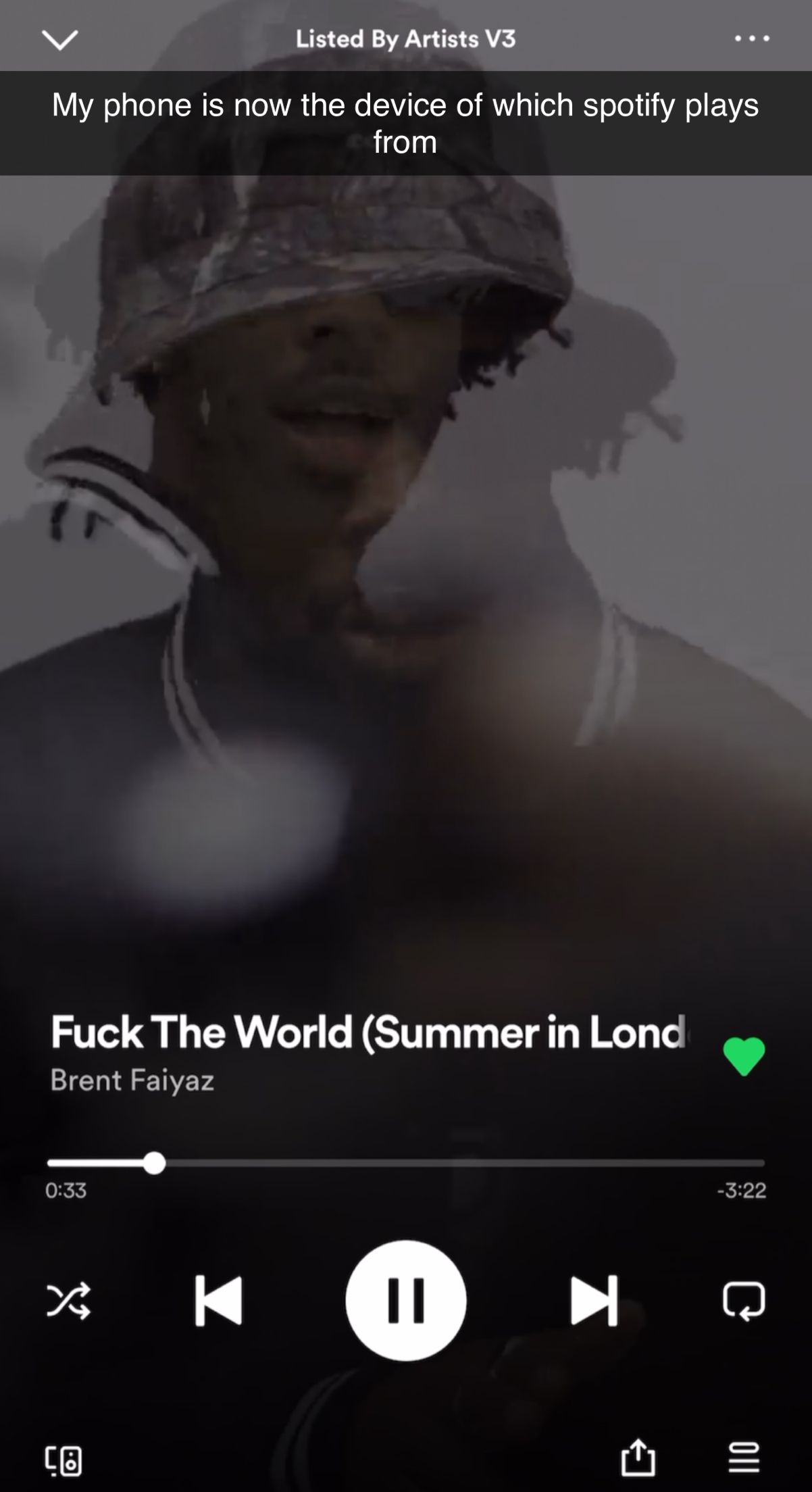
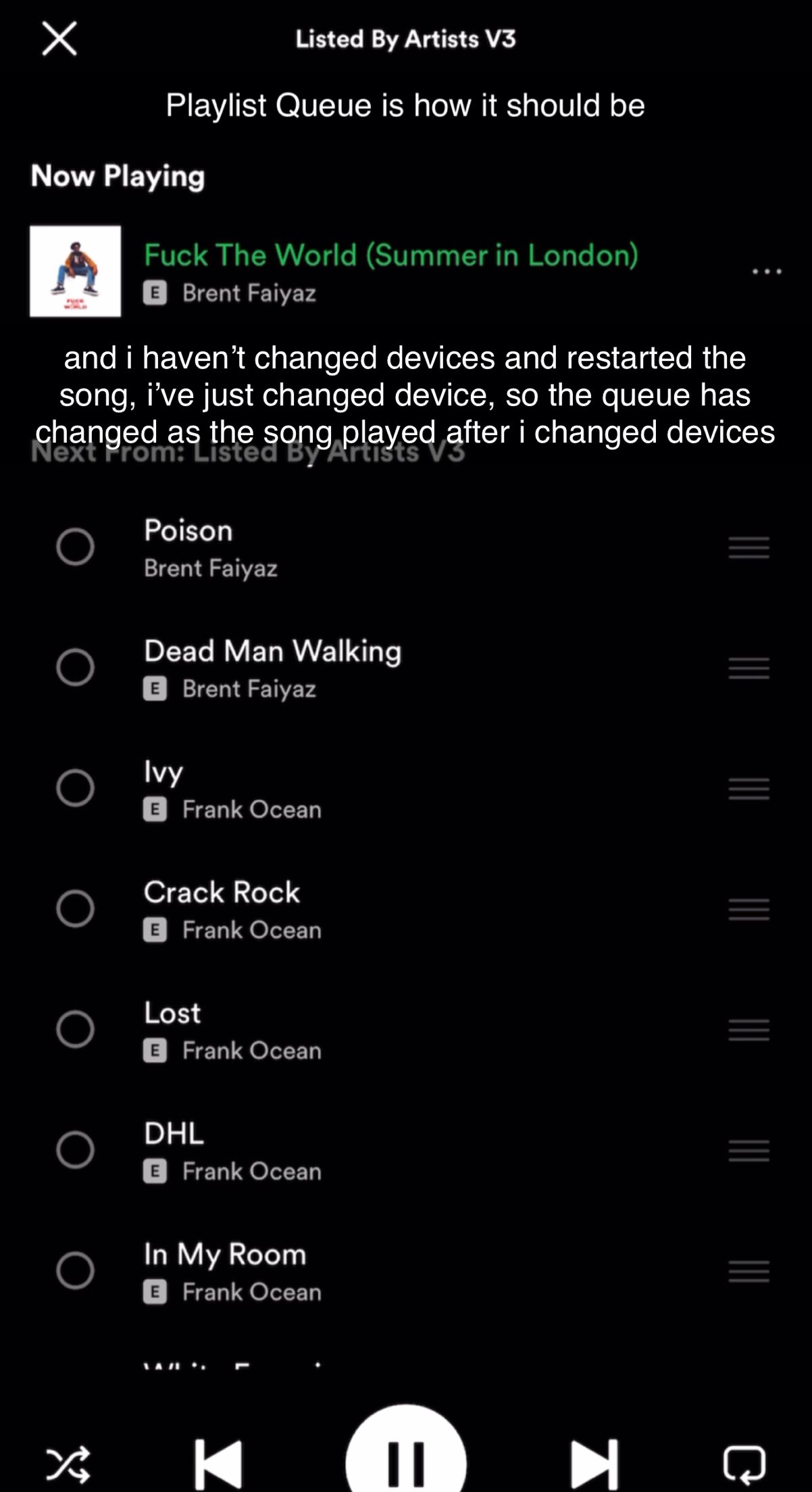
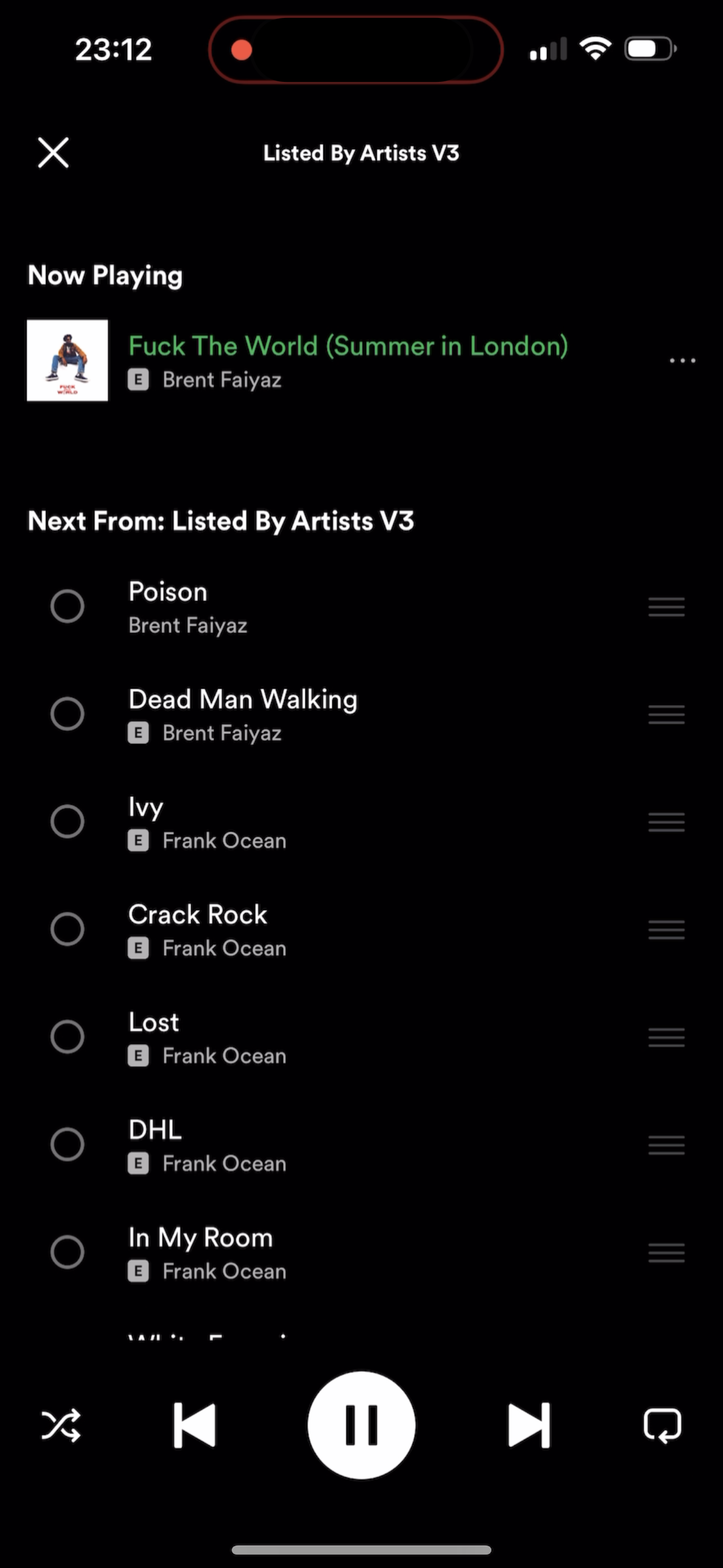
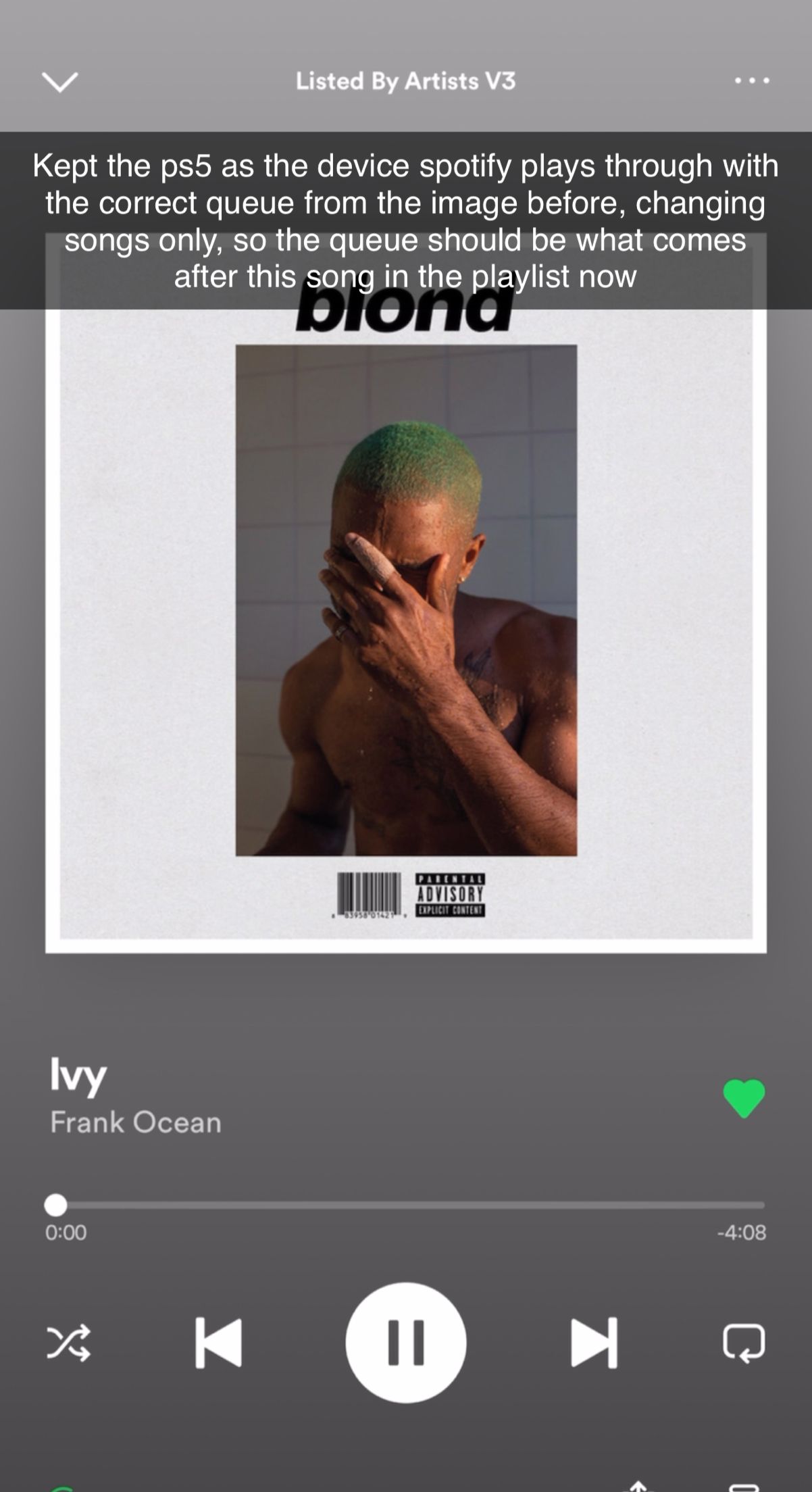
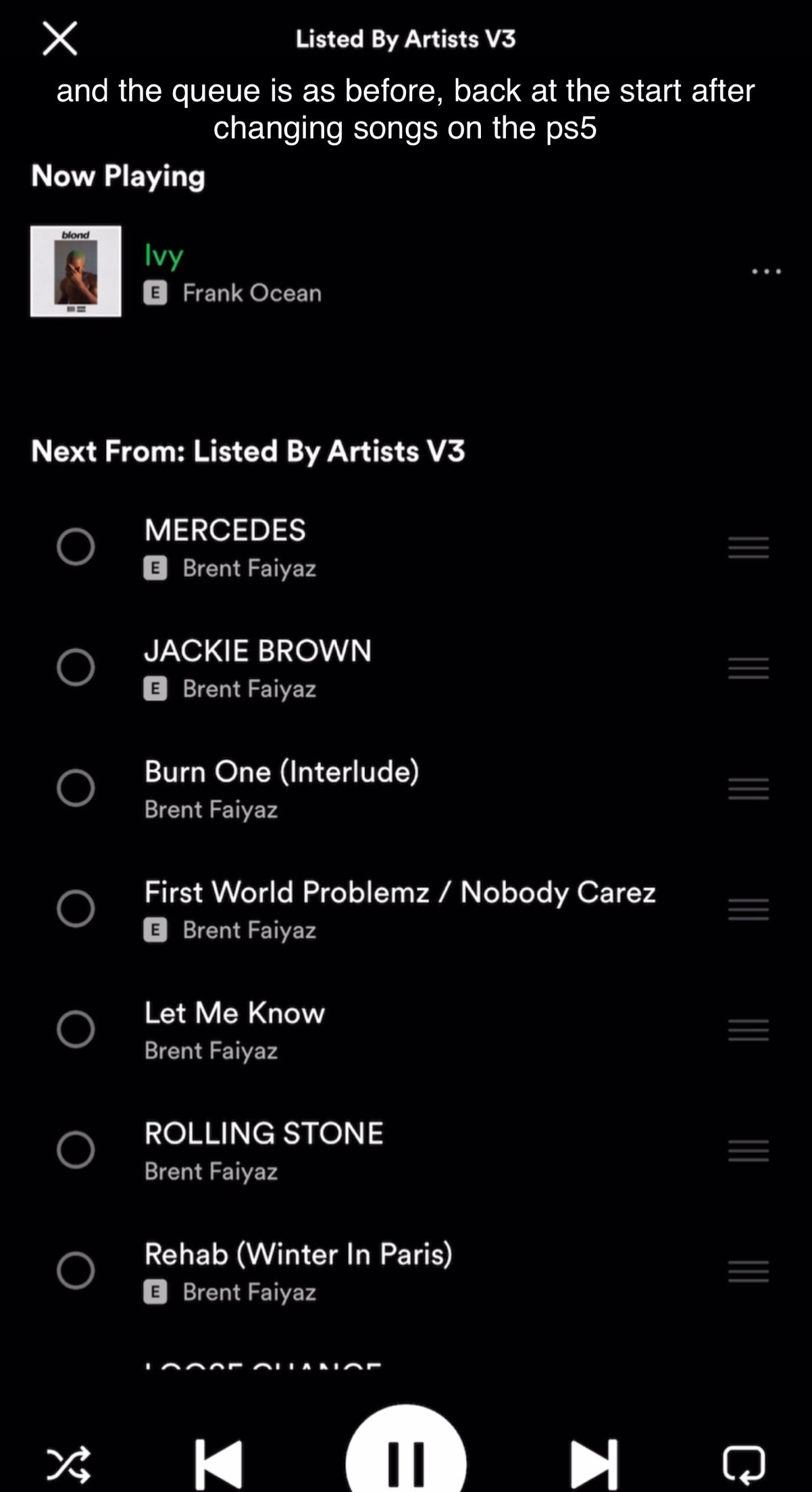
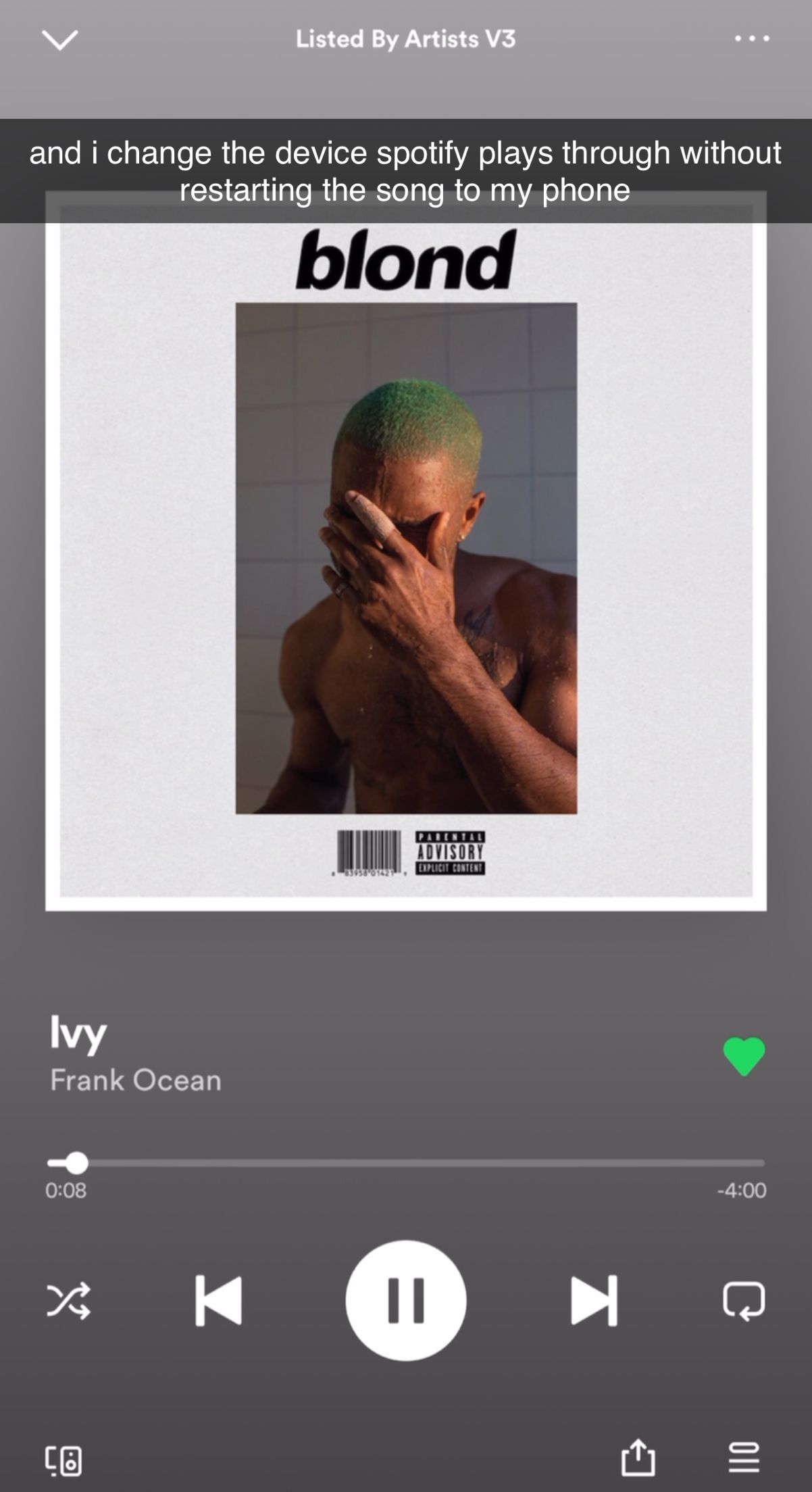
So i’ve seen posts similar to this in the help tab, however it seems to be different to my problem. The playlist itself on my phone works fine and does not go back to the first song, however if i decide to play the music out of my playstation by changing the device spotify will be played from using my phone, the song i first chose will play, and then the playlist will go to the first song. Any ways i could stop this?
Thanks

Yes, please fix! Spotify is unusable with this bug!!
Had this issue when playing through Sonos speakers today. App version 8.7.92.521 from Google pixel 5a. Very annoying bug!


Same issue on android, webplayer and desktop app. Logged out all accounts and reinstalled the app, didn't help. I think fixing the bug would be a better solution than suggesting that we log into friends device...
Delved deeper into what the problem could be, it seems to be the same playlist causing the problems. If i change devices to the playstation after the song i want starts to play, the queue after it stays the same, but if i then change songs, the queue changes and goes to the start of the playlist. If i change devices back to my phone, the queue will once again change back to what it was before the ps5 became the device. I’ve tried to show what i mean in the images below
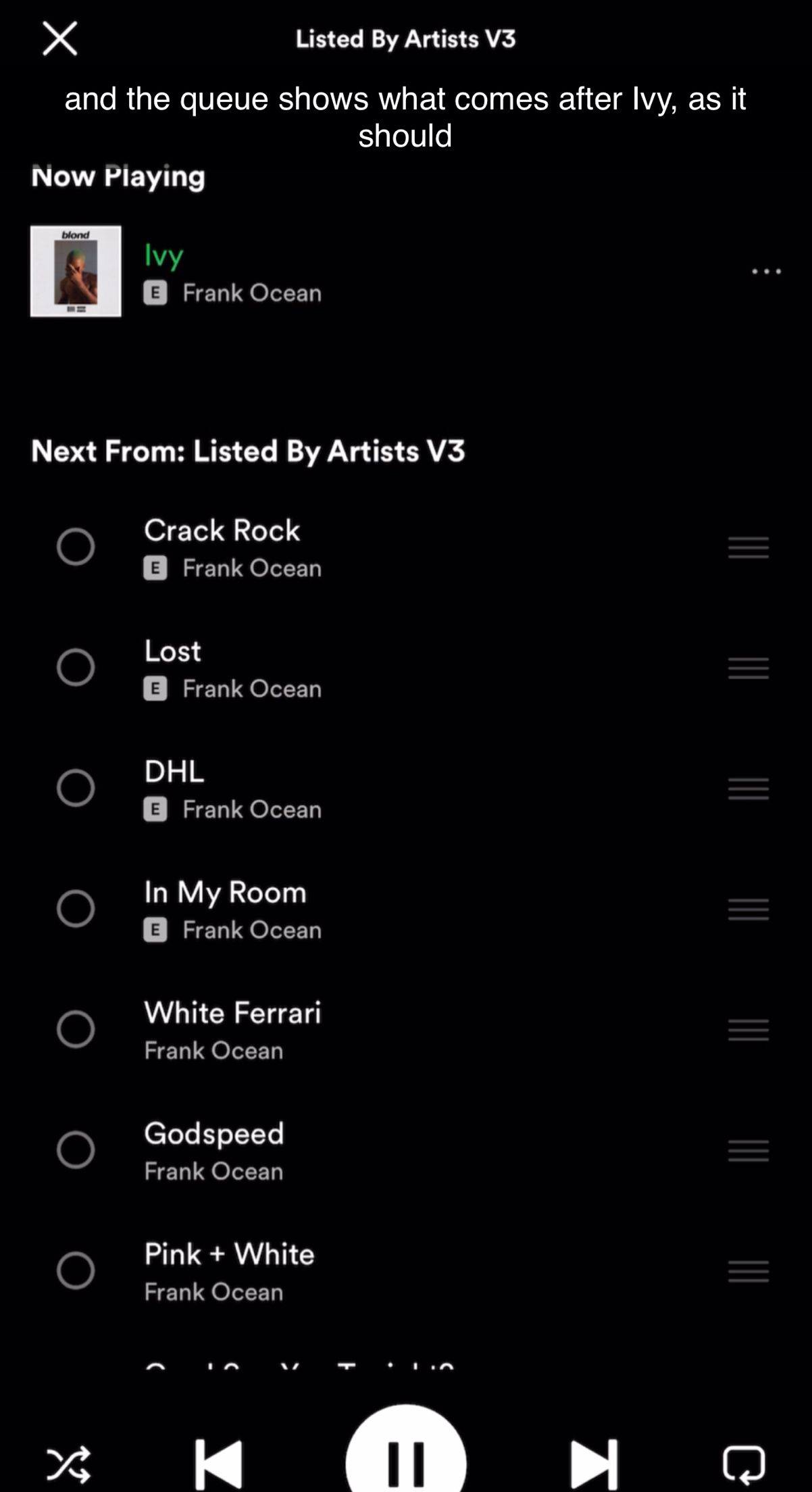
I am running 8.7.92.521. I have only seen it on my iPhone so far. I have seen it on multiple playlists both the ones created by me and the ones that are generated by spotify.