Android App slow or completely unresponsive

Been having lots of problems with the Android version of Spotify. These are mainly that the search function no longer works and the playback of tracks is hit and miss as well (the track timer will be counting but no sound is being produced). I have a Moto G 4G and this problem exists whether over wifi or 4g.
Accepted answers

To get developer settings go to the settings app in your app drawer and scroll to the bottom and tap 'about'. Now find the setting 'Build number' and tap it 7 times. Back out to the settings menu and you now have access to 'Developer settings'. Open this and scroll down to unchecked against nuplayer.
Reboot and see if the problem persists

With 5.0, 5.0.1, and 5.0.2, you could uncheck NuPlayer in Developer Settings to go back to AwesomePlayer. With 5.1, AwesomePlayer is the default.
Only removing all data from the app helps to make the app responsive again. So for me it is not fixed yet.

I had a very slow and unresponsive Spotify Android app too. And i had a very large library of albums, artists and songs.
After deleting my whole library the Android app is fast again, very fast!
So if you have a slow Android app, then try deleting as much as possible from your library first.
Hope this helps for you too!

After some more digging, and after about a week of trying this solution I found that it was in fact my SD card that was causing the slow down. Which is a huge shame as I bought a 64GB SD card explicitly so I could store a tonne of offline tracks in Spotify. I even bought a high-speed card (Sandisk Ultra SDXC) knowing that transfer speeds could be a bottleneck. Oddly enough, I had this card since pretty much day one in my phone and yet the issue didn't pop up for months.
To those of you with an LG device and an SD card: try removing it and seeing if that makes a difference now. My app is now as responsive as it should be, loads pretty much instantly and plays every track straight away. It's a night and day improvement.


All comments

Hey @SteMachine1982 is the Android app still giving you trouble?
Have you already tried all the steps outlined here: [Android] Troubleshooting Spotify

The only app on my phone that is misbehaving. Sony Z3, latest sw.


Hey, same Problem here. I never had problems with spotify, as a free user and since a few months as a paying customer. But since 1-2 weeks the app is so slow. I reinstalled the app a few times, emptied cache and deleted apps. Nothing helped. I will not reinstall my phone because of spotify. I will wait for a few weeks and if nothing happens I'll switch to google. They get their stuff done, I don't JUST want to use google everywhere, but if I have to I'll do that!
(Phone is a Xperia SP)
To get developer settings go to the settings app in your app drawer and scroll to the bottom and tap 'about'. Now find the setting 'Build number' and tap it 7 times. Back out to the settings menu and you now have access to 'Developer settings'. Open this and scroll down to unchecked against nuplayer.
Reboot and see if the problem persists
Deleting and reinstalling the app seemed to work for me. The searches are now working again although I'm not sure for how long this appears to have provided a fix.
I'm using kitkat... probably should update...

The program **bleep**ing sucks because they do not listen to the community!!! i f they did most of these problems would be fixed, but unfortunitley it's the same assholes who run Last.FM, a bunch of hackmprogramsers who have stolen other peoples ideas which they have built spotify upon that's why they can't fix it, they don't know how!!!
1. Android App way too slow, unresposive!!!!
2. Saved artist don't save, they disappear
3. Searches suck
Ya join the club Spotify won't fix it.


I have been fighting with this since my S5 updated to Lollipop in April. Searches could take 1 to 2 minutes to load, playlists would take 30 seconds to load, and the player itself was so sluggish. I bought a new LG G3 and having all the same problems on both the stock Lollipop ROM and any custom ROM I was trying. I was pulling my hair out as my WiFi connections are my super fast university internet (2ms ping and 100+ Mbps download) and my extremely robust home network (15-20ms ping 105 - 130 Mbps). Thanks for the Nuplayer idea. Flipped the switch to AwesomePlayer on my custom 5.1.1 ROM and I now have a functional app again. Thanks!!


Hi Guys,
the NuPlayer option is a cool thing to try, i'll see if I notice a difference.
For me, I just had a HUGE increase in performance from deleting all the songs in my library.
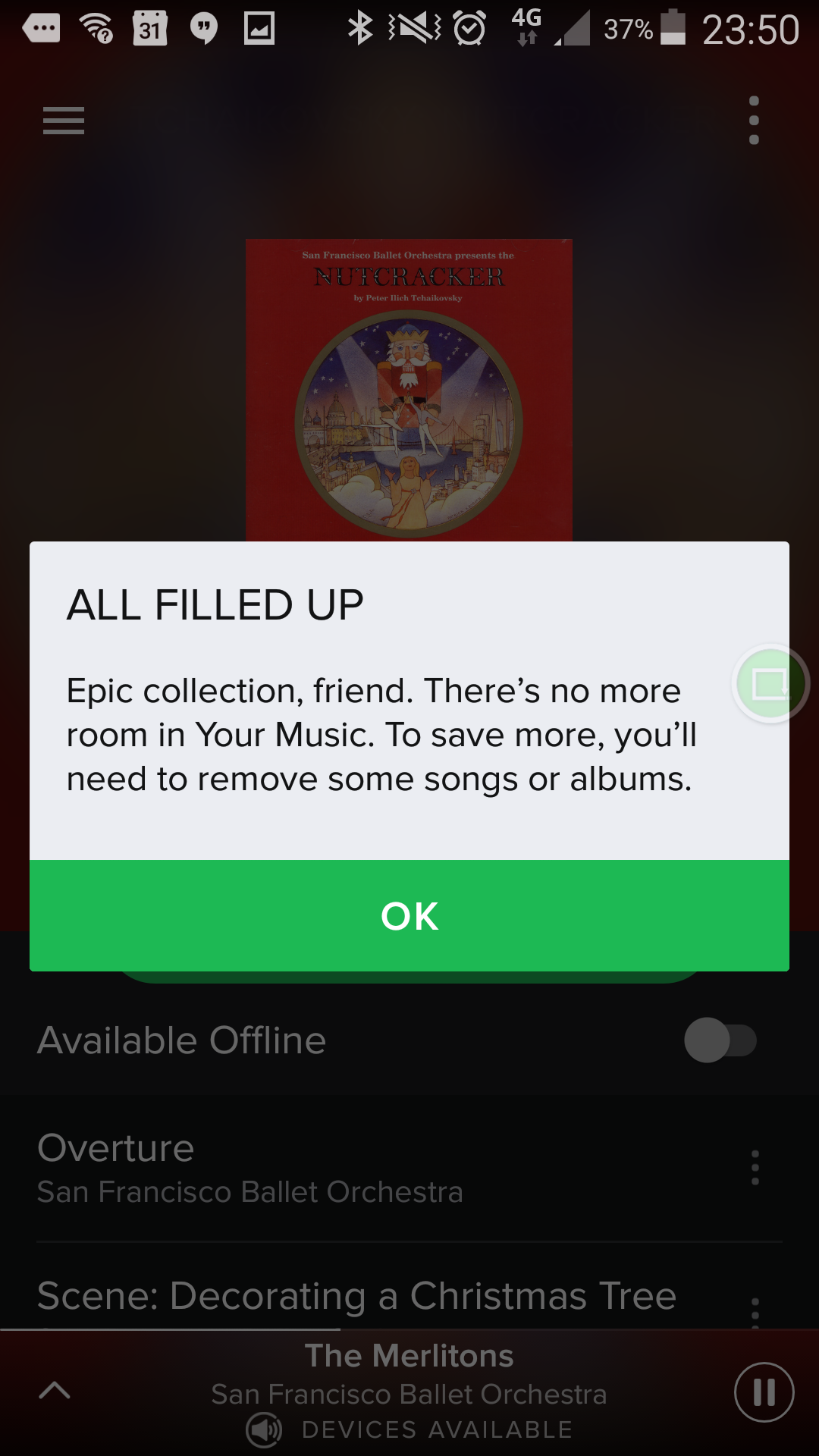
A bit extreme, but it really helped. I had gotten this error last night that I hit the limit for songs in my library.
I really only use songs in my playlists, and not really ever from the "my library" feature
so I just deleted all of them and everything on Spotify is quick again.
Spotify Devs: I don't think the number of songs saved to my library (note: this is separte from making playlists available offline) should affect the responsiveness of the UI for ALL of the spotify app. everything I did in the app was very slow; searching, scrolling through playlists, opening now playing.
it seems like something must have been trying to make use of my whole library while i performed other functions in the app.
With 5.0, 5.0.1, and 5.0.2, you could uncheck NuPlayer in Developer Settings to go back to AwesomePlayer. With 5.1, AwesomePlayer is the default.
Only removing all data from the app helps to make the app responsive again. So for me it is not fixed yet.


Be aware that you will have to download again those songs you had in your phone. Playlist and songs in those playlist are not lost.
A few weeks after applying this workaround the slow reaction of the app happens again. So believe the developers of Spotify have something here to work on.

I also have an LG G3 and have the same problem with Spotify Premium. Strongly considering switching music providers unless this gets fixed!

Hi,
I'm having the same problem with a LG G3.
I deleted and reinstall spotify and also switched to awesome player. As it didn't fix the problem, I purchased a faster SD card than the old one (from UHS 1 to 3). If it did fix the launching, the playback and the loading of the playlists, I'm still encountering really slow (and when I mean slow I mean endlessly slow) loadings of the album or artist lists in offline mode... it is so slow that I'm unable to use this part of the app... a shame as I have a lot of saved music in this part that aren't on any playlists... it's been 10 minutes that I'm trying to load my artist list right now and i still got the loading sign !!! (EDIT : after 20minutes of unsuccesfull loading time... I restarted spotify and same issue again)
After 3-4 years with a spotify premium account... I'm really wondering to go on deezer. I tried the android app of deezer with the premium trial and the app seems to be much more responsive...
I have a similar issue - ever since I have had my Lg G4 (about a year) Spotify has been very slow and acting odd. E.g. pages take a very long time to load over wifi or 3g or no connection, songs will come up and not start playing for 2 minutes or so and then stop once or twice before resuming again. Every page takes much longer to load than it should, including my playlists and when selecting playlists it sits there with a green circle for between 10seconds to 2 minutes. \even accessing settings on the device takes a very long time, and accessing the storage options causes the app to freeze.This issue has persisted between multiple versions of Android (I am now on 6.0 and so cannot change media player via the developer settings as that is no longer an option). I have tried uninstalling, reinstalling, clean installs, with and without my SD card in. I have even had my entire motherboard replaced during a repair and the issue persists. I have tried all of the suggestions on the troubleshooting page. Sometimes I am just unable to play music or have time to wait for Spotify to load and I feel like it's become almost unuseable to me most of the time which is incredibly annoying as I am a premium subscriber.
Any other ideas or experience with this issue? I would post a video to describe the kind of issues I am having but I don't have a second device or know if I can video capture my phone?
I had a very slow and unresponsive Spotify Android app too. And i had a very large library of albums, artists and songs.
After deleting my whole library the Android app is fast again, very fast!
So if you have a slow Android app, then try deleting as much as possible from your library first.
Hope this helps for you too!
After some more digging, and after about a week of trying this solution I found that it was in fact my SD card that was causing the slow down. Which is a huge shame as I bought a 64GB SD card explicitly so I could store a tonne of offline tracks in Spotify. I even bought a high-speed card (Sandisk Ultra SDXC) knowing that transfer speeds could be a bottleneck. Oddly enough, I had this card since pretty much day one in my phone and yet the issue didn't pop up for months.
To those of you with an LG device and an SD card: try removing it and seeing if that makes a difference now. My app is now as responsive as it should be, loads pretty much instantly and plays every track straight away. It's a night and day improvement.

Seems unacceptable to me. I mainly use my library when traveling in the airplane and care where I don't want to or cannot stream, so having local storage is the most important feature. WHy can't spotify work with the SD card in the LG G3? So slow that start up takes 15 minutes with a couple of hundred songs on the SD card. If it doesn't fix in the next couple of months i'm going to google.

Similar for me with Moto G4 on Android 7.0 - the Spotify app recently became unusably slow.
I've removed the 64GB SD card, and it seems much better so far. The SD card had been in the phone a long time, so I was wondering if it was a recent Spotify update that was causing the problem (currently version 8.3.0.681 armV7)


Hey @SteMachine1982 is the Android app still giving you trouble?
Have you already tried all the steps outlined here: [Android] Troubleshooting Spotify