Adding the Spotify Play Button to posts

Hey music lovers! We've built a fast new way for you to post a Spotify Play Button!
1. Right click on the desired song/ playlist.
2. Click 'Copy Spotify URI'.
3. Go to your Community post.
4. Click 'Insert/edit link button'

5. Paste URI.
6. Click Post.
Ta-da!!!!
Also, fun tip, if you add ":small" it will make it a small version of the button.
Comments

Works perfectly, thank you! 🙂
Hey @user-removedit will still look like a normal link before you hit 'Post'. Once you hit post that should work for you, but please tell us if it's not working.

Test !
Hi Meredith
Re Test
I'm a donkey ........ it Works
In "insert / edit link" Paste URI in "url " and " text to display " .... and Send

Its not working for me. Could it because I'm using the web player currently?
Hello !
I tried with the web player: it does not work
We can not copy the link
No, Still not working for me and I'm on desk top now.
Hello !
2. Click 'Copy Spotify URI'.
2. Go to your Community post.
3. Click 'Insert/edit link button'
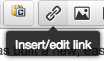
4. Paste URI.

Click Post.

Not working for me either....but I'm a superior snobby Mac user with a track pad maybe that's why 😉

https://developer.spotify.com/technologies/widgets/spotify-play-button/

I also have problems with the first method, but it wortks when i am using the the method in this page:
https://developer.spotify.com/technologies/widgets/spotify-play-button/
I paste the whole code-bit into html of the post and then it is OK.
It is possible to alter the size by playing with the height and width.
But I cant get the "small" thing to work. It dosent say where to put the "small" text.
Best regards
Poul Erik

Not working for me ... >.<
Dear Kley2k
Maybe you skipped some of the steps in the recipie.
First method:
Clik on the . . . button on your playlist in Spotify
Copy the LINK or the URI (i think both works)
Open the create play buttonpage
Paste the copy into the little field (2) on the page
Copy the big field (3) from the page
Insert the copy in the HTML-part of the post
Second method:
There is another way - easier, but i have experienced that it sometimes dit not work.
Click on the . . . button on your playlist in Spotify
Copy the Embed code
Insert the copy in the HTML-part of the post
Good luck
This should be your playlist:
@Weidick wrote:Dear @kley2k
Maybe you skipped some of the steps in the recipie.
First method:
Clik on the . . . button on your playlist in Spotify
Copy the LINK or the URI (i think both works)
Hey @Weidick and @kley2k just as an FYI, this only works if you select the URI.
Post that URI as a hyperlink and the Spotify Play Button will appear when you post.

Since the "Copy Embed Code" is back on the lastest version 1.0.6.80 that should help everyone..
Right click on the title of a song or an album to get it and paste it in your post in html mode.
Dear @soundofus and @Meredith
Thanks for the correction.
But i just took the words from the webpage:
(For example, spotify:track:2TpxZ7JUBn3uw46aR7qd6V or
I think, that the "buttongenerator" somehow makes both tings work.
In the below example i used the TRACK-LINK and it seems that the generator altered it to the URI.
The reason i use the generator and not the link in the post is that i found that sometimes the URI in the post-link did not work when i tested it in the preview.
I also found the "buttongenerator" usefull to generate a Play-button in the signature, but thats quite another story.
Best regards
Poul Erik
Dear @Meredith
I think i found the problem
When i try to insert a URI link in a post, i only get the link in the preview. Not the Button. (See below)
If i paste the embedde code into the HTML-part it shows the button in the preview.
Then of course i think it wont work with the link. But apparently it does even the preview only shows the link and not the button.
Using the URI in the link is much easyer and i will of course use that from now.
Best regards
Poul Erik
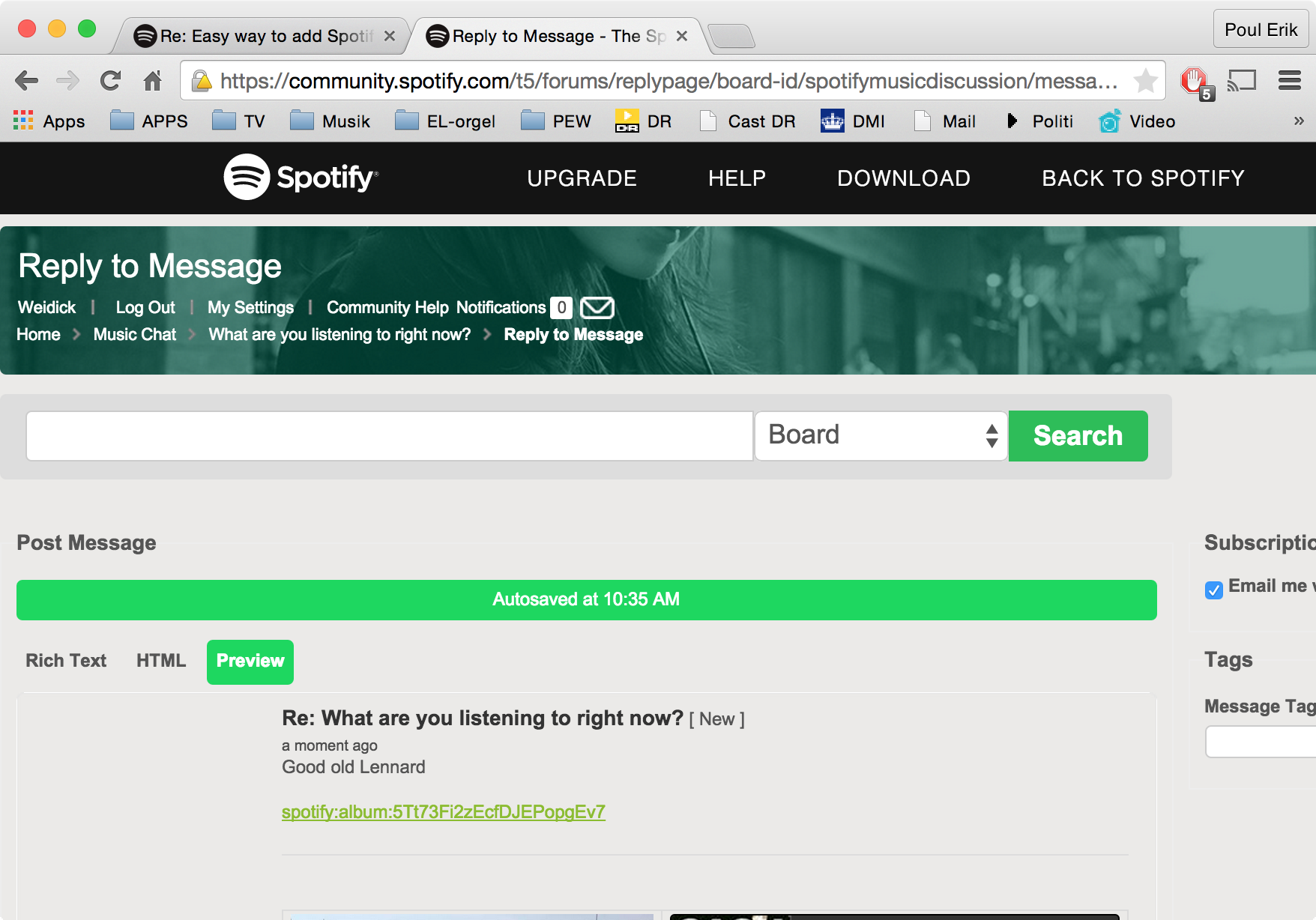

Testing
Dear @dnavratil98
Can se, that you still have the link and not the button.
How are you making the link?
I have found out that both the URI in the link and the embedded code in HTML works.
The first thing is the easyer.
But it looks like it does not work for you?
//PE
Yes, I am having trouble figuring out how to put a play button on a post!! I will keep working on this for a while!!
Let me give you the steps on how I been doing it and tell me where I'm going wrong!! I open 2 tabs in my browser, 1 for the post I'm working
on and 1 for "My Music"
1 - I go to tab with "My Music"
2 - Click on an Album
3 - Go to the Track and over on the right hand side where 3 dots appear
Right click and and select "Copy Spotify URL
4 Go to the tab with post, click where you want the link, Click the link button (chain), Box will appear, past link in top line
2nd line will automattically put some info in, type name of song in 3rd line and then on 4th line click "Open in current page!!
When I test it, the link takes me to "My Music Page and starts music!!
Hello,
Try to find these simple steps.
In the community :
1 - Start your thread or reply in Rich text mode
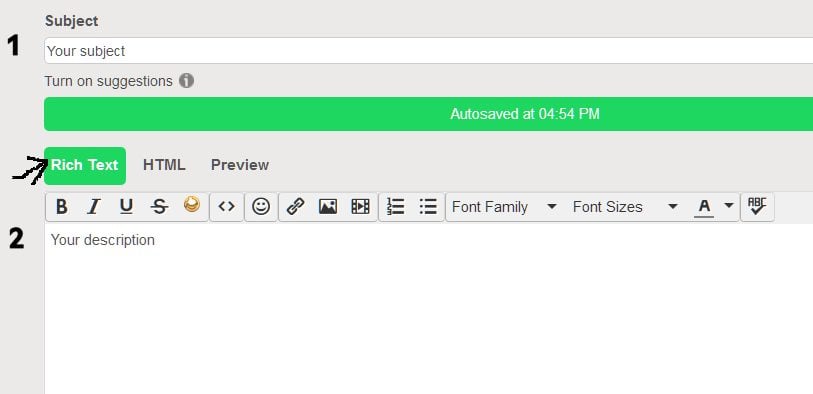
2 - in Spotify :
2.a - For a single song right click the title and chose : Copy the embed code
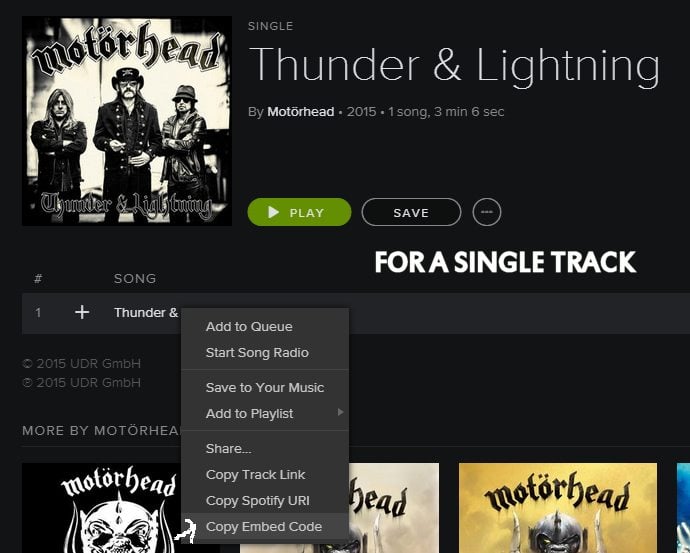
2.b - For an album : right click the title and select : Copy embed code
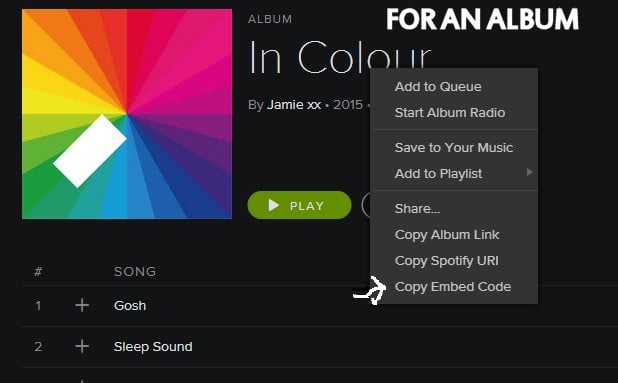
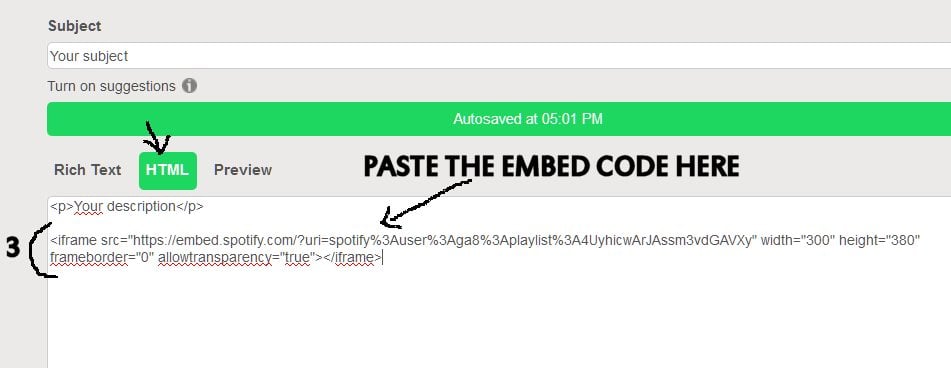
3 - in the community, back to your post :
Select HTML and paste the code you got at the end of what is in the text box
4 - Preview if you want and/or click Post
When I right click the song title I don't get the "Embed", All I get is Copy the URL!!
What version of Spotify do you have ? the latest one is 1.0.6.80
You can download it here :
http://upgrade.spotify.com/upgrade/client/win32-x86/spotify_installer-1.0.6.80.g2a801a53-61.exe
Dear @Soundofus and @dnavratil98
I had the same troubble with getting the URI working. Thats why i chose to use the HTML method, as Soundofus is refering to.
And that works.
But now i have found out that the URI also works in the link method.
Maybe it has something to do with versions and operativsystem?
This is made by copien the URI and setting in as LINK
I'm at work and I'm using the Spotify Web Player. I can't download the app here at work! Most of my activity in the community is done while I'm at work! At home on my desktop I have downloaded the app but I'll have to wait til I get home to check the version. I've only been a member of Spotify for a week now!! - Tks for the reply - David
Went home, opened the Spotify app on my pc and YES when I right click a song title the "Copy Embed Code" option is there! I will play around with this tonight and try it out later - Tks for the advice - David
PS I couldn't get it to work with the Embed Option but it did work with the "Copy Spotify URL" - As long as it works!! My problem was I was using the "Web Player" Instead of the App!!!
It Works! It Works!
Tks to all who helped!!
Great you did it.
But i will try to investigate a bit. There are a lot of posts, that show the link instad of the player. WOnder why.
If the URI is inserted in the LINK-function, why dosent it work everytime.
I have found out, that if you post something that demands a categori, picture and "playing now" button dosent show in preview before the categori is choosen. There must be som script running on the webpage.
I will see if i can find the pattern somehow.
Have a nice sunday
//PE
Hello ! Meredith
this method does not work for me
But this one, yes!
Thanks !
1 - Copy : in your post ( Html )
"<iframe src="https://embed.spotify.com/?uri= ….................................... " width="300" height="380" frameborder="0"></iframe>"
2 - Replace ...................................
By Your Link : Playlist, Album, Or Title
Example :
3 - Result:
"<iframe src="https://embed.spotify.com/uri=
" width="300" height="380" frameborder="0"></iframe>"
4- Send
Result :
"
"