Spotify Client 1.x beta for Linux has been released

Hello Linux users!
After much waiting, you'll be pleased to hear that we finally have a beta release of the 1.x client which is publicly available as of today! To gather more feedback and input, we are releasing the client to a testing repository rather than the stable one. So to get it, you'll need to add Spotify's testing repository to your apt sources, like so:
echo deb http://repository.spotify.com testing non-free | sudo tee /etc/apt/sources.list.d/spotify.list
If you already have Spotify's repository listed elsewhere (such as /etc/apt/sources.list), we recommend removing it and creating a separate file as shown above. After having configured the testing repository, simply run:
sudo apt-get update
sudo apt-get upgrade
...and you should see spotify-client among the list of packages which need to be updated. We will keep the 'testing' repository alive for the foreseeable future; think of it as our beta channel for Linux users.
New features in the 1.x client which are specific to the Linux client:
- Remember all those various bugs with text/mouse input in the 0.9.x client? Like the client not giving up mouse focus? Or crashing on drag/drop? Or text input not working on some window managers? Get ready to say goodbye to them. 🙂
- "Now playing" notifications can be switched off in the settings page, and libnotify is a suggested (not recommended) package dependency.
- The WM_CLASS property should be set correctly (was broken in the first unofficial beta)
Known issues/limitations with the 1.x Linux beta client (at the time of writing this post, the client version is 1.0.7.153.gb9e8174a):
- Login with Facebook Connect does not work (there is a fix for this and it will be rolled out soon)
- There is no application menu
- There is no tray icon
- Some key bindings do not work yet, like ctrl+s for shuffle, etc.
- The application is super tiny on hi-res displays
- 32-bit builds are not available yet
Regarding the application menu, all functions from the menu are accessible in other places in the client. Preliminary design for the menu has been done for this feature.
The tray icon is a bit trickier; in the 0.9.x client we got this from QT, which is no longer used in the 1.x client. We are currently evaluating how to best re-implement this feature.
The font scaling and detection of hi-res displays is also tough to fix, but the good news is that the Linux client will soon have the "zoom" feature present in Mac/Windows along with the necessary key bindings, and this setting will be persisted between sessions. Users with hi-res displays will be able to use this feature to scale the client to an appropriate resolution. This fix will be rolled out in the near future.
As for the 32-bit builds, there is some good news there. We have managed to get a working 32-bit build pipeline configured. We're currently in the process of testing and double-checking the integrity of the 32-bit builds, and we will have a 32-bit binary release soon.
Comments
We're going to try to really nail debian distribution before doing other packaging formats (including tarballs). The problem with the tarball releases is that the binaries really only ran on debian systems anyways, because of the dynamically linked package dependencies.
Anyways we're still working towards that goal but have some other problems to solve first before we can do tarball releases. It's still on the radar though.

+1 for THIS:
"As for the 32-bit builds, there is some good news there. We have managed to get a working 32-bit build pipeline configured. We're currently in the process of testing and double-checking the integrity of the 32-bit builds, and we will have a 32-bit binary release soon."

@nikreiman wrote:
Known issues/limitations with the 1.x Linux beta client (at the time of writing this post, the client version is 1.0.7.153.gb9e8174a):
- Login with Facebook Connect does not work (there is a fix for this and it will be rolled out soon)
- There is no application menu
- There is no tray icon
- Some key bindings do not work yet, like ctrl+s for shuffle, etc.
- The application is super tiny on hi-res displays
- 32-bit builds are not available yet
Playing Local Files still cause core dump! I have reported this issue (I think I saw the same report from another user before) in the previous thread. Any comment on this one?
@perlsite wrote:
@nikreiman wrote:
Known issues/limitations with the 1.x Linux beta client (at the time of writing this post, the client version is 1.0.7.153.gb9e8174a):
- Login with Facebook Connect does not work (there is a fix for this and it will be rolled out soon)
- There is no application menu
- There is no tray icon
- Some key bindings do not work yet, like ctrl+s for shuffle, etc.
- The application is super tiny on hi-res displays
- 32-bit builds are not available yet
Playing Local Files still cause core dump! I have reported this issue (I think I saw the same report from another user before) in the previous thread. Any comment on this one?
What libavformat/libavcodec do you have? We require version 54 and there are known issues if you have other versions.

By the way, how come that the Linux version is 64-bit only while MacOS and Windows are still 32-bit?
Seems the MacOS version is 64-bit already as well, so Windows is the only 32-bit version.

Looking nice 🙂 Out of interest - why did you choose to drop Qt, and what are you using instead?

Does this new version of spotify client have a dbus interface?
I used the provided dbus interface in the qt version to setup global shortcuts for play/pause/next-song/etc so I wouldn't have to switch to spotify window each time I wanted to skip/pause current song.


Thank you!
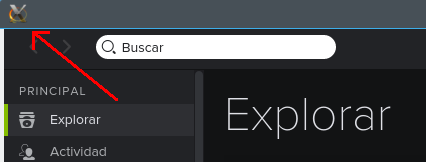
One thing not mentioned in the known issues, and thus I don't know if it supposed to happen: I don't have a proper Spotify icon in the window decoration and the taskbar either. I know the try icon is missing, but I'm referring to the application icon. I see a generic X-Window icon.
Window decoration:
Taskbar:
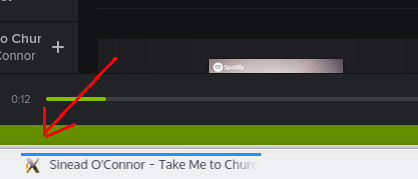
Is this supposed to look like this in this version? Is there anything I could do to fix it? (I'm using Kubuntu 15.04)
Other than that is looking good, known issues considered.
I *really* would appreciate if you give the re-integration of D-Bus a higher priority. It's something standard/important in Linux land, which enables a lot of nice details/features (like integration with the sound applet/widget, and so on) that work perfectly fine in the previous version (0.9.17), and now are missing.

Good to see a Linux client, but sad you ignore Fedora again in favor of Debian-based distros.
Why not open source the client instead of keeping proprietary software secrets? Sharing is better.
And you'd have a much better chance of maintaining a high quality linux client.


@nikreiman wrote:
- There is no tray icon
The tray icon is a bit trickier; in the 0.9.x client we got this from QT, which is no longer used in the 1.x client. We are currently evaluating how to best re-implement this feature.
Please don't simply add the tray icon. This is an obsolete and annoying thing that should go away or be optional. Unity and GNOME doesn't even have a system tray/notification area anymore.
http://design.canonical.com/2010/04/notification-area/
Previous Spotify versions used Ubuntu's sound menu perfectly but the tray icon appeared anyways, that created a duplicated function, without forgetting how bad was the icon resolution.
A good approach, I think, would be to have the option to turn on/off the tray icon, and defaulting to off in Unity, GNOME and Cinnamon and defaulting to on in other desktops. Or to have it default off entirely.
@nikreiman wrote:
@perlsite wrote:Playing Local Files still cause core dump! I have reported this issue (I think I saw the same report from another user before) in the previous thread. Any comment on this one?What libavformat/libavcodec do you have? We require version 54 and there are known issues if you have other versions.
Thanks! That was the hint I needed. On Arch Linux I have to run:
$ yaourt -S aur/ffmpeg-compat-54
Obviously I didn't have libavcodec installed.


Running Mint 17.1 x64 with Marco window manager. just updated and now it opens in full screen with no window icons. I tried toggling F11 but that didn't work. have to logout/login to get back to desktop.
@stbenjam wrote:Good to see a Linux client, but sad you ignore Fedora again in favor of Debian-based distros.
Why not open source the client instead of keeping proprietary software secrets? Sharing is better.
And you'd have a much better chance of maintaining a high quality linux client.
I don't really mind it being closed source, I mean it's a bit of a shame... But if we could get Fedora/rpm packages, that would be absolutely wonderful.

Nice to see progress!
Three things make it unuseable for now though:
- Missing dbus support
- It goes and stays fullscreen
- Everytime I click on the spotify icon in the left tray in Gnome I get a new instance of the program instead of jumping to it. Also there's an additional iconless "Unknown"-program that represents the running instance. (This is linked with the generic X-Window icon problem)
System is Arch with Gnome 3.16.2. I'd be happy to share any additional info if it gets you anywhere
Also better focus on dbus support and skip the tray icon. Any desktop can do media player control, and an extra spotify icon is only an inferior solution circumventing the standard while also not looking too pretty...
Thank you very much for caring about Linux 

@schuhumi wrote:
[...]
- It goes and stays fullscreen
[...]
Also better focus on dbus support and skip the tray icon. Any desktop can do media player control, and an extra spotify icon is only an inferior solution circumventing the standard while also not looking too pretty...
Thank you very much for caring about Linux
For the fullscreen thing, here is how to fix it :
- go to ~/.config/spotify
- open "window_position.prefs"
- set "app.window.position.width" to a much lower number (mine was 1440 and I set it to 144) and save
- close and restart Spotify
You should now be able to resize the window.
And personally, I already miss the tray icon. Without it, I've got to leave the Spotify window always open.
@I disagree with @AlexMex90 and @Dark_Arc, I use Cinnamon and the tray icon is necessary because when you have more than one player open at the same time (e.g. Spotify and VLC) the default tray icon doesn't automatically know which one you want to control.
So please KEEP the tray icon!
@Nico751 wrote:
And personally, I already miss the tray icon. Without it, I've got to leave the Spotify window always open.
@I disagree with @AlexMex90 and @Dark_Arc, I use Cinnamon and the tray icon is necessary because when you have more than one player open at the same time (e.g. Spotify and VLC) the default tray icon doesn't automatically know which one you want to control.
So please KEEP the tray icon!
That could be a bug in Cinnamon, in Unity if you have more than 1 player, both are added to the sound menu, and both can be controlled at the same time.
EDIT: I think having it as an option would be enough because for some people works better this way 🙂

The packaging for Debian remains a challenge.
The package recommends
libavcodec54 or libavcodec-extras-54
libavformat54
Jessie and newer are all using version 56, i.e. libavformat56, libavcodec56 and libavcodec-extra-56. Wheezy was at libavformat53 and Wheezy backports has libavformat55 etc.
Sid has libavformat54 etc., but I suspect it won't make it out of Sid, with libavformat56 etc. around. Whether or not libavformat54 is moved to Jessie/Stretch, I have no inside knowledge here, I am merely making assumptions... Attached is a link that lists the various flavors of libavformat* and which suites offer which.
I have libavformat56 etc. installed, but local files doesn't really work, the files were found, but are not listed. I haven't tried playing them - mostly because I cannot choose one.
I also noted that the package suggests libnotify, which doesn't exist, the closest is libnotify-bin.
libgcrypt20 is part of Jessie so that is OK.
Lastly, the font aliasing is not great - the larger test particularly looks poor. I am using XFCE4 4.12 from a Jessie/Stretch hybrid release and an nVidia GPU with the proprietary drivers.
That aside it works well, thanks.
Hope that helps.
@Nico751 wrote:
For the fullscreen thing, here is how to fix it :
- go to ~/.config/spotify
- open "window_position.prefs"
- set "app.window.position.width" to a much lower number (mine was 1440 and I set it to 144) and save
- close and restart Spotify
You should now be able to resize the window.
Thank you very much! That worked out perfectly!
@Nico751 wrote:
And personally, I already miss the tray icon. Without it, I've got to leave the Spotify window always open.
@I disagree with @AlexMex90 and @Dark_Arc, I use Cinnamon and the tray icon is necessary because when you have more than one player open at the same time (e.g. Spotify and VLC) the default tray icon doesn't automatically know which one you want to control.
So please KEEP the tray icon!
I totally get your concern, but imho I'd consider that a Cinnamon bug.. You'd have the same problem with e.g. Clementine, considering Clementine being kind of a poster child on how to music in Linux. I uninstalled Cinnamon a while ago, but isn't among those plenty extensions a proper sound indicator?

Thank you! 🙂
With the fullscreen bugs, the client actually is not starting in fullscreen mode. The default window size is 1600*900, and but we ask Xlib for the desktop dimensions and set the window size as necessary. It the window manager has other stuff, like a taskbar, then it might be covered up. Unity, for instance, correctly crops the client window size even if later dimensions are requested. Not all window managers behave the same way though, and we will look into a more robust solution. In the meantime, other posts on this thread detail how to manually set the window size and position in the prefs.
Thanks for all the feedback so far! It's very difficult for us to test on all the different distros and window managers.

@schuhumi wrote:
Everytime I click on the spotify icon in the left tray in Gnome I get a new instance of the program instead of jumping to it. Also there's an additional iconless "Unknown"-program that represents the running instance. (This is linked with the generic X-Window icon problem)System is Arch with Gnome 3.16.2. I'd be happy to share any additional info if it gets you anywhere
I'm using Arch (Antergos flavor) with Gnome (gdm). Right now I'm using the AUR package for spotify-beta which was updated early today.
I don't have that issue anymore although with the previous beta I had the same experience.
The problem before was missing WM_CLASS property.
You can verify that with the following command (by clicking on the spotify window):
$ xprop
WM_NAME(STRING) = "Spotify"
_NET_WM_NAME(UTF8_STRING) = "Spotify"
WM_CLASS(STRING) = "spotify", "Spotify"
...
One possible problem might be that your old /usr/share/applications/spotify.desktop might contain some attempt to fix WM_CLASS or maybe your current Favorites entry for Spotify is wrong - just remove the icon for Spotify, run the app again and add it to Favorites again.
One possible complication - if you upgrade the Spotify client and don't logout/login again (i.e. to restart the lightdm/gdm session) the search database (icons mapping) might not be updated/synced. I always do logout/login since I don't know how to manually sync the installed applications (i.e. to show properly when you try to search for them).

Got it working on Ubuntu 15.04 64bit. Though I noticed there is no entry in the sound menu, where the previous version had an entry.
Great news: HiDPI / 4k support for Spotify!
I've just found that you can actually run the latest beta with proper scaling! I hope this won't disappear in the final version!
Similarly to Chromium, you can run the spotify with the following extra --force-device-scale-factor=2 argument.
I've took my curren /usr/share/applications/spotify.desktop file and I've modified to:
[Desktop Entry]
Name=Spotify
GenericName=Music Player
Comment=Spotify streaming music client
Icon=spotify-client
Exec=spotify --force-device-scale-factor=2 %U
TryExec=spotify
Terminal=false
Type=Application
Categories=Audio;Music;Player;AudioVideo
MimeType=x-scheme-handler/spotify
Since, I'm not sure how to update *.desktop database, the workaround is to Logout/Login once, before searching for Spotify app (Gnome 3).
Once the app is up and running, you can bookmark it to the favourites tray (Gnome 3). Your mileage with different window managers (like Unity) may vary, but the option --force-device-scale-factor is there!
nikreiman: Please document somewhere, including in the first post of this thread that you can use --force-device-scale-factor=2 to manually relieve the HiDPI issue!
This is very nice indeed!
I remember that you previously spoke of tar-ball releases, for non-deb distros.
Is there any progress on this? I guess testing that mode of installation/distribution before going stable could be handy?