iOS app Order tracks by date added from newest to oldest

Why would someone want to scroll ALL the way down to listen to a song that just added??
Accepted answers
All comments

Yes, I worked it out in the end.
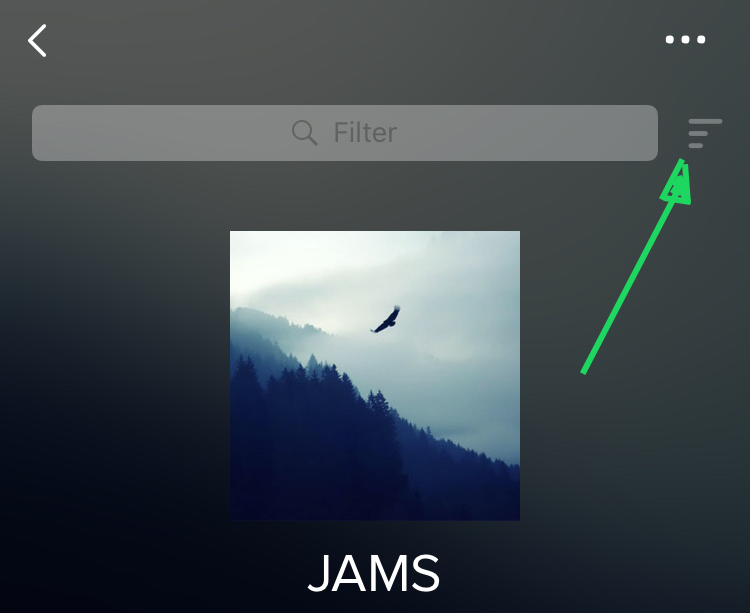
Go on the playlist. Swipe up twice until you see the search bar. Then press the button to the right of the search field, then select Sort by: Recently Added.
That should do it.
Shame Spotify didn't tell us that themselves.

I think you mean swipe DOWN twice. Thanks for the original advice. I got it to work finally.

Hey everyone,
This is because the starred playlist used to show the newly added songs at the top.
Spotify has converted all starred playlists into regular playlists to give users more control over it, so the most recently added songs will now be at the bottom like regular playlists.
To show the newly added tracks at the top,
When you are in a playlist scroll up the the top and tap on this and then select "Recently Added"

Thanks for this it's been bugging me for ages!
Yes, I worked it out in the end.
Go on the playlist. Swipe up twice until you see the search bar. Then press the button to the right of the search field, then select Sort by: Recently Added.
That should do it.
Shame Spotify didn't tell us that themselves.