Problem with thumbnail in search results

Device:
iPhone, iPad, Android, Web Player, Desktop
Operating System Version:
iOS 9, Android 5.0, Google Chrome 47.0, Safari 9.0, Mac, Windows
Spotify Version:
4.3.0.1426
Description:
A profile picture doesn't ever display properly in search results. It seems like an inconsistency in the way white or possibly transparent backgrounds are handled in Spotify’s search results generally. The profile picture in the example is a logo (the black on white Pitchfork.com logo). It appears completely fine when viewing the full profile page it belongs to. But in search results, the picture is just a circle completely filled with black.
To reproduce:
- Press Search
- Type pitchfork and hit Return or similar
- Scroll down to Profiles (the last section of results.)
- Look at Pitchfork in the list (254,261 followers as of post date). The thumbnail of the profile picture is just a circle filled with black? Press on this profile in the list to view its page.
- Compare the completely black thumbnail in the left column with way it is intended to show on the right. Something is preventing the profile's thumbnail from displaying in search results properly.
Workaround:
N/A
Additional information:
I've only discovered this with one profile, but I assume if you have a simple logo as Pitchfork does - supposed to display as a black logo on a white/transparent background, the same thing could occur.
Comments
 Pricilla
Hey @Cbssotw,
Welcome to the Spotify Community.
We couldn't replicate this with the same profile on our end.
What is the device, operating system and version this is on? Does it also happen on the desktop app?
We'll take a closer look.

Thanks for reporting this to us!
We haven't seen any other instances of this, and are unable to recreate it on our end.
We'll close as 'not an issue' for now.
Feel free to let us know if this still happens to you.
Thanks!


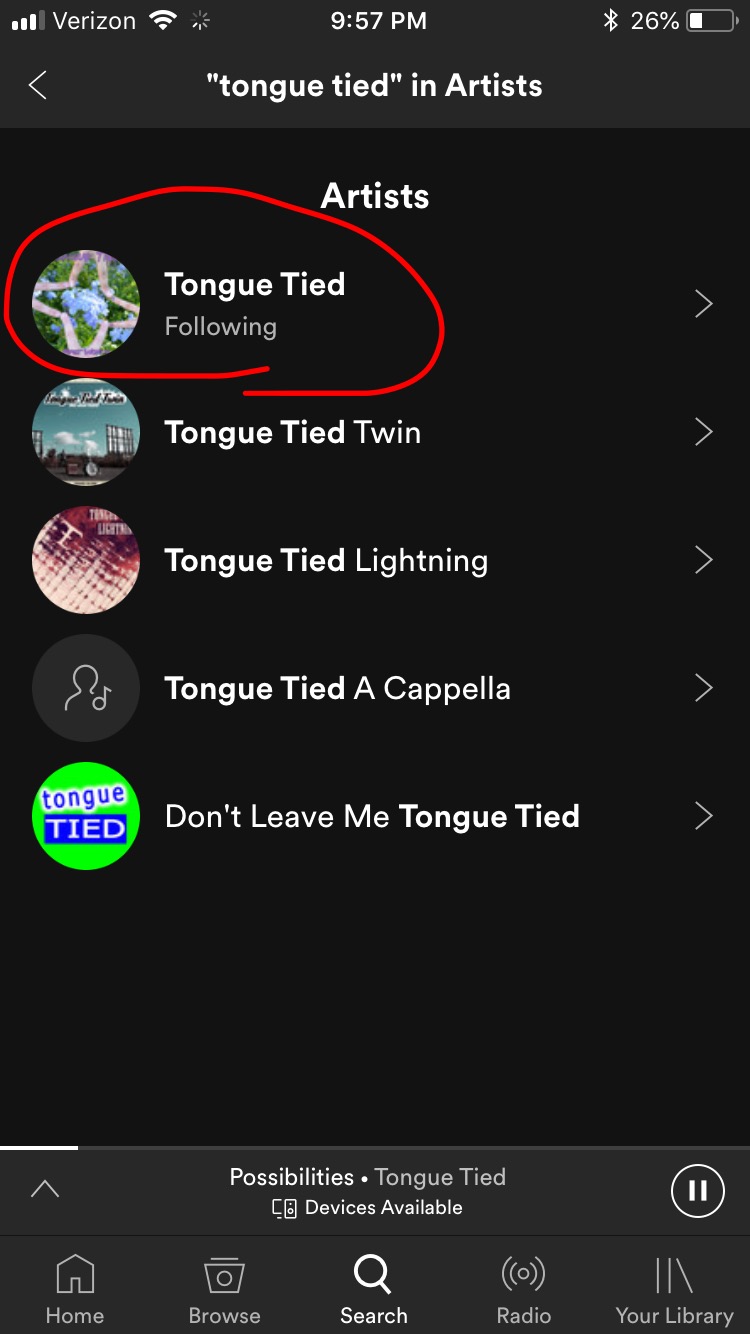
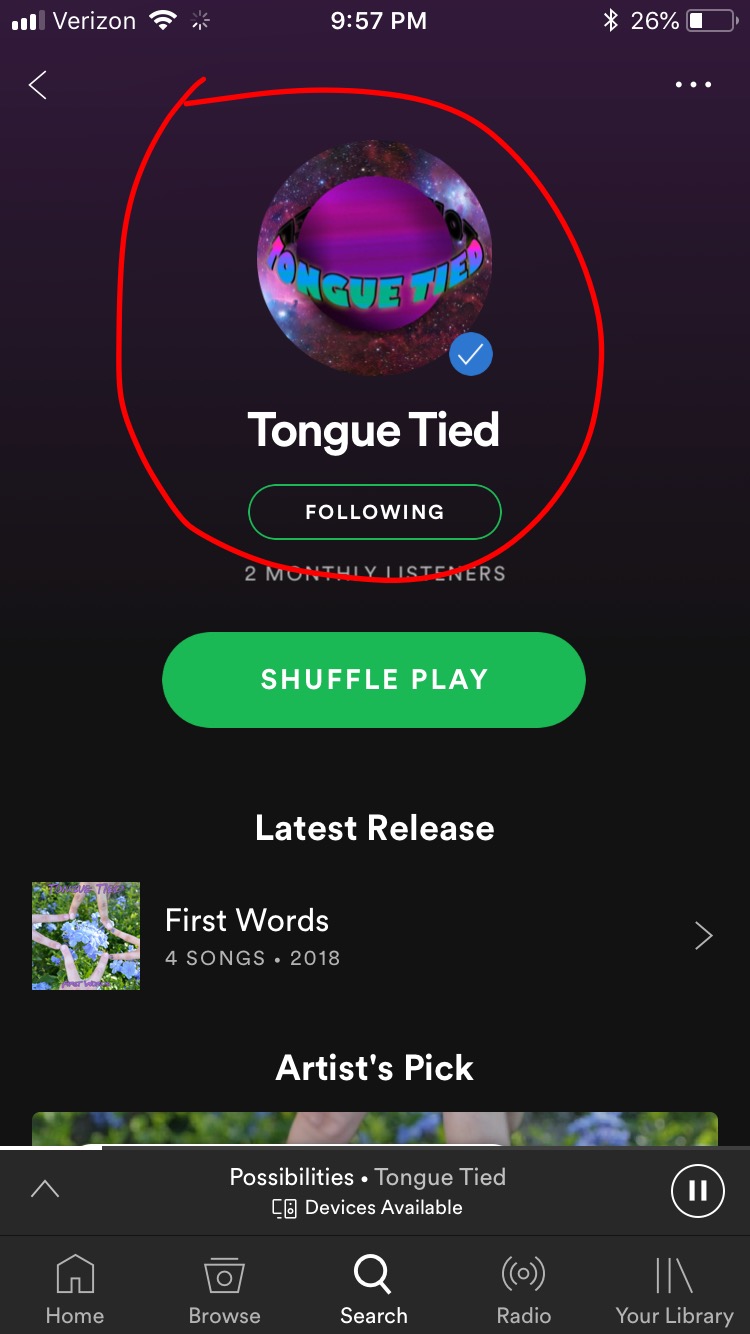
I’m having the same issue. If you type “Tongue Tied” on the search bar, you’ll see that our band’s thumbnail is our EP cover, but then on our profile page, the image is our logo. I’ve been looking around for solutions and this is the only thread where there was a situation similar to mine. Hopefully it will be seen as an actual issue so it could be fixed.