Playing albums in order

I've googled this which seems to be a pretty common issue for folks but all threads I found seem to be specific to other platforms. I'm looking for a step by step on how to solve this on android.
Accepted answers

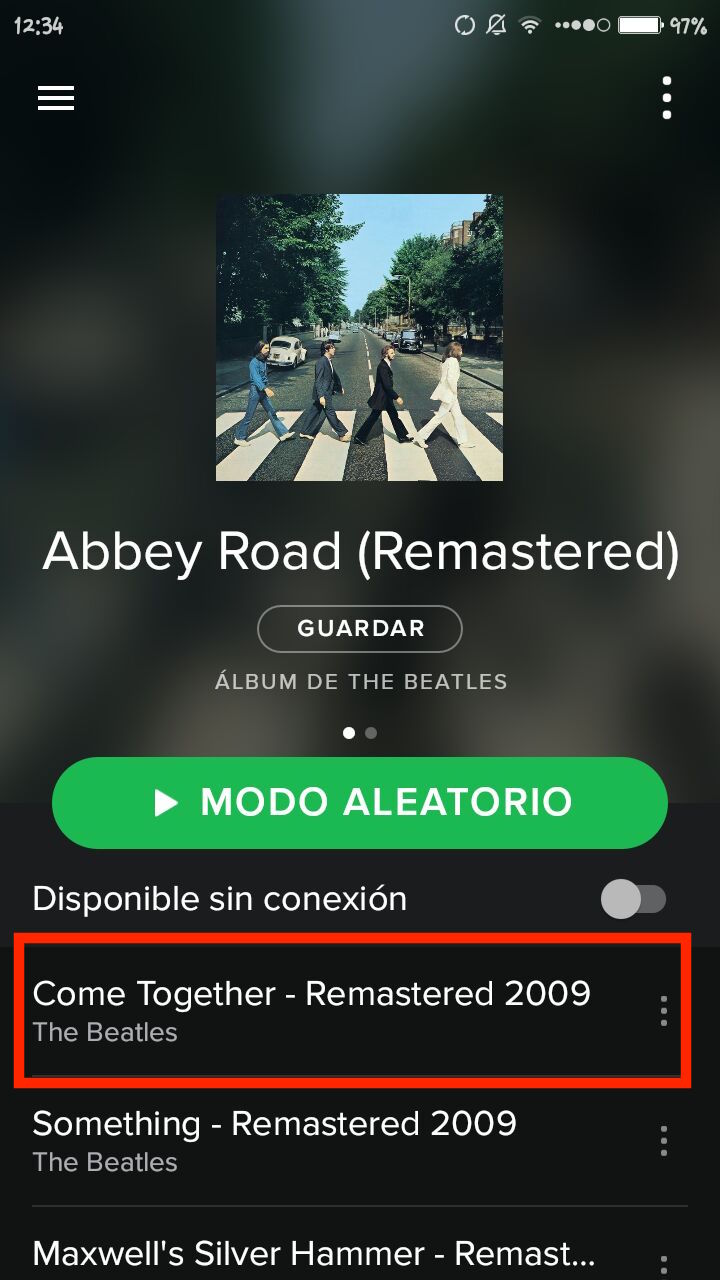
Don't worry, I'll show you some pics.
- Play the first song of the album
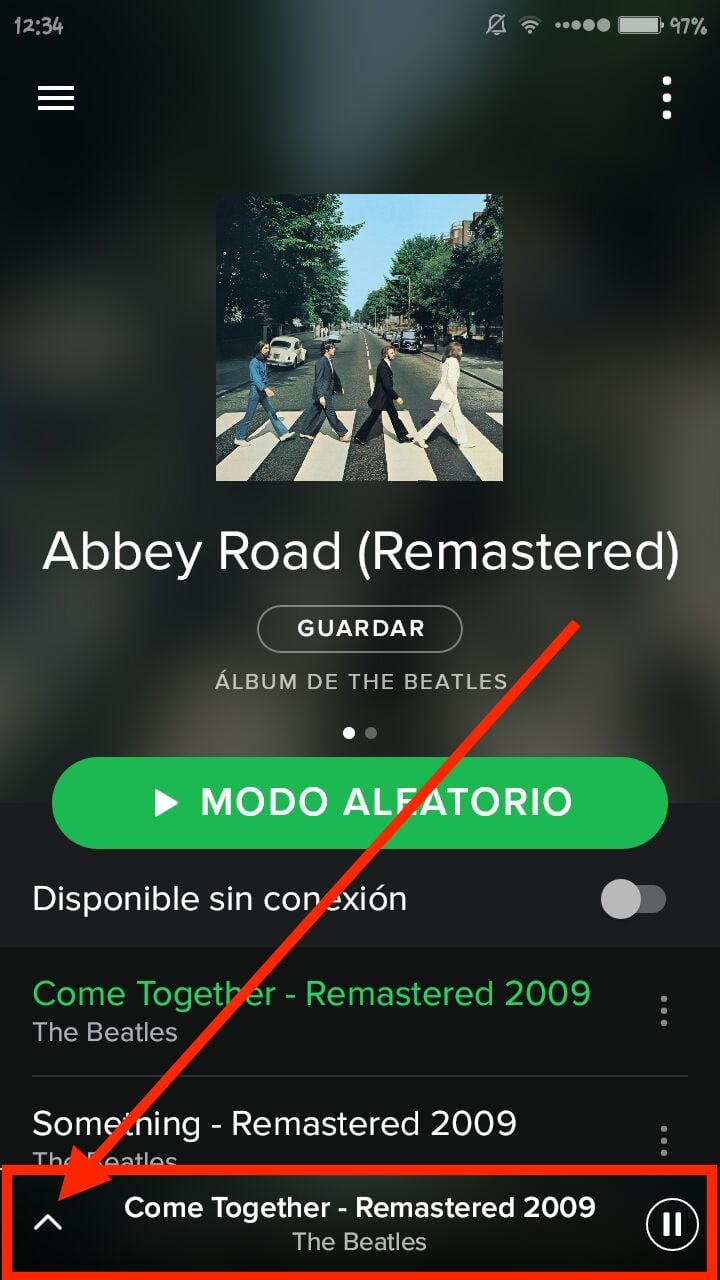
- Click the "Now Playing" bar
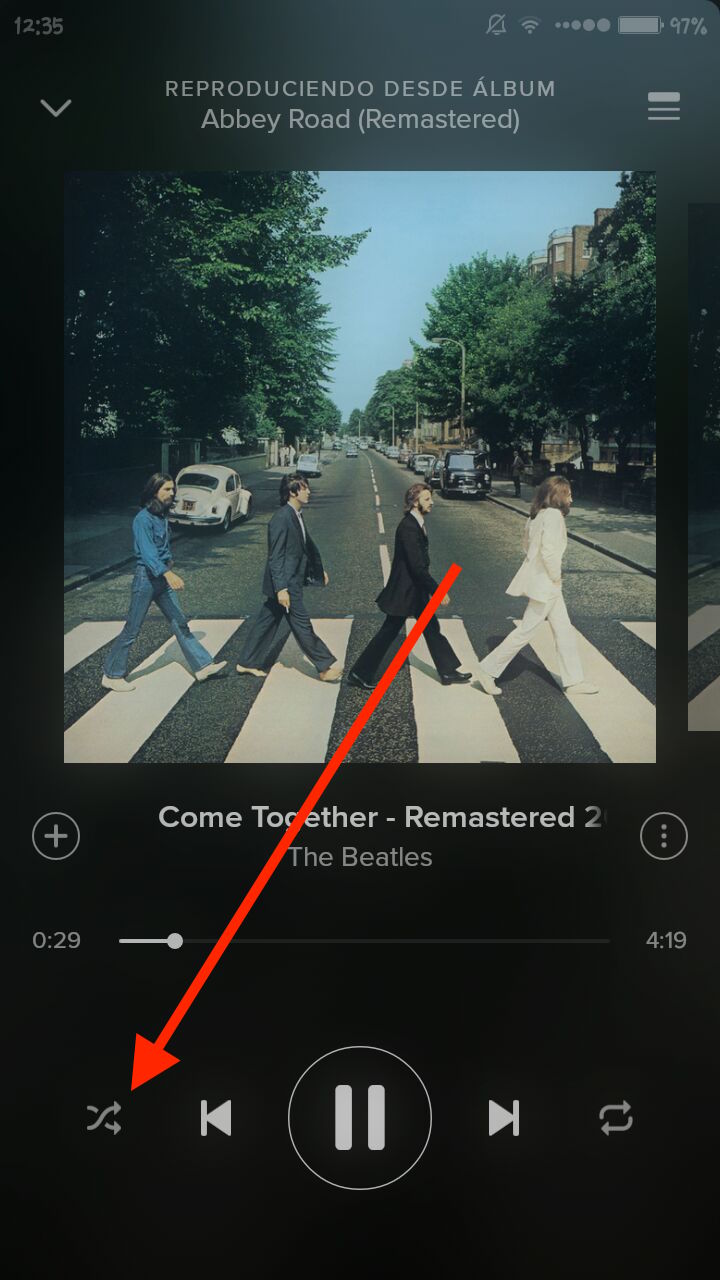
- Click on the "Suffle" icon
All comments
Hello and welcome to the Spotify Community!
- Go to the album you want to play
- Play first song
- Look for this icon:

- Make sure it's greyed out (not green)
- Enjoy the album.


I don't believe there is a way to play a album in order on a phone using android unless you have premium, I don't however know if you are using a tablet! Sorry!
Don't worry, I'll show you some pics.
- Play the first song of the album
- Click the "Now Playing" bar
- Click on the "Suffle" icon
I was really looking for a way to change the big red "Shuffle Play" button to a big red "Play" button. But this works.

Hi there. You seem to have posted the wrong symbol 'repeat' , when you meant to post the symbol with arrows crossing 'shuffle', as show in your screenshots. *sigh*

Hey @ukjonah!
Thanks for pointing this out.
I've gone ahead and changed out the icon for the Shuffle one.
Great detective work here🔎
Have a great day!

This procedure is really annoying to me. It would be great if there were two separate play buttons (shuffle and in order), a Setting to set a personal default or intelligent behavior by the App that sets the default for albums to „in order“ and for playlists to „shuffle“. I really don’t like to click several times each time I want to play an album correctly.

On premium go to playstore and update Spotify.fixed

It doesn't work in premium either 😞
Fixed
Hello and welcome to the Spotify Community!