[All Platforms][Playlists] Quick playlist / on the go playlist

Hi,
usually I listen to deliberately chosen albums on Spotify.
While listening I sometimes notice songs I like the most.
I think a quick, one-click "like" / "heart" / "star" - feature, which automatically adds this one song to a playlist (e.g. "favorites") would be great.
This way I could create a playlist with my favorite songs "on-the-go" while listening.
Comments

There is in fact a feature for this! It's housed under the Your Music header.
I was a fan of the "Starred" playlist option Spotify used to have, where in the radio station for example, you could "Star" a song and it would automatically be added to the built in Starred Playlist. They got rid of this a while ago and changed to the Save To Your Music option (the + sign to the left of each track) . This will pull the song into its respective playlist under the Your Music header, on the sidebar above any created playlists you have. You can do this with Albums as well by clicking into the album and then click the option button (...) and choose Save To Your Music.
I have never fully ultized this as I was stubborn and like the Starred feature better. But to my understanding the + Save To Your Music feature is what you're looking for.
Hope that makes sense! Pics included.
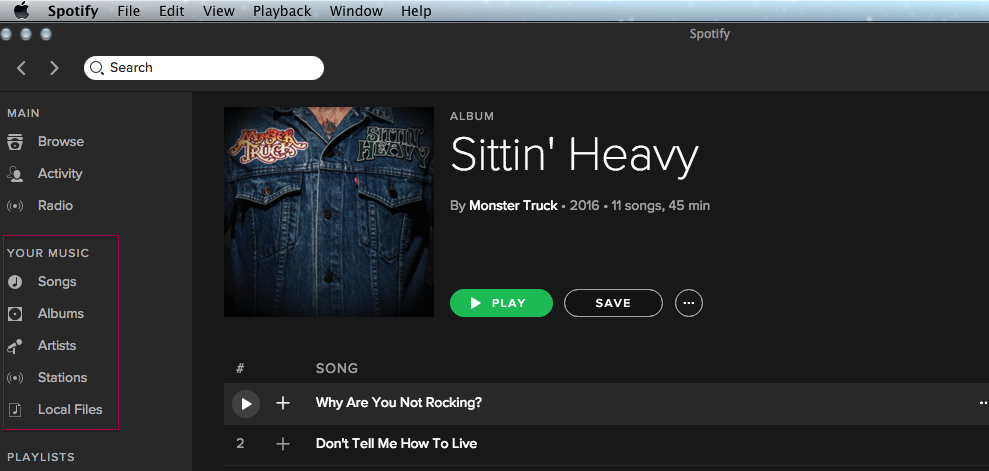 'Your Music' Dropdown
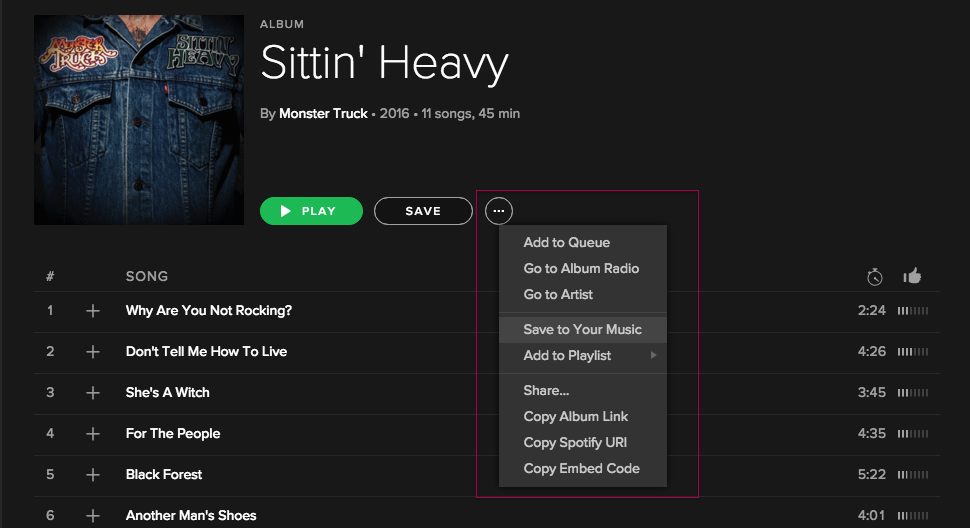 Where To Add An Album To 'Your Music'
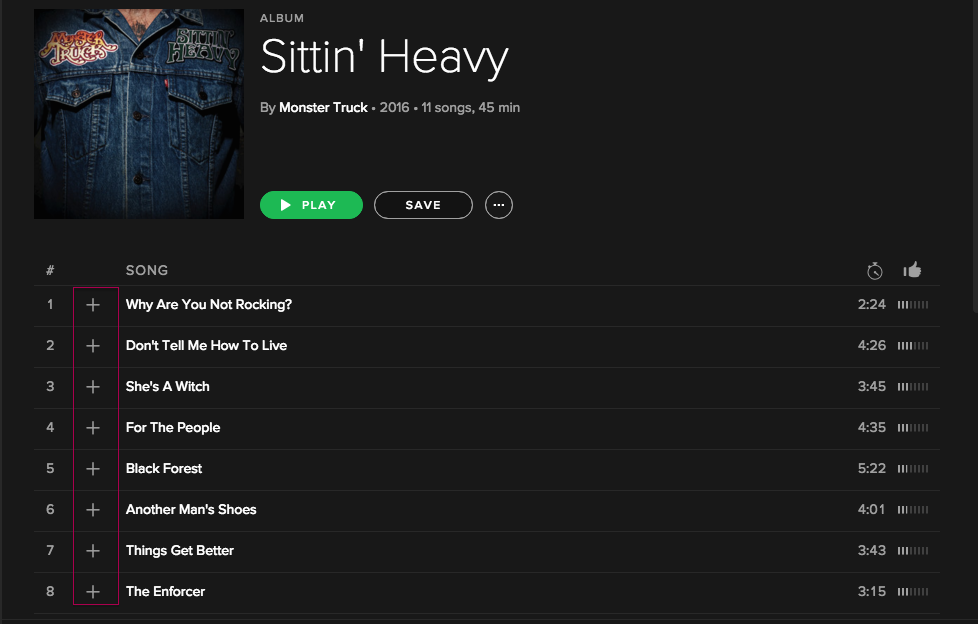 Where To Add A Song To 'Your Music'

Hi @butzekopf and thanks for your contribution (and also many thanks to @jurph for the detailed explanation of Your Music)! A similar idea has also been suggested here:
https://community.spotify.com/t5/Live-Ideas/Bring-Back-Starred-Playlists-System/idi-p/729851
While it's been marked 'Not Right Now', Spotify staff periodically reviews these ideas and may choose to implement it in the future. Add your kudos and comments there please!
Pretty good idea. It's definitely something I could see myself using. Happy listening!