
Accepted answers
All comments

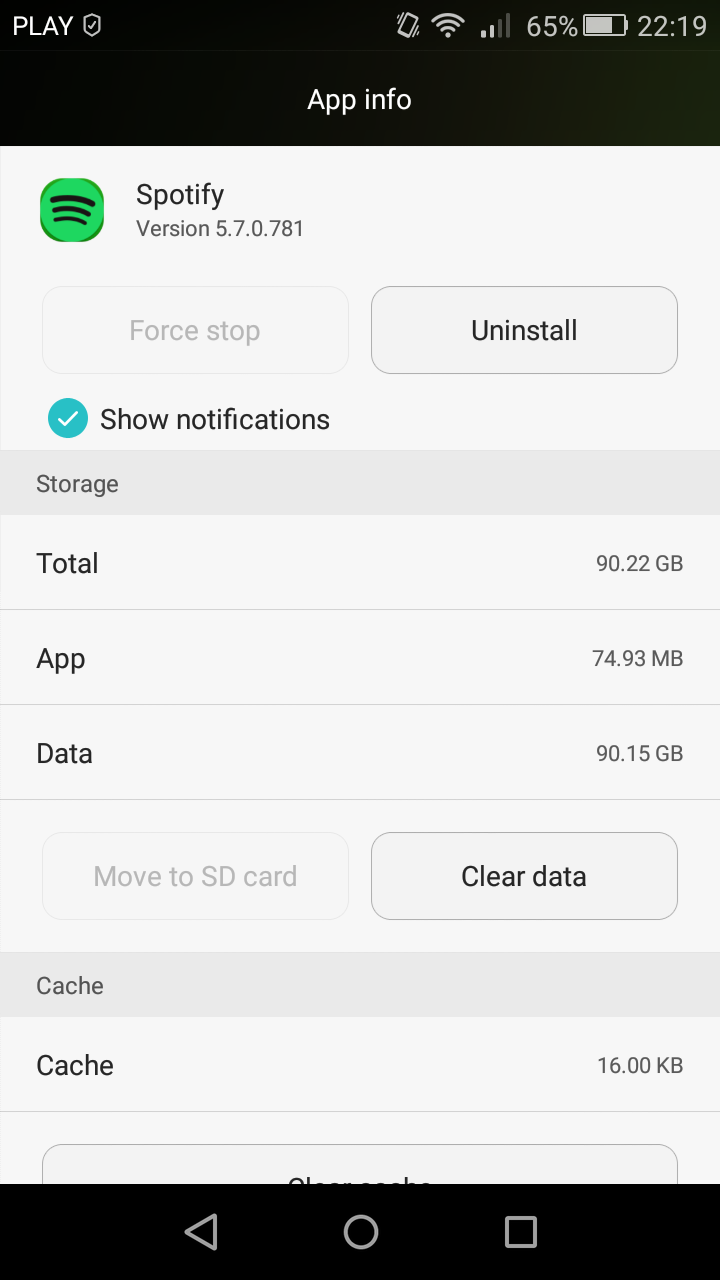
What happens when you tap that "Clear Data" button? If that doesn't work, reformat the SD card after backing up any data you want to keep.
Otherwise maybe tell us a bit more - what android version, SD card size and if it is configured as internal storage and any other clues - downloaded a lot of music, synced local files etc.
"Clear Data" does nothing. I founded com.spotify.music folder and his size is 15 GB. I tried remove this folder but I couldn't remove some files. I wasn't download music from spotify. I was only listen online. Size SDcard is 32 GB, android version - 5.0.1, build number - ALE-L21C09B150. After inserting card and turn on phone, install again app, spotify doesn't work. I sent crash report. Sometimes it is ok, and once there.
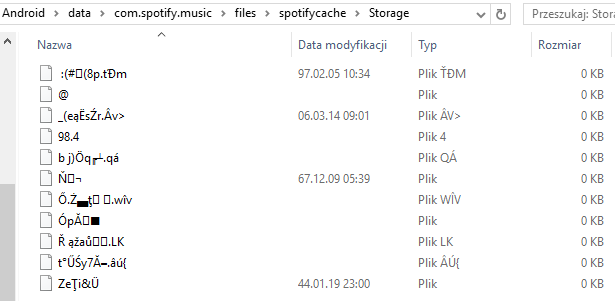
It sounds like your SD card may be corrupted. Uninstall spotify then format the SD card in the phone - from settings/storage. Also see if the folder android/data/com.spotify.music exists in internal storage - if it does, delete it. Finally reinstall spotify. Hopefully all will be well now.
After format card it's working. Meanwhile, when i format the card tried to run Spotify without card and it worked. Thanks for help Joe.
If you need any more information, write.
Anticipating questions:
I tried to reinstall application.