Family Plan - UI Issues on Android?

I apologize if this problem has been solved, but there are way too many posts and responses to read through to figure that out.
In any event, we recently changed our premium account to a family plan. I was invited to join the family plan and everything worked fine. When I check my account it shows that I have a premium account on a family plan. I am experiencing 2 issues with the UI on my account when I am using it on my Android phone - I am assuming these are issues since my husband (who is the primary account holder) does not have any of these issues and he is also an Android user.
1. The way the account appears on my phone is a lot different than it appears on my husband's phone. I prefer the way my husband's account looks. See screen captures below. Is this something we can fix?
2. The interaction between my desktop Spotify and my phone app does not appear to work properly. I use my desktop Spotify to save albums, make playlists, etc. When I create a playlist it works fine with my phone. The issue is with the albums and artists. In most cases, I do not save a whole album; rather, I save 1 or 2 songs from an album. On the desktop Spotify, even if I save only 1 or 2 songs, the album appears under "Albums" and the artist appears under "Artists." On my phone app it doesn't work this way at all. The album will only appear in my app's "Albums" if I save the entire album - which I don't want to do. The artist doesn't show up under "Artists" even if I have saved the entire album. I have over 2,000 songs saved, but no artists are listed in the phone app. Also, if I modify an album on the destop Spotify, the changes do not appear on my Spotify app. For example, if I add a song to an album on the desktop Spotify, that song won't show up in the phone app. How do I fix this issue?
I should note that I have tried all the tips and tricks recommended for solving syncing issues. Uninstalling app, signing out / signing back in, etc.
Thanks!
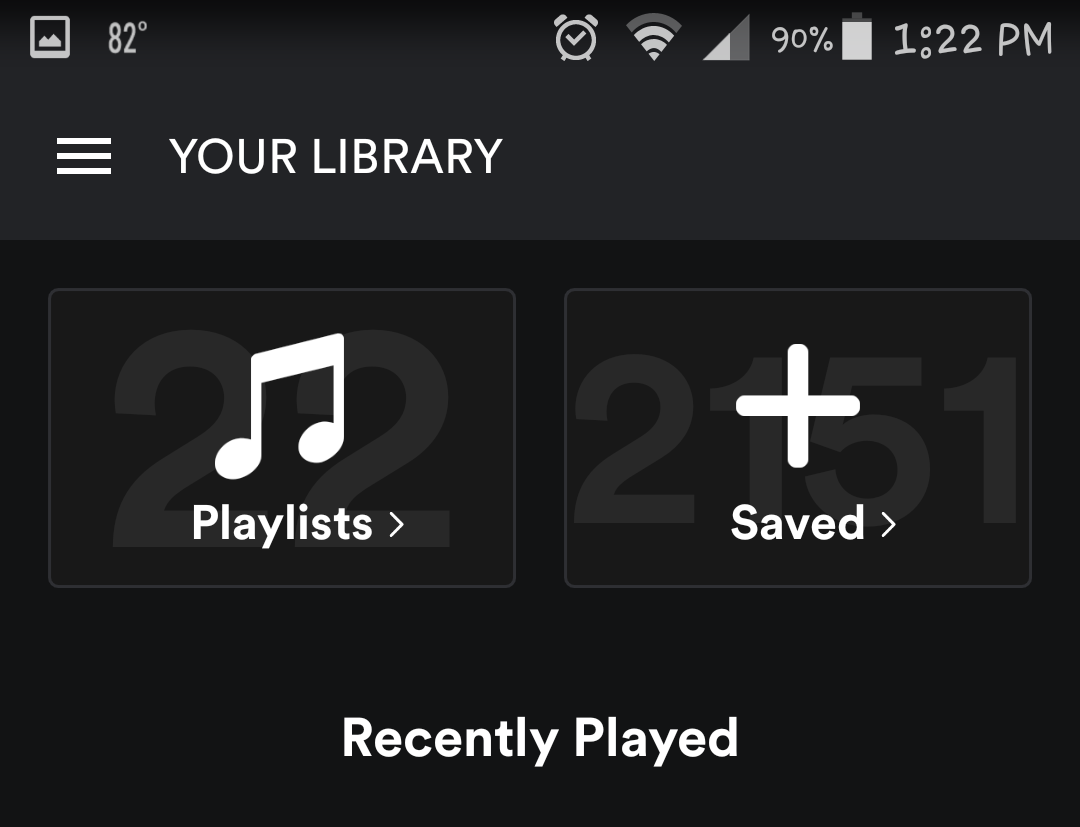 On my phone
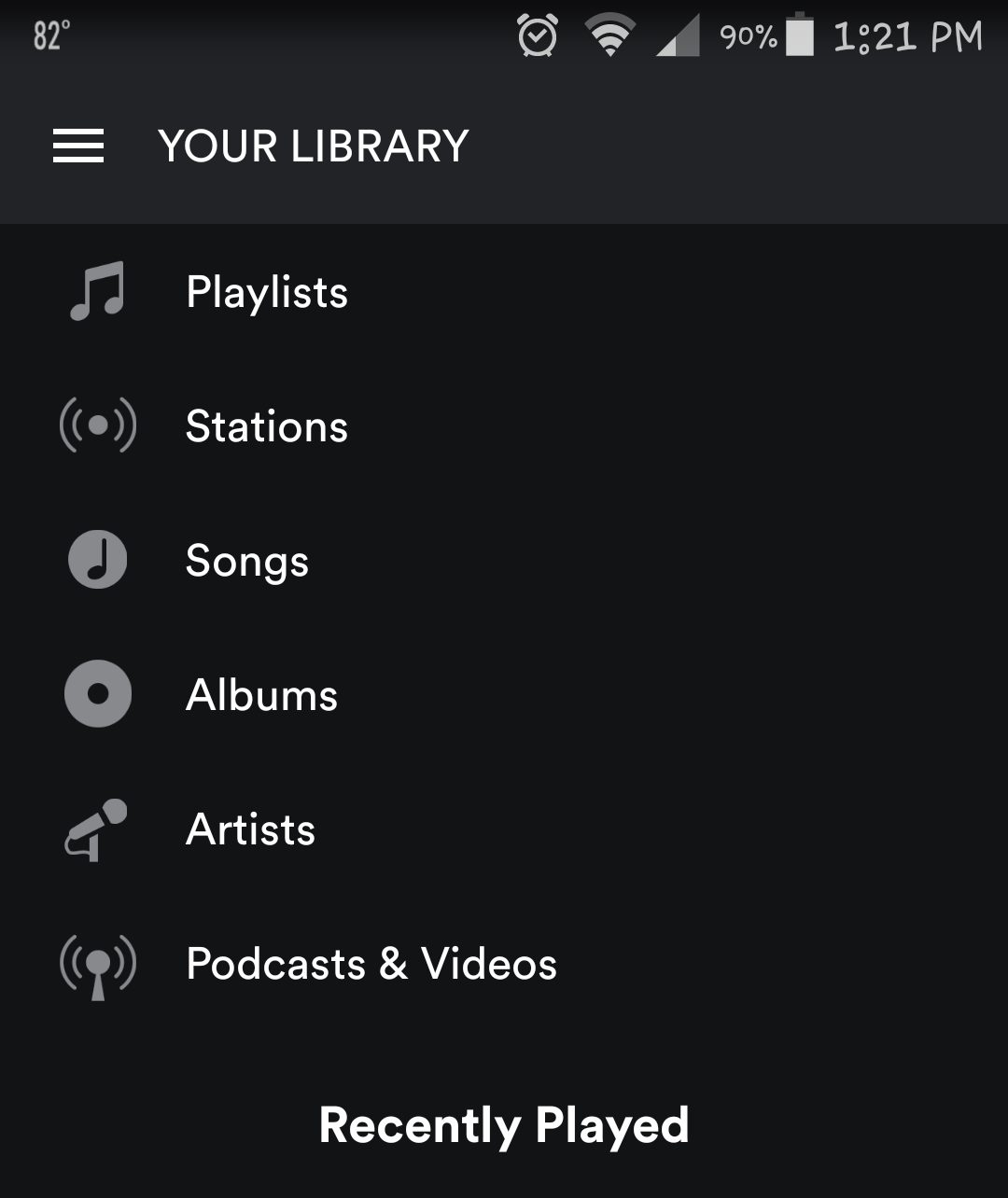 On my husband's phone
Accepted answers
All comments
When my husband logs in to his account on my phone, it appears the same as it does on his own phone.
Similarly, if I log in to my account on his phone, it appears the same as it does on my phone.
Thanks!
Staci

Hey @smaspotify,
For now, your account, and your husbands account, will continue to look slightly different, but this won't always be the case. We'd be happy to pass on your feedback about this to the right folks.
With the second issue, could you do following and make sure to complete the steps as precisely as possible?
- Delete the app.
-
Head to https://www.spotify.com/account/offline-devices/ and remove all devices.
-
Soft reset (or turn phone off for a minute, then restart).
- Reinstall the app.
Let us know how it goes and we'll take it from there. Thanks! 🙂
I followed your instructions and the issue wasn't resolved. I would certainly like to better control my albums and artists through my desktop interface, since it is easier to work with than the phone's interface. Any other ideas?

Hey @smaspotify, that's odd!
Just to make sure, when you make a change on your mobile app, does it show on your desktop?
Keep us in the loop.
Nope. When I make changes on my phone app, it doesn't appear on the desktop app. If I make changes to the desktop app (e.g. update a playlist) it will appear on the phone app. But if I make changes to songs (e.g. add a single song from an album) on the desktop app, it won't appear on my phone app.
Hey @smaspotify!
We're always testing things in order to improve Spotify. That's why your phone app shows different than your husband's. There's more info here: https://support.spotify.com/learn-more/guides/#!/article/why-am-i-seeing-different-features-than-my-friends.
Also, does the second issue happen when you log in on a different phone? Could you check if it happens when your husband logs in using your phone?
Keep us posted.