Songs from Lee Tu Nguyen Randomly Playing

I have had Spotify Premium for a number of months without issue, (aside from the rubbish shuffle). The last week or so songs from an artist by the name of Lee Tu Nguyen will randomly start playing, even though none of the songs played are on any of my playlists. Indeed, I have never even heard of Lee Tu Nguyen before it started playing randomly on my Spotify.
This will happen in two ways.
1. I will be playing through a playlist and half way through a song the playback will stop and it will swap to Lee Tu Nguyen.
2. I will not have touched the computer at all and Spotify will randomly starting playing Lee Tu Nguyen songs without my permission.
Methods I have tried to fix this problem:
1. I have logged all instances out with the "Sign out everywhere" button in my account settings.
2. I have reinstalled Spotify.
3. Removed all offline devices.
4. Revoked access for all apps.
What in the world is going on? I don't pay for premium to be randomly woken up during the night with some annoying artist I have never heard of, nor do I pay to have my listening experience interupted by, (again), some annoying artist I have never heard of.
Accepted answers
All comments

I am getting this exact same issue, I've changed all my passwords and Logged all sessions out via the website. I've sent a support ticket in to Spotify. It is still happening after making all security changes. I am 110% certain it is not another device I have signed into, the hostname of the device changing the songs via Spotify Connect is WIN-CQsomethingsomething.

Hey @1231279965 and @user-removed! That's odd, thanks for sending that over.
Can you let us know the following:
- Have you noticed any other unusual activity in your account?
- Is this happening across all devices?
- Does it happen while you're in Offline Mode too?
- Does it happen in 3G/4G or WiFi?
- Device and Spotify version.
- Are you on a shared WiFi network?
Hope to hear back from you soon.
Take care.
connection. Wireless is disabled on both the desktop and the router. I don't
use offline mode.
So I contacted Spotify support and in response they locked my account, which
was 4 days ago. So now not only is the account not working properly I am
unable to use the service that I paid for.

Hey @1231279965,
Just to check, are you still experiencing the same issue or did our Accounts team help you solve this?
Hey guys!
It seems we didn't receive a reply from your end. For this reason, we're setting this post as "Closed".

Hi - I'm having this exact issue and have tried all security changes. Can we reopen this thread? Really really annoying.

He this issue should not be closed!
I have it too! its extremely annoying.. Feels like I am being hacked into.. or have some virus.

Same issue, no answers anywhere. Extremely annoying and as a result have cancelled my premium.

I'm having the exact same issue, and Spotify support wants to delete my account so I can recreate it from scratch... I don't think that should be the solution...
There's obviously some weird bug ocurring with a few users, and this should be tracked down.
To help with some information, I'll answer the Spotify user questions
- Have you noticed any other unusual activity in your account?
- Nope, everything is normal, aside from this weird songs playing all the time
- Is this happening across all devices?
- Yes, I tried it in both Desktop and Mobile devices
- Does it happen while you're in Offline Mode too?
- Nope, only online
- Does it happen in 3G/4G or WiFi?
- Happens in both 4G and wifi
- Device and Spotify version.
- I'm using it on a OS X El Capitan 10.11.6 and spotify 1.0.37.150.gad02a02e
- And on mobile Iphone 9.3.5 and spotify 5.7.0.1055
- Are you on a shared WiFi network?
- It happens on both shared wifi network, private wifi network, and my 4G connection
Can we have this thread reopened please?

This issue should definitely not be closed. The exact same things is happening with me. Same artist, same album randomly playing in the middle of a song when listening to my playlists. At this point it's getting so annoying that I would rather spend my $10/month at Apple Music.
I emailed them and it was fixed in a couple hours, after a few emails. Locked my account asked me some questions to prove I was the original owner and I was given the account back after a password reset.
@TheSouthe Sorry for the silly question, but what was the email that you sent your problem? I'll try to do the same...
It was a contact form I filled in on the site then they emailed me with
Support@spotify.com
@TheSouthe awesome, thanks for that.
Hopefully someone from Spotify will re-open this thread and realise this is probably a bug in their platform, and fix it somehow.

I'm having the same problem! Changed Spotify password, Facebook password, closed all sessions, but still.
Suddenly there's a new device , listening to an artist with the last name "Nguyen". Sometimes "Lindhan Nguyen", "Lee Tu Nguyen", and some other names I don't remember, but the last name is always the same.
This a screenshot from my Windows 10 computer, Spotify version 1.0.37.150.gad02a02e
XT1068 and my computer are my devices. WIN-CTHQOLEEKEG is the unknown device that plays those vietnamese artists
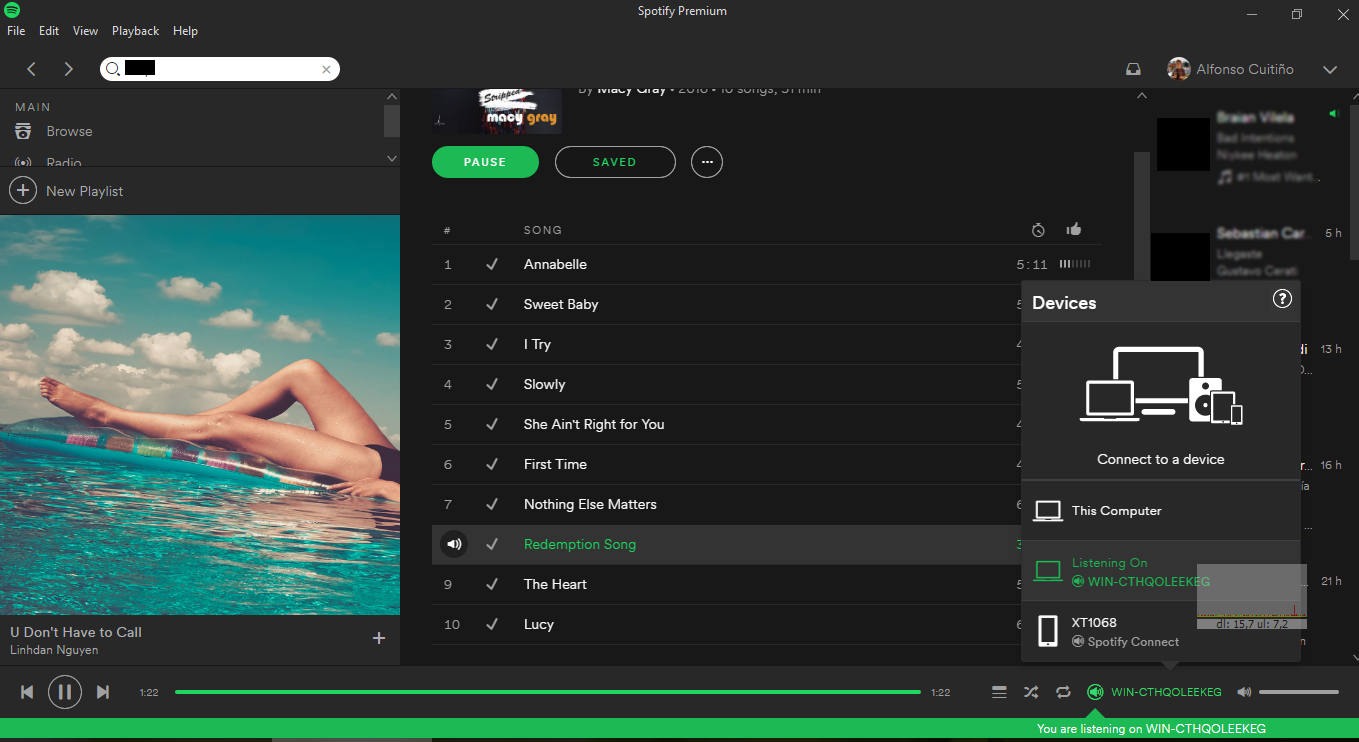
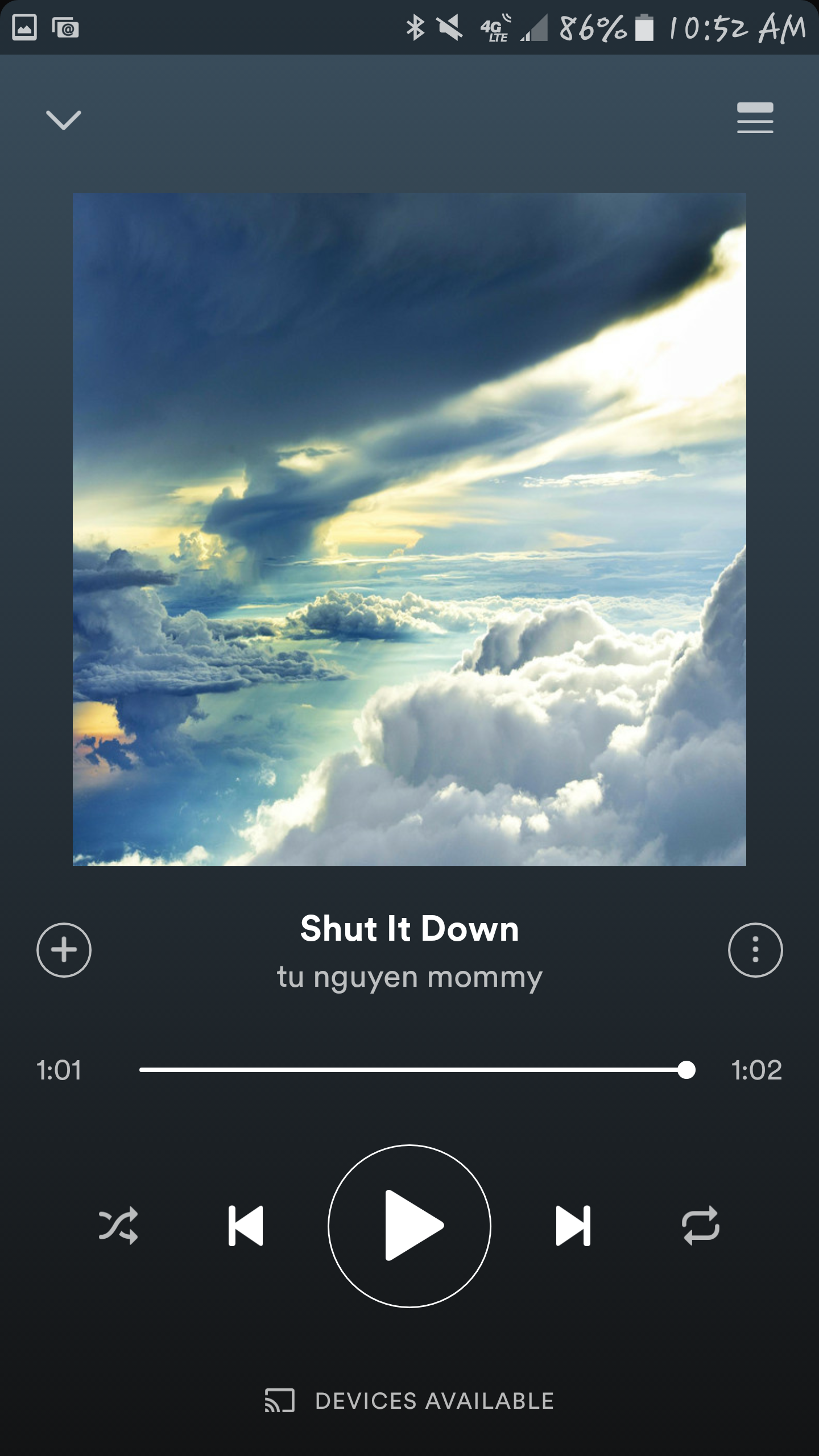
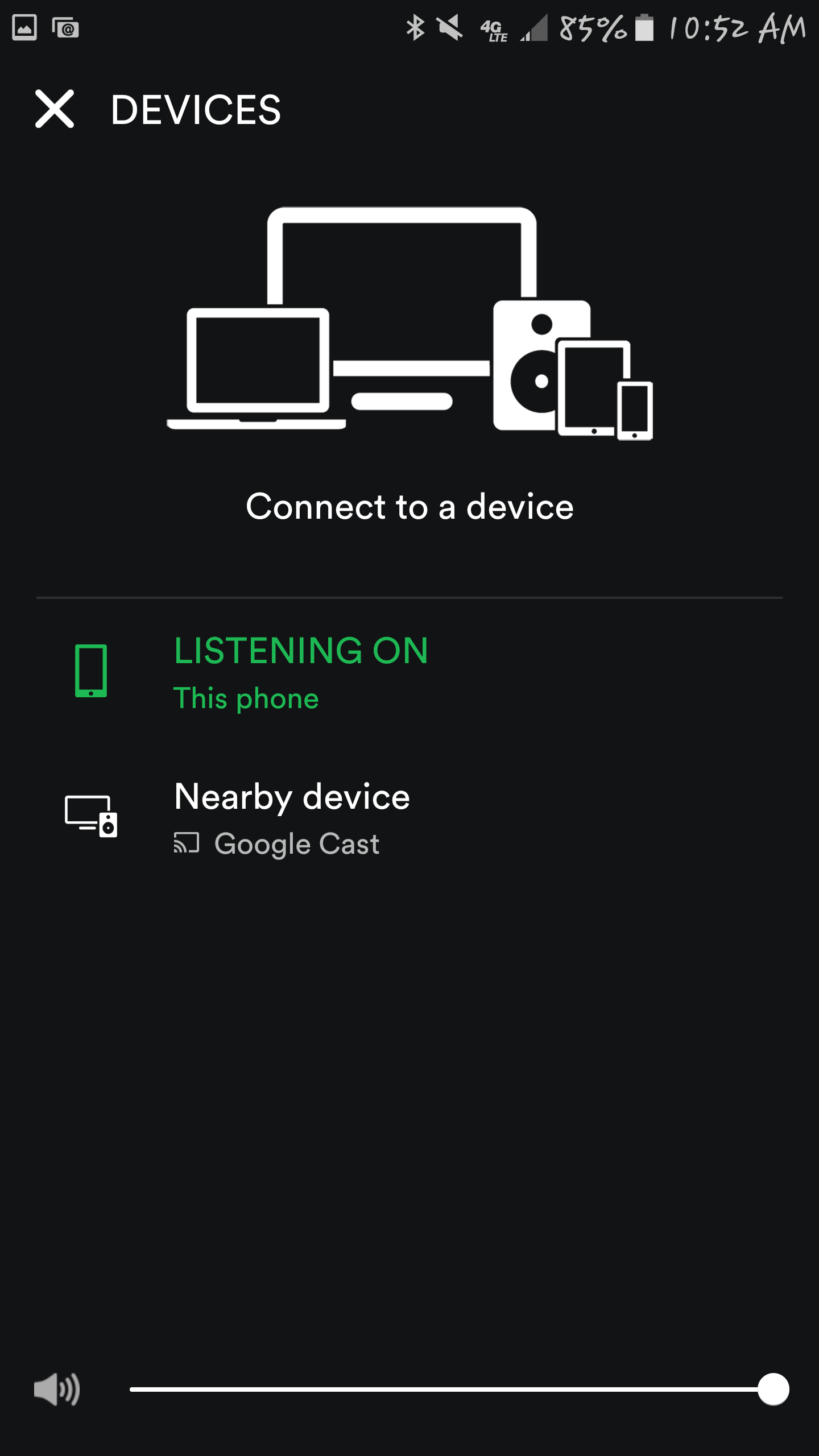
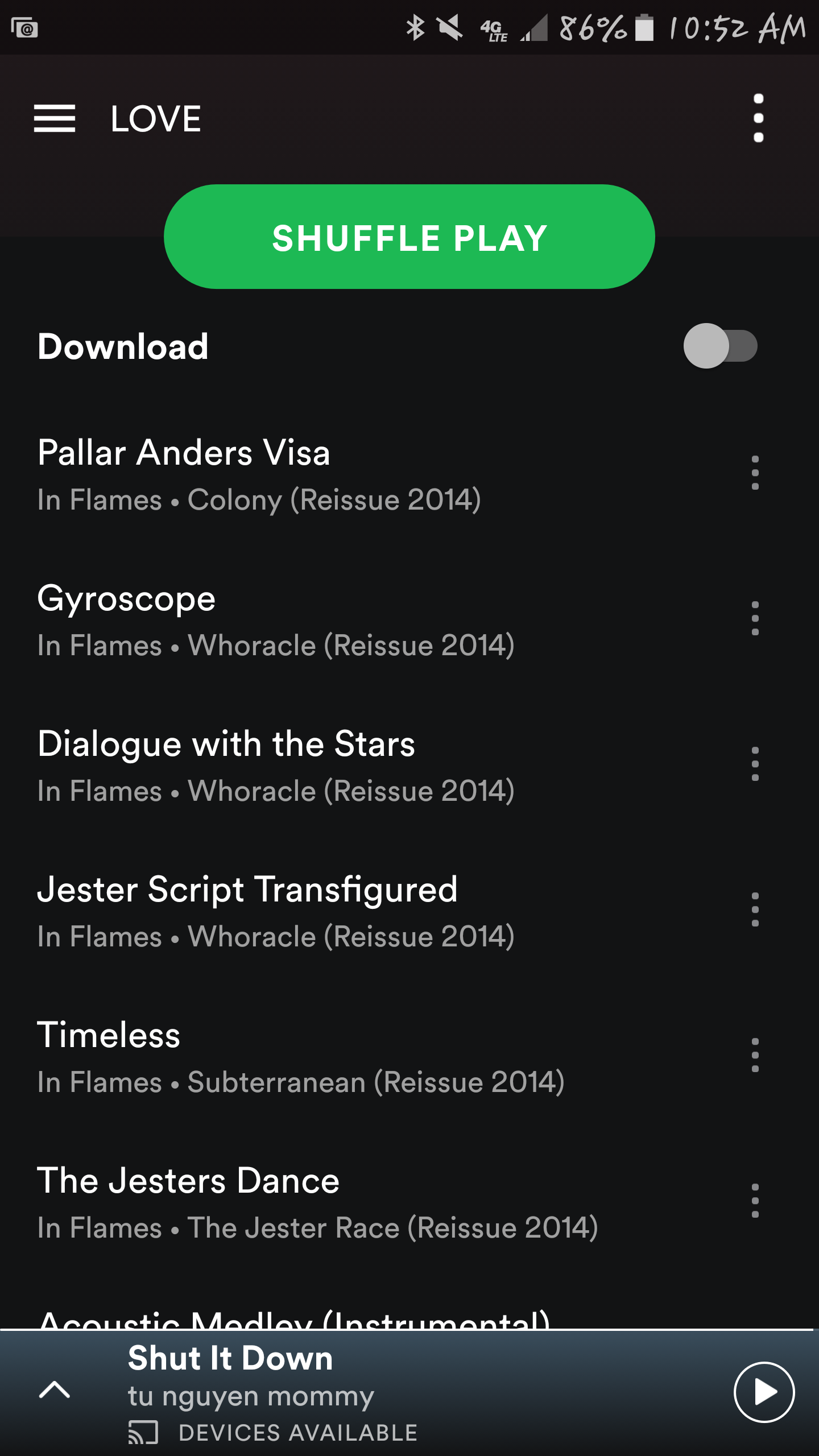

Why is this thread/ticket in a closed status? This is happening right now. Please let me know you are working on this.

I am having the exact same problem. Nguyen songs pop up and play randomly
Hey guys!
It looks like some users have been having the same issue lately. Last reply was a while ago, but we'd like to know if you're still having trouble with this.
If so, can you let us know the following (users who have not sent this info):
- Have you noticed any other unusual activity in your account?
- Is this happening across all devices?
- Does it happen while you're in Offline Mode too?
- Does it happen in 3G/4G or WiFi?
- Device and Spotify version.
- Are you on a shared WiFi network?
- What have you tried.
- Where are you located.
We'll see what we can suggest.
Thanks 🙂
Hi @Mara_F, I'm still having this issue.
The thing is that a couple of months ago it started, and then with some help from the Spotify staff, we were able to solve this (I think we tried like a thousand times changing my password, reomving and adding the premium account, and some other things related to security). But now it's happening again!
About your questions:
- Have you noticed any other unusual activity in your account?
- No, no one uses my account other than me, and the only unusual activity is that annoying issue.
- Is this happening across all devices?
- Yes, both Mac app and IOS app
- Does it happen while you're in Offline Mode too?
- No, only when I'm online
- Does it happen in 3G/4G or WiFi?
- Both 3g/4g and wifi
- Device and Spotify version.
- Mac: 1.0.42.151.g19de0aa6 --- IOS: 6.8.0.3786
- Are you on a shared WiFi network?
- I'm not sure what might be classified as shared wifi, but that happens in both my personal wifi connection at home, and at work as well. I don't use spotify on a cafeferia wifi though.
- What have you tried.
- Removing Premium and add it again.
- Changing facebook password (like 10 times), I'm connected via facebook login
- Where are you located.
- This started happening in Brazil, but now I'm in Berlin and it's still happening
One thing that I noticed, everytime it starts playing this freaking music, it appears the device that is playing, and it's ALWAYS the same device ID, I've attached a photo below.
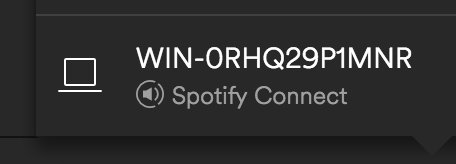
I really don't think that changing my password or deleting and creating my account again is gonna permanently solve this problem...
all devices" and then change my password to a very strong one. I haven't
had an issue since. So I'm guessing that some nefarious party got my
password and was hijacking my stations to promote their own songs.
all devices" and then change my password to a very strong one. I haven't
had an issue since. So I'm guessing that some nefarious party got my
password and was hijacking my stations to promote their own songs.
Yeah, I just tried to changed my fb password to a completely different and hard password, and the bug is still occurring 😞
Hey @degraves! Thanks for your help.
@mauriciosoares. Can you try the steps @degraves mentioned? You can sign out from all devices. Here's how. Once you've done that, please make sure to change again your Facebook password.
If that doesn't work, can you let us know if this is happening while Offline listening?
Let us know how it goes or, if you have any questions. We'll be here for you 🙂
Sophia,
Hi @user-removed, So I just tried it, and it didn't work.
Offline mode is ok, the bug never happened in this mode. The problem is when I get online. 😕
You could be having an issue with the music in your queue, to see what's in your queue on a mobile device click on the "queue" option at the top of right of the song window any tracks shown there are queued and can quickly be removed by selecting the unwanted songs and removing them from there