How to fix bad sound quality?

The sound quality is terrible! Soundtracks sound terrible on here. It sounds like the music quality just cannot handle some of the songs. Its not smooth, its crunchy and wobbly. Definitely not worth the $5/month if the sound quality sucks
Comments

Thanks for replying!
Can you send us the Spotify URIs? Just right-click the tracks > Copy Spotify URI and submit the info here.
We'll take a look backstage.
spotify:track:2dUy5MlUcmNcw1pKyBeKGc
These are two obvious ones. It occurs during the crescendos in the middle of the song
Thanks for getting back to us!
We've reported this to our Content team. We'll be working on this to get it fixed.
We'll keep you updated.

Hey @jtdrumline!
Are you still having trouble with this? On our end, we've been unable to recreate an issue with either of those two tracks. We'll be happy to get to the bottom of it with you, though 🙂
Hey @jtdrumline,
That's great news, thanks for letting us know! We'll go ahead and close this for now, as everything seems to be running smoothly.
Be sure to let us know if you're having any trouble in the future. We'll be happy to help 🙂

If @jtdrumline is curious why that song sounded bad I grabbed a sample. It would be very easy to cause digital clipping with a mixed ouput of 0db at 32hz, which would cause very poor sounding music. Infact, it clipped the output of my computer at max volume, turning it down a little bit made for an enjoyable window rattle fest. Even with a sensible volume level, this track would be very hard to play loudly on most lower end speakers or headphones. The warbeling is by design it seems, looking at the sample.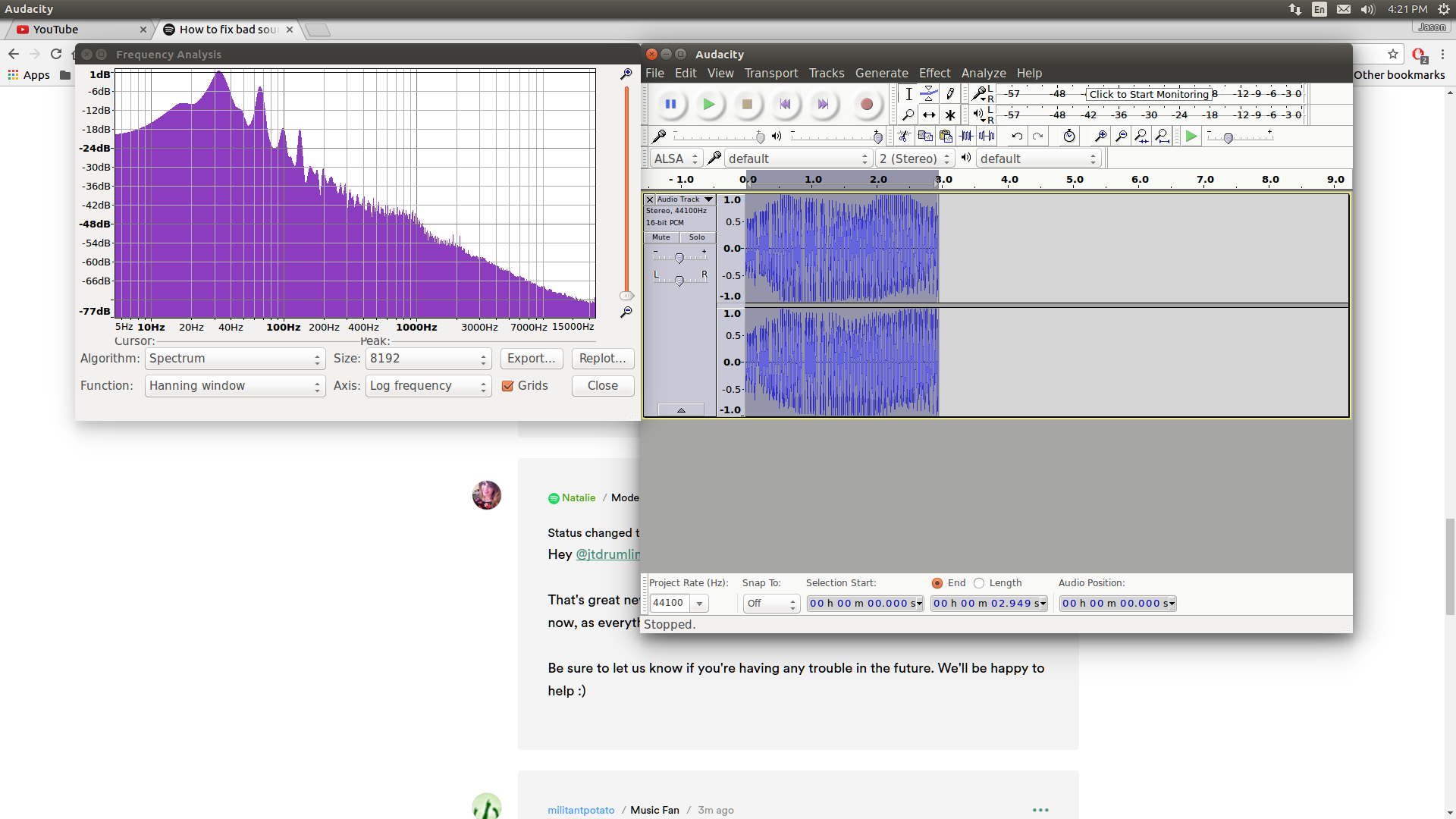

If this happens again, you can just go to settings and disable normalize sound level function. In this case the piece starts very quiet but ''Dreaming of the crash'' has really intense low frequencies (it blowed so many theatre speakers) which is hard for almost every casual use speaker-headphones that upper comment visualized it very well.
Hey @jtdrumline, welcome to the Community!
Can you give us more details about what's happening with the sound quality on the app? Is it with all songs? Also, can you tell us what device/operating system and Spotify version you're currently using?
Looking forward to hearing back from you.