Recover a song feom daily mix?

Accepted answers
All comments

Unless you can remember what the track was you won't be able to get it back.

How about ability to restore Daily Mix to original list or see a history of tracks played?


I have the same problem.
Spotify needs to fix this!!!


Exactly the same problem, need a fix!

Nice haha, gotta try this. Hope it works

Doesn't work, added songs are not considered as part of the daily mix and "heart" / "block" buttons are not available...

When I did this, Daily Mix told me it would never play Pink Floyd again. Enough to make me switch to Apple Music, which will let me listen to Pink Floyd.

I wish Spotify let us know before BIG changes like change the "ADD TO PLAYLIST" to "REMOVE SONG" then I tough the bar runing meant to cancel my stupid decision to delete the song and instead DELETING THE ARTIST. How dumb is that? Please Spotify!

undo it, and now the artist is banned from my daily mix. Really really frustrating. Aside from all the added annoyances from not having my Facebook connected to it anymore and trying to keep all my music, Spotify is getting worse. And I'm paying for it. Going to stop if this kind of **bleep** keeps up.


The direction is good, we needed a way to remove some stuff from recommendations, but the implementation is totally bad. We need a list to see all the blocked stuff and have a way to manage it, I just banned two tracks and atrists today since I didn't know what that button does and I have no way to revert it. One artist I really like, the other I don't even know so I cant remember who did I block.
We need a quick fix for the asap, this is a service breaking bug/"feature".


Hi,
Does it block it from all my spotify ?? or just my dailymix ??
Do i have a chance to find it on discover section ? or other playlists ?
thanks

I just did this too 😞 Need a way to undo! I did not want to hide this artist, but had no idea what the button did on my phone. Pressed it to see what it was. Regret!

Hey guys!
I`d like to suggest you these things:
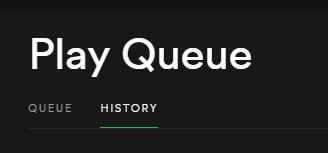
- For those of you who unliked a song and wish to remember it name, you can go to your history and see it (in desktop app only) - Click queue - History. There you`ll find out your last 49 played songs. (see the screenshots)
- There are Live Ideas for undo the dislike/likes in the daily mix
You can leave your votes and comments there in supporting these ideas : )
The first idea is Under Consideration, so there is hope to be implemented soon, so if you want, you can subscribe for it, as any updates about this feature will be announced there!


If that occurs will it still play in playlists? or are we just boned till the next update?
for not being completely boned!

Hey all! We do need this list of blocked songs... Please make it possible S7 edge victim here... What a pos phone...

Same thing - accidentally banned a song. It was one of my favorites and what I was reaching for was the continually repeat... Would love to be able to undo it.

Still no respone and solution 😞
I just missclicked on the darn button on my phone. We need a revert solution, how about being able to click on the reject again to remove it?
Its silly its not default and already in place. Its really easy to touch the reject icon on a mobile phone.

Thanks in advance!
It feels like Spotify has added this thread on the ignore list 😕
By the way i'm using Android version of the app, for some reason its easier to do mistake on android thanks to a worse design.
Spotify has responded in the ideas thread. Make sure to add your support there.