Airport Express Not In Spotify Devices Menu

A week ago it was working fine. My Airport Express no longer shows in Available Devices. Neither on the Mac desktop Spotify app or my iPhone 6 app. I have deleted and re-installed the iPhone app and restarted the iPhone6. I did install new Airport Express and Airport Extreme firmware updates several days ago- possible culprit? When I goto the iOS Spotify, Settings, Devices Menu, all it shows is: LISTENING ON This iPhone. If I turn on my Marantz receiver, then it shows up as a Spotify Connect device. The Airport Express does work with my desktop iTunes and AirFoil.
iPhone6: iOS 10.2
iOS Spotify App: 6.8.0.3786
Airport Express version: 7.6.8
Comments

I lost the possibility to play using my Airport Express after this update.
Edit: This is odd, I rolled back to 7.6.7 and still not discovered by Spotify. Maybe it has nothing to do with the update Apple rolled out after all.
Spotify on Mac 1.0.45.186.g3b5036d6.
Spotify on iOS 6.8.0.3786

Hey all!
Airplay receivers show up under 'More Devices'. Have you checked if it's over there?
Here's some more information about Airplay and Spotify. Let me know how it goes.
Happy holidays! 🙂
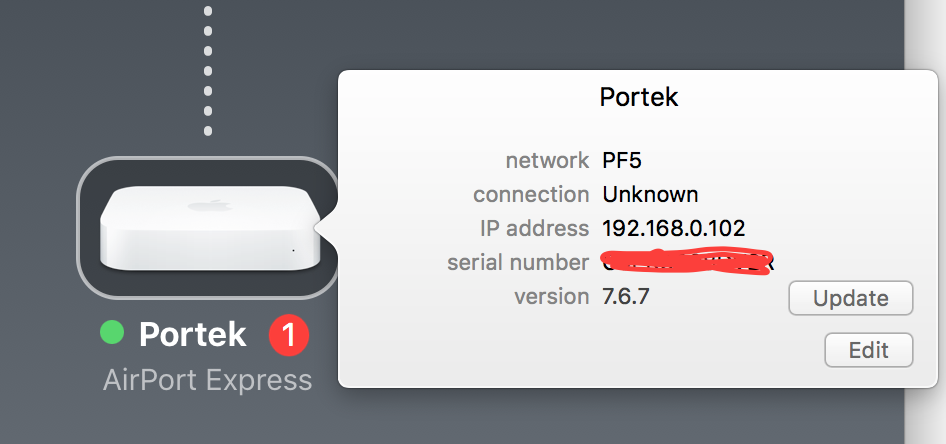
My Airport Express used to show up in that menu. But either because of recent Airport firmware update or some regression in Spotify it has stopped (yes, rebooted everything, including Airport, network router, my Mac and iPhone).
Hey @olson!
That's definitely weird. Could you go over to control center (swipe-up from bottom) then swipe to the music overview and tap on 'iPhone' in the bottom? Do your devices show up there?
OK, got some progress. It turned out that in–app device discovery is broken but it works system–wide. Check this out:
There is no devices section available in the app (should be at the bottom):

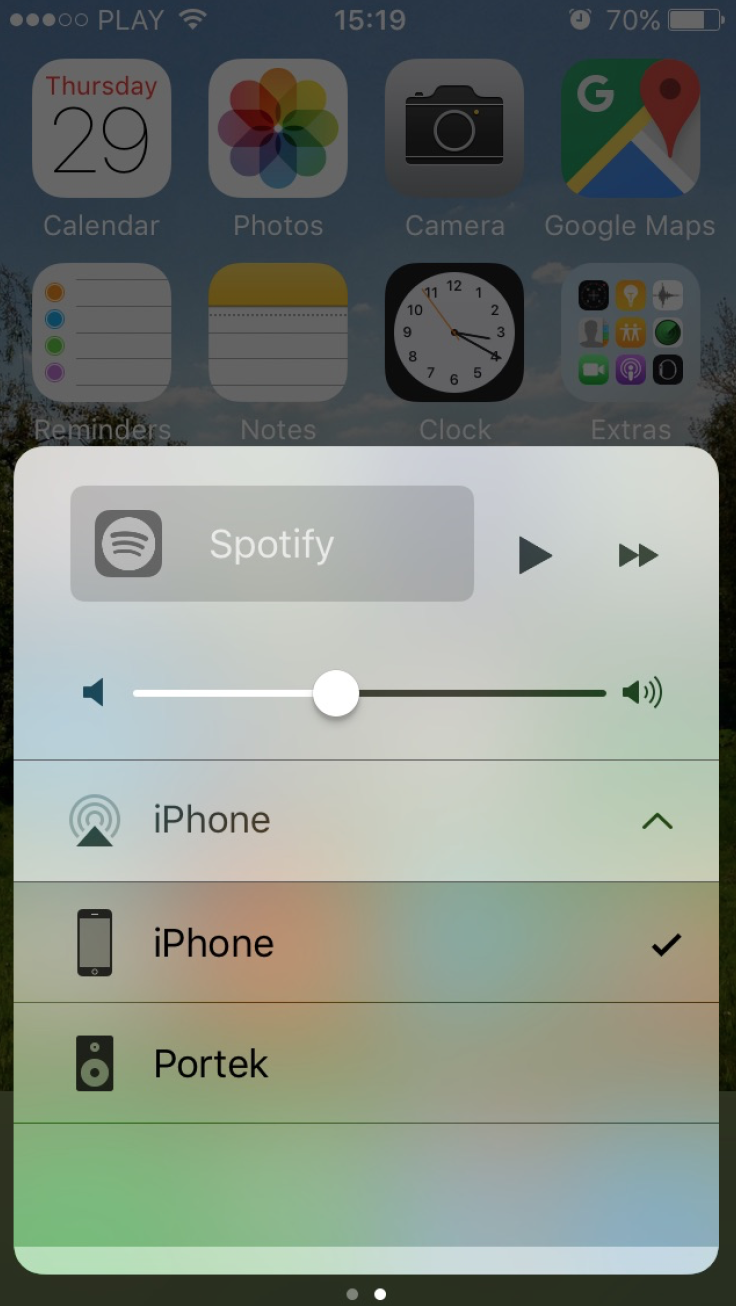
But my Airport Express ("Portek") is available system–wide:
And it works:
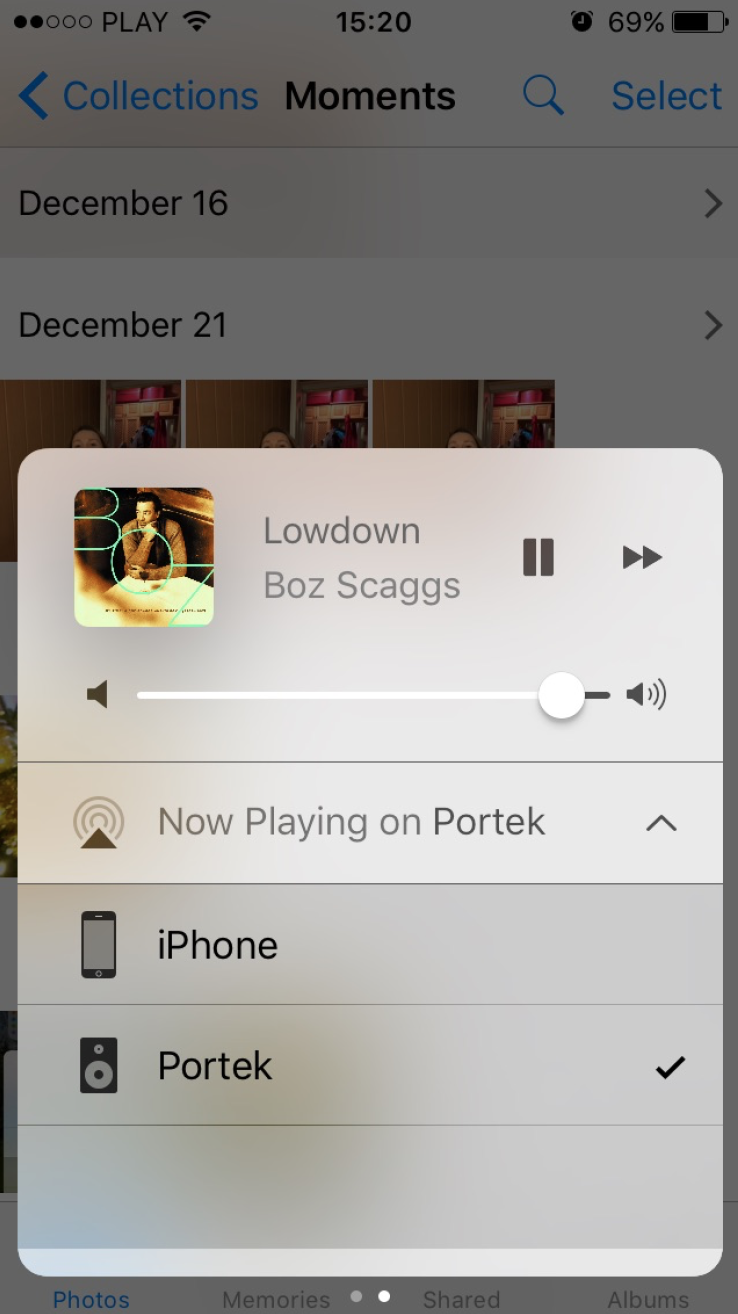
Music plays through Airport and it suddenly appears in the app at the bottom:

But, the weird thing is that if I click the device button and select iPhone again in this menu:
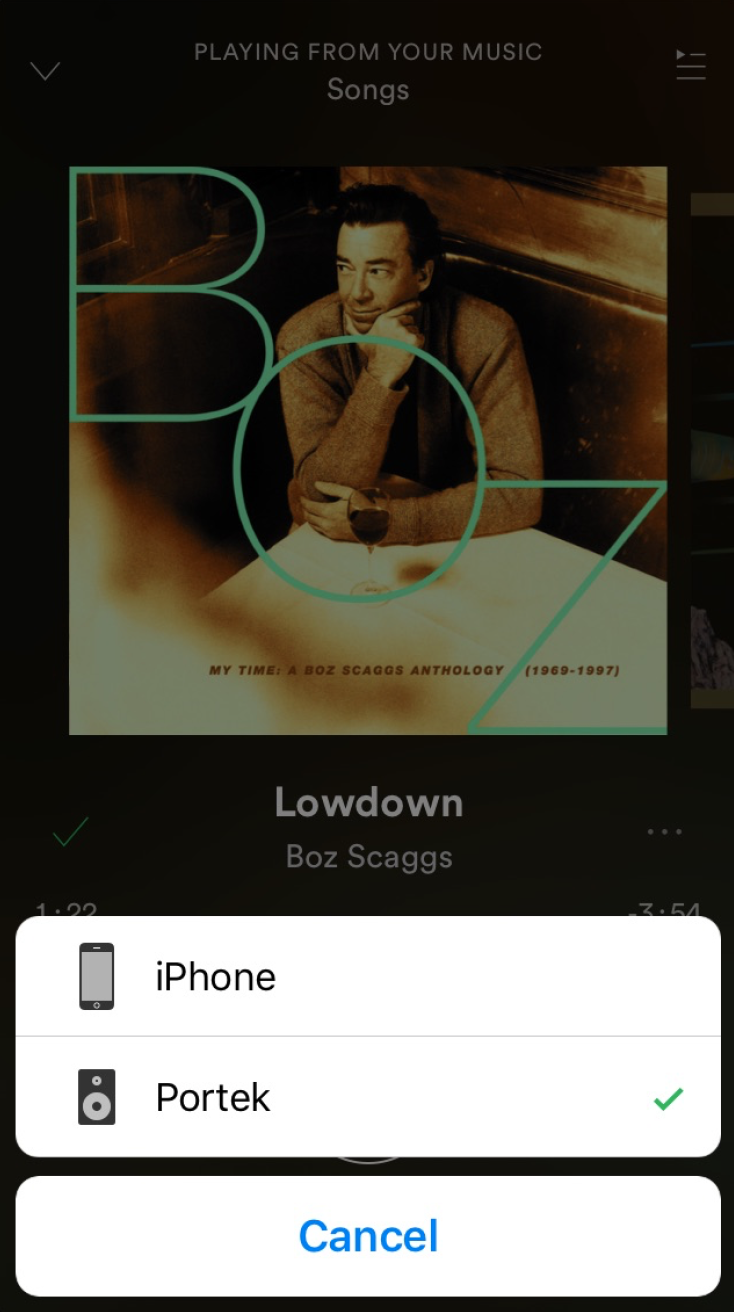
the device selector button is gone, like in the first screenshot. Something is clearly wrong with in–app device discovery. In other words: Spotify accepts system–wide settings, but does not discover devices on its own.
If you're confused with the screenshots, I can create a screencast.
Besides, the same thing happens on Mac, check this out, my Airport Express is available system–wide (discovered by MacOS), but Spotify does not recognize it:
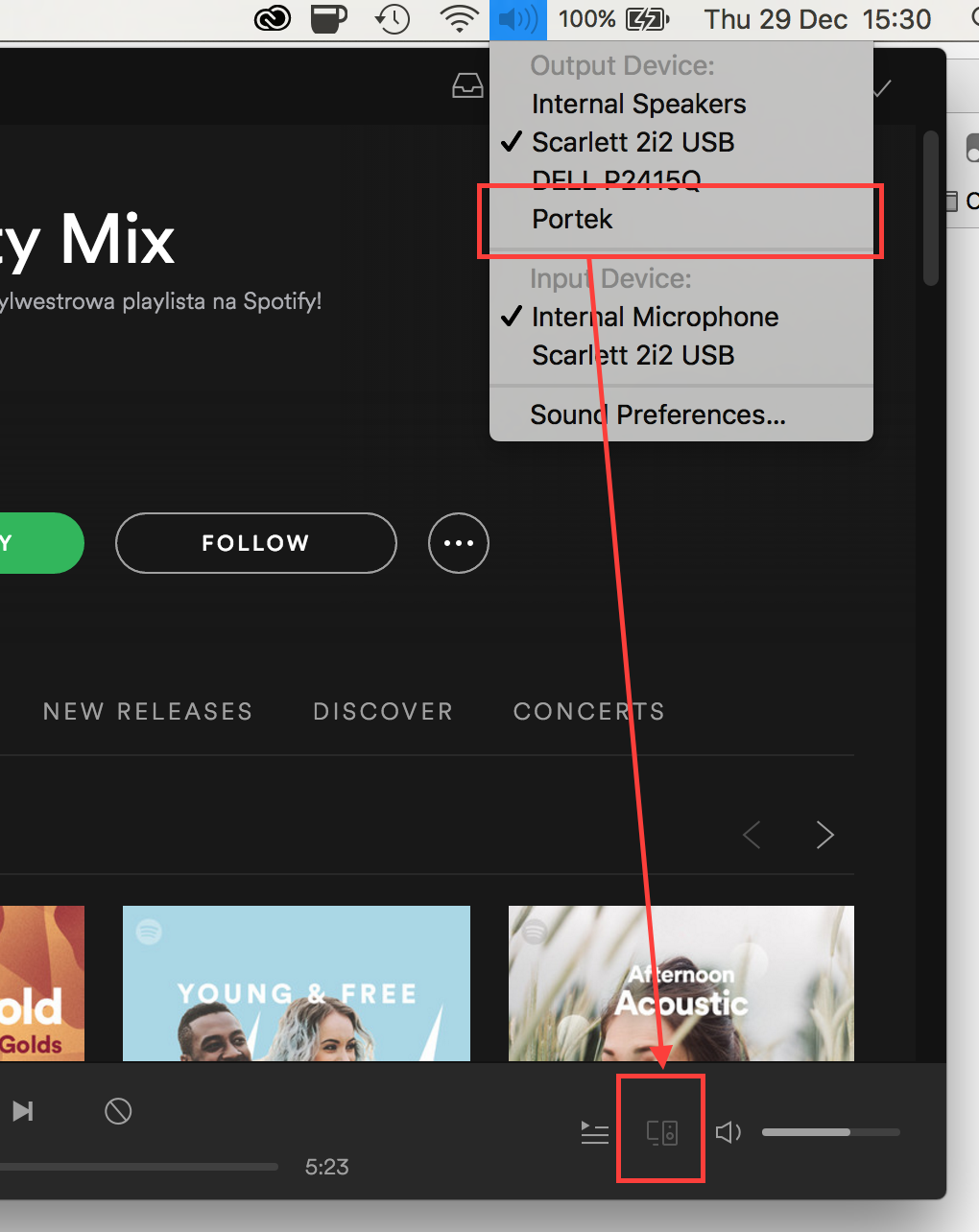
As I originally posted, I re-installed Spotify on my iPhone6 and the problem persists.
Has this issue been verified by Spotify? Is there a target date for resolution?

Until recently I was able to pick up my Apple TV as a Spotify device from my imac and iPhone and play music in Spotify through computer bose speakers.
Now there is no Apple TV through Spotify devices and playing music using Airplay means I can't use my imac or iphone to play utube for example, without that also going through airplay. So I end up with everything playing on my computer speakers. How do I isolate Spotify music to use the TV speakers while internet still plays on my computer speakers only?
Is there a way around this? What has changed?

I have used itunes for sometime but got irritated at the way Apple are headed down the path of planned obselesence - ipod nanos no longer playing my own music, which I have composed and recorded myself "for copyright protection"! And the interface which is getting more and more complex and further from music.
So I signed up for Spotify again, only to discover that now, in spite of saying I can play music anywhere, the app refuses to recognize the 2 airport express units connected to my hi fi systems or the Marantz consolette, also present and installed on my wifi network.
Well, so thats a tenner down the tube.
Byeeee.....

Hey @julesann123!
Welcome to the Spotify Community.
Just to check, were you able to play Spotify on your Apple TV trough connect or trough Airplay? Also, can you let us know the exact steps you were following to do so?
Feel free to send us some screenshots.
Keep us posted 🙂
Hey @jtconte!
Alright, I need to do a bit more troubleshooting on this. Does this also happen on other network connections? Let me know!
Thanks, have a nice day! 🙂
Hey @iankellett! Thanks for coming to the community!
Are you still having these issues? Could you try these steps to use AirPlay on your Mac? Let me know how it goes.
Have a nice day! 🙂
Yes I've looked and no it doesn't help. Whilst it says it explains how to connect to airport express, there is no reference to it in the article that I could find. There used to be an icon that showed all the available devices but this has vanished - it only shows up other computers on the network.
I notice that on my iPhone SE and my old iPad (which will not update to latest versions because of its age), the airport express and Marantz consollette still appear in the connections pane.
Therefore I assume it is a conscious decision by Spotify to prevent users from connecting to other devices on their network even thought they have paid for the premium service.
That's shabby and cheap and I'm gone.
Hey @Huib
Not sure what is meant by other network connections? A wifi network other than my home wifi?
Thanks,
John
Hey @jtconte!
It would be great if you could test this on another WiFi-network. Let me know how it goes!
Take care! 🙂
I don't think I can gain access to another network, bring my Airport Express and configure it for the new network.
John
Hey @jtconte!
Alright, let's do some troubleshooting:
- Apologies, as I know it sounds simple, but are you able to just double-check you've plugged in, and turned on the AirPlay device that you're trying to stream to?
- Just to confirm, can you let me know the exact devices, operating systems, and versions of Spotify this is happening on?
- On iOS: Is your iOS device in Low Power Mode? If so, can you try things again with this switched off?
- Are both your device, and Airport Express on the same WiFi network?
Let me know how it goes.
Have a lovely day! 🙂
No worries.
My apologies for being a bit short but all the information you seek (except low power mode, which it is not) is in my original post at the top of this thread.
Thanks,
John
Also, other iOS apps can play to my Airport Express like Pandora.
Thanks,
John

Hey folks!
We hope that you're well.
We've now moved, and merged a few threads exploring this together, so that we can better help you all.
If you've not already, could you let us know:
- Device
- Operating system
- Version of Spotify
- When this started to happen
- Airport Express version
We're going to report this one to our best tech folks. We'll keep you updated as soon as we have any more info to share.
Thanks,
/M

Hey everyone!
Hope you're all good.
We don't have any more info on this right now, but we're on the case.
@julesann123. This looks like it could be a slightly different issue. Could you let us know a few more details about the devices you're using? Also, even though it seems basic, could you try a quick reinstall for us?
Let us know how that goes 🙂
Lee
The problem is within the Spotify software and I have gone through all the steps to reload Spotify.
When playing spotify music there is a devices icon on the bottom right of the page and this used to allow me to choose my Apple TV speakers - that has now disappeared. This is a problem from both my iMac and iPhone
Thank you
Julie

I have the same problem. Can't choose Apple tv through 'Device Menu', workaround posted by olson worked here.
Same issue. It was working a week or two ago on my iPhone and now my Airport Express doesn't show up. I tried updating my Airport Express firmware and that didn't fix it.