[Android & Desktop] Daily Mix inaccessible

I've had the Daily Mix option on my Android App of Spotify for a few months now, but i am unable to access it. When clicked, nothing happens.
I've tried clearing all data, uninstalling/reinstalling the app.
I have a Samsung Galaxy S7 on Android 6.0.1
I also now have the daily mix showing up on the Desktop app and when I click it I get "Daily Mix cannot be started"
Comments
I've tried my phone on multiple wifi connections and on mobile data connection but no difference.
Operating System: Windows 7
Desktop Spotify Version: 1.0.45.186.g3b5036d6
Attached are screenshots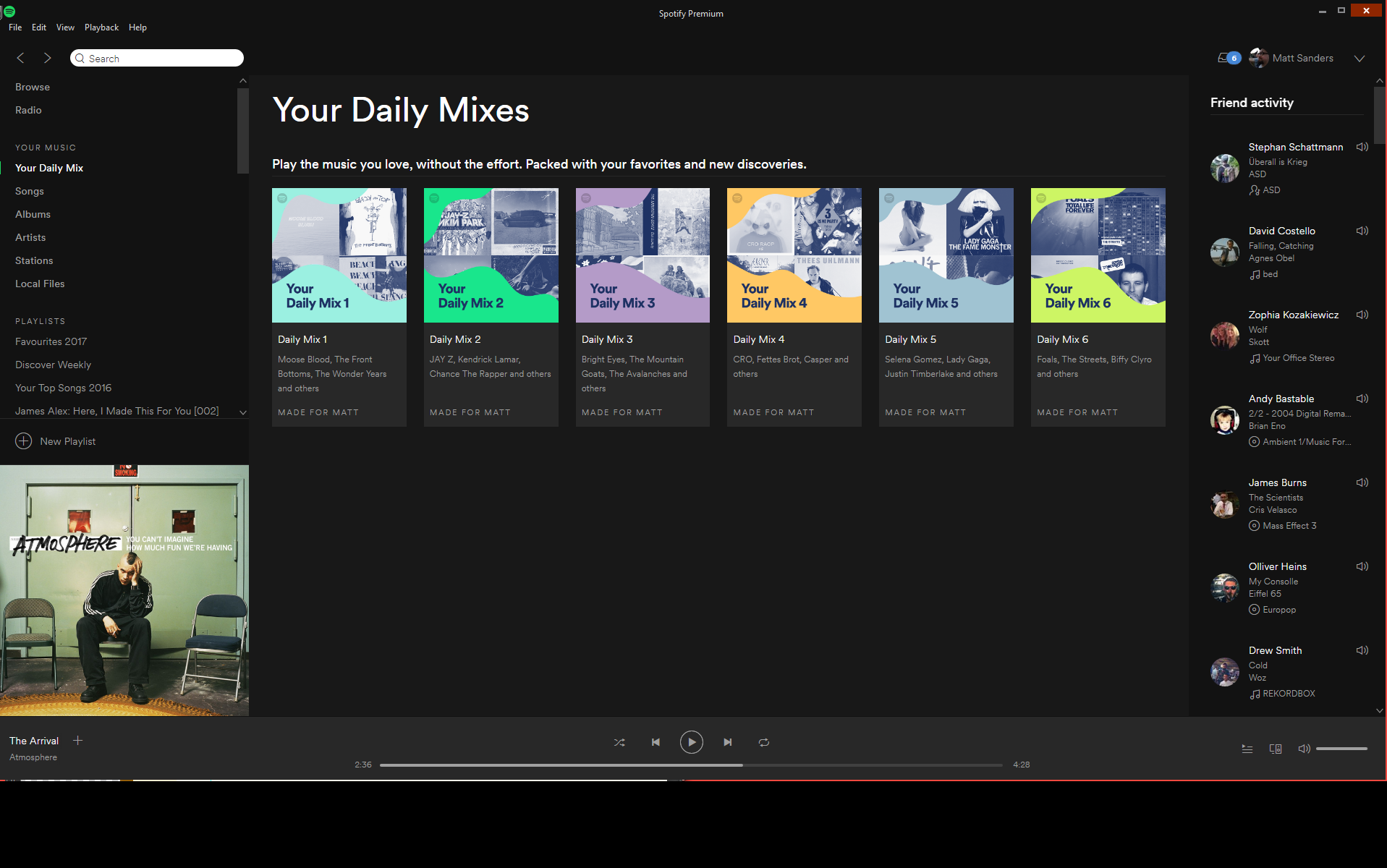
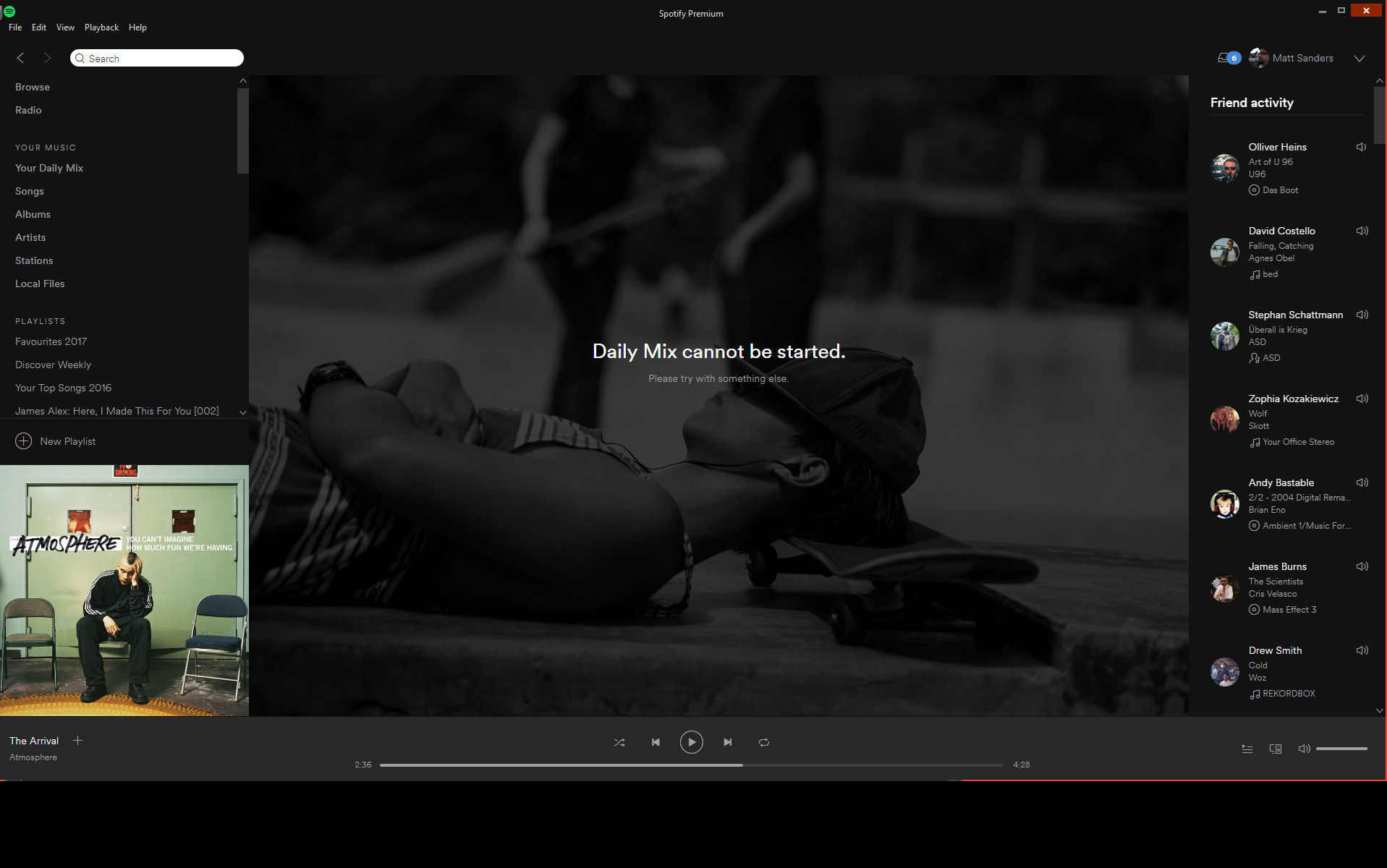

Thanks for the info @haveyoumetmatt.
In this case, can you try from a different Spotify account? Also, is this happening on other devices apart from your PC and the Samsung Galaxy S7?
Keep us on the loop.
Hi, I don't have another account to try.
It happens on my WIndows 10 Laptop also.
Thanks

No worries @haveyoumetmatt!
In this case, can you try the steps here for us? They should help you with this.
If it doesn't work, please follow these steps in your phone:
- Log in to your account page on our website and click Offline devices in the menu on the left.
- Click REMOVE ALL DEVICES.
- Reinstall the app with the steps from above.
- Save your offline tracks again.
Keep us on the loop.

Hey @haveyoumetmatt!
How're you getting on with @MonicaM_Bogota's solution?
As, we haven't heard from you for a few days we'd like to go ahead and close this thread in 48hrs.
Keep us posted 🙂
Hi there, I tried the solutions. Uninstalled/reinstalled the application on windows and tried removing the offline devices and uninstalling/reinstalling on my android device. Still the daily mix button on android is clickable but does not do anything and on windows it still works the same as the previously attached screenshots.
Thanks
Matt
Thank's for trying @haveyoumetmatt.
We've let the right team know about this and we hope to have an update about it soon.
Don't hesitate to drop us a message if you need extra help.
Have a great week 🙂
Hey @haveyoumetmatt!
Thanks for the heads up.
We're going to pass this on to the teams backstage but before we do, we'd just like to check if Radio is working as it should be.
Can you head to Radio and start a station for us on both devices? This should help.
Let us know how you get on.
Hi,
I checked Radio on both devices and that works.
Thanks
Matt
@haveyoumetmatt Perfect!
Thanks for the heads up. We're going to pass your details onto the team backstage.
In the meantime, as Daily Mix refreshes every week can you let us know if you're still having trouble after the weekend?
Thanks again for bearing with us 🙂

Submitted by haveyoumetmatt 2 weeks ago
I've had the Daily Mix option on my Android App of Spotify for a few months now, but i am unable to access it. When clicked, nothing happens.
I've tried clearing all data, uninstalling/reinstalling the app.
I have a Samsung Galaxy S7 on Android 6.0.1
I also now have the daily mix showing up on the Desktop app and when I click it I get "Daily Mix cannot be started"
https://community.spotify.com/t5/Ongoing-Issues/Android-amp-Desktop-Daily-Mix-inaccessible/idc-p/1558603

Hey @haveyoumetmatt!
That's not good! Are you still having issues with Daily Mix? Let me know, and I'll ping someone from the team!
Take care! 🙂
/H
Hey @haveyoumetmatt!
Alright, I have to check a few things. Could you make sure you're not listening in private mode? How long have you had your Spotify account for? Let me know.
Take care!  \
/H
I'm definitely not listening in private mode.
I've had my account since at least 2011, I've been a premium member since then.
Hey @haveyoumetmatt!
Alright, thanks for your reply! Is this happening with all your mixes or just specific ones? Let me know.
Thanks! 🙂
/H
It happens with all "Your Daily Mixes."
And in the last few days since I registered this complaint Daily mixes have now gone missing from my desktop client. It still shows the option on my Galazy S7 though.

Hey @haveyoumetmatt!
Thanks for all the info. We've now gone ahead and passed this on to our tech team, they're looking into it as we speak.
We'll be sure to update you of any developments, hopefully we'll have something to share very soon. Thanks for bearing with us 🙂 /I


Hey there, @haveyoumetmatt,
Just checking in to let you know that our best tech folks are still looking into things backstage.
As soon as we have any updates, we'll be sure to let you know.
Thanks for bearing with us, and take care 🙂
/M
Ok, thanks

Yep, this is also happening to me.
Fortunately, or unfortunately, it's only a few of my daily mixes: 4, 5, and 6. I can still click play, and it will continue fine, but I can't open the playlist itself to see the songs.
It's only been happening recently, but I haven't changed anything: I listen on the same wifi network as before, same Windows installation on the same device, and same user, same everything.
Just a quick update:
If I restart Spotify, pick a daily mix, it will fail.
Then, if I wait about 10 seconds, return to the daily mix list, and click another daily mix, that second mix will work.
First mix will not work at all.
Hey!
Thank you for letting us know about this.
We've passed this info directly onto the folks looking into things backstage.
In the meantime, we'd recommend:
- Reinstalling the app
- Always making sure you're running the latest version of Spotify
- Checking your OS is up-to-date
- Comment here with your device, OS, and version of Spotify
Keep us in the loop and thanks for bearing with us 🙂
/M
I'm running Windows 10 Pro, Spotify 1.0.49.125.g72ee7853.
Tried the reinstalling the app, twice, runnning windows 7, 1.0.49.125.g72ee7853
and Android 6.01, Samsung Galaxy S7, 7.7.0.1179 armV7
Hey @Moghul, & @haveyoumetmatt
Thanks for the info!
We've now reported this all to the team backstage 🙂
Stay tuned, and let us know if you're seeing any changes in the meantime.
Have a great day,
/M
Any update on this? It's been over two months since I originally reported this, and considering I've been a premium customer for a long time, I'm not very happy with the speed of your investigation. Especially as my ticket was closed so quickly the first time and I had to reopen it again.
Hey @haveyoumetmatt!
It's not cool that this is happening. Let us know if using a different Internet connection on your phone makes any difference. Also, send us the operating system and Spotify version of your desktop computer, we'll see what to suggest.
Finally, it would be really helpful if you can send over any screenshots of what's going on.
Keep us posted.