Oooops, something went wrong with the playback RELOAD Issue

Hi, its Dante!
ive been doing spotify for a long while now! its just, starting 5 or more days ago, everytime i try to listen to music it just stays still and doesnt do anything. i try to reload, but then this pops up:
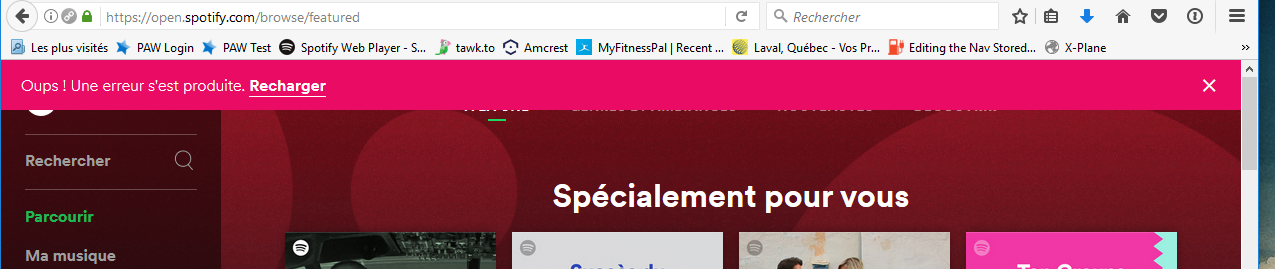
Oooops, something went wrong with the playback. RELOAD x
i need some SERIOUS help with this problem! please let me know if it is fixed and my computer is being a A-jack, or my computers good and the issue is still being a Fubbernucker. email me or reply to me at *******@icloud.com
THANKS SO MUCH!!!!!!!!
Dante Ozon
Accepted answers

If you are on chrome / windows 10 try uninstalling the Pandora app that might have come pre-installed on the computer. Sounds crazy, but as soon as I did that Spotify web app started working without issue.
Probably just coincidence, but I'm happy spotify is working again...
All comments

Hello @DanteOzon1234,
Welcome to Spotify Community!
I've moved your topic to Desktop section as it is not an ongoing issue.
The issue is related to Adobe Flash and not to Spotify directly.
Can you please let me know what browser do you use and your Adobe flash version?
If you are using Chrome you can visit chrome://plugins/ and check the version there.
Adobe Flash player current version should be around: 24.0.0.186
If it is not, make sure to update it.
If you have run into problems, let me know. : )
P.S. You can check your flash version here as well.

Yeah, I have the same problem, if you get the solution, can you reply me it? Thanks!

Same Problem here

I still get the error message using chromium on linux.
Flash version is
Adobe Flash Player - Version: 24.0.0.194

Some problem since 4 days. Using Ubuntu 12.04, Firefox 50.0.1 (64 bits), Flash 24.0.0.194


Same problem here and I have the latest flash -- that recommendation was not a solution! why am i paying for premium if it doesn't even work?
I tried this and it didn't work. i already have the latest flash

I have the same problem with the web player using the latest Firefox with the latest Flash. This has been going on for quite some time now with various threads on here going unanswered. Has anyone found a real solution?

same problem here with updated flash

I have the same problem. Flash Version: 24.0.0.194. Agree with the previous poster - why am I paying for premium if it doesn't work!

This Has to stop. I really want to listen to my music but every time I try to download the desktop version it just takes me back to the same exact open.spotify.com link. That link does not even work for music. I get oops something went wrong with the playback error. I paid premium so I could listen to music but now I can't even play my music at home. When I try to reinstall my computer, there is no option to reinstall Spotify for the Google Chromebook so How do I do that. There is no settings option in the "NEW BETA SPOTIFY." either. I REALLY NEED HELP. I REALLY WANT TO LISTEN TO MUSIC BUT I JUST CAN"T BECAUSE OF THE NEW SPOTIFY UPDATE. IF I AM WRONG PLEASE TELL ME, AND ALSO IF THERE IS A SOLUTION TO THIS PROBLEM PLEASE TELL ME. THANKS.

Have the new design but music played isn't working. Spotify, c'mon! Maybe do something about this? It's not a minor issue or feature gone! It's your whole service not working!
Using web player, Chromium Linux (56.0.2924.76) and Flash (24.0.0.221)

Not working for me either....
Updated Flash
Using Firefox on Opensuse

Spotify was working for me a couple days ago, but the layout changed and now it is not. Are you guys A/B testing a new layout? You may want to make sure it works on linux with the new layout.
Some info:
Ubuntu 14.04
Mozilla Firefox 52.0
Flash 24.0.0.221
I've also Spotify's web player on chromium version 53.0.2785.143, but flash on chromium seems to be a bit buggy (at least for me). In any case I was getting the same error. Every time it just says "Oooops, something went wrong with the playback. Reload". Also the music starts to play for about ten seconds and then fails...maybe there's a bug in the DRM?
I've tried restarting my computer, running sudo apt-get update, updating the package manager, signing out and in, clearing the browser history, and turning off adblock. Nothing seems to work. It would seem as if the problem is on your end.

Same problem here. Also have latest flash/chromium versions.

I have the same problem.
I am using Google Chome and my Adobe flash version is 24.0.0.221
It worked last week.

I have the exact same issue, I'm on firefox with Flash 24.0.0.221 (Latest). I can see the new web interface and browse the playlist etc but it does not play any songs.
I tried connecting with IE but when I enter my username and password, when I press on connection, nothing happens. No errors, no redirect etc.

Same problem here.
Chreom version 56.0.2924.87.
Was working yesterday, not working today.
Paying customer, and getting fed up fast.
Might be time to cancel and move to Deezer.

I'm having the same issue and this was escalated into open issues/unresolved issues.
I've not found a way to get Chrome with the most recent Flash update to work in its native environment.
It works on my home PC
Windows 10
Google Chome 56.0.2924.87
Flash version 24.0.0.221

Firefox 52 with Flash 24.0.0.221 will give Oooops

What version of Firefox are you using? I found a fix for this. The web player uses WideVine instead of Flash to play audio, and there is no WideVine plugin for Chromium based Linux Browsers. So this means no Opera or Vivaldi for Linux.
The good news is that Firefox 49 and up has it and plays the Web Player fine. So if you have Firefox, make sure it's at the latest version (version 51) and make sure that DRM is enabled. You see that grey circle next to the "i" symbol in your address bar. Click it and enable DRM. It will take a while for it to install the component, but it should work.
Your Firefox may play it just fine but my version 51.0.1 does not. I do see an i symbol that adds a gray circle around the i when I roll over it. When I click it I do not have an option to turn on or off DRM.
The web player was working fine until this awful new layout with less features appeared.
Firefox 52 seems more consistent than 51 is, so try upgrading it.

Same issue worked the day before the new layout happened and now this error happens, Flash was the 1st thing I updated , I turned off all Addons on my Waterfox (its Firefox) I have the lastest verson of everything. Please fix this.. I 'd rather not be forced to download an App. For my windows 10 .

I have the same problem flash 24 is up to date. It started a few days ago and not it's permanent no matter how many times I hit Reload.
https://community.spotify.com/t5/Ongoing-Issues/Chrome-56-Broken-Web-Player/idi-p/1602198
Firefox has consistent issues with DRM, and I've been unable to load the new player no matter what I do. Chrome //sometimes// works, though the latest (51) has been extremely hit and miss. On two computers, it hasn't worked. On this one, it has. Settings are identical.

im getting fed up with the fact that im giving you guys money, and cant even use it! **bleep**ing joke!
Well, I got the old design back like a week or two ago and it worked. Can you believe it - IT WORKED!
I opened up play.spotify.com two days ago and the new design is back and it doesn't play music. The main feature is gone again. Woo-hoo, good design without the player. Enjoying some good playlists in silence.
Hallo,
I found the solution! I had the same problem with 'Ooops...' [Linux Ubuntu 12.04, Firefox 52.0.2], I upgraded Firefox & Flash, but it didn't work. What worked for me was enabling libavcodec in Firefox. Type about:config in the address bar, click "I accept the risk", search libavcodec and then change media.libavcodec.allow-obsolete false to true.
Hope it will be useful at least for some of you. Good luck!
Martyna