Queue gets wiped out after 'Add to Up Next' from filtered list

Brief description of the issue:
If you play all the songs from the library by pressing Shuffle Play, songs are added to the queue. You can affect current queue by using the filter. When you clear the filter everything goes back to normal (current queue gets back to normal and is unaffected by current input).
However, if you use filter and Add up next some song, then the whole queue gets replaced by filtered songs and clearing a filter input doesn't revert current queue.
This isn't the issue on desktop! (tested on OS X and Windows 7)
After clearing out the filter everything goes back to normal.
So it's most likely a bug.
Steps to reproduce the issue:
1. Go to your library and just shuffle play everything
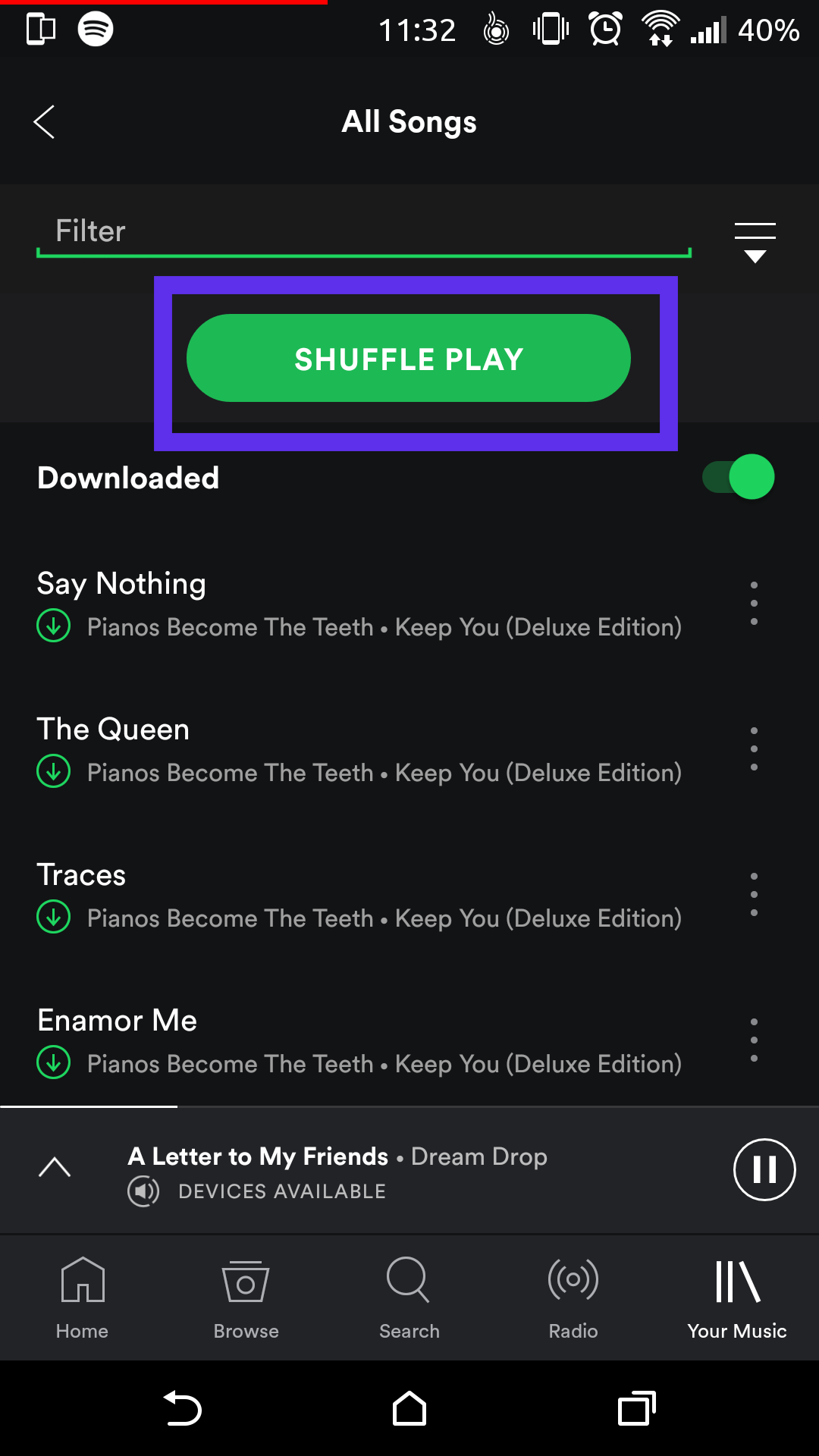 Shuffle play
2. As you can see queue is looking fine and it's filled out with songs
 Current queue OK
3. Go to all songs and use the filter
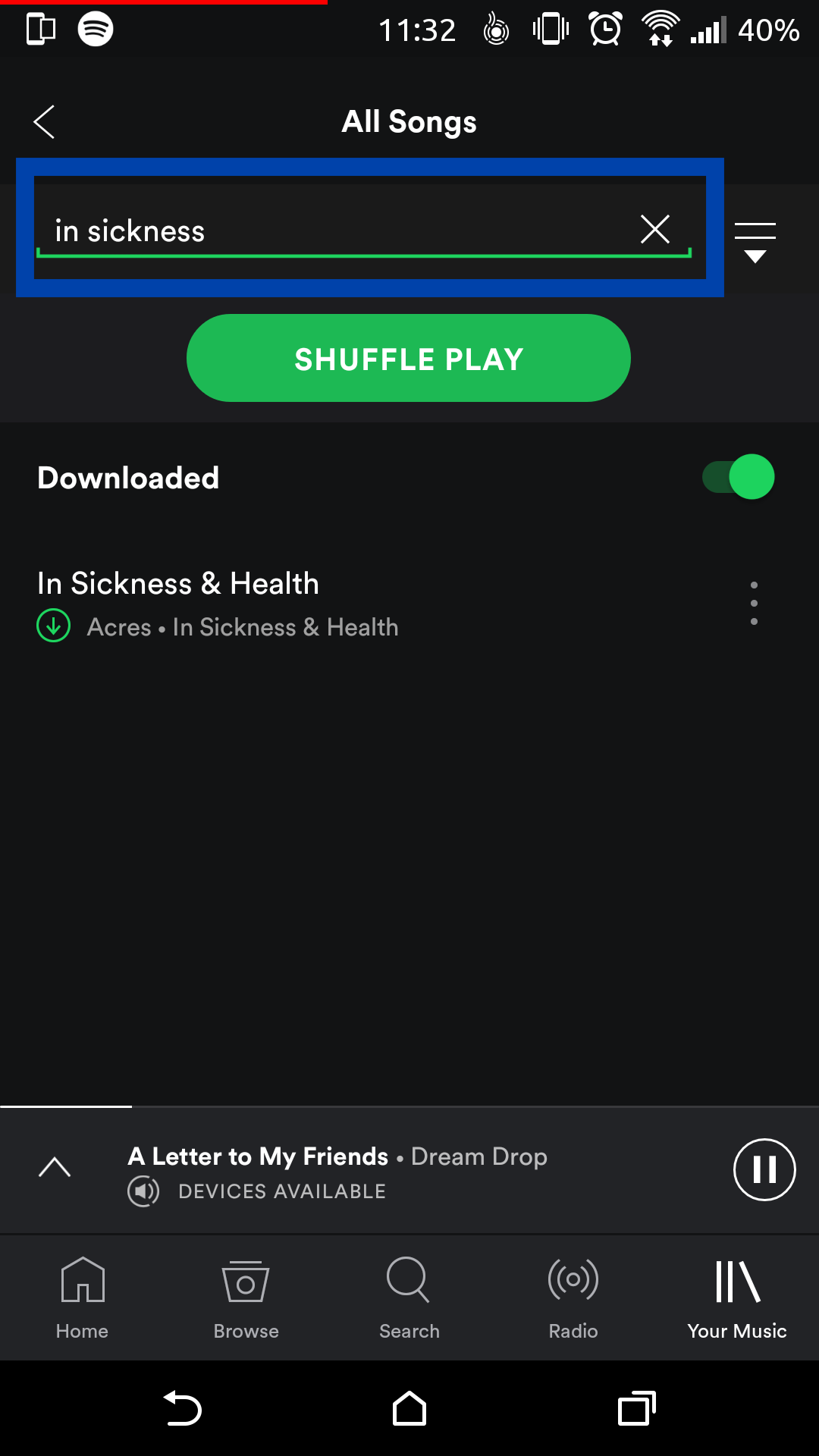 Filter
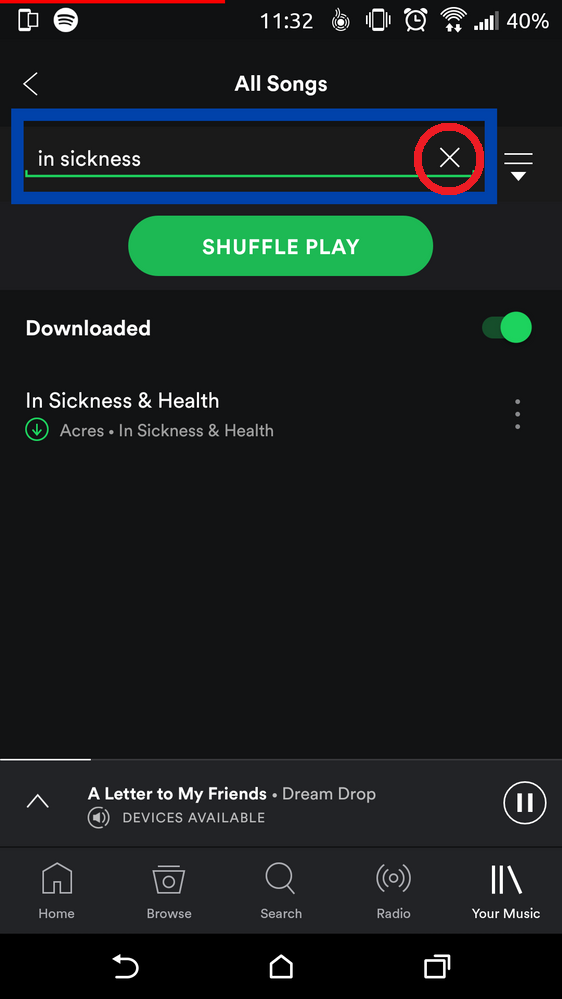
4. Add to Up Next the song and CLEAR THE FILTER INPUT afterwards
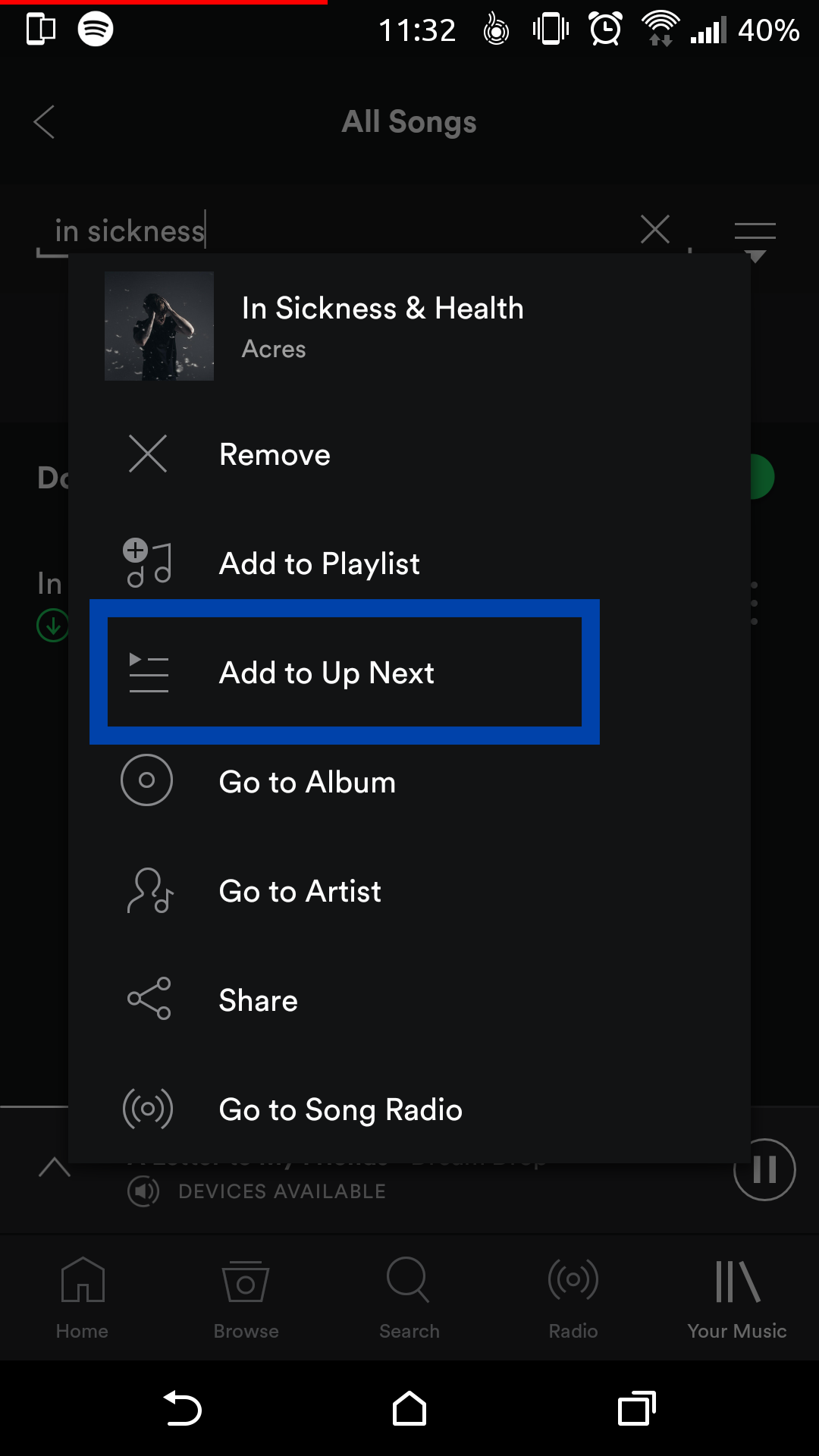 Add up to next and clear filter
5. Queue is destroyed  (((
 sadface_jpg
I've tried using the Search instead of filter, but you cannot expand the context menu from the search results. (so no add up to next option)
Specs:
HTC One M8 Android 5.0.1 (additionaly tested on 6.0 too)
Spotify Premium v. 7.2.0.1250
Best regards.
Comments
Hello there @MonicaM_Bogota.
Like I said before I've tested this issue on two accounts and devices.
I've followed all of the steps and the problem still occurs.
If any of the steps I've included in my post is hard to understand please let me know, I'll try to describe it better.
Best regards.

Thanks @Ppozniak!
We've checked and this is expected behavior. When you add a filter to the playlist the queue will automatically update to the filter you just added.
No worries! We'll pass your feedback on to the right team.
Let us know if there's anything else that we can do for you.
Hello there @Maria_B
I highly doubt you've read what I've written in the post. If this is "expected behavior" tell me please why desktop version is acting differently (in a good way).
However, if you use filter and Add up next some song, then the whole queue gets replaced by filtered songs and clearing a filter input doesn't revert current queue.
This isn't the issue on desktop! (tested on OS X and Windows 7)
After clearing out the filter everything goes back to normal.
So it's most likely a bug
"We've checked and this is expected behavior. When you add a filter to the playlist the queue will automatically update to the filter you just added." -
That is competely true if taken out of the context - but if you C L E A R T H E F I L T E R songs should come back. If no songs were added to the queue by "Add up to next" then this is working, but if you add one clearing the filter has no effect.
Once again I'll say that this is working properly on the desktop version, so why would that behavior be different on the mobile.
Best regards.

No worries @Ppozniak!
When you add a song that you filtered to the queue, it will be replaced by that one song. However, once you clear the filter results, the original queue should be restored with all the songs from the playlist. Keep in mind that our search and filter features work differently on both the desktop and the mobile app.
If you have any other questions, just let us know.
"once you clear the filter results, the original queue should be restored with all the songs from the playlist"
Exactly. And after you 'Add up to next' clearing filter results has no effect. That's the point.
Well telling that they work different on mobile and desktop isn't anything new.
However this is expected to work in the same way as I don't see a reason why would this be implemented differentely.
No worries, @Ppozniak.
We can see where you're coming from. Thanks for the feedback, we'll be sure to pass on all your comments to the right team.
If you have any further questions, please don’t hesitate to get back in touch.
We’re always here if you need us.
Well not to be rude, but honest I don't quite believe that my feedback is going to be passed anywhere, or anything will be done with that. But really, this should be treated as a bug. Or bad implementation.

Hey guys sorry for jumping into this, but I think I have an answer for @Ppozniak.
This is already mentioned, but you have to wait some more to refresh, I`ve just tried it, and it work!
Well, when you filter for the song, only that song left in the playlist, right.. Spotify remember the filter, and after you queue the song you should click the X of your search. That way you`ve "confused" the queue already and it shows you only that song (because thats how it remembered), but after some hits (open/close the queue) in the right corner, it shoud work, just give it some time to refresh when you`re in the queue for like 20-30 sec.
Please tell how it goes after!
Really no luck here. It really works at your device? What are you using? To be honest it doesn't make sense.
Also I've really noticed that using the filter now doesn't change current queue. What the **bleep**...
Btw. I knew about clearing the filter. My 4th point says that: 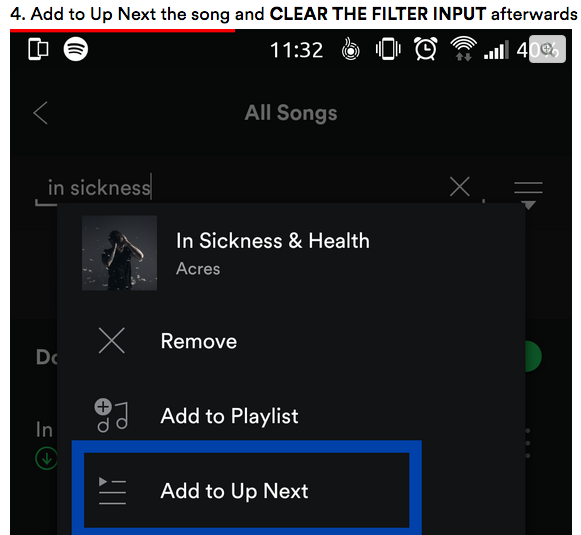
Something like delay happens, it`s odd. But as I said its worked for me, after a couple of closing/opening the queue, and with some time of waiting when your queue is opened its "unfreeze" the songs. You can also try to pause, then go back to the player and check/uncheck the shuffle. Then go back to the queue and wait a little.

Hi, @Ppozniak!
It seems like we didn't receive a reply from your end. For this reason, we're setting this post as "Closed".
@MartinStoichkov if that's really true please tell me what device and OS version you're using.
That would mean particullar devices are affected, not the whole mobile Spotify application.
I`m on Android 5.0.2, LG G2 .. but as I said, this happens to me as well, just some clicks on the queue and waiting a bit seems to solve the problem.
I think the filter "confusing" the queue and thats why this happens
That's pretty insane to be honest. I've replicated your steps in 300 different ways and still no luck, always the same output.
Well I`m sorry to hear that, I agree that this is pretty weird, if you want you can share an idea in the ideas exchange and see if other users will vote for it : ) Something like "filter/search in the queue" will be a good idea!
Post a new idea and link to this one, tag it [All platforms] and can edit it slighty not only from search but for possibility for direct search in the queue >> https://community.spotify.com/t5/Closed-Ideas/Queue-track-from-the-search-bar/idi-p/780383 : )
I`ll be the first to vote!

I also thought the bug is triggered when using "Add to Queue" (from filter), but it seems the Queue is already messed up when using the filter field (before choosing "Add to Queue" from the menu).
Please check out this bug report (see link below) and click on the "ME TOO" link of that page (located at the "x people experienced this problem" text) to raise this bug's priority.
Hi @Ppozniak!
Welcome to the Spotify Community.
Can you try to log in from a different account in your device and check if this is still happening? Also, did this started happening after an specific update or event?
If this is still happening from a different account, please follow these steps:
Keep us posted.