Playlist not showing on smart tv

Hey,
For some reason, since yesterday 2.25.17 my playlist hasn't been showing up on my Smart TV (vizio, model: D24-D1). I have a premium membership. I have reset, re login, and still nothing
Comments

Hey @33rpm!
That's not cool. Just to confirm are you getting an error message or a "Loading..." screen? If possible, send us a screenshot or picture. We'll see what we can do for you.
Keep us posted.

- No loading page just a blank page in the playlist section
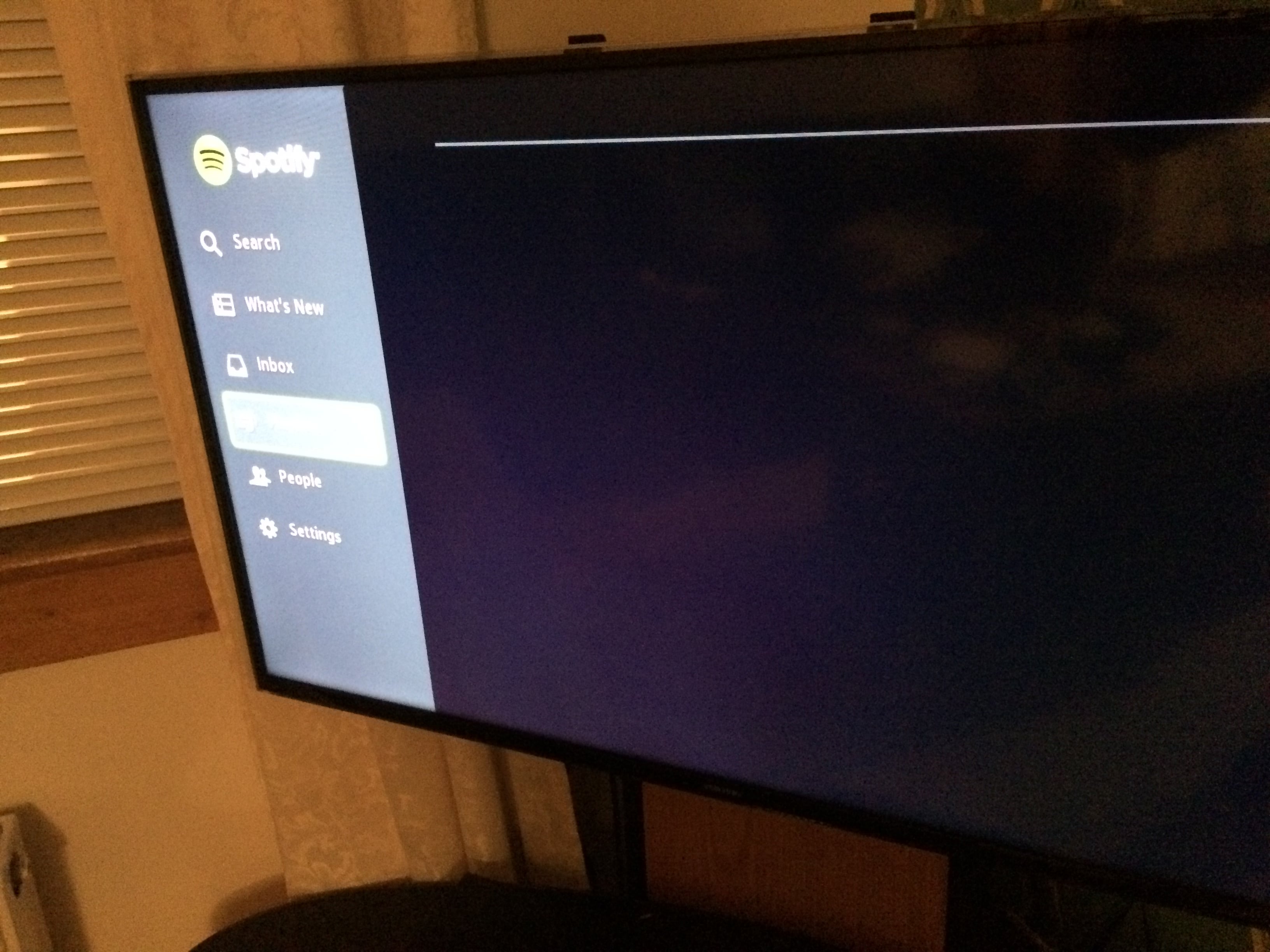
The first couple of times this occurred exiting the app and then reloading would fix it but for over a week it's refused to load despite reinstalling app.
I've attached photo of screen, but not much to see!

Thanks for the heads up, @33rpm!
Our best tech folks are on the case as we speak. Hopefully we'll have a fix soon and we'll keep you updated.
Don't hesitate to drop us a message if you need extra help.
Have a nice day 🙂

Hey @33rpm!
We just wanted to check in to see if this is still happening.
If so, is it happening with all playlists? Or, just specific ones?
We'll report back to our best tech folks.
Thanks, and keep us in the loop.
/M

Hey guys,
We've not forgotten about this and our tech folks are still looking into it. Just to check, are you still having this similar issue? If so, we'd recommend checking out for firmware updates on the device. Fingers crossed we have some more info soon.
Hey @33rpm!
We haven't heard back from you recently.
Can we check to see if this is still happening?
We'll continue passing info onto the right team if so.
Many kind thanks, and keep us posted.
/M

I have a different Vizio and have been having the same problem for a few days now.
The playlists came back though now and then they completely disappear again. Fortunately this time restarting the app seems to fix it.

I have been dealing with the same problem.
Hey @33rpm!
We're sorry to hear.
Just to check, is the whole section still missing? Or, are just some of your playlists missing now?
We'll see what else we can suggest.
Many thanks 🙂
/M

My playlist has stopped loading on my Vizio tv.
It shows I'm logged in. I can search, play songs and everything else. My playlist just doesn't load. What's up Spotify. Any discounts on our monthly subscriptions??

My playlists were all working well for a while and then all the sudden the playlists have been gone.
It doesnt say loading or anything, its just a blank screen.
The rest of spotify is working fine.


Hi there. I upgraded to the latest spotify version on Saturday and since then my playlists have not appeared on my LG TV. I just get a blank screen when I go to playlists. I see a few people are having simialr problems. Any update on what the issue is and is there a fix? Im having a baby on 2 weeks and would really like this sorted before then. Thanks

Hey folks!
Thanks for letting us know about this. Can you tell us if the playlists show as Loading... or nothing shows at all? If possible, send us a screenshot/photo of what you see when trying to access the playlsits. Have you experienced the same with Albums or saved Songs?
Keep us posted!
Just changing the status to Need more info 🙂

I am having the same issue except it's on my Vizio (M501d-A2R). Up-to-date firmware, have removed the account and logged back in, and turned the TV off and back on with no luck. Help!


I have an LG smart TV and I can't see my playlists! Before it worked trying to add a random song from "what's new" to "add to playlist". It used to work!!! Because the playlists reappeared again and everyone happy, but now... It doesn't work anymore since two or three days ago. So I'm pretty mad. I'm paying premium in order to listen to it with my TV, so I can't listen to my playlists but by my phone or iPod, and it's annoying.
Help????

Hi @Tagamenthb, welcome to the Spotify Community!
Do you get any error messages when trying to listen to your playlists? If so, could you send us a screenshot of it?
Just to check, do you have that issue with all your playlists?
We'd like to investigate a bit more 🙂

Last week some of them would load and some would say still loading. Since Saturday, the Playlist page opens, but nothing else shows up. You see the header, but no playlists ever load.
Hey @kbmoctezuma, welcome to the Spotify Community!
We recommend reinstalling the application on your Smart TV. Also, does logging out and back in to your account help?
We'd like to investigate a bit more 🙂

I went to play some music on my Roku 3 with the Spotify channel - selected Playlists, and initially just saw the spinning wheel. Sat there for a few minutes. Closed out, retarted the Roku. Opened Spotify channel again - now after selecting Playlist, it just lists "Starred" with no tracks. Logged out of my account on the Spotify channel, logged back in - same thing. Uninstalled and reinstalled Spotify channel - same thing. Tried the tip of loggin out of Spotify channel on Roku, opening web player, playing single track, and then logging back into Spotify channel on Roku - same thing.
I've tried deleting it and reinstalling it. I also have tried logging out and back in, it still doesnt work. @Aimee_T

Is there any update on thias issue? I'm also experiencing the same issue on my Samsung TV.

My personal playlists no longer show up when I log in to Spotify on my LG Smart TV with the exception of my "Starred" playlist. However, there are no songs in it. Adding songs to the Starred playlist, logging out and in again, removing and readding my account factory resets of my TV and reinstalling the app do not fix the problem. No solutions I've read about so far on here have worked.
Additional notes: Playlists also no longer even show up as a selection category in results of searches. Also, my acccount (which is premium) is linked to facebook, but instead of showing my name, it shows only a number (124204111).

How did you fix the problem avatar42? I'm having the same issues
I haven't been able to fix it yet. As I said, I've tried every potential solution I've found on here, and nothing has worked. It seems that this problem isn't just isolated to LG Smart TVs either. I've seen posts on here for other platforms and kinds of TVs as well.
The firmware is up to date and I have deleted the app and reinstalled but this does not resolve the issue.
I also have a Samsung K5500 (which has the Tizen OS), iPhone and iPad and the playlists appear fine on these platforms.
This doesn't appear to be a problem with Samsung as I can see posts on here with people complaining of the same issue whilst using different manufacturers.
Is a fix being worked on?