Tip of the Month: Playlist Separator

We thought we'd kick off the blog with something we'll be doing more regularly: Tip of the Month. We'll start this month by sharing how to create a playlist separator. Here's how
1. Click on the New Playlist button in the left hand sidebar
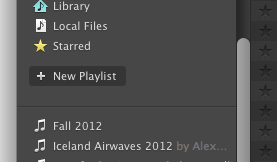
2. Use a dash or "-" symbol in the title of the playlist and press "Enter"
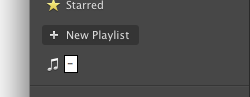
3. Drag the separator line like you would a playlist to create some cool visual separation between playlists
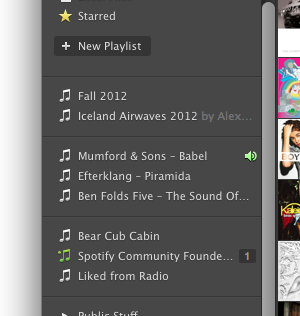
Thats it!
Enjoy.
Comments

Yeah, currently it's main use is in the Desktop application. The iOS version of Spotify does add a little break too, however.
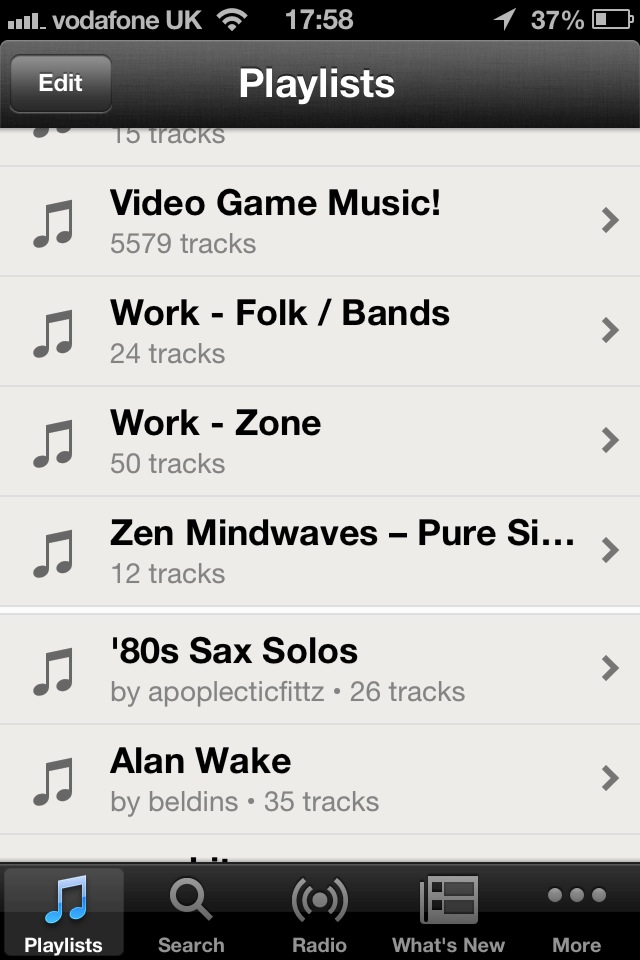

iOS favouritism again 😉


iOS favouritism again 😉
You're right there, Steve. Rorey is right now heading off to the office to scrawl pro-Android graffiti in the toilets located nearest to the iOS dev team.

Cool! I never knew there was such a thing!

Doesn't show up in Sonos at all. It's like it sees there are no tracks and ignores it

Awesome tip!

Hmm never knew this. This will ease up making the UI more mobile friendly.

No longer works in Spotify 1.0.6.80.g2a801a53 (at least on Mac) 😕

Doesn't work
Awesome.
But this is how it looks in Android. 😉
🙂