I've been hacked and "change password" from Spotify.com is not working.

Yesterday, when I came back to my desk, my Spotify was showing that it was playing a song I didn't choose on a device I don't own. I went to the website account page and selected "log out everywhere" and "change password". The website told me that an email would be sent to my email address (which was correct) with instructions on changing my password, but I have not received anything (I've checked my spam folders).
What can I do?
I've had a premium account since 2014, and I believe I signed up through Facebook API originally.
Accepted answers
All comments
@LordRollin, thanks for the reply, but I still can't change my password.
I went through the steps on the website:
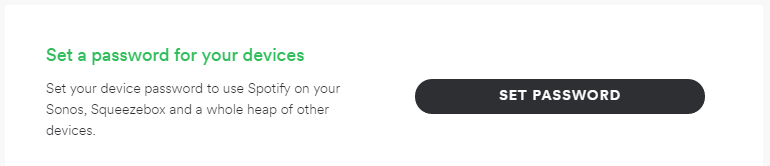
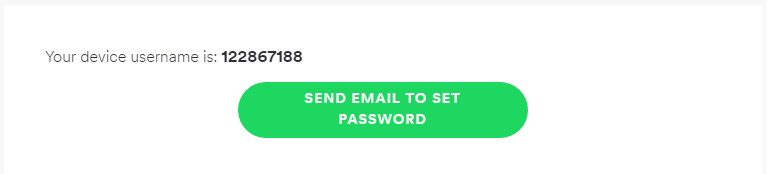

But I never receive an email, even though the email address listed is correct. I've checked spam and the email is not there. Is there a problem with Spotify's email system?

@stephenhebert - I was just informed that the link I provided above isn't quite working as I intended. Sorry about that.
Please try to change your password by first visiting your account overview page. From there, look to the navigation menu on the left, and select "Change password." Fill out the form on this page, click "Set new password." After this, go through the steps to log out of everywhere and you should be set.
Please let me know if you have any troubles running through that. Sorry for the confusion!
Spotify Support has responded and is looking in to my issue.
For your reference, if I understand correctly, Spotify accounts that were initially created to use FB authentication as mine was do not have a "Change Password" option on the account page. Instead, the menu shows "Change Device Password", which is the option that I was referring to. I would send you a screenshot to illustrate, but Spotify Support has temporarily disabled access to my account and any attempt to login gets me stuck in a redirect loop.
Hey @stephenhebert. Ahhhh. That clears things up. Support should be able to resolve the issue for you no problem. If anything else pops up give me a shout. Cheers!
LordRollin, thank you for your help.
I now have access to my Spotify account again! Thanks to Spotify Support.
Here's a picture showing the lack of a "Change password" option, so you can see what I was talking about: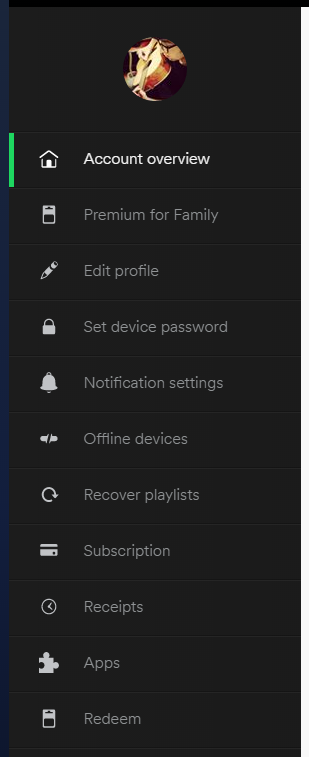
As I said, I think it's unique to accounts that were created initially to use Facebook authentication. I've read on the community forum that in order to change to normal password authentication, you have to create a new premium account, ask Spotify support to migrate your music/playlists over, and cancel your original account.
Best.
Hey @stephenhebert. Sounds like you've done everything right. Could you try changing your password one more time from here? After doing that I'd recommend logging out of everywhere one more time, just to be safe.
If you keep having troubles, or any other issues come up, please let me know and I'll be more than happy to help. Cheers!