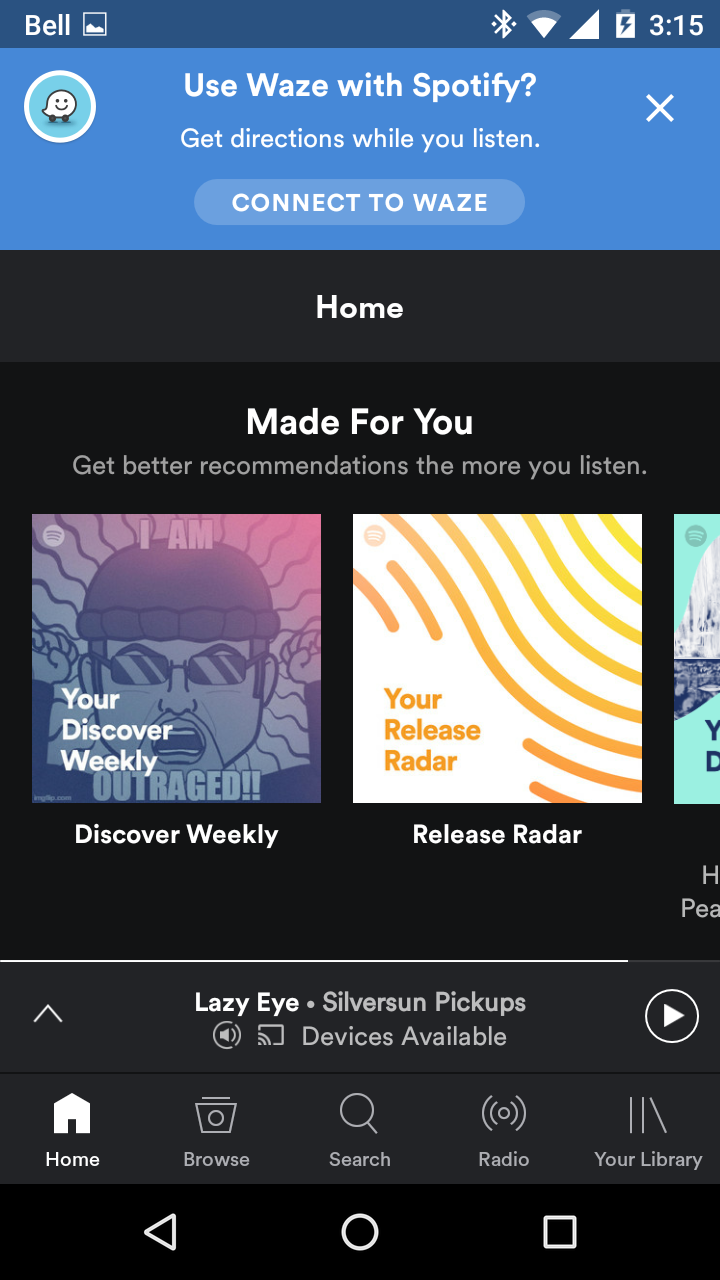
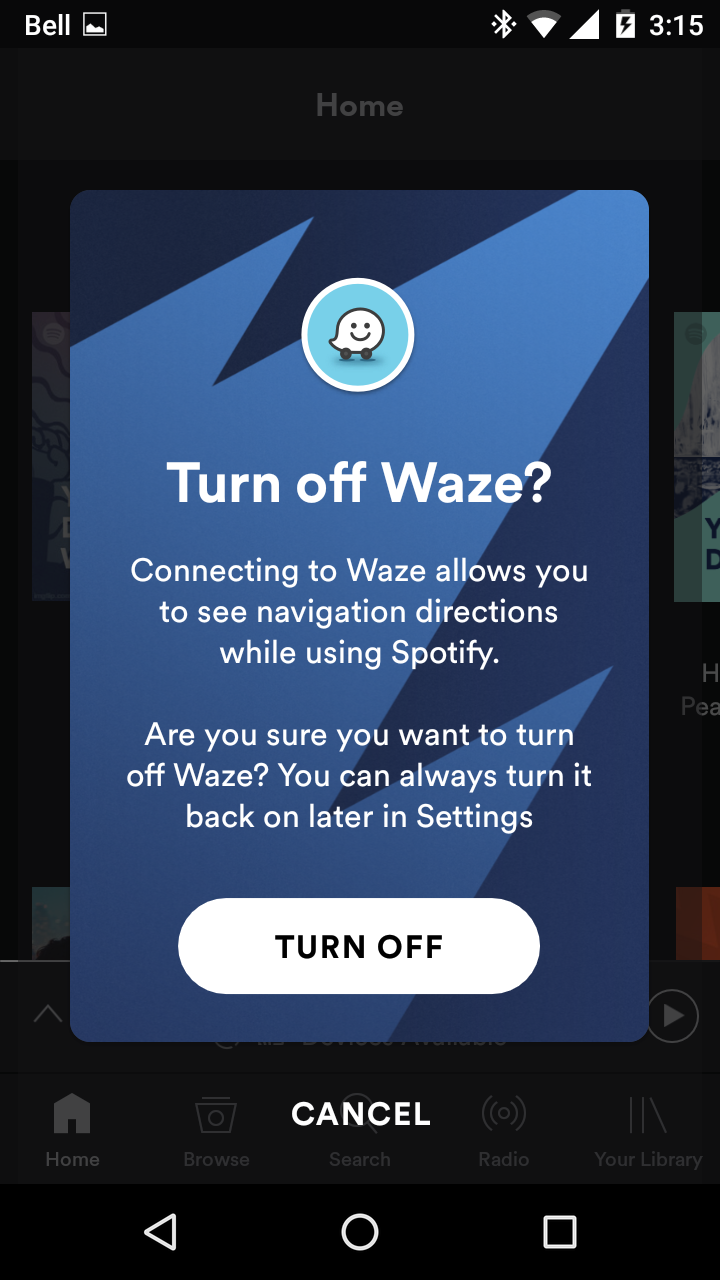
We've had some users reporting getting constant Waze banners uponlaunching the app, after logging out/in, when getting into the car andconnecting to Bluetooth.
How do I get it going? I enabled that settings in the Spotify app, but still see no Waze UI on the spotify app while driving. What should I be seeing? Or is it being enabled by regions and mine isn't on yet?
I am wondering the same thing. Only I have no seen where to enable Waze int he spotify app. Where did you find that? I did enable Spotify in the Waze app. I am not seeing it show up in either app though.
In the Spotify settings, right under "Last.fm Scrobbling", there is a toggle for "Waze Navigation". I turned it on with no effect. And in Waze, I see nothing about Spotify.
So I just got it to work... I went down and was finally able to find the Waze setting in Spotify under Last.FM, I uncheked the box, then rechecked it, and it pushed me through the steps to integrate. 🙂 Side note, I had both apps running when I did this! It works finally!!
Yep, toggling the settings off in Spotify and back on triggered something. Problem is, I don't see any "Spotify" setting in Waze. And I have Waze 4.21.0.0 (the latest). Looks like something they're only enabling by region?
Same version I have. I see Spotify between Spread the word and about under settings in Waze.
I opened a support ticket with Waze on this. Their reply was that this was being enabled gradually by regions and I haven't been included yet. That was a week ago. I just checked now and it is still not available in Waze.
The Waze-Banner drives me crazy. Please stop it. I don't want Waze !!!
Title says it. I am constantly asked if I want to log into/use Waze, every time I start Spotify away from home. I don't have Waze installed, have no intention of installing it but even though I select "turn off" option I am being constantly badgered to log into Waze. This kind of aggressive marketing, to wear someone down into downloading a product to stop the endless notifications, is pretty transparent. I would appreciate any reccomendations for a permanent solution to stop this from happening. Having to close TWO popups before I can use Spotify (and I am a Premium subscriber) is beyond annoying.
WAZE - **bleep** OFF !!!!!!!!!!!!!!!!!!! How the **bleep** do you make this **bleep**ing banner **bleep** OFF ?!?!?!
I won't install it, I'll uninstall Spotify and switch to something else first. I'm also a premium user.
Also a premium subscriber with the same issue... would love a solution.
EVERY TIME Spotify starts I get these two nag screens even though I keep selecting OFF, it turns itself back on and asks me if I want to use Waze. I will cancel my account and go to Google Music if you don't deal with this soon. I don't pay for ads and bullying tactics
Congratulations on your new partnership. Now get rid of the annoying pop-ups for all your old partners who pay to use the product without ads.
Yes. Seriously, do something about this asap.
With all respect, I don't pay for the premium service for popups.
I am going to cancel my premium subscription if this doesn't stop. This type of harrassment doesn't occur with the Sirius or Pandora apps. Please make this stop, it is unacceptable.
Same here, if I say no I mean no and I don't want to have to repeat myself all the time. I don't need or want Waze inside of Spotify, that's what Google Maps is for. Trying to combine the two apps is a terrible idea.
I'm in a detailed back and forth discussion with Spotify to try and get this resolved. So far, no luck, but the techs there are helpful and friendly which is great to deal with. If I get an answer that finally gets rid of this Waze nonsense, I'll post it up here.
I get WAY too many popups to be able to safely use the app while driving. I'm back to listening to VLC half the time because I don't want to mess with when the car is moving.
What a joke , we pay for the premium and still they bombard us with the constant nagging with the stupid dam banner , you'd think with all the success and money Spotify makes they could just stay true to a simple promise of no annoying adds when switching from regular to premium but they have lost alot of integrity by bullying this add on premium users , I hope they lose Subscribers and change this immediately, very disappointed.
The Waze banner has finally gone away for me, but I can't be sure exactly what stage it happened at.I did 'uninstall' Spotify which actually means just disabling it on my phone, and I also cleared all the cache etc.
So give that a try and see, and if you don't have success then I would suggest emailing their support. You won't be the first and they responded quickly and politely and helpfully which certainly helped calm me down - I was all set to move to Google Music or something else.
I understand you are pretty excited to join forces with Waze but I don't see the benefit of joining the two services and I definitely don't want to be harrassed with constant popups for a service I don't want to use. I am paying to use Spotify not Waze. Who in the world thought this was a good idea? If a user says he/she is not interested then you leave them alone. Having the popup every time I open spotify is very bad practice that costs you subscribers. C`mon Spotify think user experience and fix this asap.
Deinstalled and installed the spotify app .. now the waze screen doesnt popup any more (Andoid Nougat on S6). Hope this helps.