Local Files Wont Sync and play on phone

I wanted to upload some local files and sync it to my phone.
It played on my laptop and was just fine when i synced it to my phone i could see the playlist when i went to the settings and unhid unplayble songs but when i go to the playlist now it says unknown artist and it is grey. I have done everything in the common fixes section and did not work.
Comments
Hey i followed all the steps and the problem still persists. Thaks

Hey @MisterLammazYT!
Alright, could you send over a screenshot of what you're seeing? I'd love to take a closer look.
Thanks, take care! 🙂
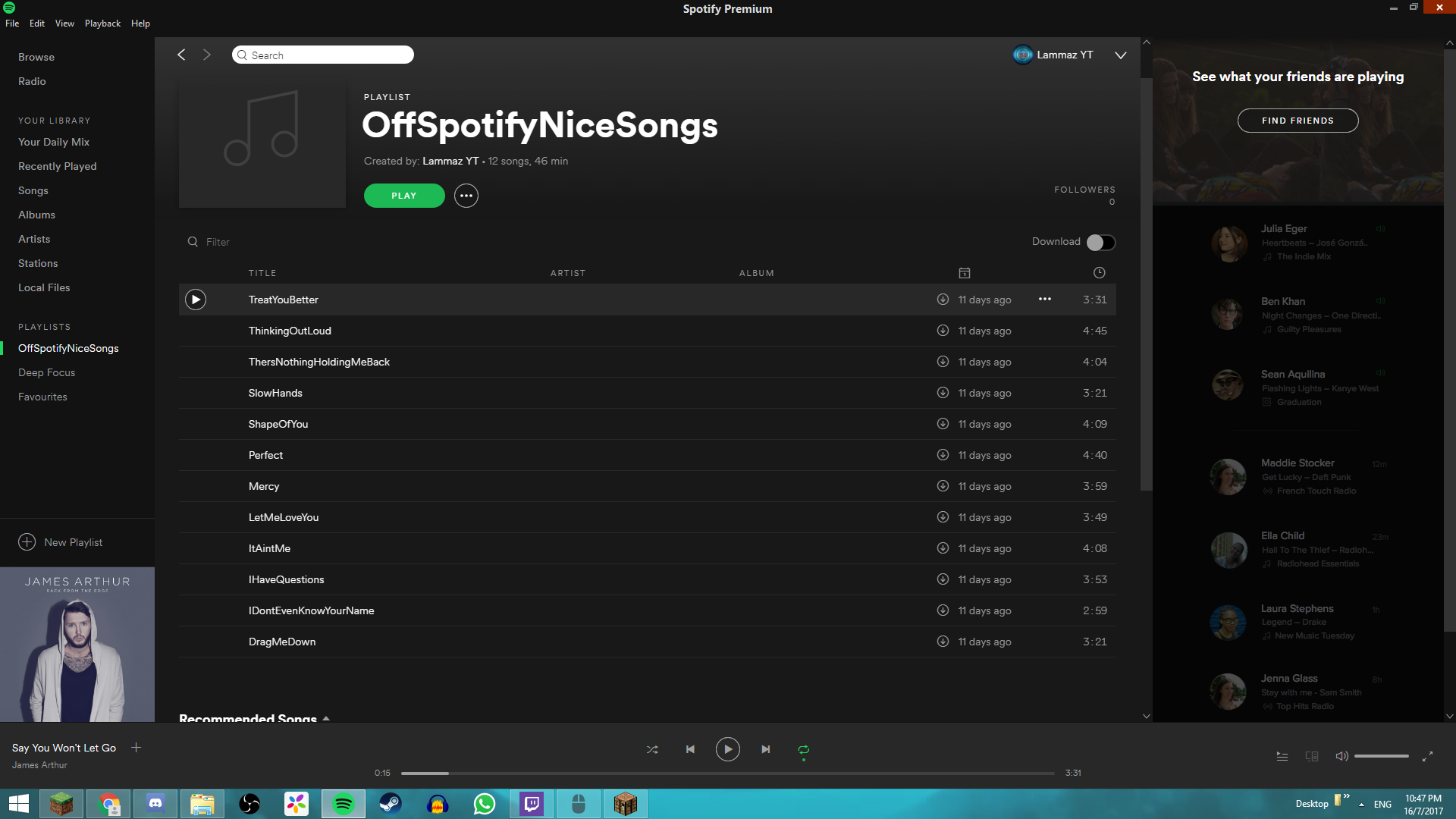 On Pc (Works)
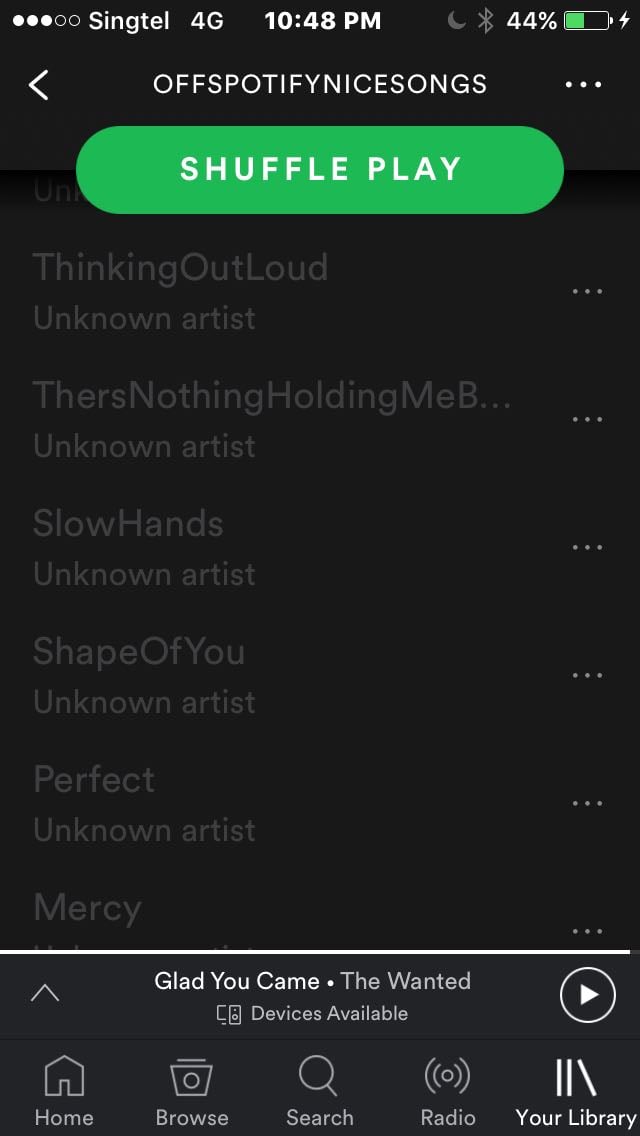 On Phone (Broken)

Thanks for the info @MisterLammazYT!
That's odd. Can you try reinstalling the app on both devices with the steps here?
Let us know how it goes.
Hey After Uninstalling Spotify On Both Account And Reinstalling, It remains the same.
Let's try to figure this out.
Hey thanks i have just tried it to no avail.

Thanks for trying.
Could you let us know the operating system and Spotify version you're using in each one of your devices?
We'll see what we can suggest.
My spotify is at the lastest version on both devices (Iphone and windows)

Roger that, @MisterLammazYT.
However, it'd be awesome if you could fire over the exact Spotify versions currently installed on both of your devices. Also, we'd like to know the format of the songs you're trying to play (.mp3, .wma, .ogg, etc.)
Keep us posted 🙂
I am running spotify 8.4.8.467 on my phone
I am also unsure how to check the version on windows 8.1 I am using the .mp3 format Thaks for the help

Thanks @MisterLammazYT!
No worries. You can find the Spotify version by clicking on Help > About Spotify. In the meantime, can you check for any firewalls/antiviruses that could be affecting this?
Keep us posted.
1.0.59.395.ge6ca9946 is the version that is running on my pc I also updated spotify on my phone and the new version is 8.4.11 Thanks

Thanks @MisterLammazYT!
You can try relocating your files to a new folder and adding from the Spotify settings. Try creating a brand new playlist with these local files and after making sure that every device is connected to the same WiFi, try syncing the files again.
Let us know how it goes.

Hey @MisterLammazYT!
We're closing this thread as we haven't heard from you in a while. If you're still having the same issue, just give us a shout.
All the best 🙂
Hey @MisterLammazYT! Welcome to the Spotify Community!
Just to confirm, you've followed all steps on this page to sync your Local Files? Also, could you go through these quick troubleshooting steps? Let me know how you get on! 🙂
Have an awesome day!