Mp3 files won't show the picture of the song

I have the song imported from my file and it works fine on Spotify. I kind of get annoyed with my music having no picture, so I change the picture of the mp3 file which is visible on my desktop and on my folder. It won't transfer to Spotify. I have all my mp3 songs in one file, but when I try to put them back. It makes all of my songs have the same picture when i just put it on one mp3 file. I also have tried seperating the mp3 files and making seperate folders for them to see if that would change anything. I removed the picture and tried again. Same problem. This is a big problem for me right now and I would love some help with it right now. Thank you!
Comments

So what you have to do is extract the MP3 folder and then the picture should load on to your profile
Sorry OneGuyOneDream, I don't understand. Right now the files don't have a picture. I can add them using Mp3Tag, but it causes problems on Spotify. Could you clarify for me please, but thanks for responding. Means a lot.
Its hard to explain
I can't extract mp3 files, do I need to download something?
when i right clicked my files i could extract it
Do you have any other solutions?
Sorry no
I can't extract mp3 files. I can only compress it.
Im still confused on wat ur saying
I'm trying to put a picture on my mp3 file. I just want it to play on spotify with the picture. It just annoys me.
ill try to look into it
Thanks! Hopefully other people can respond to this and help me.
Does anyone have a problem with this?

Hi @Penguiny66, welcome to the Spotify Community!
If you're sure the MP3 files you want to use as local files in the Spotify app have the cover picture, we suggest that you try removing all of your local files. Then, restart your device and add the local files again.
If that doesn't work, try with a quick reinstall of the Spotify app an add the local files one more time.
Let us know if that helps. Have a great day.
@Julian I have tried what you told me to do and all the songs have the same picture on all of them. The Mp3 files came without any pictures and I added them, could I be doing something wrong or am I using the wrong program. I heard MP3Tag is a good software, so I've been using that. Thanks for answering though, still confused on this situation.

Thanks for letting us know, @Penguiny66.
Can you let us know what device, operating system, and version of Spotify you're using? Also, can you send us a screenshot of how your MP3 files look?
We'll be waiting for your answer 🙂
PC Windows 10, Spotify 1.0.59.395 Also, when I drag these files, the pictures show up, but for some reason, the icon doesnt show up. You think that this could be the problem? I don't know how to fix this problem, but this is where the files are located. Thanks!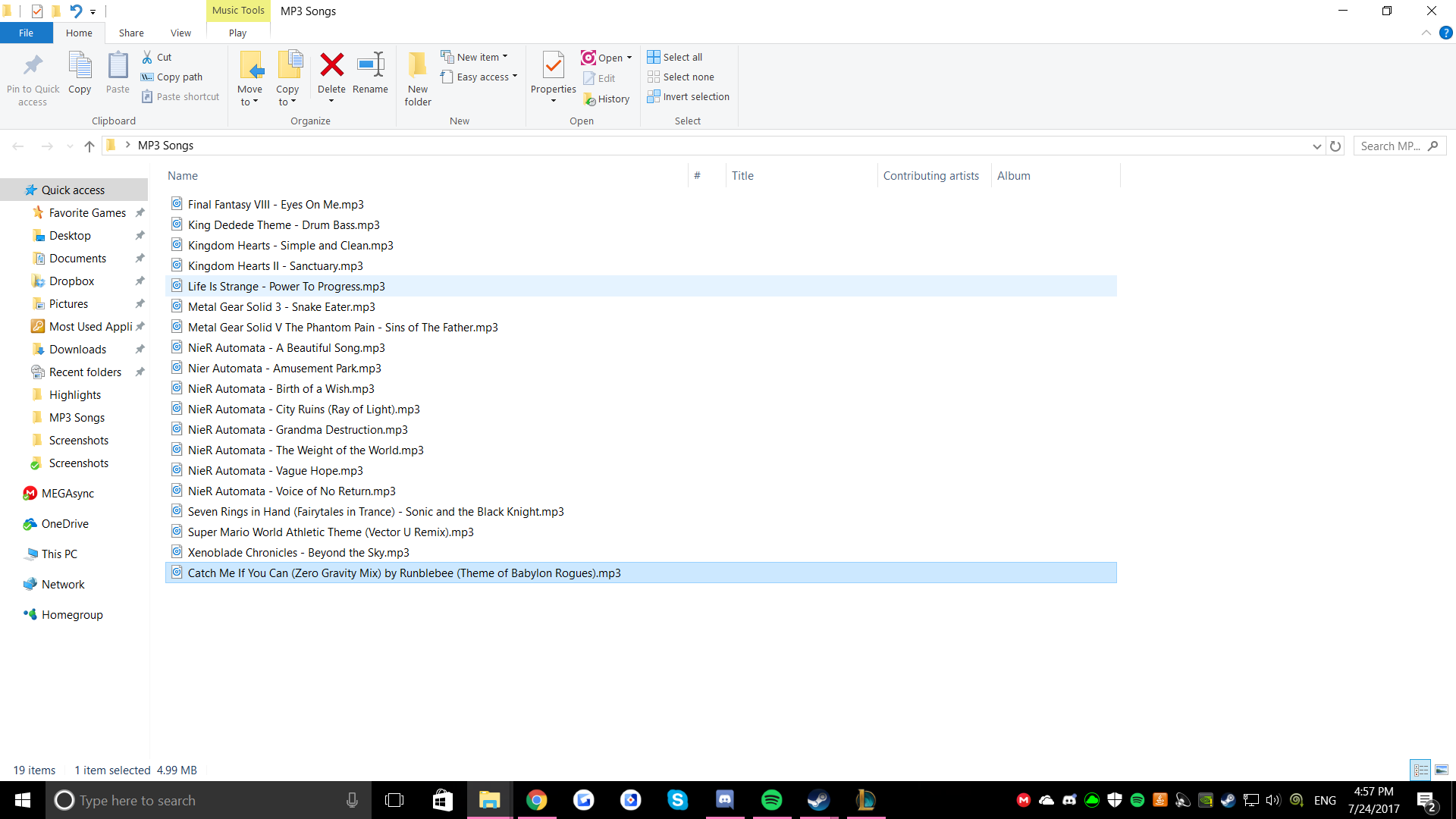
Thanks for the screenshot, @Penguiny66.
It'd be worth reinstalling the app and clearing all the folders of Spotify. Just follow these steps:
- Log out of Spotify and then close the program
- Uninstall
- Browse to the cache and delete everything inside the folder. The default location should be: C:\Users\%Username%\AppData\Local\Spotify\Storage
- Delete also the folder: C:\Users\%Username%\AppData\Local\Spotify\Users\<random numbers-user>\
There is a folder for each profile that has been logged into Spotify on that computer account.
- Restart your PC
- Reinstall
Let us know if that helps 🙂
@ZullyB Unfortunately, it did not work. I followed the steps thoroughly and I still have the same problem. I guess I must have a unique problem or just the files are not what this app can read correctly or something. This is really weird..

That's not cool @Penguiny66!
No worries. Can you send us a screenshot of how your MP3 files look shows within your app? Also, do you have the image shown in-app in some related folder?
Keep us posted.
These are some pictures of the app I use for my pictures, on the bottom left it shows the picture I put on. Also, I didn't understand your second request. Sorry about that. Also, the things I blurred out, it just shows the destination of the music folders which is my desktop. It just had my name on it and I didnt want to show it.
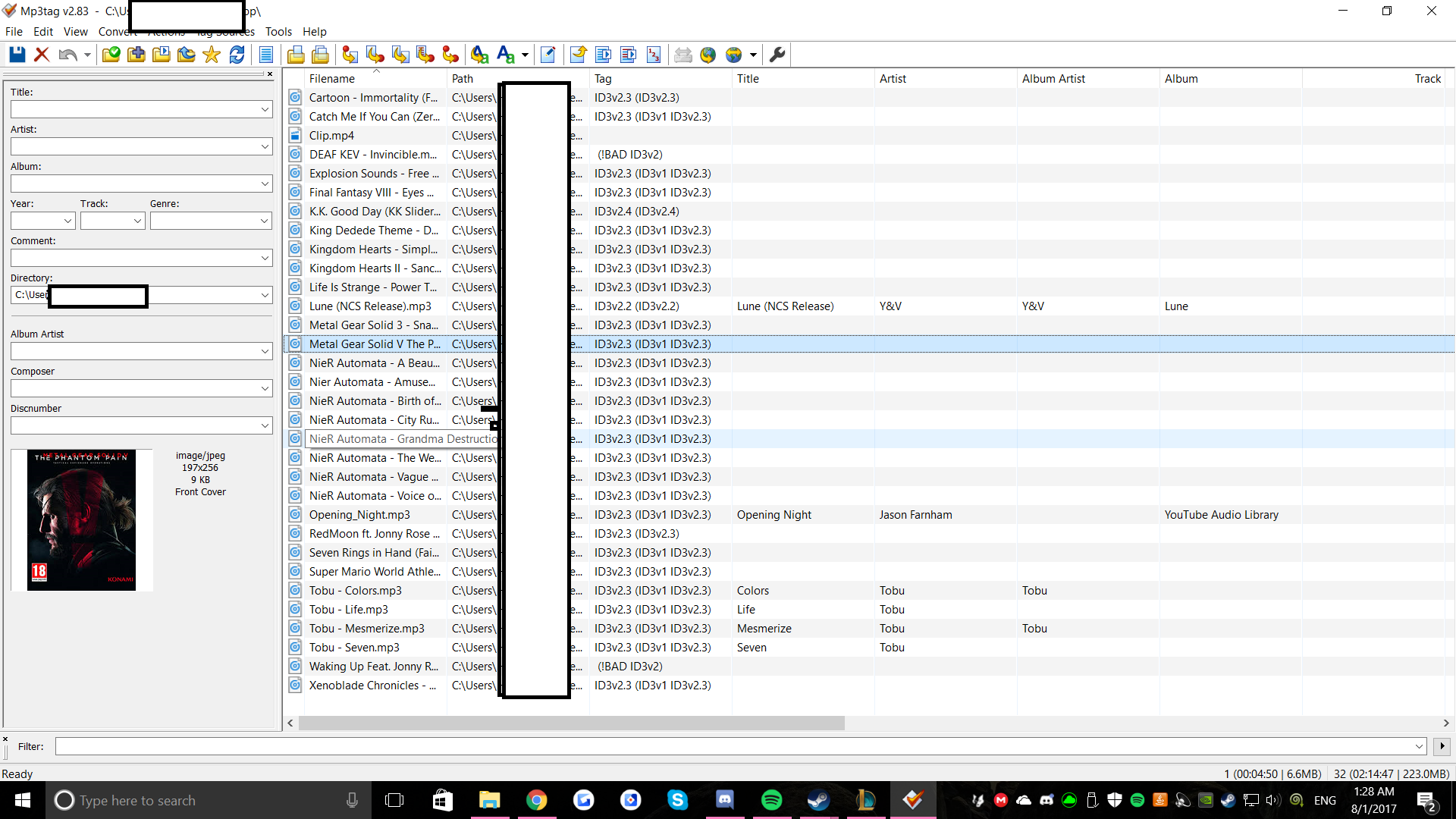
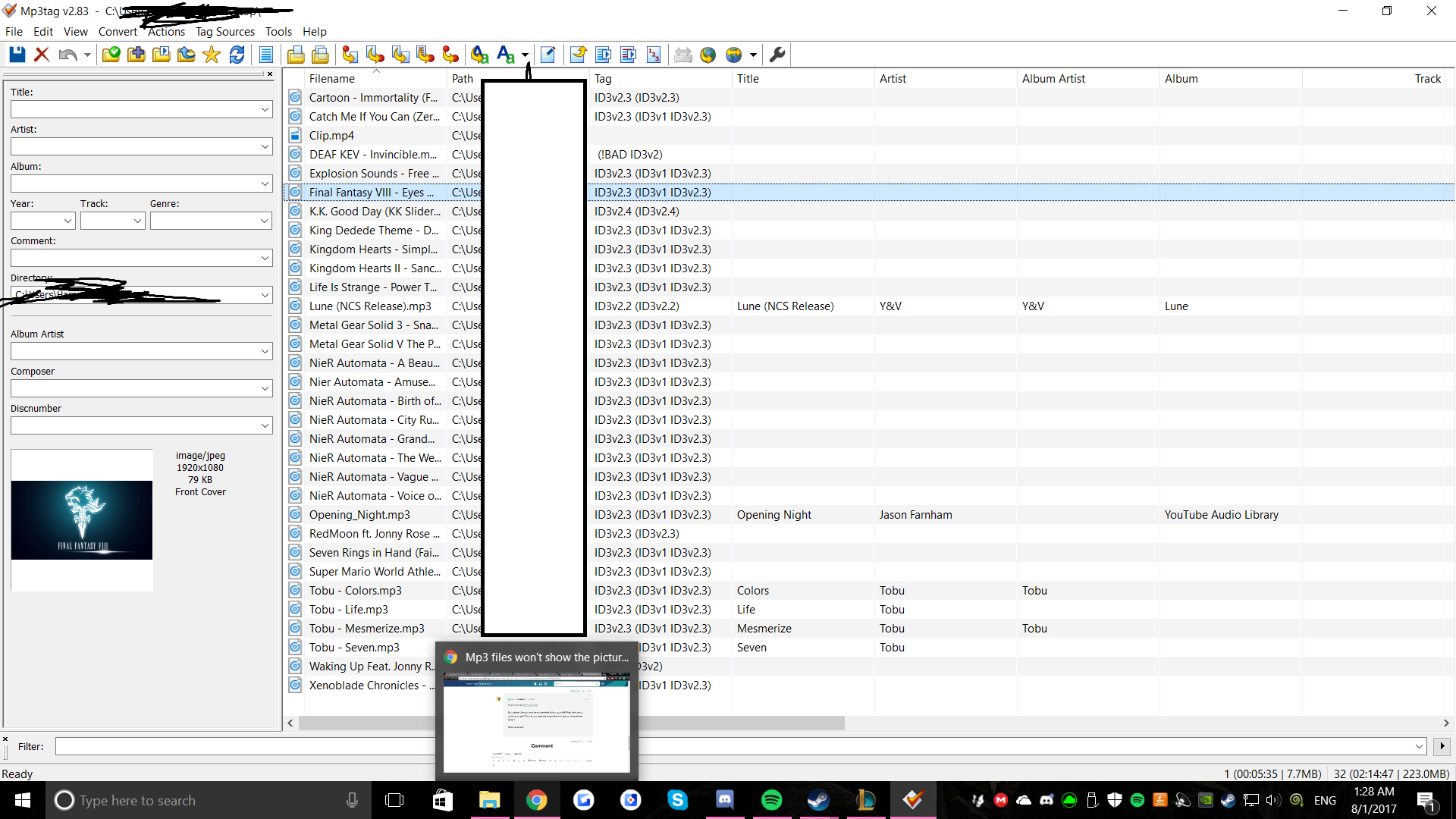

Thanks!
Just to confirm, how does it look when you open the local files from Spotify? Also, it seems that you're using different sizes for the images. Make sure you use 300x300 pixels images to make sure they work for Spotify.
Keep us posted.
So, this is what it looks like on the PC version. All the songs that don't have the plus signs are the ones I added to the playlist. The pictures are all the same for the songs, but I barely just learned that all my pictures work on mobile perfectly or close to perfect if I adjust the pictures. So, I also tried to play from my phone on the computer to see if the pictures show up there. From the pictures, you can tell that the pictures were just completely gone when I was playing from my phone. The pictures on my mobile still work though. At least we know the pictures work somewhat. I also showed where Spotify is getting my files from which are the default ones. Thanks! Hopefully you can gather some info on this.
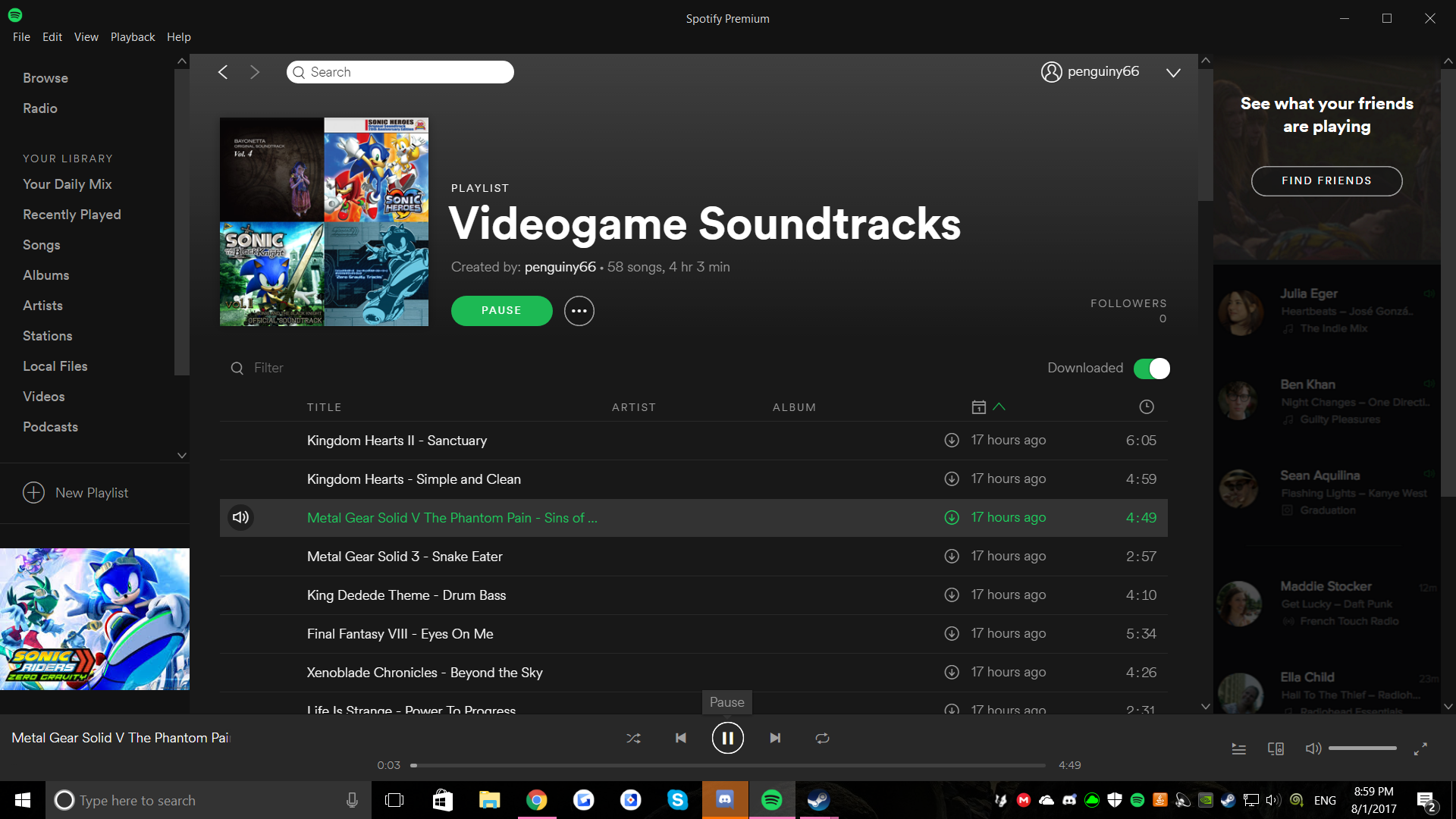
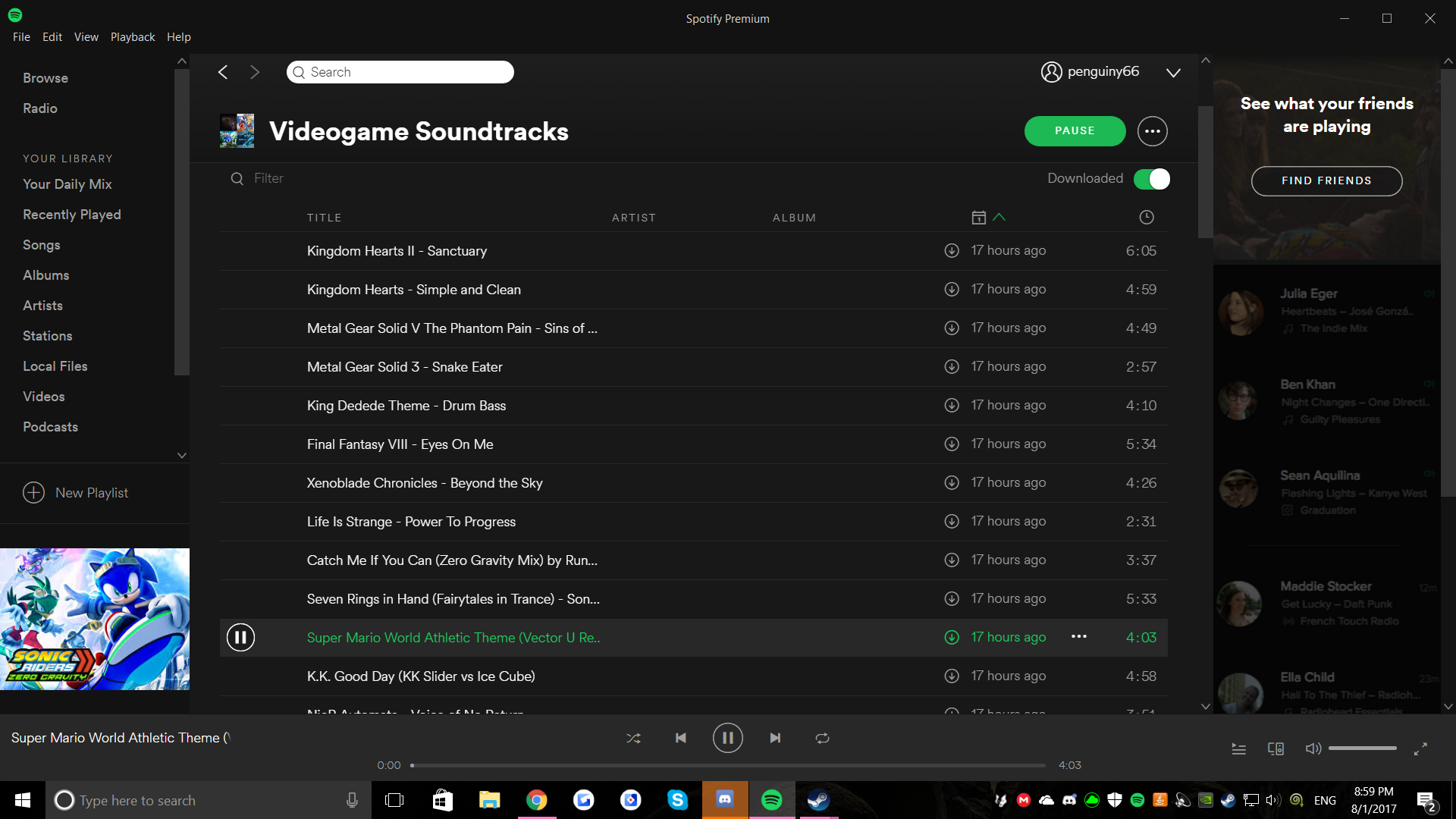
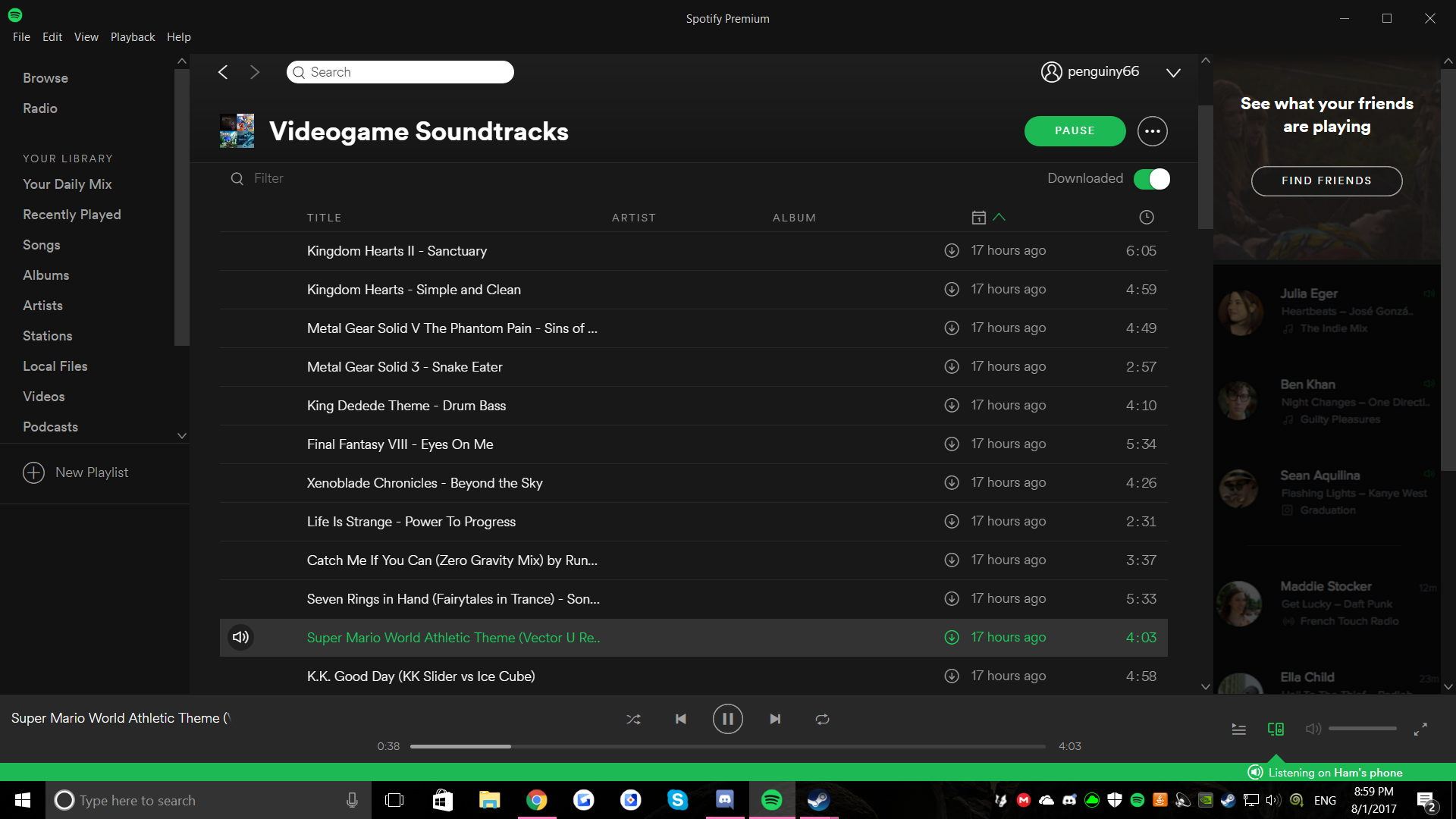
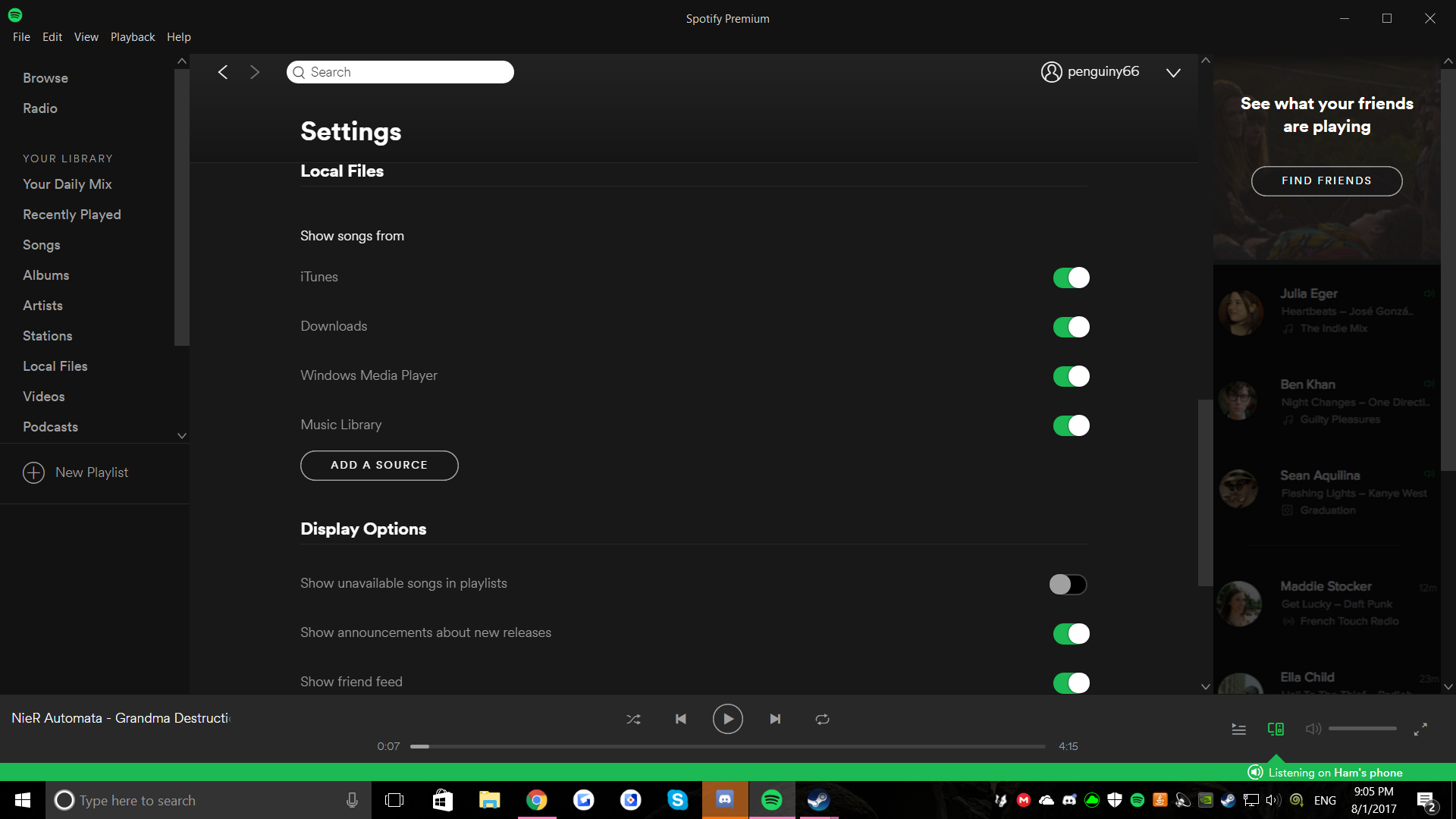
I also just learned that Spotify is getting the first file picture of my songs and putting it on the rest of my songs. For instance, that one picture with the songs up above, i deleted the song for that one and the song next to it was put as the "main" picture for all my songs, so I'm guessing it has to do with the file placement and how the app is reading the files...
Thanks for the extra info @Penguiny66!
Let us know if you also checked the size of the pictures so they fit. You could also try creating a new folder for your local files and sync it with Spotify. Let us know if it makes any difference.
Cheers!
I changed all the pictures to 300x300 by getting random pictures online like you recommended to me, I also made a folder for itself on my desktop and put it so it only reads that file. I also tried tried turning them all on to see if that would work. No luck. There probably isn't a solution...unfortunately.... All songs have the same picture on local files and on my playlists...
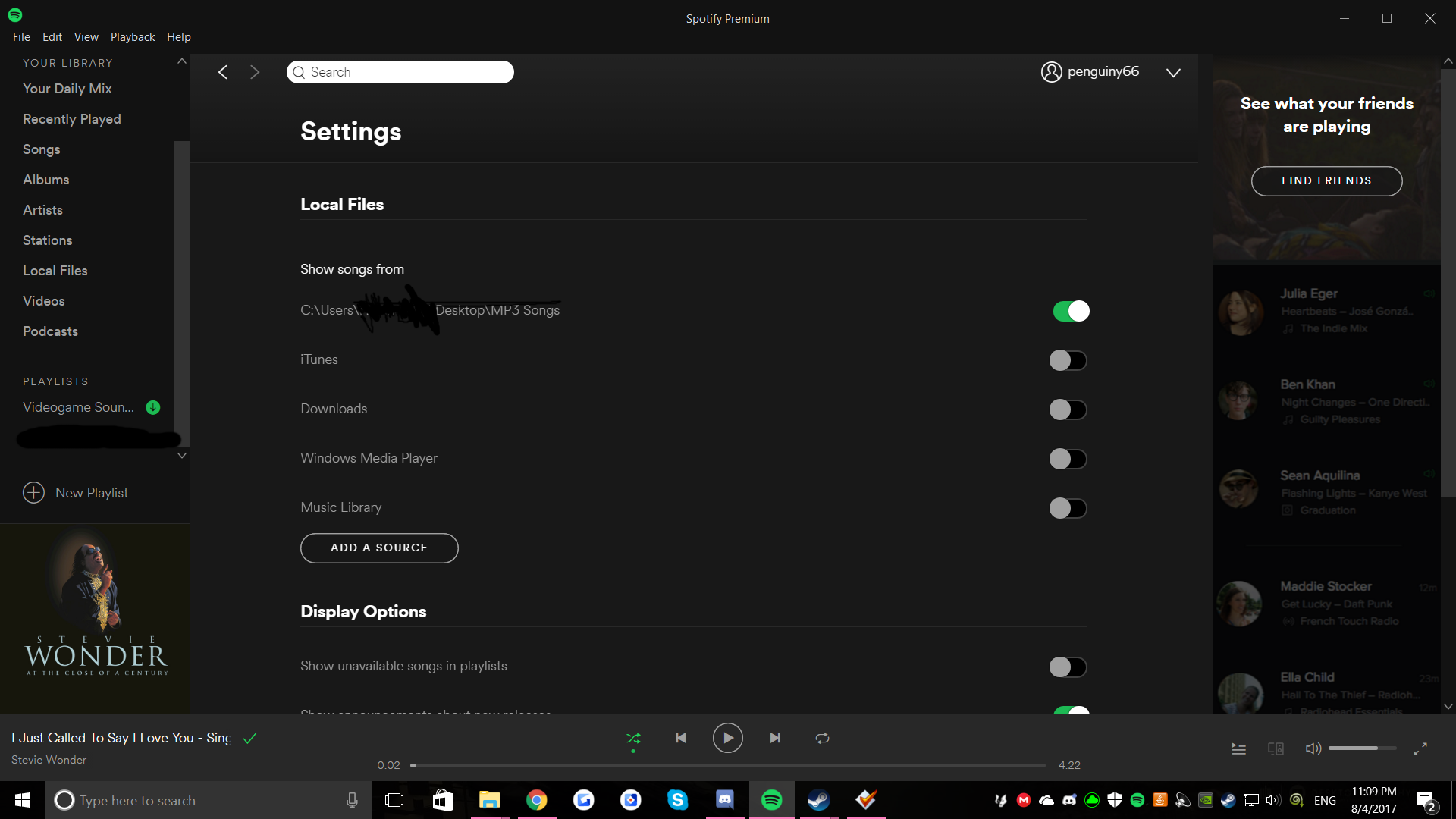
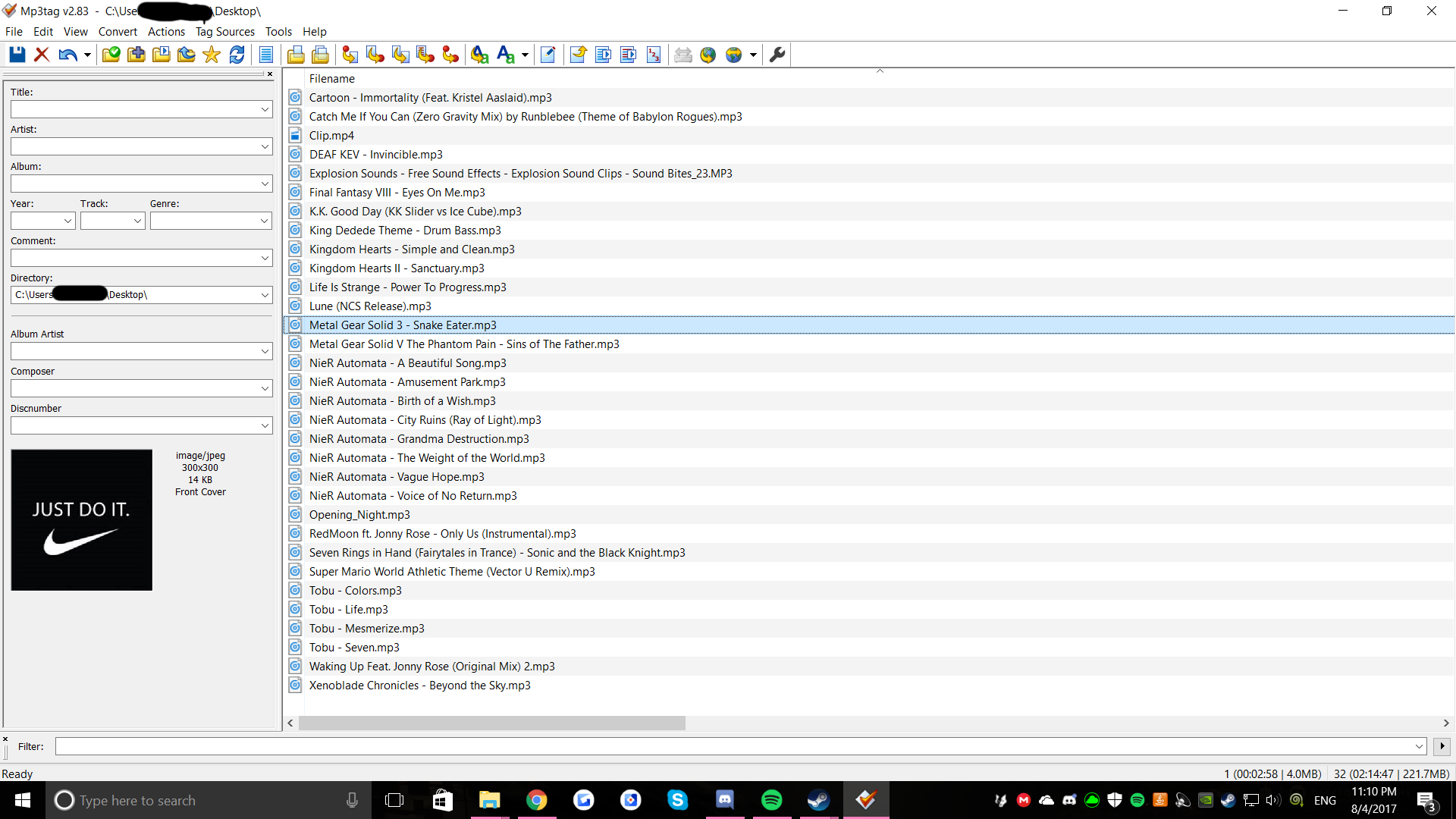
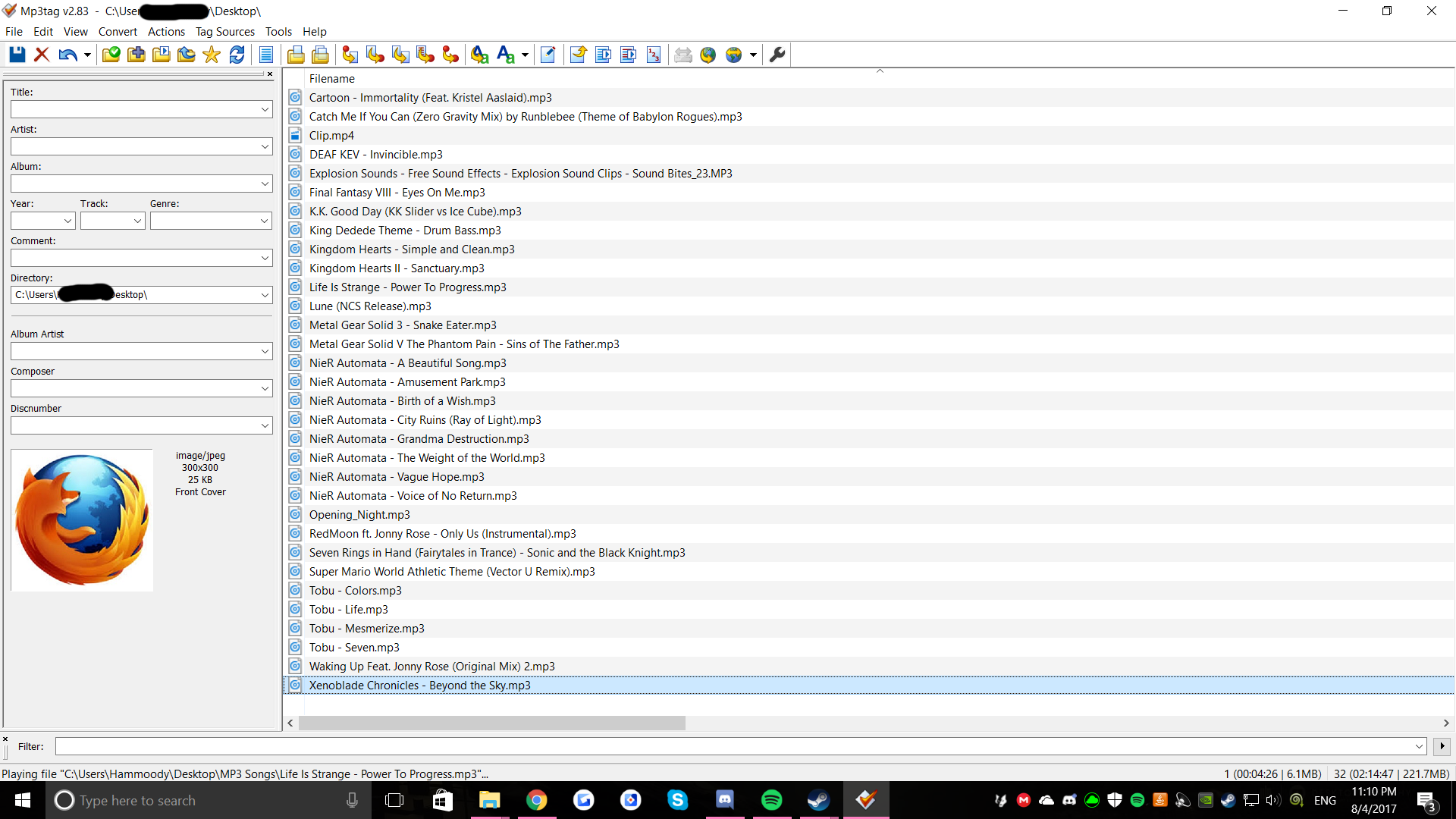
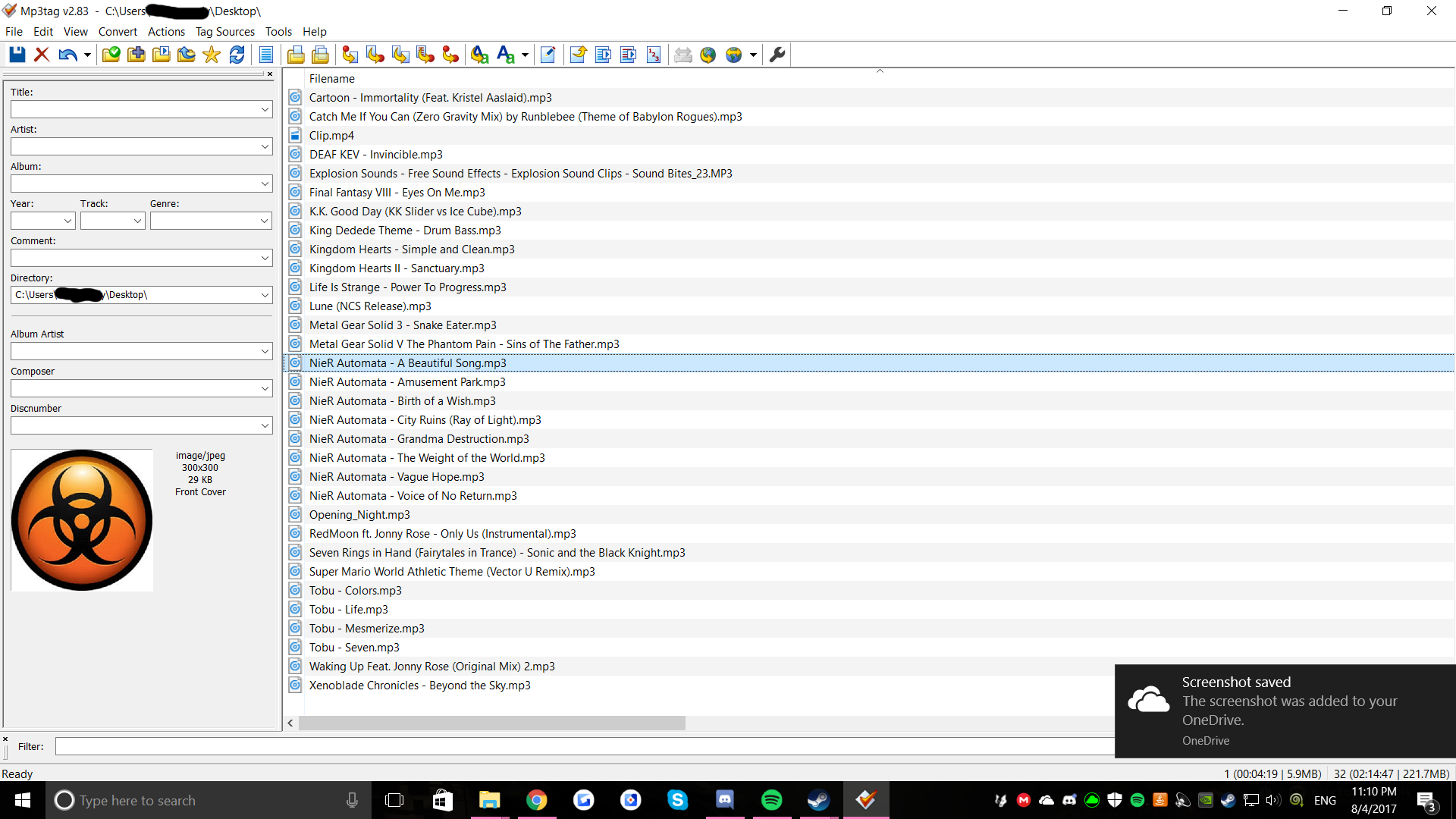
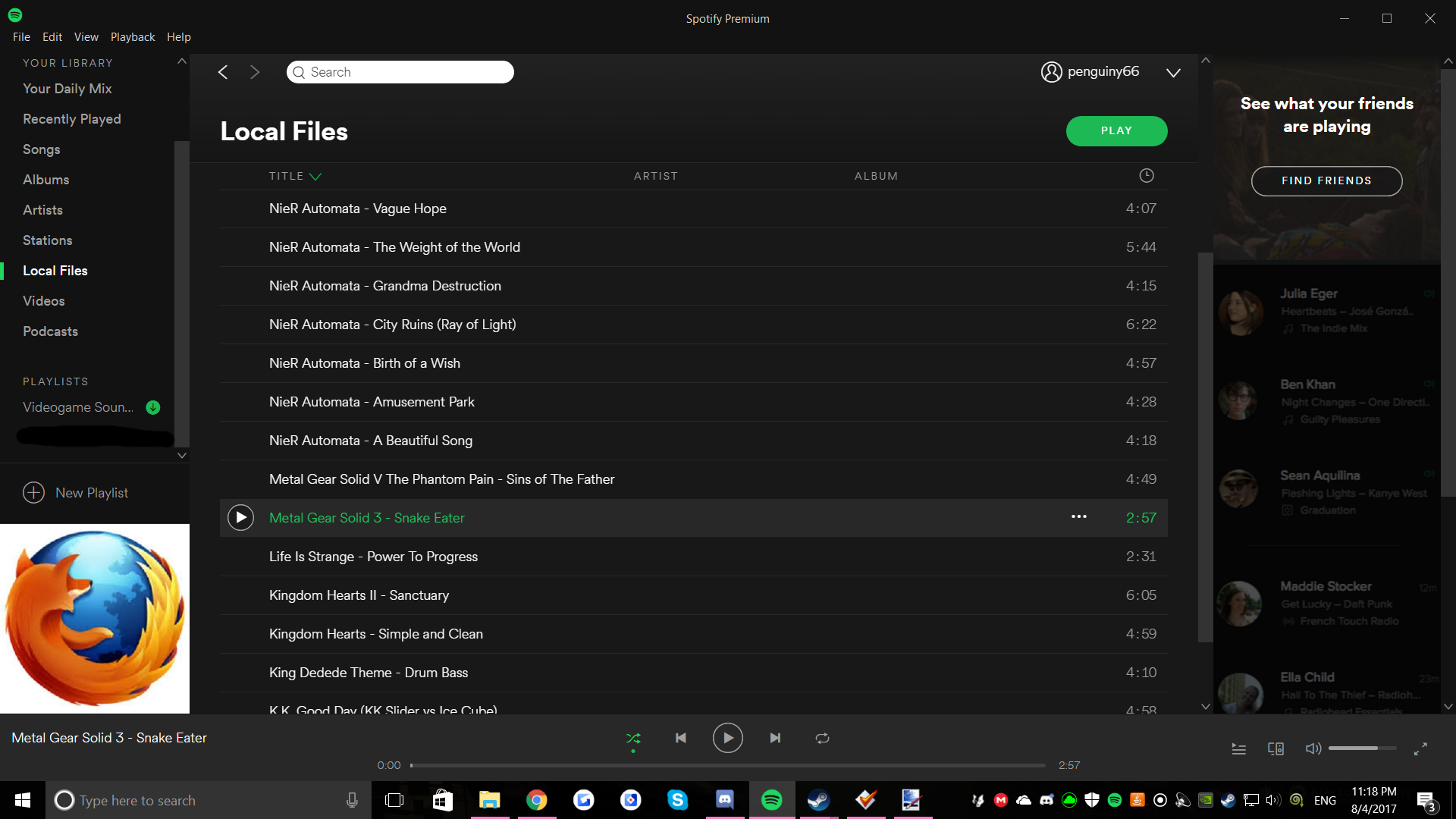
@FabianS_Bogota @Erika @ZullyB @Julian Thank you all for helping me, I finally got it to work by putting all my files on itunes then syncing spotify and itunes only. That got it to work for me. Thanks for trying with me and sorry about wasting your times.

That's great to hear @Penguiny66!
We're closing this thread for now, but feel free to create a new one if you need further assistance.
Have a nice day 🙂
Also, I have tried using MP3Tag and Windows Media Player.