Strange navigating on Android

Are there any official names of the different views in the app? For this report I use the follings terms:
- Your library
- Playlists - list of playlists
- Playlist - list of songs in a playlist
- Album listing
- Play Control/Player/Song view - the view that contains the progress bar with back
and forward buttons etc and from where the Queue can be reached.
- Queue - list of queued songs (also called "up next")
- Search list
1. When going to an album/artist or whatever from the Player view and then going
back, the Player view has been closed and you return to the playlist or album listing.
2. When going to the Queue from the Player, and from there go back (with the back key on the phone), the Player view is closes and you will go back to the Playlist or wherever you came from. When entering the Player again, you will end up in the Queue...
Android 8.4.11.1283.armV7
Comments
Ok. I start from this view which I call the "Player". Is there another official name for it?

I click on the title of the song and ends up in the following album view, correct.

From here I use the back button on my mobile device (Samsung Note 4) and will then end up here, in the settings!
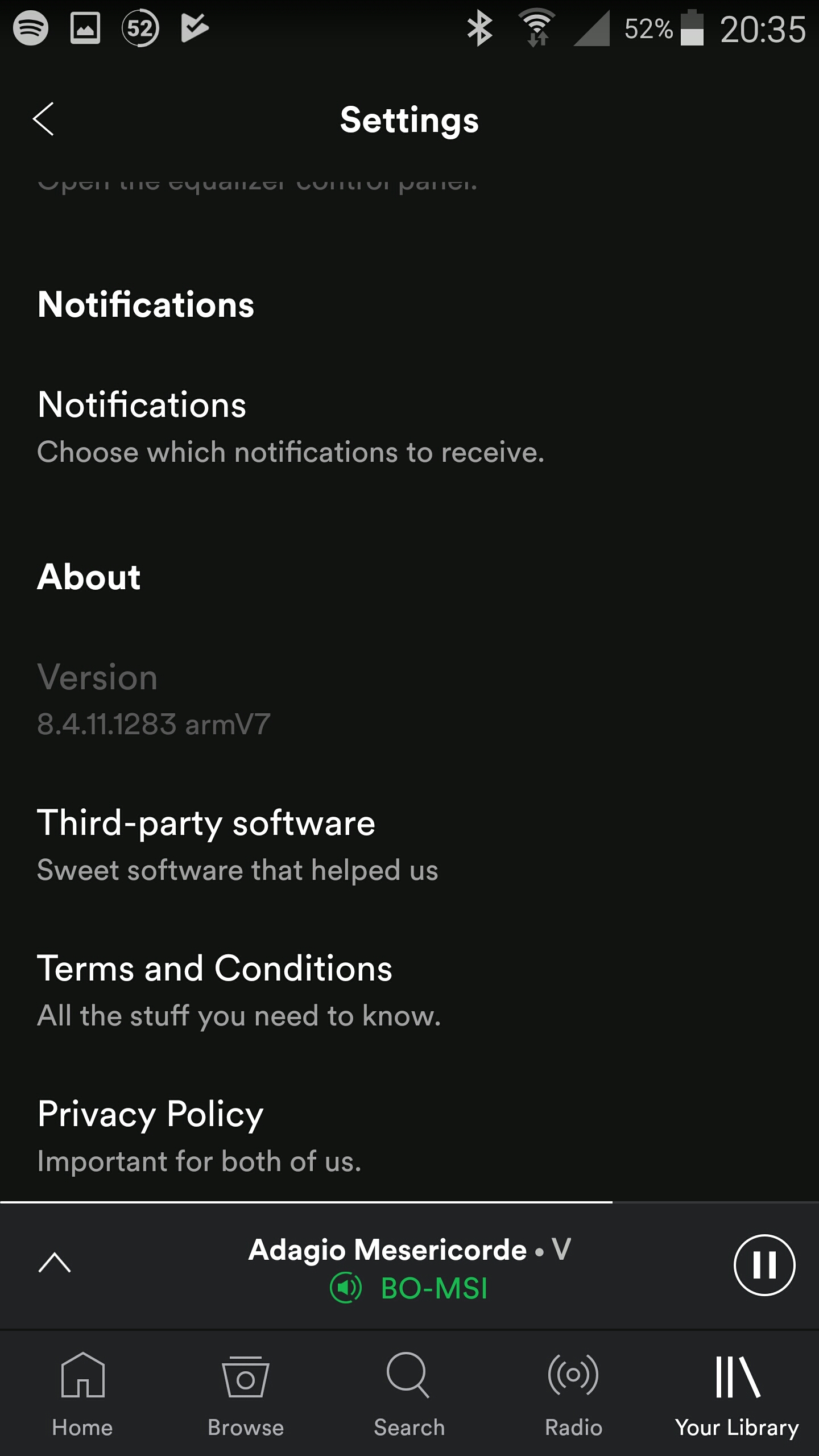
That is almost correct, it was from the settings I entered the player of the song you can see at the bottom. However I expected to end up in the player. Spotify takes one extra step when backing up.

Thanks for sending that over, @bosi!
Just to check, does Spotify always send you back to the Settings screen, or does it take you to the most recent window you were in before opening the "Player" view? We've tried to replicate it on our end (using Android as well), and it takes us back to the most recent screen before we go to the song's Player window. For instance: we'd go to one of our personal Discover Weekly playlists > go to the Player view of the current song > tap on the name (which sends us to the album it belongs to) > tap the "Back" key on the cellphone > we go back to the Discover Weekly playlist. This also happens with any page we're in before expanding the Player view for the song.
Could you check that for us? 🙂
It sends me back to where I came from, to the playlist or album or whatever I opened the Player from, that is, the "recent" window.
Awesome, @bosi.
We've checked in several mobile devices on our end, and we can confirm that this is an expected behavior of the mobile version for Spotify. When you select the song title from the Player view and it redirects you to the album or single it belongs to, Spotify creates a kind of sub-layer above the Player window, but it's not meant to be a window on its own. This means that, when you hit the Back button, it will always take you to the most recent page displayed before you opened the Player view.
We hope this clears things up! We're also moving this post to the "Not an issue" section. If you need help with anything else, feel free to create a new thread and we'll help you out 🙂
Hey @bosi, thanks for writing!
We've checked on our end, and we can confirm that the 2nd item that you mention is part of Spotify's expected behavior on mobile devices. However, we'd like a bit more insight from your end regarding item number 1. Could you five over some screenshots of the entire process? It'd be awesome to take a closer look at it and try to replicate it from here.
We'll keep an eye open for your reply 🙂