Spotify cpu hungry when circular symlinks exists

A bunch of weeks ago I noticed Spotify was using a big chunk of the cpu time (between 50% and 100%).
First I think it was a know bug but after a quick search I've found no one was reporting this so I decided to take a deeper look into it.
I've used strace to detect what was happening and seems like when some of the "Local Files > Show songs from" is enabled it recursively search over the current user directory without a depth or parameter to stop.
Looking in the strace output I figured out there was circular referenced symlynks inside a project I been working on that was causing this:
getdirentries64(0x42, 0x7FD55642A800, 0x1000)		 = 1360 0
stat64("/Users/SomeUser/Downloads/test/cl/cl/cl/cl/cl/cl/cl/cl/cl/cl/cl/cl/cl/cl/cl/cl/cl/cl/cl/cr/gt/dm/cl/gt/cr/gt/cr/cl/dm/.csslintrc\0", 0x70000B751A80, 0x1000)		 = 0 0
stat64("/Users/SomeUser/Downloads/test/cl/cl/cl/cl/cl/cl/cl/cl/cl/cl/cl/cl/cl/cl/cl/cl/cl/cl/cl/cr/gt/dm/cl/gt/cr/gt/cr/cl/dm/.DS_Store\0", 0x70000B751A80, 0x1000)		 = 0 0
stat64("/Users/SomeUser/Downloads/test/cl/cl/cl/cl/cl/cl/cl/cl/cl/cl/cl/cl/cl/cl/cl/cl/cl/cl/cl/cr/gt/dm/cl/gt/cr/gt/cr/cl/dm/.editorconfig\0", 0x70000B751A80, 0x1000)	 = 0 0
Acceptance criteria
- Symlinks should be crawled as before
- Provide a mechanism to stop crawling directories when a circular reference is detected
Comments

Hello ripdog,
Welcome to the Spotify Community!
Hmm, it looks like the app is misbehaving. Look at my task manager reporting.
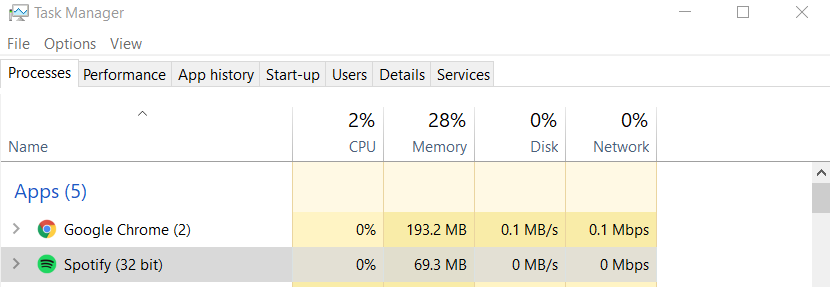
You should reinstall your Spotify, you can get a new installer by accessing this link. If the issue persist you can reply me here and we will continue and fix your issue.
Have a great day,
toman95

I've attached a similar screenshot as a point of comparison. I tried deleting the spotify folder in AppData/Roaming, and reinstalling the UWP app, but after logging in I saw the same CPU usage. The process still incorrectly sticks around after being closed (no system tray icon).
Oh, a new discovery: when I select the Log Out option in Spotify, I get a black window with a spinner forever, with double the CPU usage! Wonderful. It also doesn't log me out.
Probably the most interesting takeaway from all this is that the CPU usage at the login screen (after I log out by deleting the UWP app local state) is perfectly reasonable. Something happens after login and downloading my data from the server that causes the bug.
I wonder what more can be done to debug this?
Hello,
First I have some questions about your system and other info.
I would need this info:
1. Exact Device (e.g. MacBook Air)
2. Exact operating system (e.g. 10.10 OSX)
3. Spotify app version installed (1.0.2)
4. When this started happening, was after an update?
You can also try this instruction:
- Log out of Spotify and then close the program, you can also kill the process in the Windows Task Manager if there is no response.
- Uninstall Spotify
- Browse to the cache and delete everything inside the folder. The default location should be:
C:\Users\%Username%\AppData\Local\Spotify\Storage - Also delete the folder:
C:\Users\%Username%\AppData\Local\Spotify\Users\
There is a folder for each profile that has been logged into Spotify on that computer account. - Restart your PC.
- Reinstall the app from here.
Waiting for your response,
toman95
1. Custom built PC, Ryzen 1600 @ 3.8Ghz, 16gb RAM, GTX 970.
2. Windows 10 Creators update
3. 1.0.60.492.gbb40dab8 (Windows Store version) (have also tried the standard win32 version)
4. Can't say at all, because I usually don't watch the CPU usage of spotify. Probably started somewhat recently, though. It's unlikely this could be happening for longer than a week or two without me noticing.
The rest of your instructions are all things I've tried. I have to delete the local cache in order to log out, as I mentioned earlier. (The log out menu option does not work). I switched back to the normal win32 version of the app, after deleting every spotify-related folder from my pc, and no change.
I'm quite sure some part of my account data is causing spotify to use excess CPU, as the issue does not appear before I log into spotify.
Hello again,
You should contact Spotify staff via email at: support@spotify.com or use the Contact Form to sort out your account problem.
Have a great day,
toman95

After this version got installed I have my CPU fan going nuts all the time because of Spotify's constant high CPU usage.
Removed app, deleted folders from the Roaming folder and reinstalled. No luck.
Never had this issue before. It even froze 2 times and I had to hard reboot!
Also, why so many instances running?
Now what?
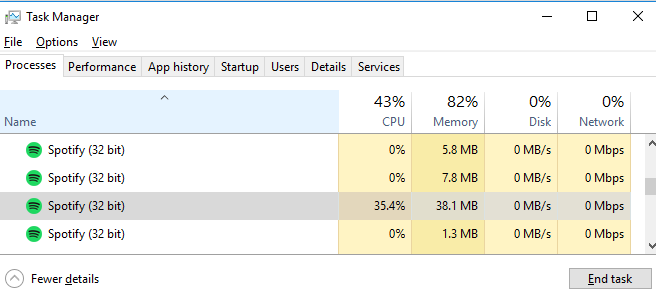
Hey there topicus,
Welcome to the Spotify Community!
First I have some questions about your system and other info.
I would need this info:
1. Exact Device (e.g. MacBook Air)
2. Exact operating system (e.g. 10.10 OSX)
3. Spotify app version installed (1.0.2)
Does your CPU usage drop when you exit your internet browser? Please send me also a screenshot of the working processes. And finally, do you have an external monitor attached?
Have a great day.
I've tried to reproduce it today but seems like it's gone. Before today I tried reinstall, restart the machine, etc. without luck. Maybe something at OS level was fixed it.
1. MacBook Pro (Retina, 13-inch, Mid 2014).
2. OS 10.12.5
3. 1.0.60.492.gbb40dab8
4. Close the browser didn't help
5. Disable song crawling was the only way to stop it (screenshot)
This is most likely related with:
Thank you for your information.
Yes exactly, we are investigating this issue because it’s spreading. This issue should be fixed with an update.
Have a great day.

Hey all,
We’ve moved this into the Ongoing Issues section of the Community, as we’ve noticed several seperate threads containing the same content. We’ve merged them all to put here.
If you could let us know a few things:
- Does the CPU usage drop when you exit your internet browser?
- Could you send a full screenshot of the running processes?
- Do you have an external monitor attached?
Most importantly, we’ll need the following info:
- The device you’re using
- The OS version of your device
- The exact version of Spotify
Thanks!

I'm also seeing constant CPU usage from Spotify, around 12-15% (pretty much one whole core). I also cleared the spotify cache and that had no affect.
- The CPU usage does not drop when I exit my web browser. I also rebooted and made sure chrome was not in task manager, started spotify, and the constant CPU usage started right up.
- I have attached screenshots of task manager at the end of this post
- I have 3 monitors, the primary is 2560x1440@144hz (DisplayPort), on the right is 2560x1440@60hz (DL-DVI), and the left is 1920x1080@60hz (HDMI).
- This is a PC I built with a GA-z77-UD5H motherboard, i7-3770k CPU, 16GB of DDR3 RAM, and an nvidia 980ti GPU.
- I am running Windows 10 version 1703 Build 15063.540
- Spotify version 1.0.60.492.gbb40dab8
Processes:
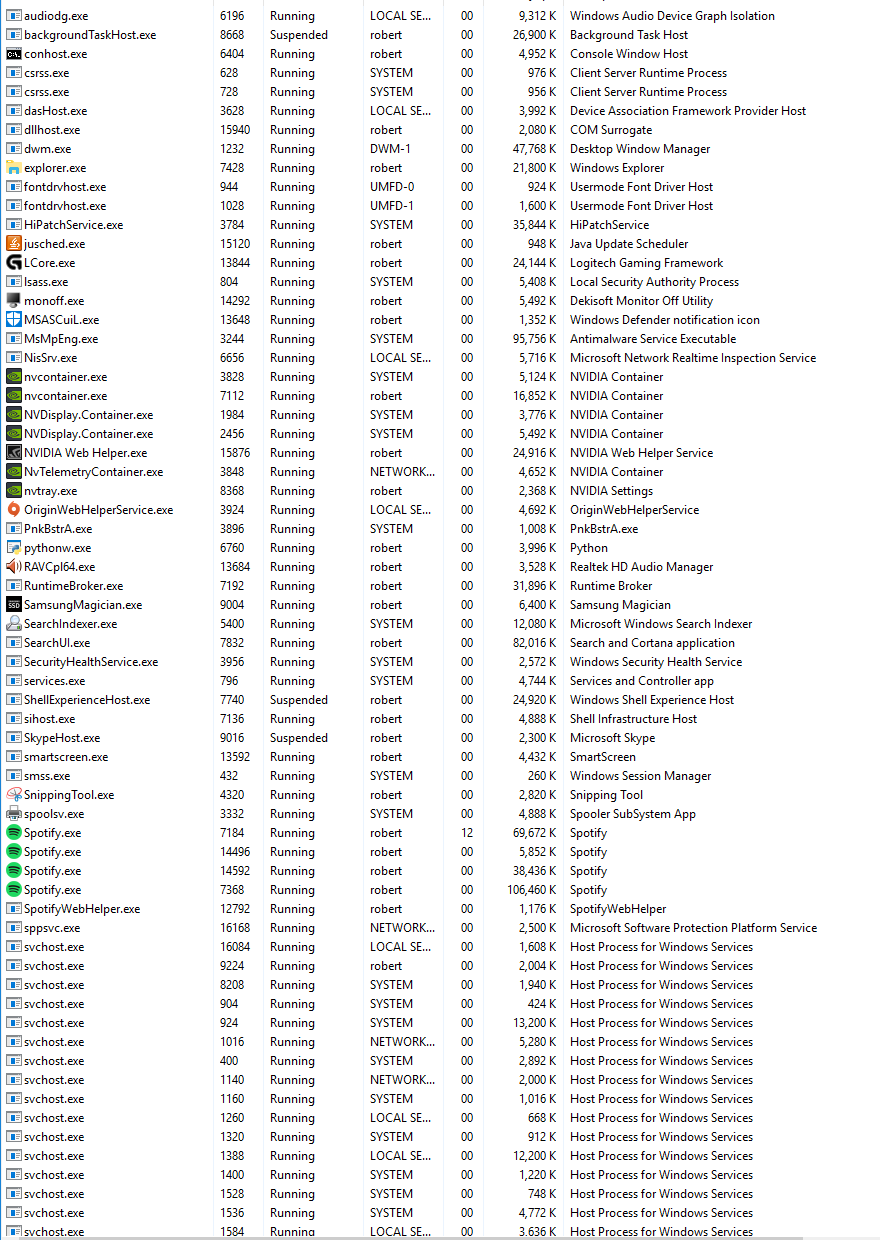
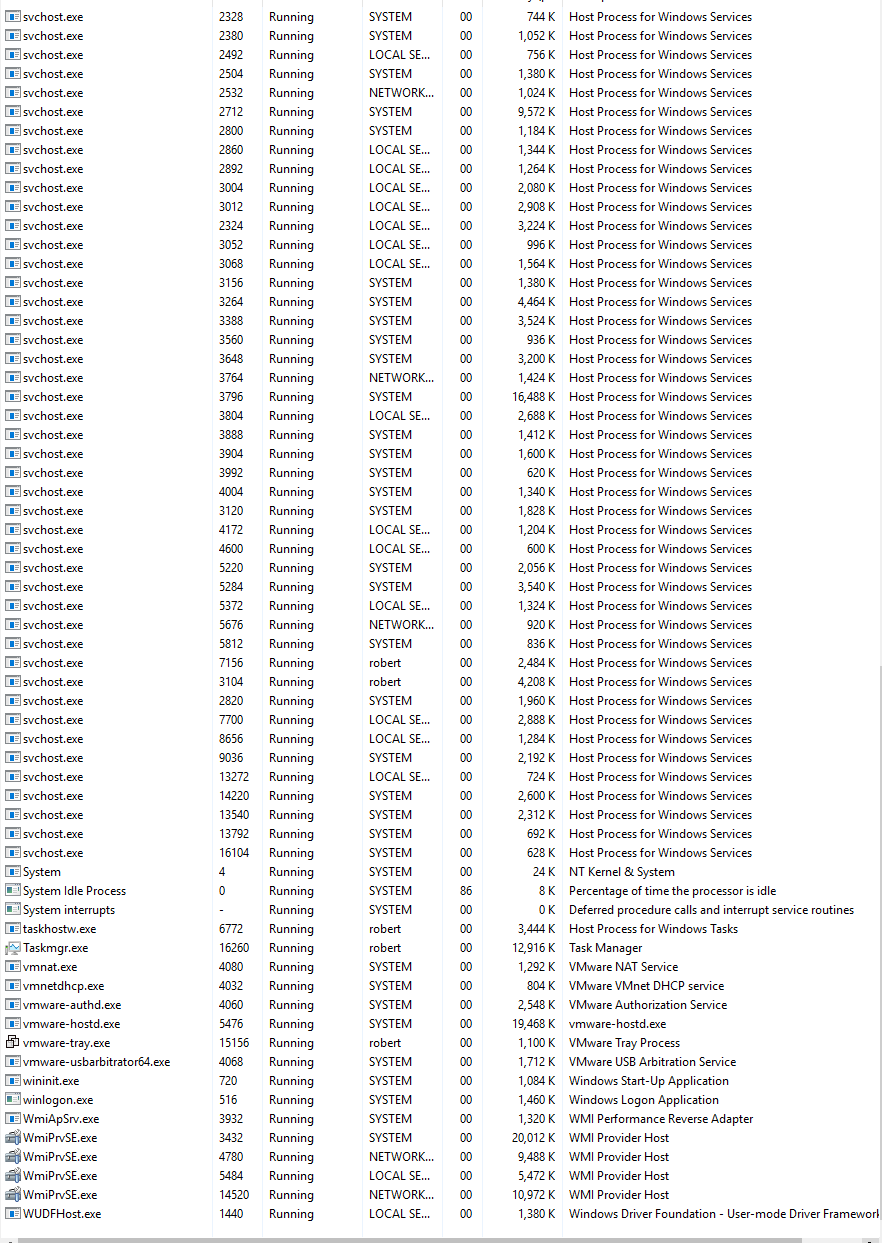

Hi guys!
Thanks for all the information you've sent. We've passed it to the right team and they'll be working on this.
Stay tuned for any updates 🙂



Hey folks,
Thanks for bearing with us.
We've spoken to the tech team, and they've let us know that the majority of cases here should be viewed as expected behaviour.
We had one concern over @topicus's mention of a 100% CPU usage from Spotify, but it looks like this was fixed by a software update.
If anyone is experiencing hours of 100% CPU usage from Spotify, we'd recommend creating a new thread for us to look into the issue.
Thanks!
I have a powerful CPU - the ryzen 5 1600 @ 3.8ghz. Today I had a look at the CPU usage of the spotify app (tried both win32 and UWP) and it hovers between 8-10% of my entire CPU the whole time. Watching the CPU graph in task manager, it seems to be pegging a whole core, though a different one each second. This is despite the fact that it isn't even playing music!
I then open the web player in firefox, and firefox never uses more than 1% CPU while playing music. Firefox has a reputation as a CPU hog!
The WORST part is that Spotify continues to run and use 10% CPU even after I close the window, which should quit the app!
Fellow windows users, what kind of cpu usage are you seeing out of spotify?