Can't seem to get my songs into my playlist. (read carefully)

Long Story: First I create my songs on Auxy on my phone and I transfer it onto my computer and upload it to soundcloud and spotify. It seems all alright in soundcloud but in spotify it appears on my computer but not on my mobile. Then i try and work out how to fix this issue by (for some reason deleting the songs on my playlist (they are stored in the music file on my computer and I have set a link to it using the local files tab) Then I try and get them back by taking them out of the music file and put them back in but that didn't work so are they basically blocked from spotify (sorry for reference to soundcloud).
Comments
I've tried literally everything.
Ive already been through spotify for artists and that didnt work

Hey @user-removed!
Alright, could you send over a screenshot of what's happening on your phone? Also, could you let me know your Spotify, OS and device versions? Lastly, it would be great if you could try to sync your Local Files over another network connection. Let me know how you get on!
Keep me posted! 🙂
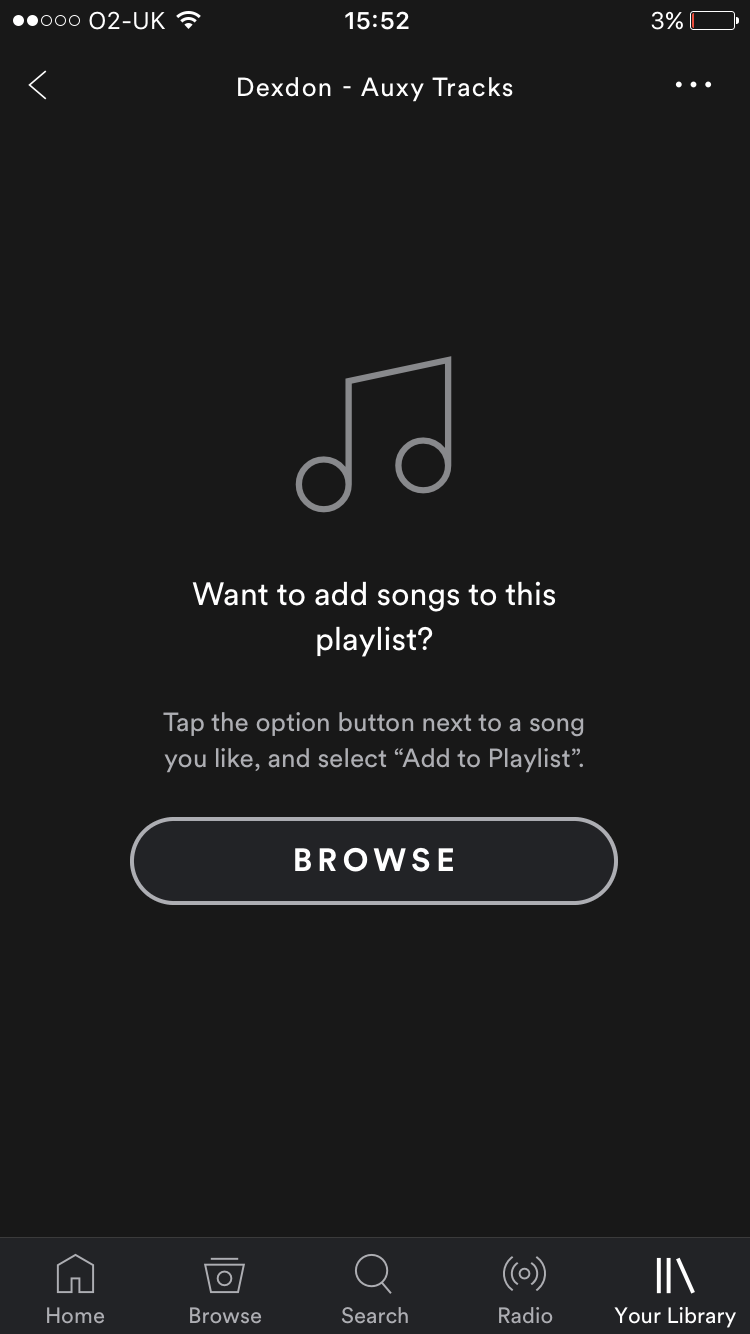 This is my phone screen. This is my playlist on my phone. There is supposed to be 2 songs in there
Hey @user-removed!
Alright, thanks for the screenshot. Could you try to log out and log back in on your phone? Does the playlist show your songs after that? Let me know! 🙂
Have a great day!
Spotify Version: 1.0.60.492.gbb40dab8 (i think this is the version)
Windows Version: Windows 10 - Version 1703
OS Build is 15063.540
no they don't show up when i relog in
Hey @user-removed!
Alright, could you send over a link to the playlist? I'd love to take a closer look! 🙂
Take care!
how do you do that?
Hey @user-removed!
You can just right-click on the playlist and click: "Copy link to clipboard" and paste it here on desktop or tap the three dots in the upper-right corner and tap 'Share' to copy the link on your phone.
Keep me posted! 🙂
spotify:user:officialdexdon:playlist:3ocoSNhLpGyWApVLy12b69
there you go finally
Hey @user-removed!
Thanks for the link! I've checked this on my end, and looks like there aren't any tracks in your playlist. Could you make sure you've added your Local Files by dragging them to your playlist? Let me know how you get on! 🙂
Have a great day!
this is the problem they are in my music folder and i have checked the music tab in local files. they arent popping up.
Hey @user-removed!
Got it, alright, could you make sure the Local Files are in a supported format? Also, I know it's not ideal, but could you move your Local Files to a new folder and add the folder as source in your Preferences? Let me know how it goes! 🙂
Have a great day!
they are mp3
nope still no worky
Hey @user-removed!
Understood. Could you send over a screenshot of your Local Files preferences? Also, could you send over a screenshot of the Local Files tab in Your Library on desktop? I'd love to take a closer look! 🙂
Take care!
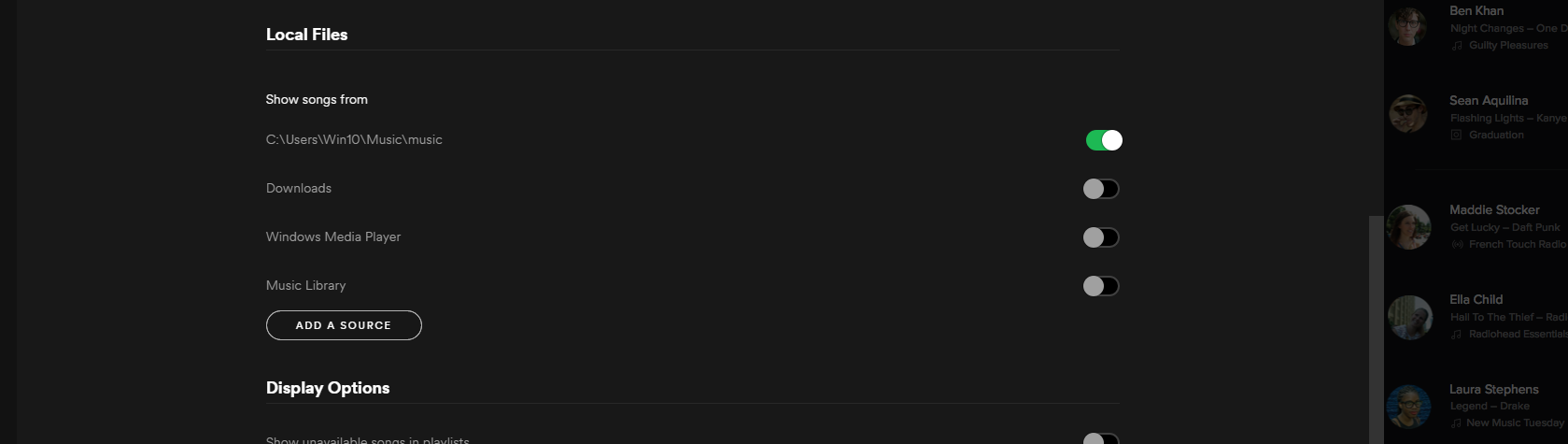
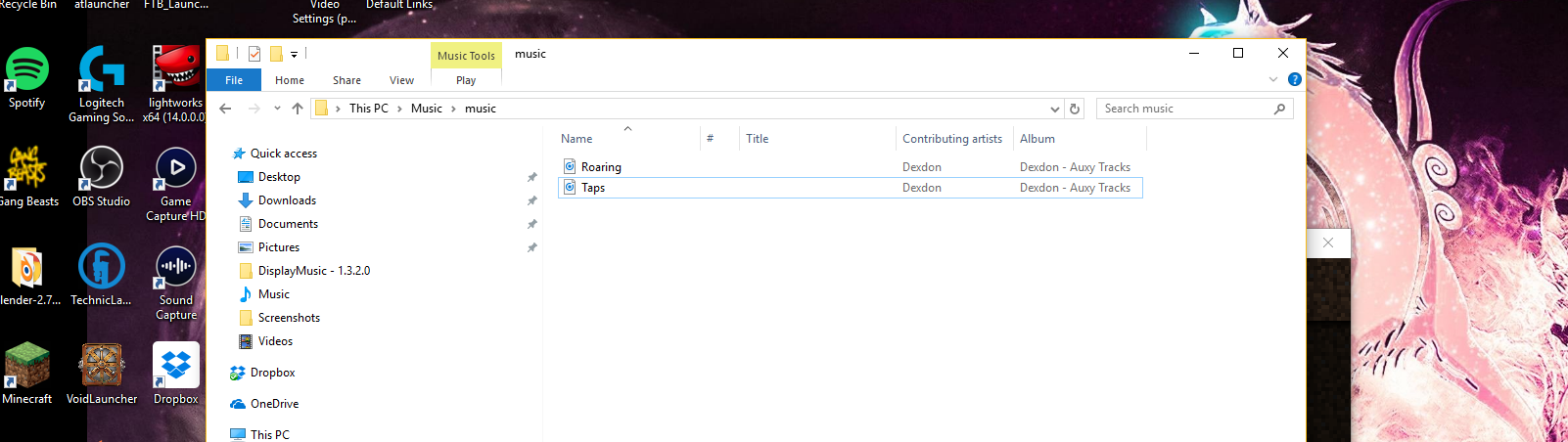
is this what you want
Hey @user-removed!
Thanks for the screenshots. And just to confirm, you can't see these tracks in your Local Files tab in the Spotify app under Your Library? Also, could you try to enter a title for your track by following these steps:
- Right click the MP3 file in Windows Explorer and click Properties.
- Switch to "Details" tab and then edit the Title.
Thanks, let me know how it goes! 🙂
nope still not working. Btw, how do you get to the tracks in my local files in the spotify app under my library (just making sure I know what you're talking about).
Hey @user-removed!
Thanks for bearing with me. You should be able to get Local Files there with the steps from this page. So it looks like they should be showing up. Could you try to do a full reinstall of Spotify on your device and adding the Local Files again? Let me know how you get on! 🙂
Thanks for your patience!
ok

No problem, @user-removed!
You can take your time, we'll be here waiting for your message. In the meantime, just as @Hubo suggested, we'd like you to reinstall the app with those steps across all your current devices. If that one doesn't help, try exporting your songs from the master mix in a different format, such as Ogg Vorbis, AAC, WMA, or MP3 in a different bitrate. Once you've done that, try syncing those new files on your phone.
Let us know how everything works out 🙂
Hey @user-removed! Welcome to the Spotify Community!
Thanks for your report. Could you go through all steps from this article? These should help here. Also, if you're looking to publish your music on Spotify, check out Spotify for Artists. Let me know how you get on! 🙂
All the best!