Duplicate Playlist 'Release Radar' cannot be opened, crashes on mobile

Hi everyone,
my Spotify Account features the Release Radar playlist twice. One works as expected, no issues, the other however when clicked in the desktop app is loading forever, therefor unusable.
On my Android it is even worse, clicking the wrong one there results in the app to crash and restart.
I tried unfollowing and refollowing the one that works, hoping that the broken one would work again because it is the only playlist in my inventory with that name then - but to no avail.
An easy workaround obviously is to drag the non-working one to the very bottom of all the playlist to never accidentally click it again, but I was wondering if it just can be removed by an admin or something, I would very much appreciate a nice and clean playlist directory.
For illustration purposes in my attached screenshot, I dragged the two playlists next to each other.
Cheers
Comments
Hi Sergio!
If I press unfollow on the Release Radar Playlist that doesn't work, simply nothing happens (except for the rightclick context menu to close again).
If I press unfollow on the normal working one, I need to confirm to unfollow and once I do this the 'good' playlist is gone and I am left with only one that is still broken. I can then go to 'Browse' and follow again to have a working playlist.
Here is a screenshot of me having the broken playlist still in my library, browsing to Release Radar again via the menus and being able to follow again - even though technically I already have this playlist.
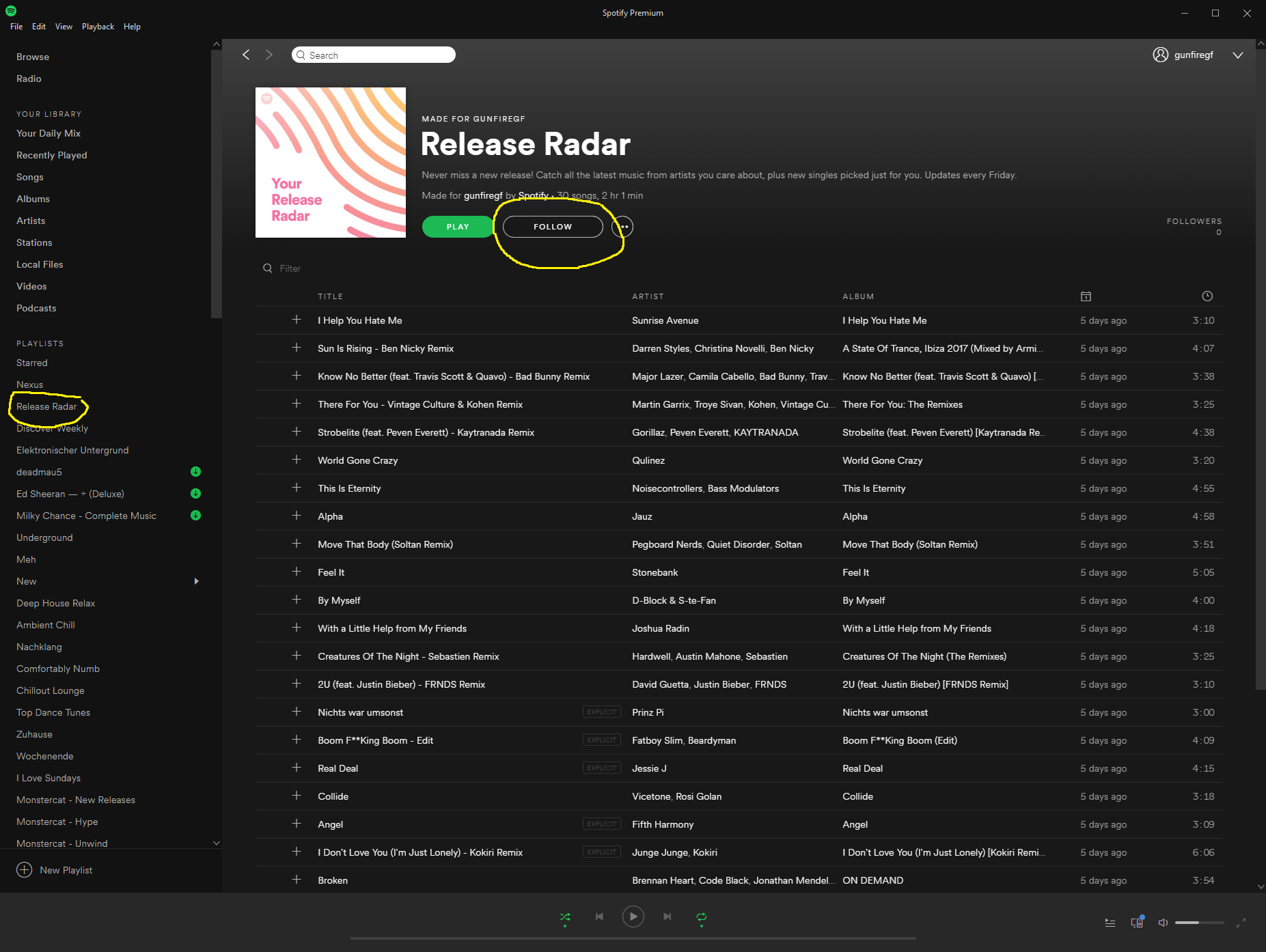
This topic came up maybe two months ago. I thought it might fix itself eventually due to some client upgrades but it never did, that's why I am here now 🙂 At the time, I was the lead account of a spotify family and all accounts in my family have this problem as well.
Thank you for your time.

Thanks for all the info!
What Spotify version and operating systems are you running on both of your devices? Also, try doing a reinstall on your computer to see if it makes a difference.
Be sure to keep us in the loop.
Hi again.
On desktop I am running Windows 10 Pro (After Creator's Update). I just uninstalled the App, deleted the Folder in AppData and installed again. Same issue. The version I am running is: 1.0.60.492.gbb40dab8
On mobile I am using a Samsung Galaxy S8+. There, I also deleted the app, reinstalled from the play store. In the app settings I performed "clear cache" and "clear data". Touching the playlist still immediately crashes the app and defaults back to the homescreen. The version I am running is: 8.4.14.439 armV7
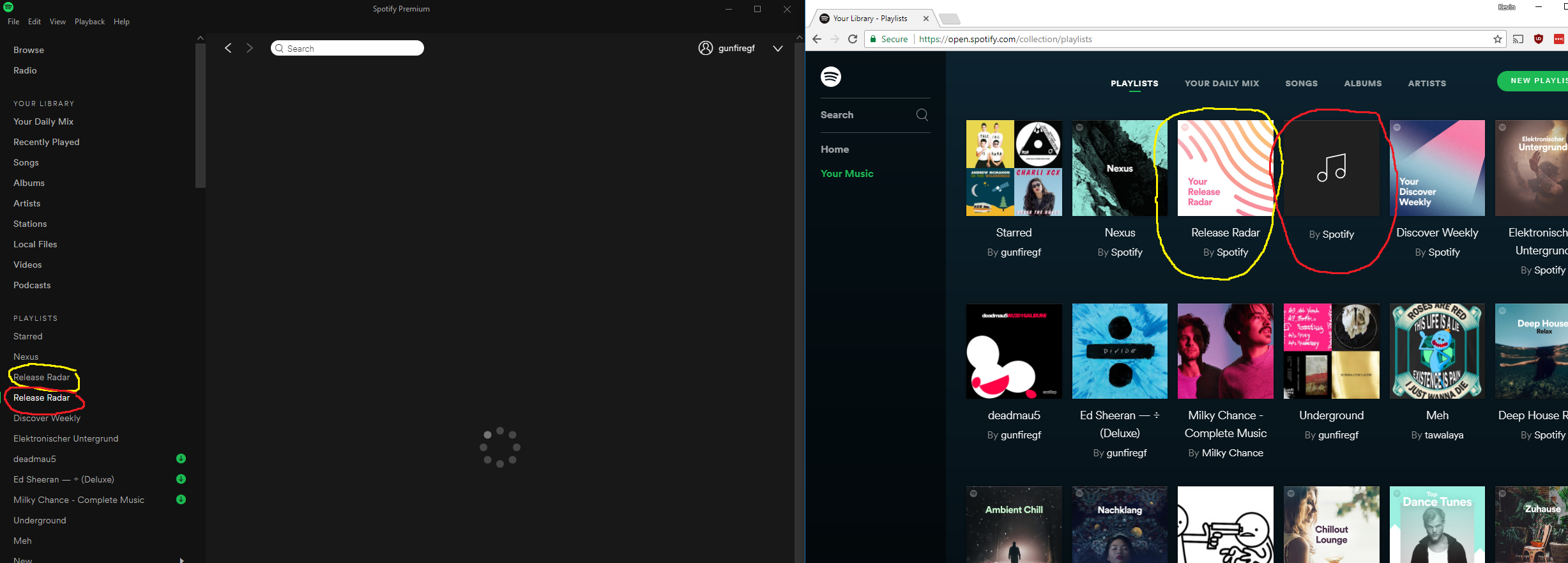
Since it was hinted that it may or may not be client-related, I thought about eliminating software versions altogether and headed over to play.spotify.com and tried to delete/unfollow the playlist Release Radar via Webclient. On the web interface one can quickly find the playlist named "Release Radar" but that is not to be touched since that is referring to the working one. However, right next to it there is an unnamed playlist. I tried right-clicking this one and chose unfollow, to no effect.
Here's a screenshot. Yellow playlist is the 'good one', red playlist is broken, having my desktop client idle forever and my phone crashing immediately.
Thanks for all of the info.
At this point, we suggest you contact us via email here or through our official social media channels in Facebook or Twitter. We'll be able to take a closer look at your account.
Be sure to let them know about this thread so they can see what we've tried so far.
Let us know how it goes!


Hi @user-removed,
We're closing this thread as we haven't heard from you in a while. If you're still having the same issue, just give us a shout.
All the best 🙂
Hey @user-removed, welcome to the Community!
If you unfollow the one that doesn't work, does it also unfollow you from the one that does work? Also, how long has this been happening for?
We'll see what we can suggest.