Duplicate albums showing for some artists?

I can't figure out why some artist pages have more than one of the same album listed. For example, on Beach House's artist page, I'm seeing the album "Devotion" is listed five times. Everything on each one looks the same except one has the year 2009 and the other four have the year 2008, and some of the track lengths seem to vary by a second or so. Death Cab For Cutie's artist page has some duplicate albums too, but some of those seem to have different additional tracks on them.
Comments
Thanks, David. I actually don't see a drop down arrow for the albums I referenced above. The albums just appear to be listed as separate albums. I looked up the artist you referenced and I do see the drop down arrow.

to add to the above, there is no indication whatsoever for what differentiates the multiple duplicates... this is just clutter.
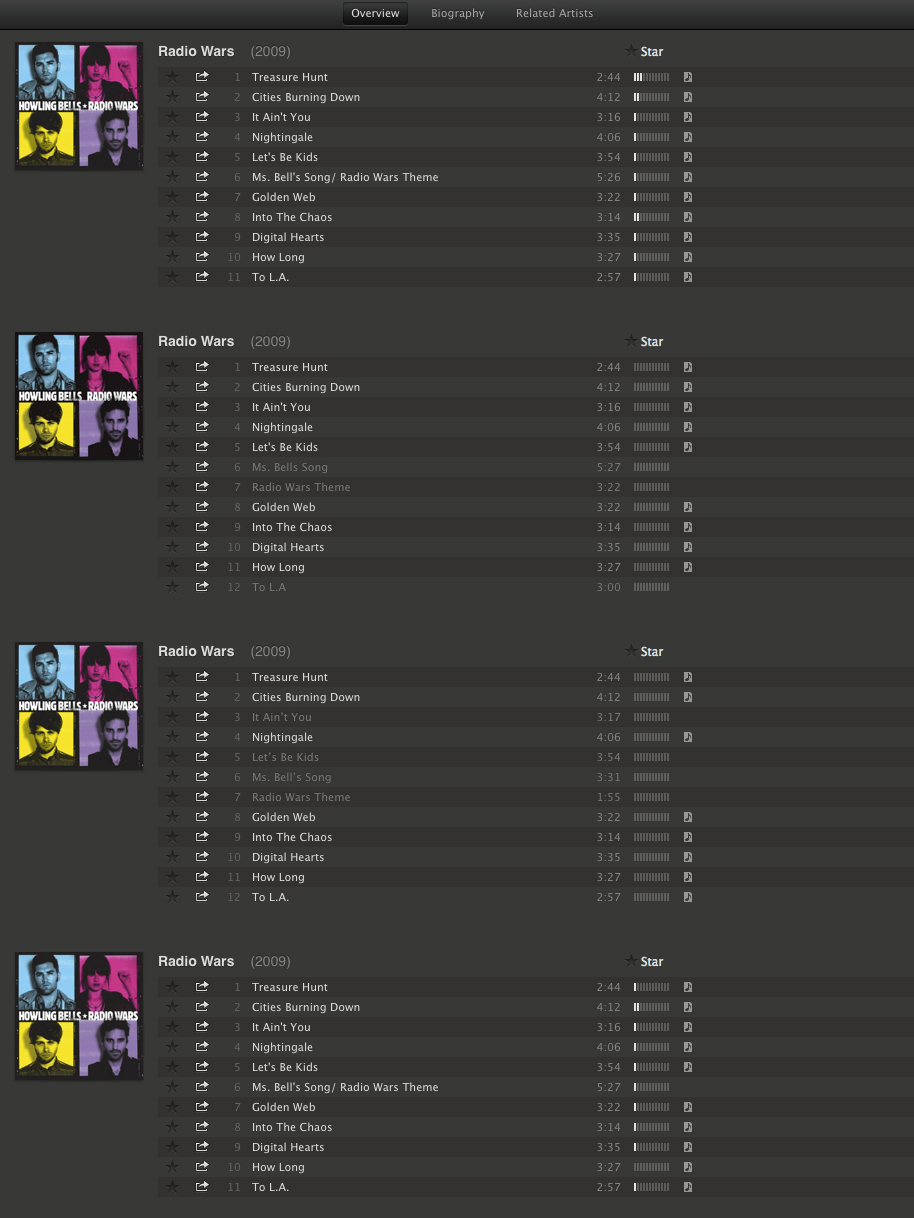

I've noticed the same thing on many artist pages. Sometimes it looks like it may be a reissue or remaster in addition to the original album, but other times I can't tell any difference. Does make things very cluttered. Would be nice if Spotify would provide an easier way to flag or report these things, preferably inside the app and not through website.

I have the same problem. However I have figured out that this has something to do with the local files present on your computer. My Spottily has never done this to an Artist or Album i do not have. dont really know why it does it or how it can be fixed though.

Not everyone wants to listen to the same album versions. Some people want clean lyrics or explicit lyrics etc. I also personally prefer listening to the original album versions over the remastered versions. The originals have greater dynamic range and sound better when streamed to hifi, each to their own 🙂
http://en.wikipedia.org/wiki/Loudness_war

I've also noticed this doesn't happen if I turn off the local files. I'm messing around with my files' tags to see if there's a way to end this madness.

It's a weird thing with local files - I've discovered that with Seth MacFarlane's album Music Is Better Than Words thay if I unlink the tracks from the local files page, the album doesn't show up on the artist page (I assume they don't have the licencing for it) - so the only copy is the one I have, surely? So I link the tracks again and three copies of the album show up on the artist page. This confused me.
I then went to local files and asked to have Gracenote alter my ID tags on the mp3's, thinking maybe that if they matched up with the Gracenote tags the then the problem would disappear. It didn't but some of the tracks on the album (the collaborations with Norah Jones and Sara Bareilles) were unlinked to local files on the other two duplicate albums. Utterly confused! I just want a way to clean it up.

Anyone find a solution? Same problem here, seems to happen anytime I have local files. Unlinking the files are restarting does the trick but that seems a bit drastic for everything.

Bump. Any fixes yet?

same issue here

If only there was an option to seperate local tracks from search results and artist pages.

Changed back to "new idea" status - once this idea reaches 100+ kudos the Spotify staff will review it again and decide on a new status. ~ Peter


on a related note, keeping track of favorites between multiple duplicate versions of albums is a hassle.
for instance: penguin prison.
- http://open.spotify.com/album/2XM8i8bRVHEC7z9aj8TyNN
- http://open.spotify.com/album/1FlUXCMKNeaQnHC3FxzSRt
those are the same album. on one of them, I've favorited a handful of tracks - but on the other, those tracks don't show up as starred. So if the other one comes up I might exclaim to myself, "hey, I like this song, why haven't I favorited it yet?" - not realizing that I *have* already favorited it, but on the duplicate album, and now I have two copies in my favorites.
... which is crazy.

Update: This idea has been submitted again here:
https://community.spotify.com/t5/Live-Ideas/All-Platforms-Duplicated-Music-Merge-the-multiple-copies-of-the/idi-p/1124639
This idea has been submitted more than 2 years ago but unfortunately hasn't gained enough kudos during that time (10 kudos/year). In order to keep an overview of the active ideas in this forum, this idea will be closed for now. Note that this does not mean the idea has been declined by Spotify.
Please feel free to re-post this idea if you still feel you want this implemented. With a little change in presentation, maybe this time it will gain the necessary support from the community.
Most of the time, duplicate albums are due to the different licensing, as well as duluxe versions, re-releases, "Clean" / "Explicit" versions. These albums are often all uploaded. Here's an example -
Next to the star mark, there's a little downward arrow. Click on that, and you'll see the other versions of the album.