No Spotify Controls on Lock Screen iOS11

I can no longer switch songs, fast forward or rewind, or see what’s playing from my lock screen or my control center with iOS11
Tried redownloadinh the app but that did not work
Comments

Same is happening with mine. Is there a way to sort it?
I have the iPhone 6S on iOS11 and Spotify v 8.4.18.632
Pics below are with Spotify playing
-Sam


reinstall the app it should fix it i done it now it restored back to lock screen
Hey @user-removed!
Thanks for letting us know reinstalling worked for you.
We'll be waiting for confirmation from everyone else before continuing the troubleshooting.
Cheers!
Reinstalling did not work, nor did a soft reset!

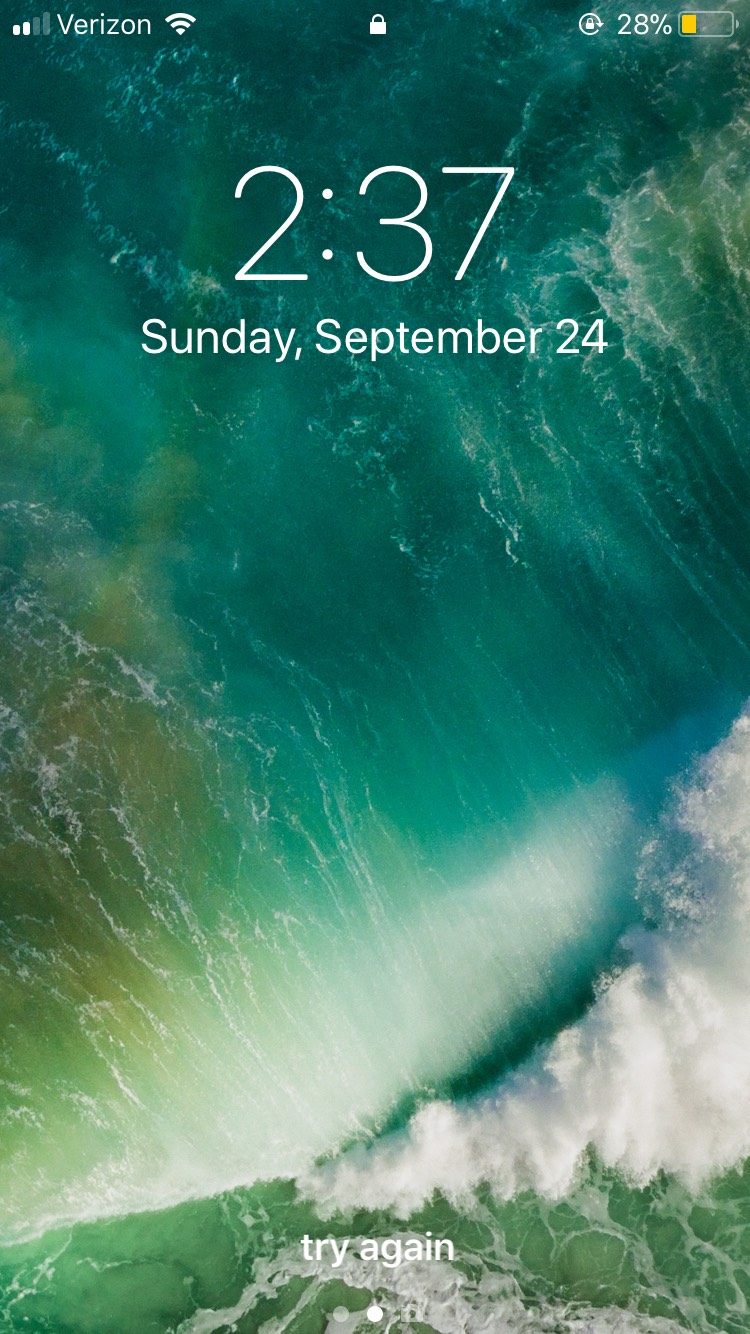
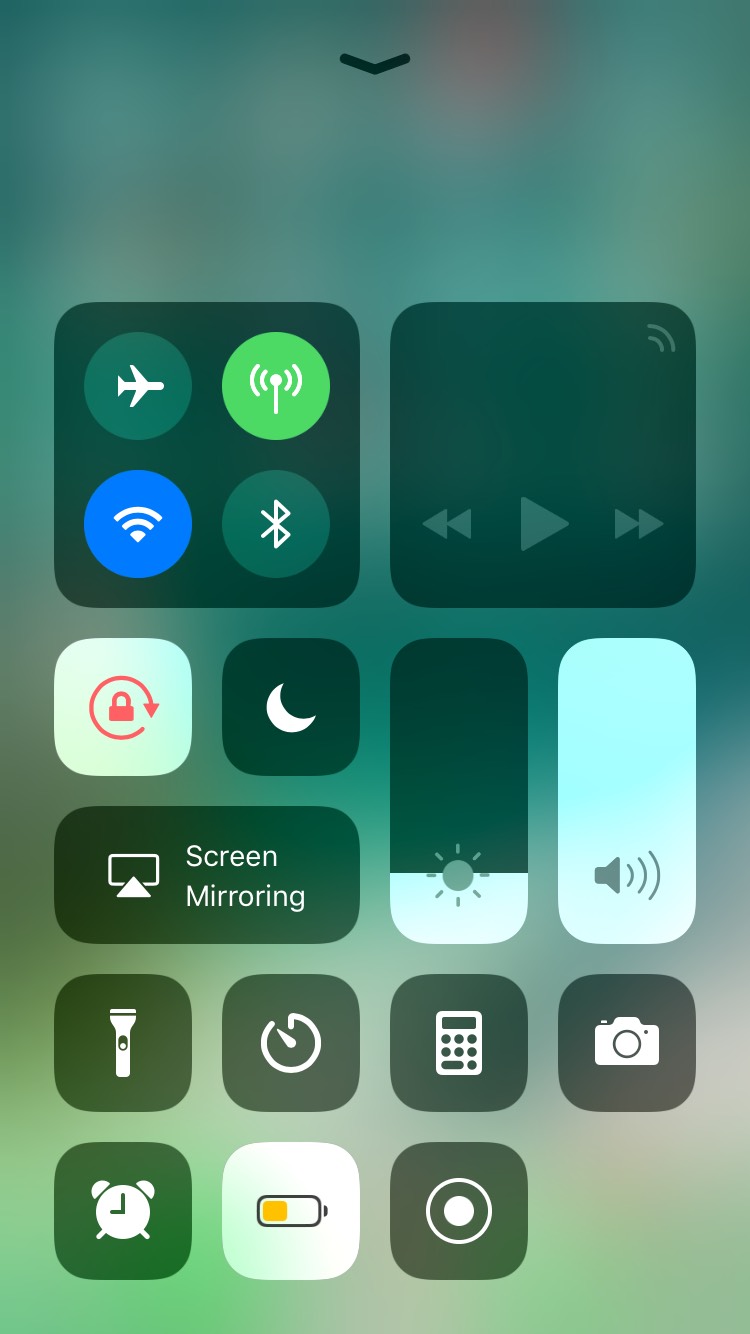
I deleted the app to re-install, its now not letting log back in. It’s saying Spotify can’t be used for more than 14 days abroad, I have left the country since last year...
@Reesamu Thanks for the screenshot!
Could you try using a different Spotify account to test it out? Also, Have you noticed if it's happening both via WiFi and 3/4G?
@Ogee94 Let's try following this troubleshooting to make sure you're loggin in with the correct details as you may have another Spotify account causing the 14 days abroad issue.
Let us know how it goes.

I also experience this problem when using an Iphone 6s.

Hi @cattmarlson, welcome to the Spotify Community!
Just to confirm, did you already try reinstalling the app like @Alfredo suggested on previous comments? We recommend that you do it by following these steps.
Also, can you make sure there are no battery saver settings active on your device? If there are, it might be causing this.
We'll be waiting for your response.

I have the same exact problem. A temporary fix was to shut down all apps and restart the phone(iPhone 7 plus). That worked for about a day.
I had the same problem, and I tried restarting my phone and it went back to normal. I have an iPhone 7 and am running the latest Spotify and iOS which is 11.
I did reinstall the app as the above user suggested. This did not work for
me. I'm not running battery savings. Another issue I've noticed aside from
no home screen controls while the phone is locked, is that when the phone
is asleep (screen off), the rocker button does not allow for volume
adjustment, as in the previous iOS.
Thanks.

Hey @Dejvans and @cattmarlson!
Could you please confirm the Spotify version and the iOS version you're using?
Try restarting your device by holding the Sleep/Wake + Volume Down buttons for 10 seconds. Does that help?
We'll be waiting for your reply.

I have the exact same issue since iOS11. Reinstalling the app helps for about a day, so that's not a solution. Restarting the phone doesn't fix it for me.
My iPhone 7 is currently on iOS 11.0.1, that has not solved it. Running Spotify 8.4.20.535.
I think it's related that my headphone buttons don't work either.. The OS doesn't seem to register Spotify as a music playing app, thus allows no controls for it, hardware or software.
However, music does pause when someone calls me or I start a call, and the music also automatically resumes after the call is finished.
Hi, my problems seem to be solved.
It has been working since the iOS 11.01 and Spotify 8.4.20 updates.
My volume buttons are working again in- and outside of Spotify. The widget also appears correctly on the lock screen and control center.

Hey folks!
Spotify and Apple both recentely released an update. Could you make sure you're all on the latest versions available? Let me know if it happens after that.
Have a lovely day! 🙂
Today the functionality has returned, though I haven't made any manual
updates or reboots. It looks like there was an auto update to Spotify
yesterday which could have solved the problem. Either way, I'm good to go.
Thanks for the help!
Hey @cattmarlson!
We're glad to hear it's working now, thanks for the update.
@Alamo Could you try reinstalling Spotify one more time to see if it helps?
Keep us posted.
Nope, sorry to say that it worked for a short while (just like I wrote before) but it’s stopped working again.
After I updated to iOS 11.0.1 and the latest Spotify update and it again worked for about a day but Spotify no longer shows up in control center or on the lock screen.
When I restart the phone it works for a little while, only to not show up some time later.
My iOS is in Swedish if that’s any help.
@user-removedThere have been no new software updates from either Spotify or Apple since my first post here, so I'm still running the same versions:
My iPhone 7 is currently on iOS 11.0.1, that has not solved it. Running Spotify 8.4.20.535.

Hi,
i am having the same issue, re installed the app and did soft reset but still the same. Please fix this 😞

Thanks for all the info, guys!
Could you manually check if there are any updates for both your iOS and Spotify versions? If you've updated and the app behaves the same, please fire over the exact updated versions running on your devices.
We'll keep an eye open for your reply 🙂
No manual updates available.
running on
iOS - 11.0.1 (15A402)
spotify - 8.4.20.535
No manual updates available.
running on
iOS - 11.0.1 (15A402)
spotify - 8.4.20.535
Same here
Thanks for all the info guys!
We've reported this to our team and we've changed the status of this thread to "Under Investigation". Our best tech folks are on the case as we speak. Hopefully, we'll have a fix soon!
Take care 🙂
Hey @Reesamu! Welcome to the Spotify Community!
That's not cool! Could you send over a screenshot of your lock screen while you're playing music with Spotify? Also, could you let me know your exact device, OS and Spotify versions? I'd love to take a closer look. 🙂
Have a lovely day!