[BUG][Reproducible][All Platforms] Time of 2nd+ Title after 1st self choosed Title wrong

Tested on following deviced:
Device1: Dell XPS13 9553 (Intel i7 6200U - 8Gb Ram)
OS: Windows 10 (Version 10.0.15063 Build 15063)
Spotify Version: 1.0.64.399.g4637b02a (and earlier)
Device2: Samsung Galaxy S8+ (Samsung Exynos 8895, 4Gb Ram)
OS: Andoid 7.0 (not rooted)
Spotify Version: 8.4.21.508 (and earlier)
Device3: Sony Xperia Z4 Tablet (Qualcomm Snapdragon 810, 3Gb Ram)
OS: Android 7.0 (rooted)
Spotify Version: 8.4.21.508 (and earlier)
Device4: Apple iPad Pro 12.9 (2015, Apple A9X, 4Gb Ram)
OS: iOS 10.3.3
Spotify Version: 8.4.20 (and earlier)
Bug Description: The timer of the second song is up to 2 seconds wrong (sounds really unimportant). If you have Musixmatch App Floating Lyrics(tested on Android only), it will show synched lyrics 1-2 seconds too early.
Priority: high (for those, who use Musixmatch), low (for those, who don't want to see synched Lyrics)
How to reproduce Bug:
1. Play any song you want in Spotify.
2. Jump to the last 5-10 seconds of the song. (or just let it play)
3. Wait (don't skip) to the next song.
4. Wait few seconds, then pay attention to the timer bottom left.
5. Press Pause during paying attention. The timer will jump 1-2 seconds bachwards.
(Optional: 6. Continue play and goto step 2. of this Guide)
More information:
- It doesn't matter if crossfade is on or off
- It doesn't matter if you are using Bluetooth Speaker or Headphones
- Pause and resume fix it (until next song)
- Manually Skipping song has NOT this bug
- Musixmatch use the timer of any Music App to show synched lyrics --> asynchroned timer --> asynchroned lyrics
If you want, I will upload an small Video showing that Bug
In the attachments you can see the timer I'm talking about and a video of the reason, why i can't always fix any song with pause and resume (The Sony Z4 Tablet is installed in my car, zip extention, is a .mp4 Video)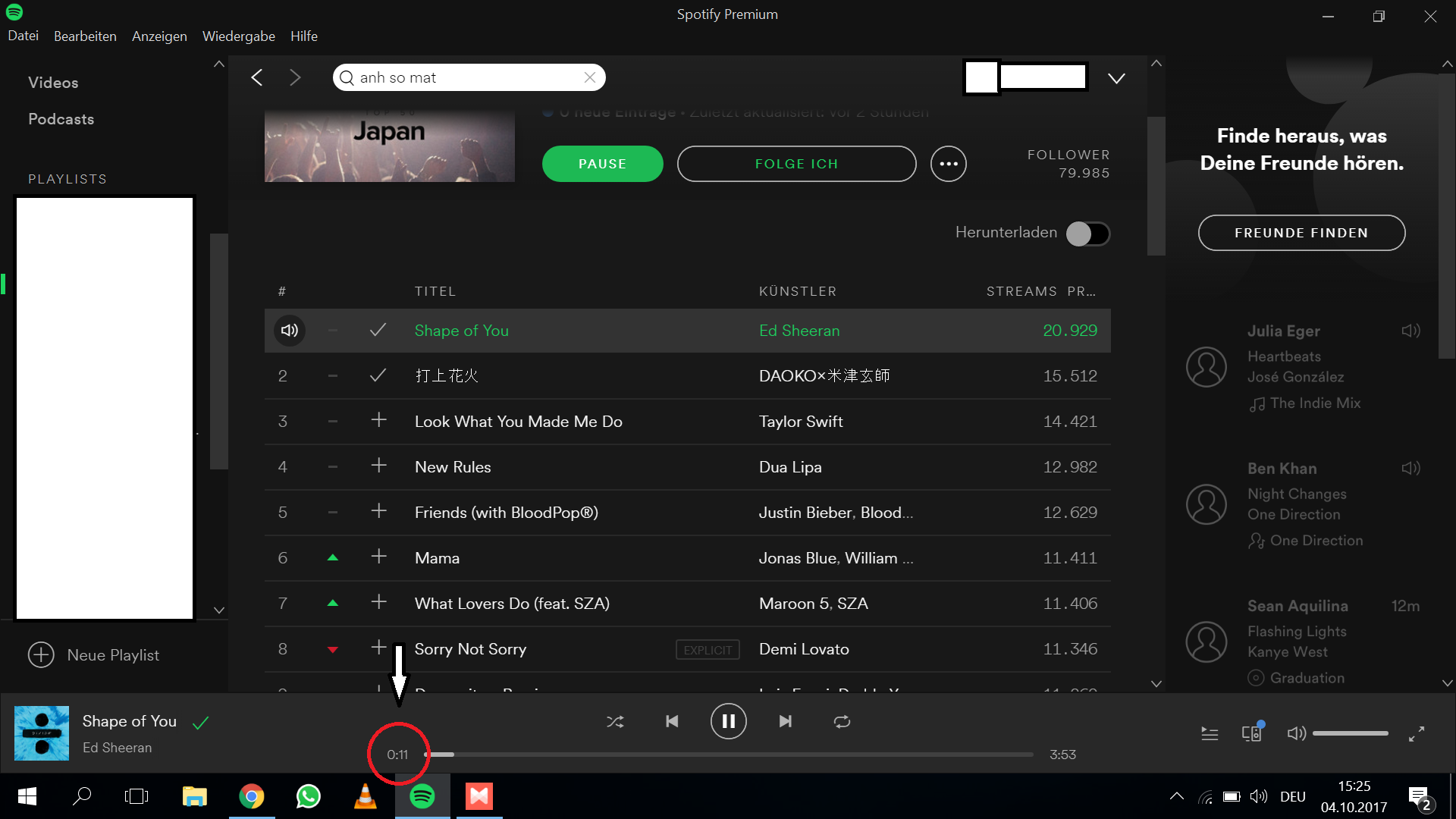
Comments
Hi, I created a Video which shows that Bug clearly. (Hopefully Youtube won't delete Video showing Bug due to Copyright)
As you suggested, I force repeated the same song.
"Try waiting for the previous track to finish, let the lyrics desync and select the same song in order for it to play again."
I did that (not in the Video), it will go like the Toturial step 1 I wrote. I Also mentioned, that going forward and backward also fix the Problem. It seems only to happen, if Spotify goes to "the next song".
Regards

Thanks for letting us know!
However, we're not able to see the video you sent. Could you send it once again? We'd like to investigate a bit more.
Take care 🙂
Hi,
I put a direct URL here: https://www.youtube.com/watch?v=D1jb-PXNeCM&feature=youtu.be
Hopefully now you can see the Video I made

Thanks @SaftigesSteak!
Just to make sure we've all the necessary information, could you also let us know the MusixMatch version you've installed on your devices?
Keep us posted.
Hi, the used Musixmatch Version was 6.8.0. But, as I said, this bug with the timer also happen with Windows10 without Musixmatch.
With Musixmatch, you have more visualisation of the timer-bug
Regards

Thanks for the extra info @SaftigesSteak!
It's not cool that this happens. However, a clean reinstall of the app might do the trick. Just follow the steps in here and let us know if it makes any difference.
Keep us posted.


Hey @SaftigesSteak!
We're closing this thread as we didn't receive an answer from you. If you're still having the same issue, just give us a shout.
All the best 🙂
Hey @SaftigesSteak! Thanks for letting us know about that.
We appreciate all the info you've forwarded to us so far regarding this situation. Just to confirm, does this also happen when you force-repeat the same song, after the lyrics become out of sync? Try waiting for the previous track to finish, let the lyrics desync and select the same song in order for it to play again. We'd love to gather as much data on this as possible.
Keep us posted 🙂