Offer a Star icon in the Player/Scrubber

It would be great if there were a clickable Star icon in the Scrubber (see screenshot - next to the 4:51?).

Use case scenario: On the What's New page, there is no way to Star a recommended track! I want to be able to Star the currently playing track regardless of which page I am on.
Comments

There used to be but it has been removed - I would like to see this back as well!!

i want this to have the option to "love" a track for last.fm too. for me, i'd like the star and "love" to be one button. but i could see some users wanting them seperate or only one or the other.

I don't use last.fm but it possible to star the current track by right clicking on the album art.

Yeah. Or at least give us a menu item that we can setup a hotkey for with our OS or some third party app. (But of course, hotkey functionality in the app would be even better.) 🙂 The same hotkey would be used for unstarring as well. And don't forget Growl notifications so we know what happened (star or unstar) 🙂

Yes that would not be bad. I think it's a pretty good idea to add a star there.

For now, you can right click on the album cover and star it from there.

I would also like this, but will take, possibly even preffer just a shortcut key to do so..

You can also drag from the album art to the starred playlist on the side.

As others have mentioned, you can star the song using right click on the album art, but there should also be a star icon above the share icon. This increases usability by reducing clicks without overcomplicating the interface - I actually expected the icon to already be there.
This is a similar request, http://community.spotify.com/t5/Spotify-Ideas/Option-to-star-current-song/idi-p/4757. I think the linked ideas makes a bit more sense than using the bottom bar, as the share icon already exists below the album art. The bottom bar should be left for playback control.

yes please. this would be very convenient!

Hello there!
I´ve just merged a similar idea to this one since they were both requesting the same thing, I also added the kudos.
We want you to know that we are here and listening and we are working on all of your ideas, I will keep you all posted as soon as I get news on this matter.
Thanks for your contribution 😉
Hello there,
First at all, truly sorry for the delay on updating this idea...we have tons of them coming in every day and it is hard to prioritize.
We are going to mark this as "Under Consideration". However, it is already possible to Star recommended songs on the "Whats New Page" (see screenshot below). You should know you can also drag the now playing cover art to the starred playlist!
Hope you find this useful...
Thanks for your feedback!
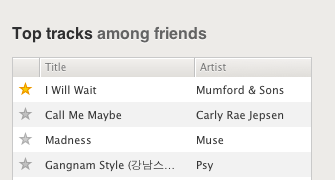
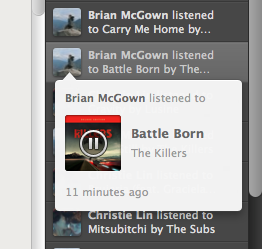
Okay, but let's say I play a song that one of my friends has listened to, by clicking their name in the right sidebar. The song starts playing, but there is no star icon. It's cool that I can drag the album art to my Starred playlist -- thanks for this tip -- but this is not exactly intuitive for other users. It would be great if there were a universal Star icon. Just as there is a ubiquitous scrubber, there should be a ubiquitous Star icon (IMO).
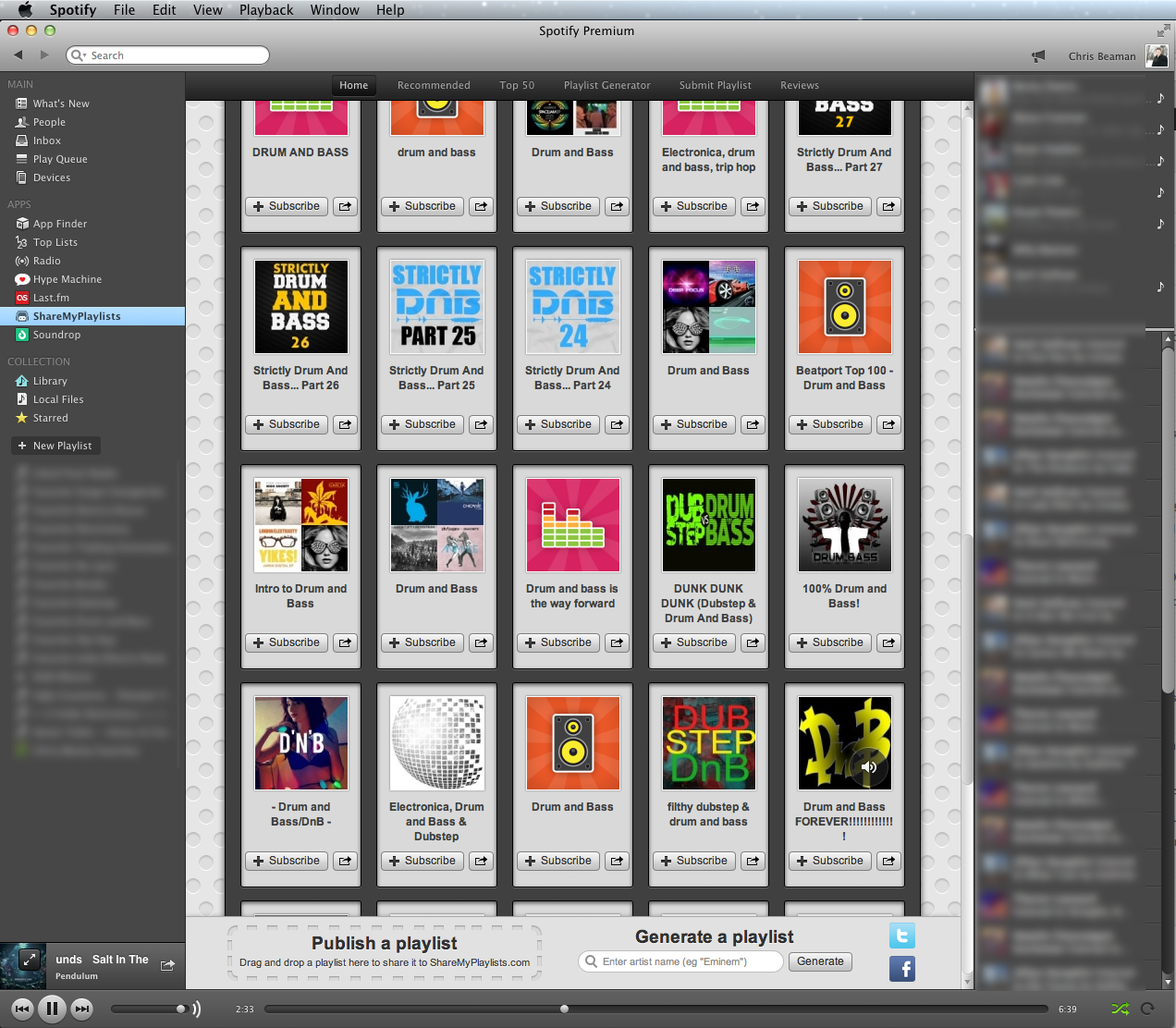
How do I star the song that's currently playing in this screenshot?
If I left click or double click the name of the song or the name of the artist (in the lower lefthand corner), nothing happens. I can't get to the artist's page in this view (clicking their name does nothing).
Sure, I could right click the album art and click Star, or drag the song's title to my "Starred" playlist in the left sidebar, but neither of these options are intuitive. Especially for those of us on Macs who don't right click. Since the artist's name is unclickable, it's not clear that dragging their name to the Starred playlist would achieve the same drag'n'drop effect that is achieved otherwise.
Why not place a ubiquitous star icon in the scrubber, next to the Shuffle and Repeat icons? There's space for it. This way, users could "save" every song they like, no matter which screen they're on. No need to right click, no hidden functionality, but rather something I think we all want: the ability to personalize Spotify more easily.

Something that bothers me is that there is no obvious way to tell if the currently playing song is already starred unless you right click the album art and see 'Unstar' in the popup menu. I think the suggested feature would help with this problem as well!

This should also be added to the mobile app. Just today I was listening to a song that I wanted to star. A star icon was in the now playing list, but it was just for indication. The star could be interactive so that I can star a song from the now playing screen instead of just going to the song list. There isn't much indication that the star is not interactive either.
Update:
The Star on the now playing screen for Android is not for indication. It can actually be toggled. However, it is so difficult to use. It doesn't seem to always work. I find it much easier to go the Queue and add it there. Spotify should fix this issue.

Starring tracks in general could be improved in so many ways, many of which are already included in this topic. I'd still like to add the comment that was already started here:
it was listed as a duplicate, but it's really more simple than this topic, in that the "now playing" icon shouldn't cover up the star column. I very often play artist's albums from the artist page, and while looking at what's playing in that window, you can't tell if the current track is starred already or not without hovering over the star column, or right clicking the album art in the bottom left "now playing" area:
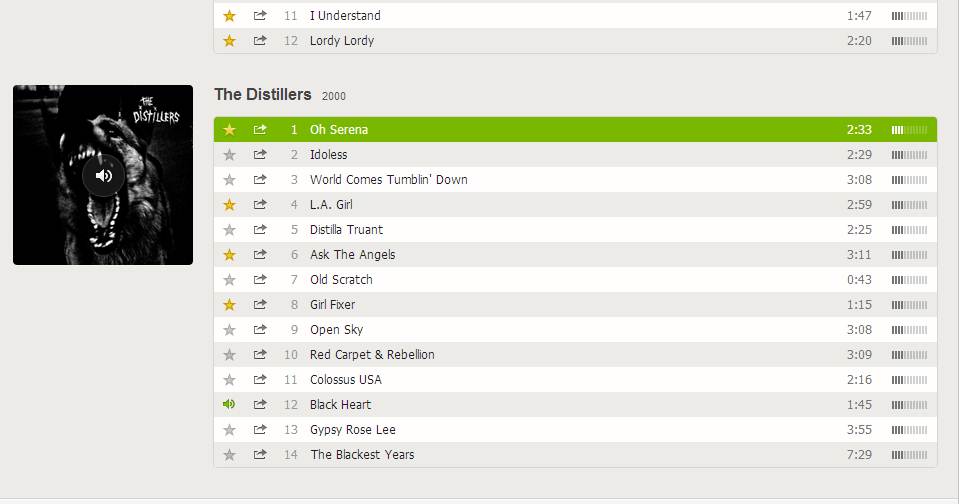
It's really lame to not be able to quickly switch my active window to spotify, glance at the song and know if it's starred or not. I think the star should be easily noted in the now playing album art as well, as other's have already mentioned.

It would be nice if the right-click menu for the app on OSX and Windows also had an option to star or unstar the current song. It should also be available in the hover preview for Windows 7

Having a star icon in the player bar would save so much time~

This idea is pretty much case closed.
It's super easy to "+" a track with the new "Your Music" collection.

Add this on mobile apps too please.

2015-01-27
Hey folks! We know this has been marked "Under Consideration" for some time, but we're changing it to "Not Right Now" today.
The 'star' feature has been removed and you can now 'save' songs by clicking on the + sign next to songs. You can also click this in the 'Now Playing' area on the Desktop app.

Hello!
Your idea has been submitted a while ago but unfortunately hasn't gathered enough kudos (50 per year). In order to keep an overview of the active & recent ideas in this forum, we will close this idea for now. However this does not mean that your idea has been declined by Spotify.
If you still feel strongly about your request, we encourage you to post your idea in a little different form again! Maybe now is the right time to receive the support of our community for your suggestion! 😉
Do you have any further questions on how the idea exchange is managed? Just click here!
There should be a little star in the bottom left in the area the current song is playing to make it easier to star the song you're listening to, this would be very convenient