No name showing in family list

I can't see my family members in the family list. No profile picture, name, number and email are shown.
Comments

I never had this issue, so I don't really know what happened. But try clicking one of them. I think it should display their Spotify username and then you can see if it's the one you want to remove.
Hope I helped. Please leave a like and accept this as solution. It means a lot to me😊

I have the exact same issue. Clicking on the members do not show who they are. It's like roulette removing that one family member.
EDIT: This is how it looks when clicking on the member.
EDIT2: Wth, I added an image to this post, where did it go??

This is also happening to me. Has anyone been able to find a solution?

I am having the same issue as well!
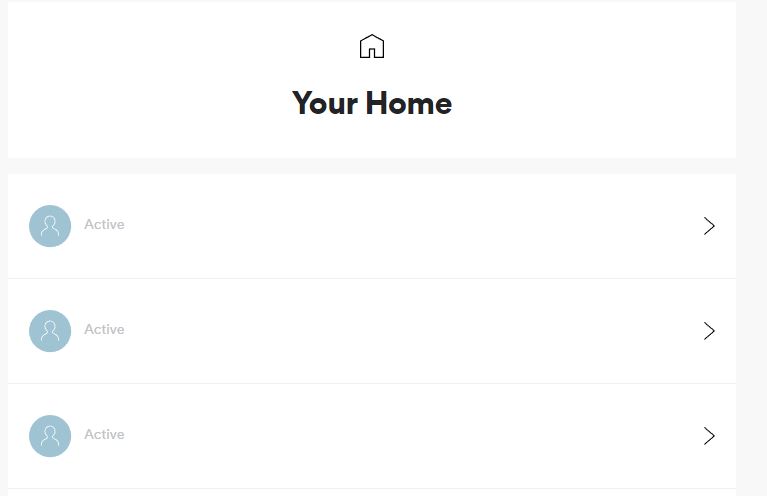

I'm having the same issue. I need to remove a family member who has their own account now and I don't know which account it is.

Same issue
No details when you click on either of the blank family members
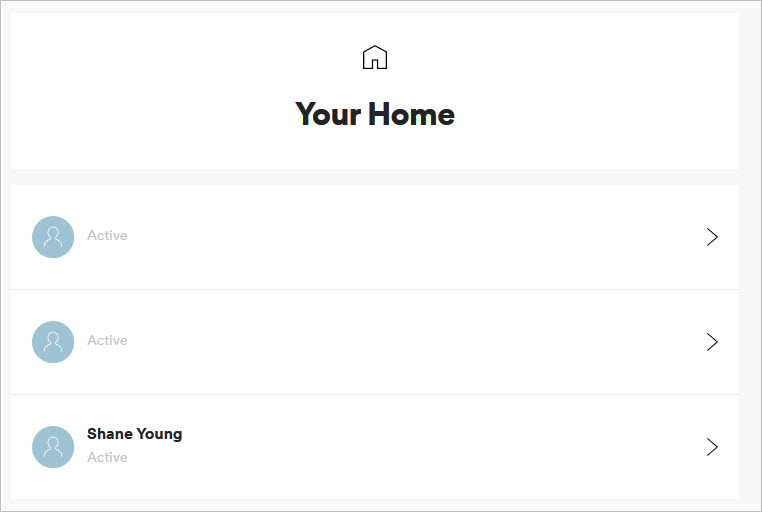

I have the same issue as well. Have attempted on iOS Safari, Mac OSX Safari, Mac OSX Chrome, and Windows 10 Chrome and have the same issue across all browsers.

Same issue. Tried on different devices ans browsers, no luck! A family member lost access to her account and i want to remove account to add her new one.

+1, this is affecting my account also.

Same problem over here! Please fix this ASAP!

Same issue. Need a fix.

I am sure this gets fixed on a special day they call "someday".

UrgHH i thought i was the only one HAHA oh well guess we'll have to wait...

Hey! Welcome to the Spotify Community!
To help Spotify look into this issue we'd appreciate if you'd take a few moments to let us know the following:
*The Country where you visiting the Spotify 'Account' page from
*What browser your using
Have a great day! 🙂
This issue is now under investigation with the appropriate teams within Spotify. In the meanwhile they'd love to help if you reach out using the online contact form they'd be happy to try and troubleshoot from there 🙂
Take care!
Sweden.
I've tried:
mobile Google chrome browser
Dekstop Google Chrome & Incognito mode
Firefox
Microsoft Edge
Thanks @Florrpan @jayspears - I'll make sure the right guys see this! 🙂
In the meanwhile they'd love to help if you reach out using the online contact form they'd be happy to try and troubleshoot from there 🙂
Take care!

Hey folks!
Sorry for the delay here.
We just wanted to confirm that the right team are aware of this, and are looking into things backstage.
We hope to have some more info for you soon.
In the meantime, let us know if the below help:
1) Clear your browser's cache/cookies
2) Try things on another device
If these don't do the trick, and you do need some help managing your plan (e.g. removing a member), we'd recommend then reaching out to Support. You can do this one of these ways:
Email: https://www.spotify.com/about-us/contact/contact-spotify-support/
Twitter: https://twitter.com/SpotifyCares
Facebook: https://www.facebook.com/SpotifyCares
They'll see if they can lend a hand in the meantime 🙂
All the best,
/M



Thanks for bearing with us folks.
We've heard back from the team, and can confirm that this has been fixed.
If anyone's still having trouble, we'd recommend clearing your cache & cookies from your browser before trying again.
Thanks!
I am trying to remove one of the accounts from my Family Plan, but the accounts are not showing any names. So, I am unsure which account belongs to each user.