Merge Groove Music to Spotify on Xbox

I'm opening a new thread because I can't respond with a follow-up question to my original post and I can't reply to the email that I received of the response.
"Re: Merging Xbox Groove Music with Spotify - Status changed to: Not an issue
Hey @ElGimpiablo, welcome to the community!
Thanks for reaching out to us.
Right now, the albums section on the Xbox app isn't available. However, we'll gladly pass your feedback on to the right folks about this."
I'm really confused by this. When you say the album section on the Xbox app isn't available what exactly do you mean by that? Is it not available for merging the albums from Groove music to spotify's album section or not available as in whenever I'm in the xbox spotify app there's going to be no album section function? I ask this because if I open the Xbox app and I go to the album section it works perfectly fine and it has been for quite some time. I added 3 Alice in Chains albums as soon as I read the response and they showed up just fine in the album section. Again my issue is the information being merged from Groove music to Spotify. Groove music had three categories that were supposed to merge. Playlists, albums, and songs. Two of these categories merged just fine. Playlists and songs. Albums however did not and it's weird because if I go to the songs section all the songs from the albums that were supposed to merge are there in the song section. Again this issue is completely separate from if I am already in Spotify and I'm searching for an album that is not saved. For instance if I wanted to find a new Slayer album I could save it and then check my album section and I would find it there.
I understand that this information is being passed on to the right folks which I really do appreciate and hope it gets dealt with appropriately in a timely fashion but the response answer as to why feels either vague or highly inaccurate given that the app itself seems to work perfectly fine other than the apparent bug with the merge. If I have a follow-up question is there any other way to do that without having to create another thread? Thank you.
Comments
261 Albums / 3577 Songs is what came from my Groove Music. I've had my Spotify account since around May 2017 I think. I initially used Spotify on my PS4 and then obviously started using it when it came to the Xbox One. I'd say what I already had on my Spotify account prior to the merge is nowhere near the aforementioned number above from the Groove Music account. As of now I haven't added too much since the merge so my guess is I'm sitting at around 4000 to 4500 songs with everything merged together.

Thanks for the info.
Just to be completely sure, are you still having trouble seeing some of the albums on your Spotify account from the Xbox app?
If so, do you have any trouble seeing your albums if you log into a different device? Try logging into a computer or mobile phone to see if the issue persists.
Let us know how it goes.
Yes I'm still having problems seeing the albums on the Xbox app that were merged.
As far as other devices, they(the merged albums) do show up on my computer as well as my phone.
On a side note I looked at my Spotify app on my PS4 and the merged albums are not showing up on there either. It's kind of irrelevant but I figured I'd point it out since both consoles seem to share the same app interface compared to the PC and the mobile device interfaces.

Alright!
Let's try unfollowing and following back one of the albums this is happening to. Once it's done, head to your Xbox or PS4 and check if it's now showing.
Also, let's make sure your consoles are running the latest firmware update.
Keep us posted.
Unsaved "Aesop Rock" album "None Shall Pass," then re-saved it from my Spotify phone app. Checked Xbox App on Xbox and it is now visible in the album section. Consoles and apps both have latest firmware updates.
Great, sounds like a step in the right direction.
Could you send us a photo or screenshot from your console showing the albums and one from the desktop app as comparison? We'll take a closer look on our end.
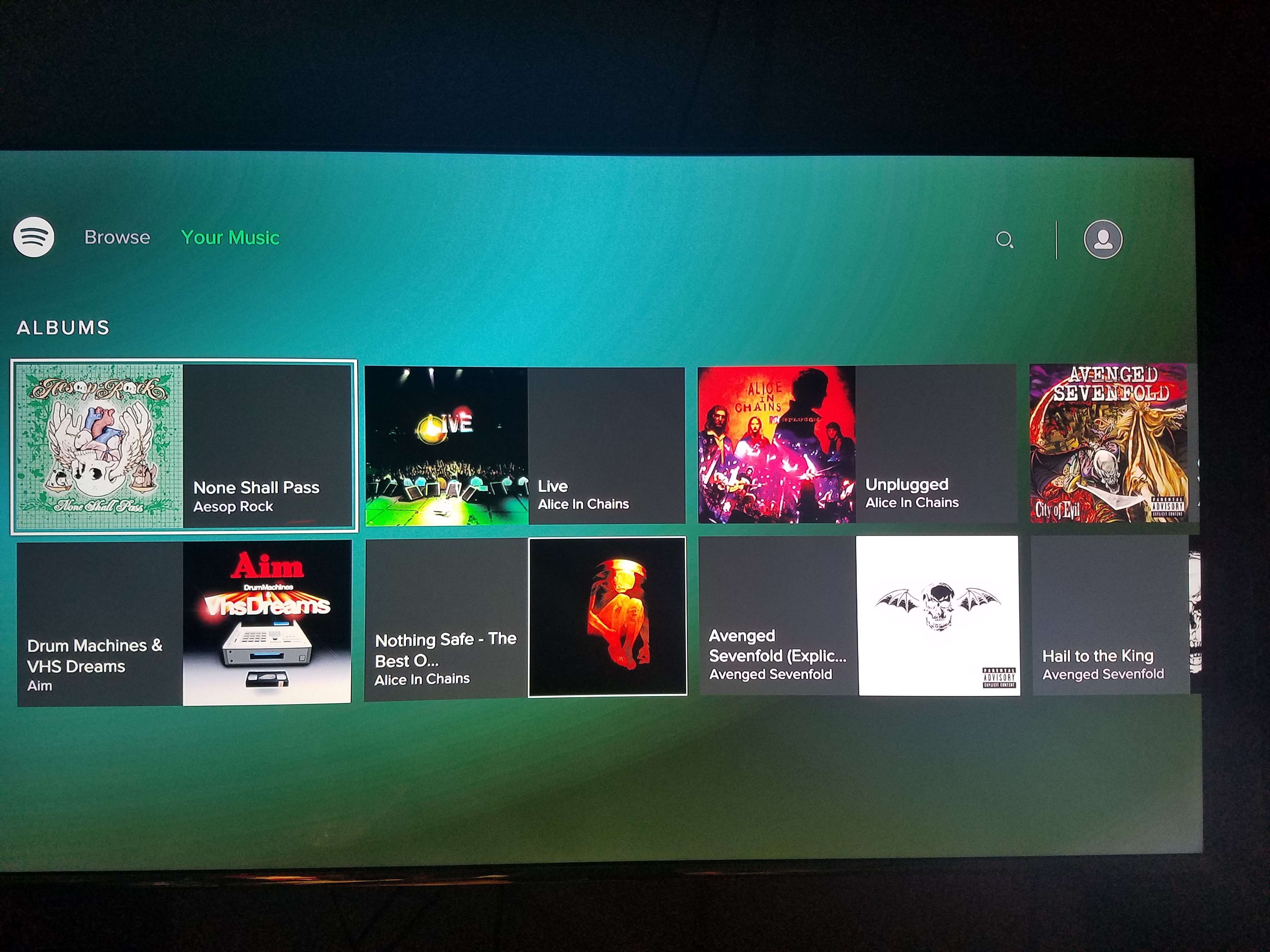
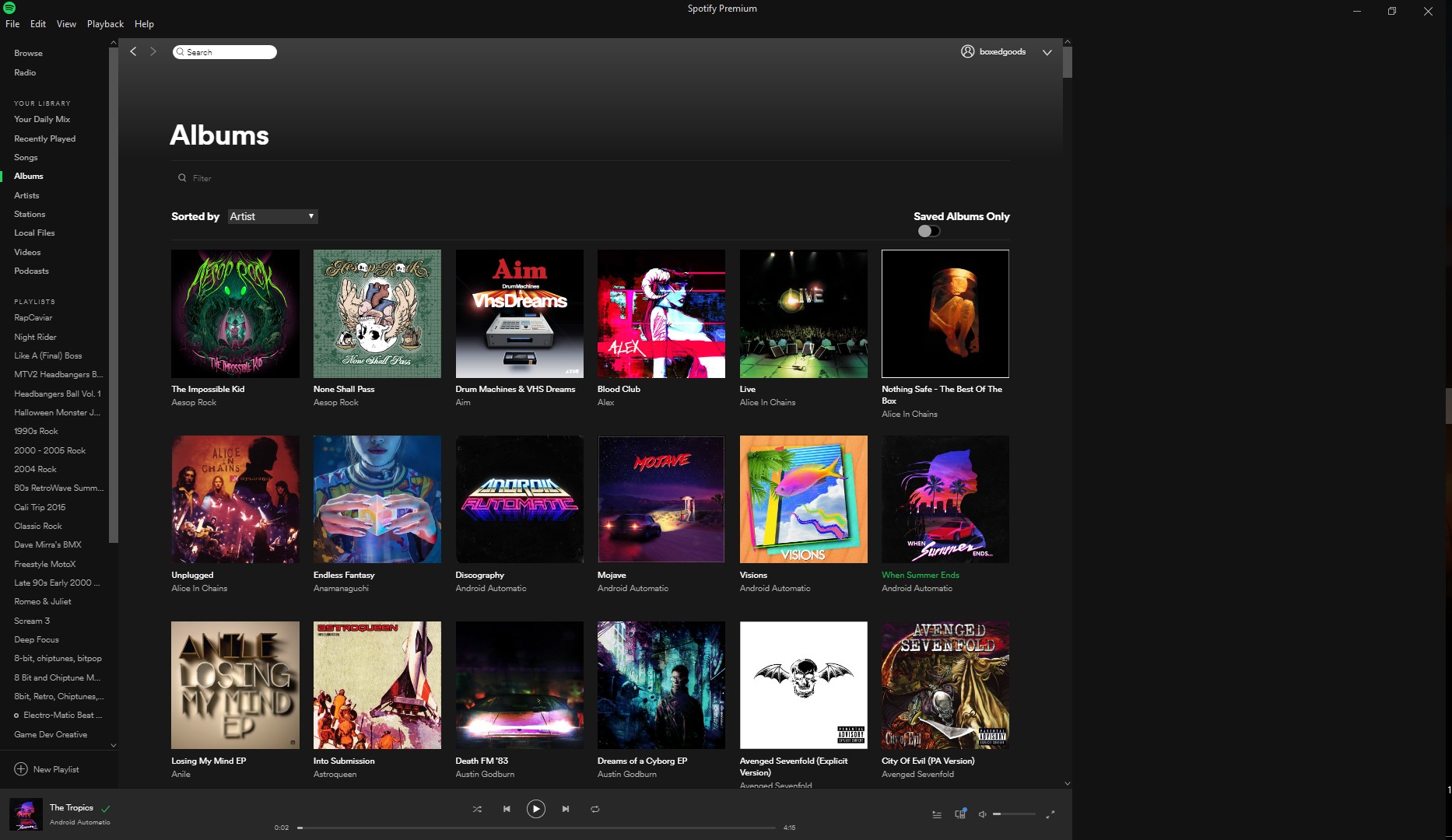
Thanks for the screenshots.
However, we'll need you to send over a screenshot of your PC app showing the Recently Added albums instead of sorting them by Artist.
We'll see what we can suggest once you send that over.
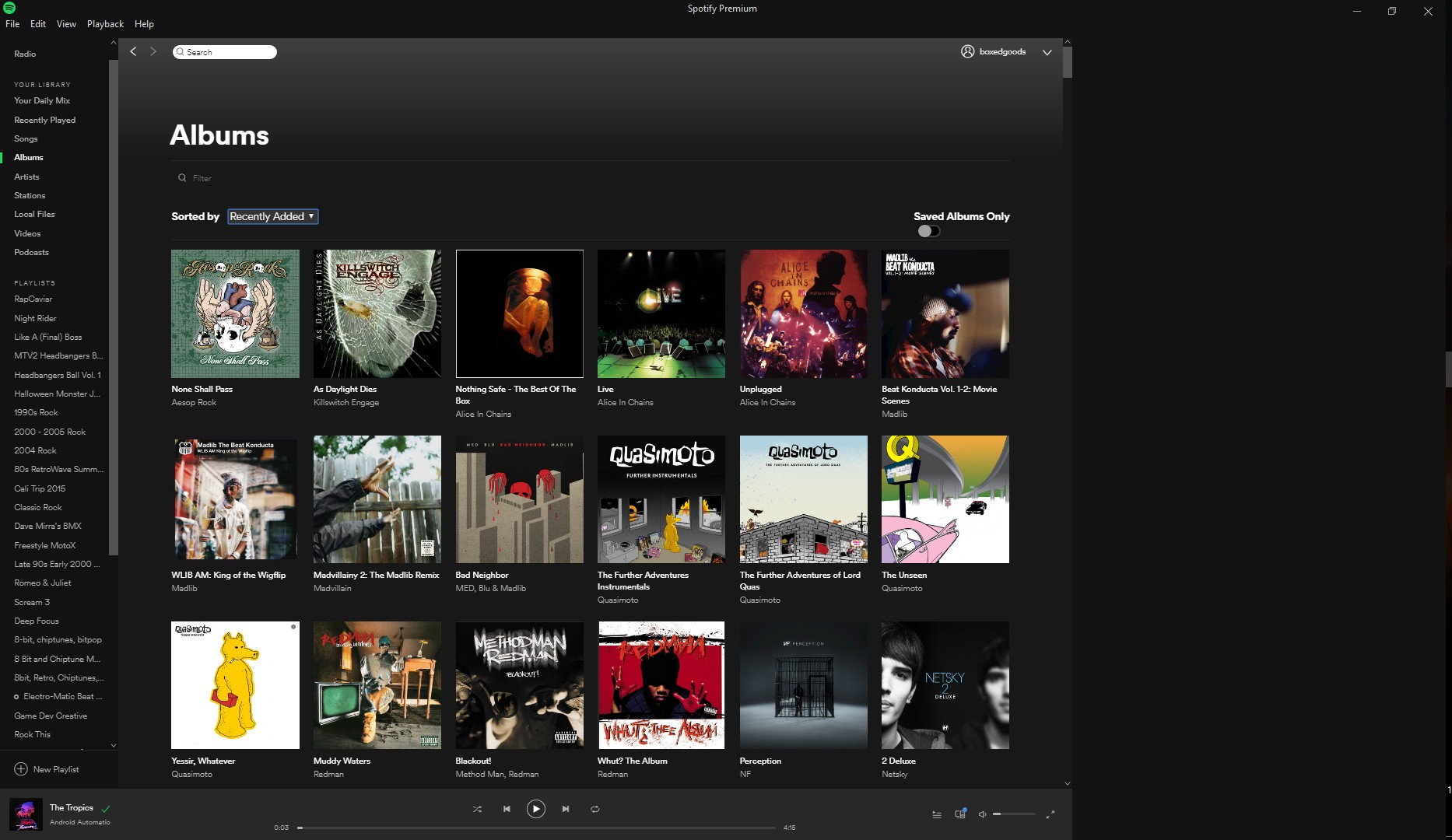 PC Recently Added
What's the significance of recently added? I'm only curious because other than the Aesop Rock album nothing else in this screenshot of albums is from the merge.
Thanks for all the screenshots!
We've gone ahead and passed this on to the right team so they can look into it.
We appreciate your patience while they work on a fix.
Awesome thanks. Could you entertain my curiosity though?
What's the significance of recently added? Or is that what the Developers asked screenshots of?
It's been over a week since I replied with a question. Any chance I can get either one of you to answer that?
Hey again @ElGimpiablo.
I was just asking for those screenshots to see if changing the filter settings made a difference. We haven't heard back from our team yet, but we've reminded them about this thread.
Thanks a ton for your patience!

Us again @ElGimpiablo.
Can you give it a try with 15-20 songs and not all of them? Let us know if that helps.
In the meantime, can you check if there’s any app updates and software updates for all devices/consoles that could be done? We'd also recommend to log out and in on both consoles during this process.
Let us know if that helps.
"Can you give it a try with 15-20 songs and not all of them?"
I'm not sure what you're asking me to try.
I have both of my consoles set to automatic updates and I check every other day manually just in case. I've had to log in several different times and nothing changes. I've already removed and re-added all of the albums that were missing all the way up to T. You guys aren't really helping so I'm fixing it on my own.
We're sorry you feel this way, but in order to report it to the right team we need to gather some info first @ElGimpiablo. However, we thank you for being really helpful providing all the info needed.
As for the "Can you give it a try with 15-20 songs and not all of them?", I meant the albums. Is there a chance you can follow the steps using a small quantity and not all of them?
No I can't that's not how Microsoft and Spotify have the merger set up. Secondly because it's past the 31st of December Microsoft's GrooveMusic is no longer available.
We understand @ElGimpiablo.
Can you send us the exact version of your consoles? It would be super helpful.
Regarding the merging, we were a little confused and what we were trying to suggest was to try following a very small amount of albums like 15-20 and not all of them to see if you were able to see them.
We'll be right here.
Versions as in Xbox One S & PS4 Pro?
Are you asking me to follow 15-20 brand new never before followed albums or follow albums that were suppose to be followed but aren't showing up and on what device? I really need to know in very specific detail what exactly you're wanting me to do.

Sorry for the mix up @ElGimpiablo!
What @Mara_F meant was try saving the albums that were supposed to be merged from Groove to Spotify and are not appearing on your consoles. If they appear as Saved/Following on your desktop/mobile app already, try to unsave them and save them again. Let us know if that makes them appear on your console app. We suggest trying this with at least 15-20 albums.
Let us know how it goes!
LOL god dammit guys this is getting silly. Do any of you guys read what the previous moderators and I have been saying? Early on you already asked me to do this and I've done it. I've done it for every single one all the way up to the letter T. Literally with my phone in hand looking at my list I would cross reference my phone list with my console list. If I found something that did not show up on my console but did on my phone I would select remove and then save it again. This worked for every single one all the way up to letter T. Since you're asking me to do something that's already been done I went ahead and finished the rest of the list so now I don't need your help anymore.
Actually I take that back there is one thing that you can help me with. Please relay to the development team that it would be immensely helpful if they revamped the user interface for the consoles app on PlayStation and Xbox. Whenever I scroll through my albums I'm only seeing two rows at a time which takes forever to scroll all the way through everything that I have saved.
Hey @ElGimpiablo!
Sorry to make you jump through all these hoops. We'll certanly pass your feedback on to the devs about the UI for the Xbox app.
If anything else comes up, don't hesitate to open a new thread.
All the best.
Hey @ElGimpiablo!
Sorry for the inconvenience.
Just to confirm, around how many songs and albums do you have saved so far? Right now, Spotify has a 10.000 limit on how many songs can be saved in Your Music.
If your Groove Music collection was larger than this, the migration process would create playlists with all the albums and songs that couldn't fit. This could be the reason why you can't find the albums under this section.
Keep us posted.