Can't add to playlist, they don't show up.

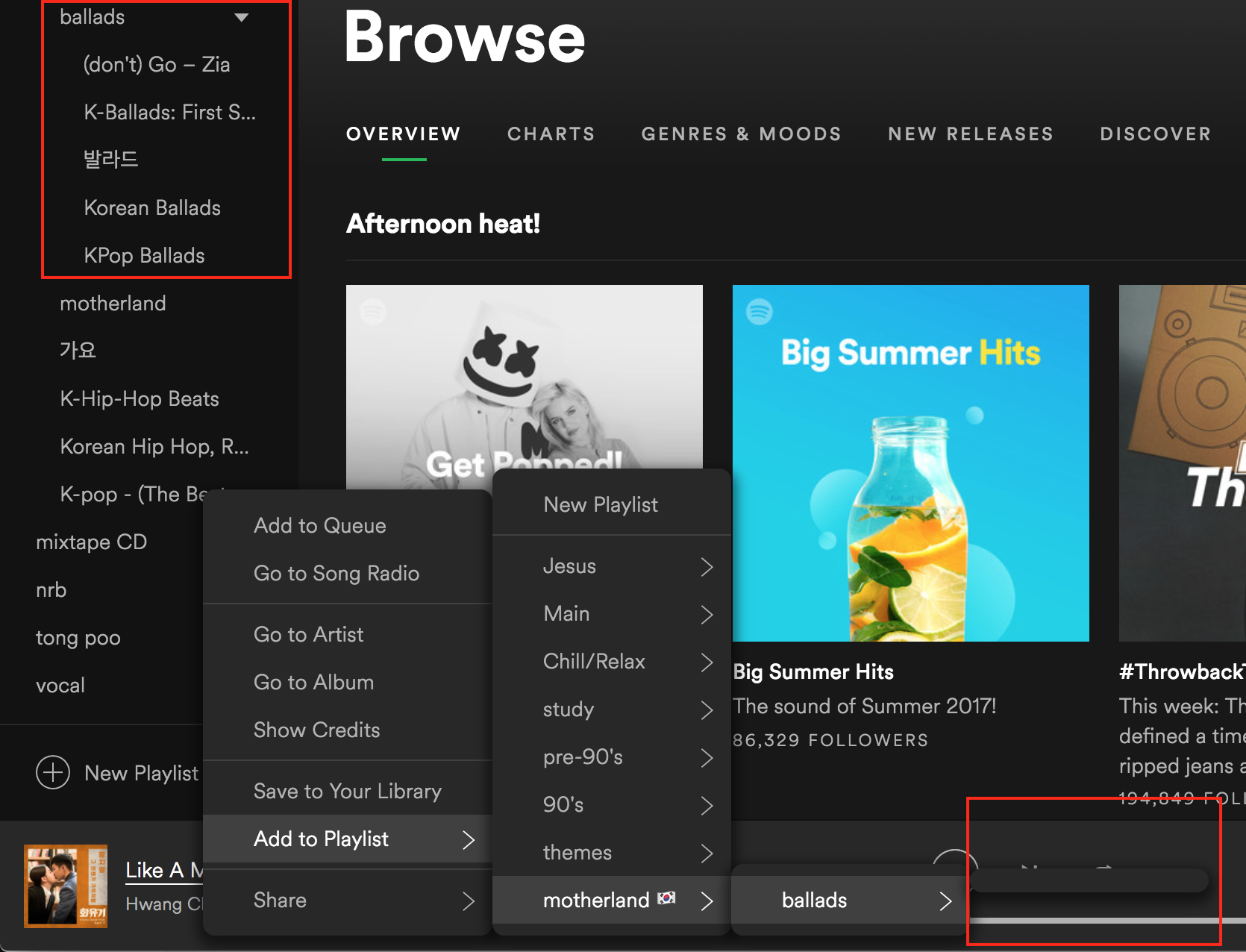 I've been having this issue lately where I try to add a song to my playlist, but it won't add. If I try dragging it, the green '+' sign doesn't show, and when I try to right click and add, all my playlists within the folder don't show up (screenshot included). I've tried restarting the program, the computer, logging out and back in... Please help.
Comments

Hey @yej_veg! Thanks for your post!
That's odd. Could you try to log out and log back in for me? If that didn't help, I recommend following these steps to reinstall Spotify. Let me know how it goes! 🙂
Have a lovely day!
Hi @Hubo, thanks for your reply. I've tried both logging out and back in, and followed the steps in the link to reinstall Spotify, but unfortunately it's still the same.

Hey @yej_veg!
Just to confirm, does this happen only after you open the Spotify app, or any time you try to add a song to a playlist?
In the meantime, try turning off Hardware Acceleration under View to see if it helps.
Keep us posted.
Hey @Alfredo, it's a constant issue from the moment I open the app, and even a while later after having it open/play for a while. I don't have this issue when I'm on my iPhone/iPad though.
Thanks for getting back to us!
Just to confirm, did you try turning Hardware Acceleration off? You can also do this from the Spotify Settings > Show Advanced Settings > Compatibility.
Also, could you send us the Mac OS and Spotify version you're using?
Cheers.
I don't seem to have that option.
I am running:
macOS High Sierra 10.13
Spotify 1.0.74.380.g1fcff12a

Hey @yej_veg, thanks for the info!
Could you send us a screenshot of what you see under "Advanced Settings" on the app? Also, let us know the exact version of Spotify you're running on your Windows 10 computer.
In the meantime, try restarting your router/internet connection and let us know if it makes any difference.
Keep us posted 🙂
Hi @William_13, I use a Macbook.

@William_13I'm the one having the same issue on Windows 10 Lenovo T470p and on my Macbook pro 13" late 2013 (Two different machines og different networks).
Could it be the size of the playlists. That all the songs have to be updated/loaded before they are shown? My iPhone doesn't have this issue, but I also locally store all my playlists on that device.

Thanks for letting us know @user-removed!
Could you let us know if you reinstall the app on both devices? Also, we'd recommend giving it a go from a different account.
@yej_veg Did you try @William_13 suggestion and restart your router? That can help you out.
Let us know how it goes 🙂
I tried to reinstall the app, didn't help.
I'm not able to restart my router, it's hosting stuff and down time because of this minor issue is not possible.
Tried to find a spotify log file, but no succes.
@user-removed, thanks for getting back to us.
Just to confirm, around how much free space do you and @yej_veg have left on your devices?
Also, do you have Spotify set to save the cache on a different folder? If so, try resetting it to the default location to test it out.
As a last option, try turning off any firewalls or antivirus that could be interfering with Spotify for just a moment.
Let us know how it goes.
There is ~266 GB disk space free on my windows 10 machine and ~42 GB free on the mac.
Cache is stored in default folder on both my mac and windows 10 machine.
On my work computer I'm not able to disable firewalls and antivirus.
I did it on my Macbook pro at home and it didn't help.
The issue seemed to be resolved after I renamed the playlists. It must've refreshed/reactivated them somehow, but nonetheless it's showing up. I'll see if the issue comes back after a while. Thanks all for the help!
I tried renaming the playlists to the same name as they were, and it fixed it. Still think it's very strange.
Thanks @yej_veg
Hey folks!
Glad to hear updating the playlist name seems to have fixed it.
If it happens again, please let us know if it's only happening to playlists within multiple folders, or any playlists.
We'll leave this thread open for another week or so.
All the best.
Renaming the playlist seemed to be a temporary fix - when I restart the app, the issue returned.
I made a new playlist (e.g. pop NEW) and just copied all the songs from the problematic playlist (e.g. pop) and it seems to be ok now - i.e. the playlist shows up when I try to add a song to one of my playlists.
I'll check in again after a few days!

Thanks for the info, @yej_veg and @user-removed.
Could you send us that screenshot of what you see in "Advanced Settings"? Also, does the same thing happen on the web player?
Also, does it help if you restart your network connection or use a different one?
Let us know how that goes.
I can confirm that the issue returns when I reopen spotify
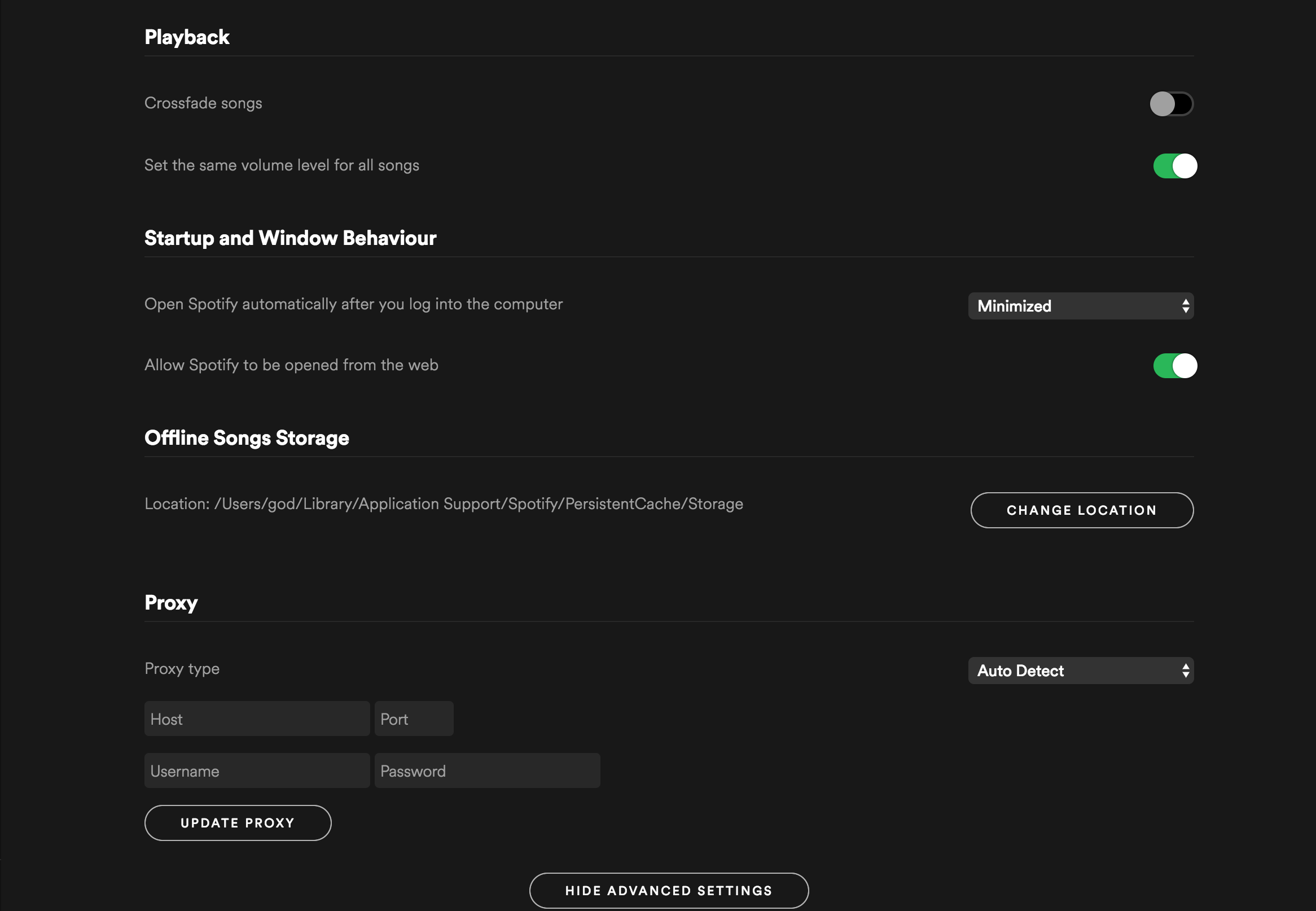
Thanks for sending this over!
Just to confirm, is this happening only to playlists sorted within multiple folders? Also, around how many songs do you have in the playlists this is happening to?
Keep us posted.
@Alfredo I only have "normal" playlists.
It's happening to all my playlists, the application is loading one playlist at a time about every 30 seconds.
I only got around 1000 songs in total. The two biggest playlists are around 180 songs. the rest are <100.
Got it @user-removed.
In this case, can you try creating new playlists with the same songs? You can do this by right-clicking the playlists and selecting "Create Similar Playlist".
Let us know if this helps in any way.
Made a "Create similar playlist", this one has the same issue.
But **bleep** a nice feature which I never used before, thanks!
Also created a new empty playlist, and still the same.
Alright!
Looking back, seems like we never tried using a different account to test it out. Could you try using a friend's account or creating a new account to see if it behaves the same when you have a few playlists created?
Keep us posted.
I have now tried to log on to spotify my collegues machine, and the issue doesn't occure on that machine.
Still think it's strange that i happens on both my Mac and Windows machine.
Thanks for all of that info, @user-removed.
You might not have enough bandwidth to load the playlists quickly. Can you try to restart your router? It's also worth a shot resetting it.
Let us know if this makes a difference.
@ZullyB I'm not able to reset/restart the router at work, the bandwidth is also the same as for my collegue, so it can't be that.
The same issue happens on my private Macbook at home, where I have tried to reset my router.
Hey @user-removed!
Let's try heading to your Account page and removing all Offline devices. This'll delete any songs or playlists you've downloaded on all devices, so you'll need to download them again.
To make sure the cache is completely cleared, please reinstall the application before testing this again.
Let us know how it goes.
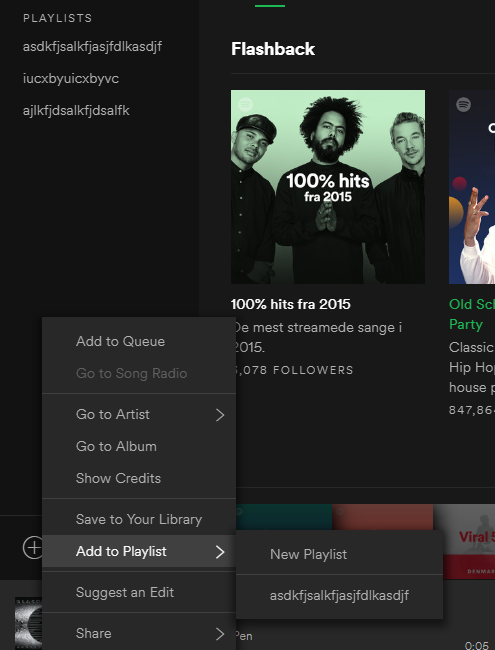
The image sample is from windows 10
but I have also experienced this on my macbook