UX issue - Floating notification unable to be closed

I have experienced the problem of being unable to close the floating notification that appears whenever I turn up or down the volume, or when I change song.
The problem is that I cannot click on the window behind the floating notification until is dissapears, which takes a 2-3 seconds. It is quite anooying sometimes not to be able to close it when I am working. Also whenever you hover the mouse over the notification it somehow resets the waiting time and I have to ignore it for those 2-3 seconds before it finally dissappears.
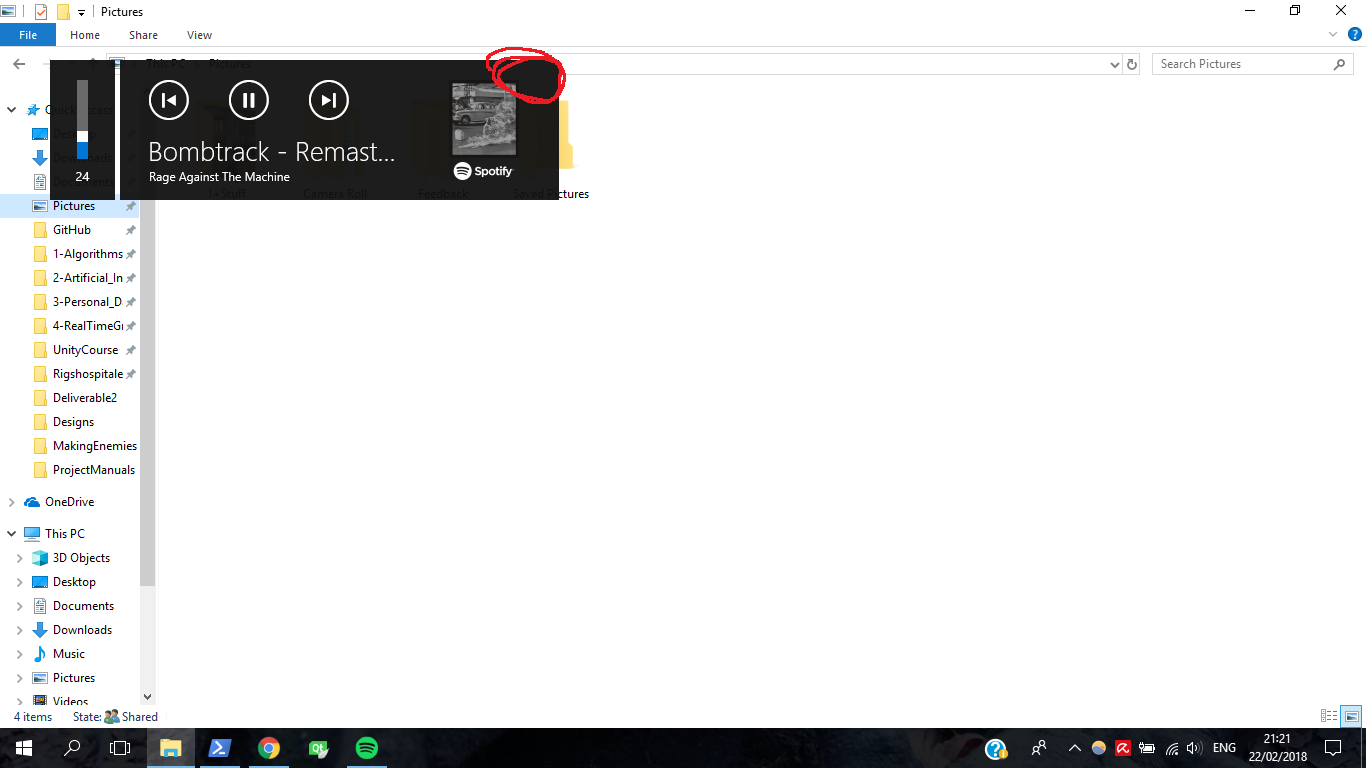
I suggest to add a closing button on the top right if the notification, so it can be closed immediately if needed.
I hope that my feedback helps
Comments
Hi @MonicaM_Bogota!
I am using Windows 10 with an HP laptop. But in any case it does not matter that much which hardware am I using since the problem is in the Spotify UI. I think it has been always there, as far as I remember.
I think it is an problem of usability. I like the idea of a notification on top of the screen whenever I change the volume or a song, but it becomes anoying when I cannot close it.
I hope it helps.
Cheers!

Thanks for that info!
Can you try the steps here for us? They should help with this.
Let us know how it goes.
I followed the steps and re-install Spotify, but the closing button is still not there. I think it is not even implemented in Spotify, I just suggest that that represent an usability issue and an app with the budget of Spotify can afford to pay a developer some hours to add the button.
I will illustrate te problem with a screenshot. The closing button could be placed where I marked:

Thanks for the screenshot, @Diegakker.
Can you let us know what operating system, and version of Spotify you're using? You can find it in Help > About Spotify.
Also, can you try these steps for us?
- Restart your computer in Safe Mode. To do this, press and hold the F8 key as your computer is restarting.
- In Safe Mode, open the Spotify Installer (from where it’s saved on your PC) and go through the installation process.
- Once Spotify is installed, restart your computer normally.
- Open Spotify.
Let us know if this solves the issue.
Hey @Diegakker!
We're closing this thread as we didn't receive an answer from you. If you're still having the same issue, just give us a shout.
All the best 🙂
Hi, @Diegakker!
Welcome to the Spotify Community.
Could you let us know what device, operating system and Spotify version you're using? Also, do you remember if this started happening after a specific update or event?
We'll see what we can suggest.