Follow Button Missing From Profile

The follow button is not showing up on my Spotify profile on any playform (web client, desktop client, mobile app).
Comments
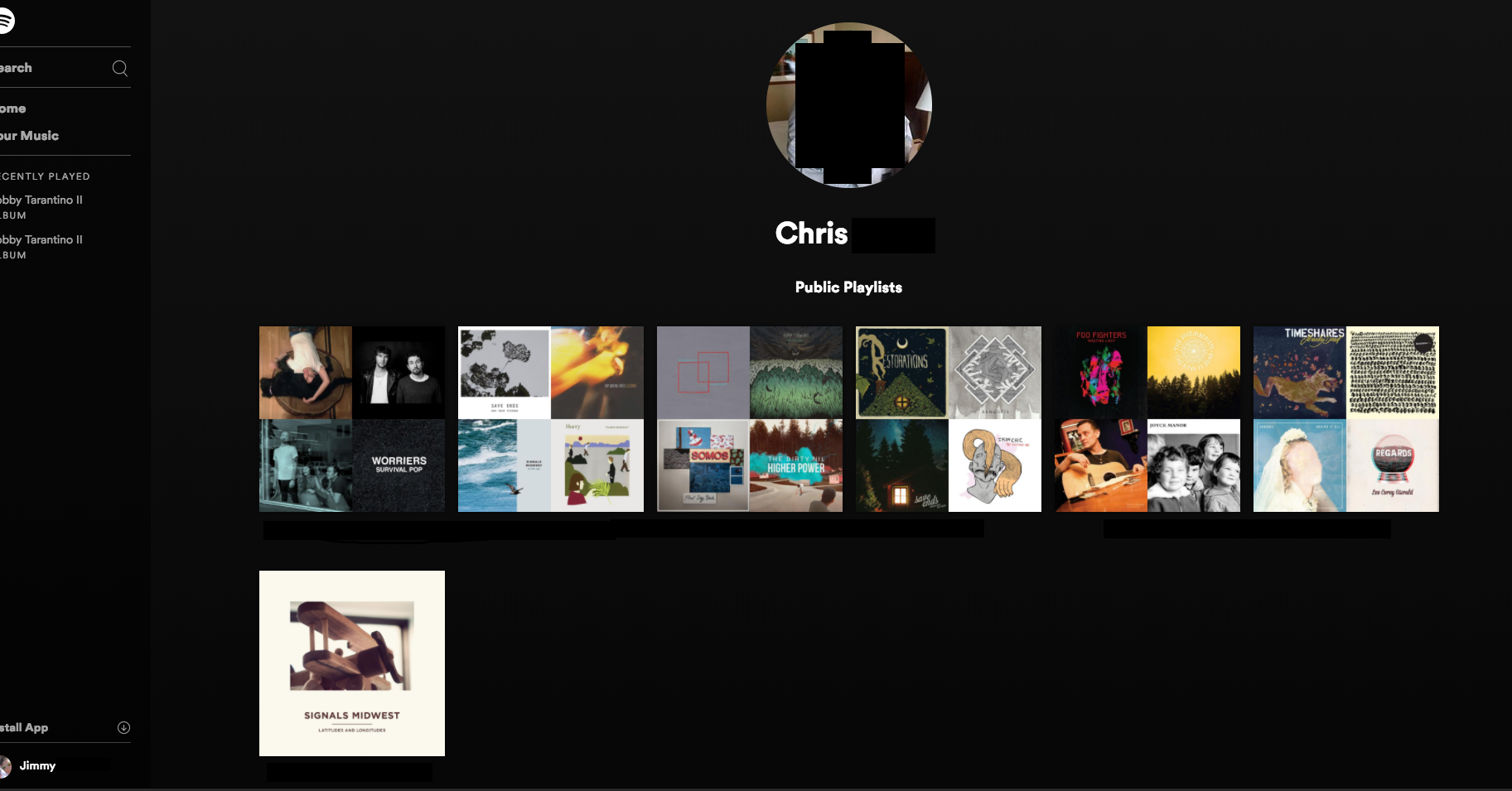
tried to add me from the "Share" link generated from my profile. I'm not
sure what his OS/Spotify specs are but maybe you can glean some info from
the left sidebar menu?
There should be a Follow button under my name and above Public Playlists

Hey @ohcalcutta! Thanks for keeping me posted!
It looks like your screenshot didn't make it here. Could you try to send it again? I'd love to take a closer look. Also, does this only happen on his account or other accounts as well? Let me know! 🙂
Have a great day!
Sorry, I guess replying through email doesn't bring the inline images through.
He's the first person who's had this issue. Are you able to view my profile based on my username (ohcalcutta) and see if the Follow button appears for you on it?
Anyway, here's the screenshot:
Hey @ohcalcutta, thanks for keeping me posted!
Thanks for the screenshot! I've taken a look and it seems that it's not possible to follow users using the Web Player at this moment. I recommend suggesting this on the Ideas board. Could you ask your friend to follow you using another device or the desktop app? That should help. Let me know how it goes! 🙂
Thanks again and have an awesome day!

Hey @ohcalcutta!
We're closing this thread as we haven't heard from you in a while. If you're still having the same issue, just give us a shout.
All the best.
Hey @ohcalcutta, thanks for your report!
That's not cool! Could you send over a screenshot of how things are looking on your end? Also, what OS, Spotify and device versions are you rocking? Let me know! 🙂
Have an awesome day!