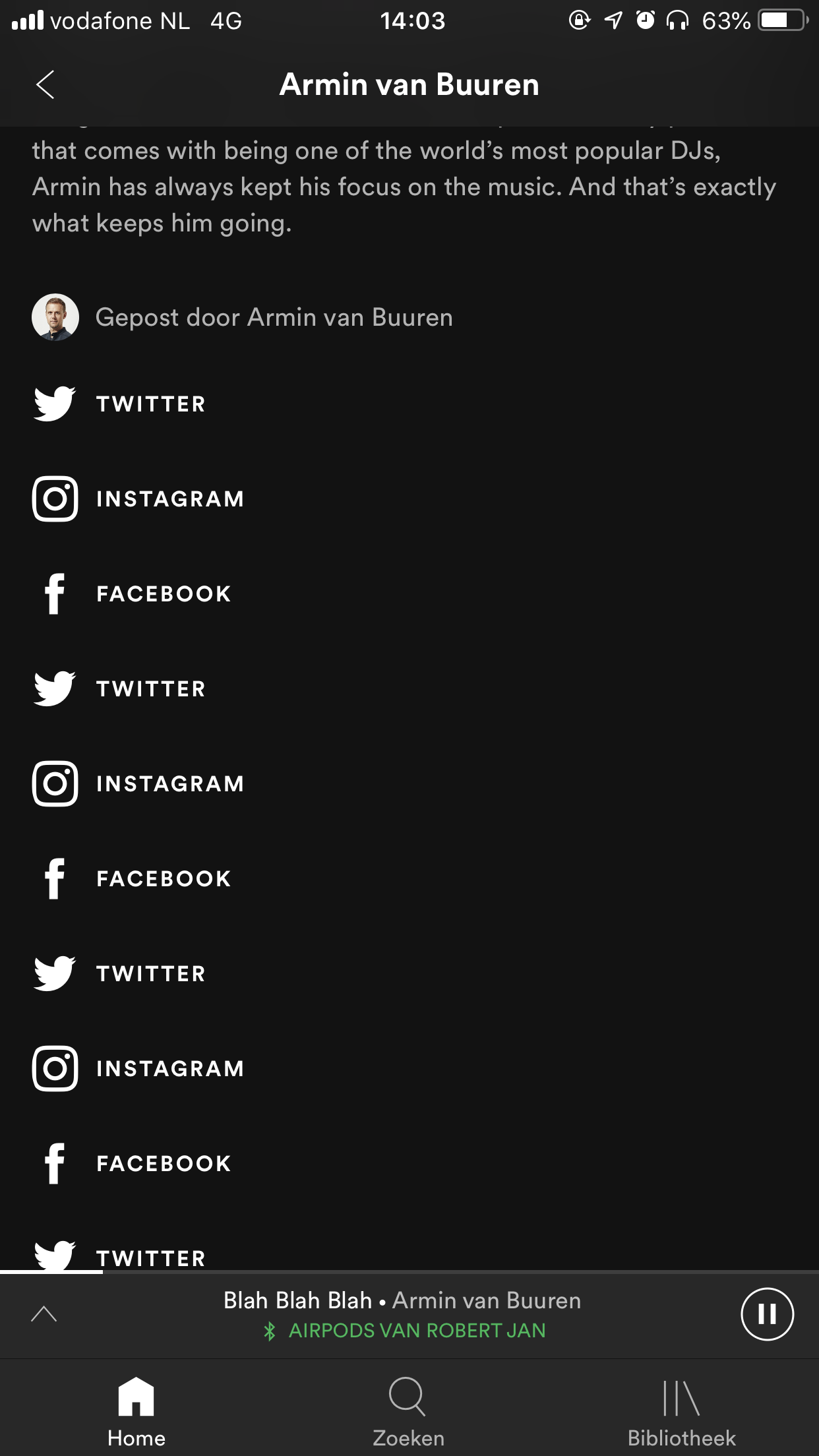
Bug with Social links on artist profile

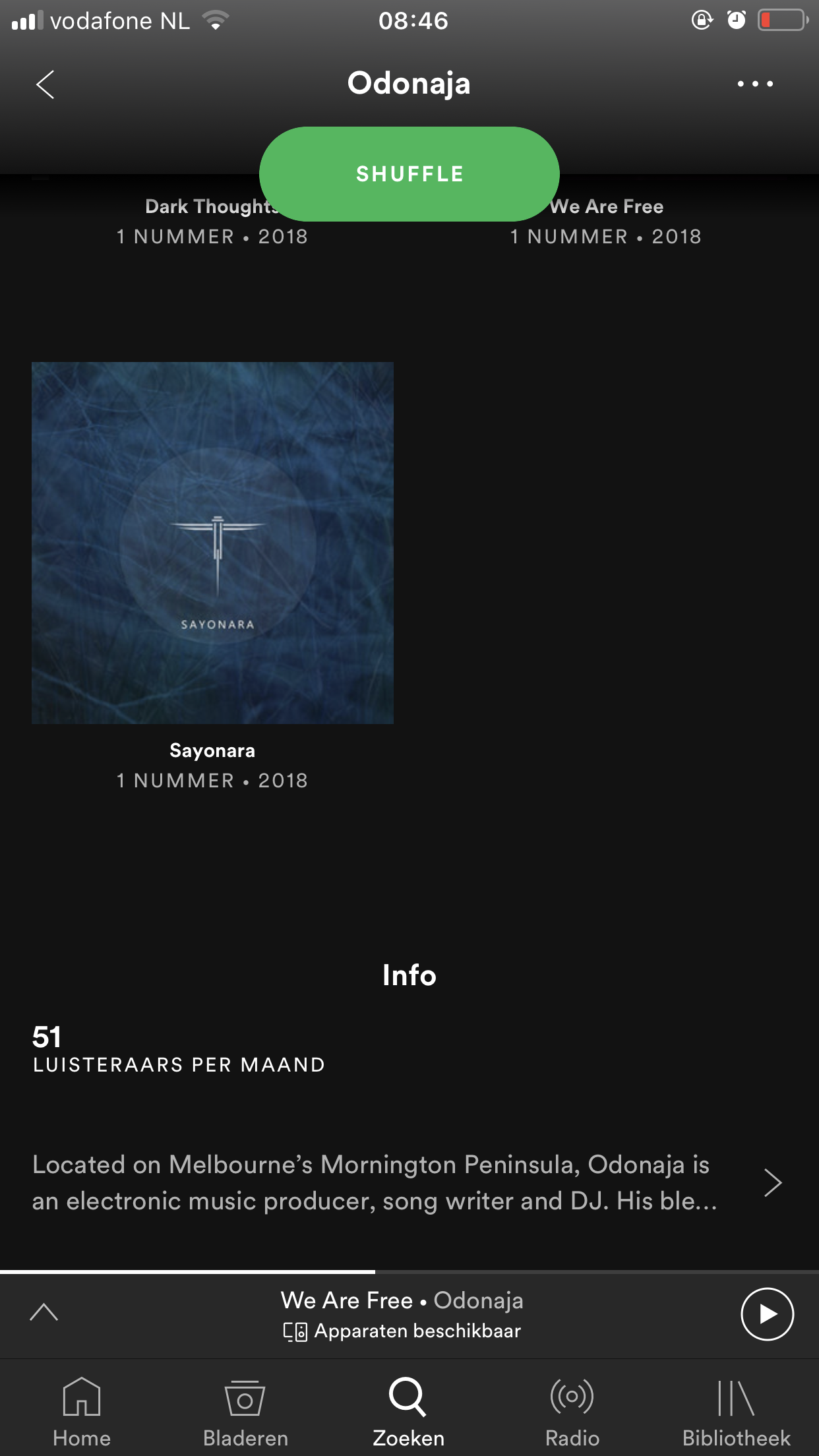 Artist page
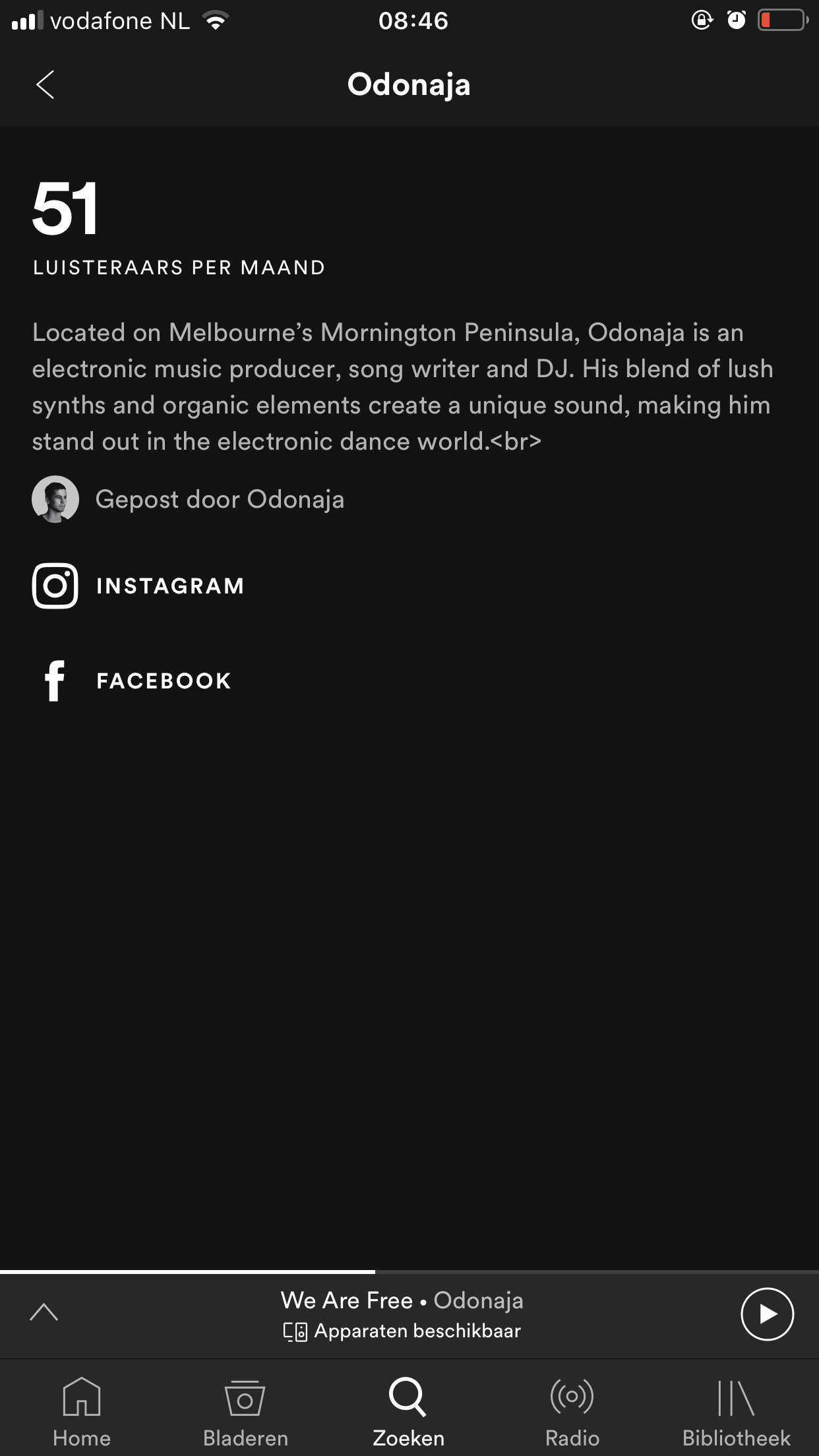 More info page
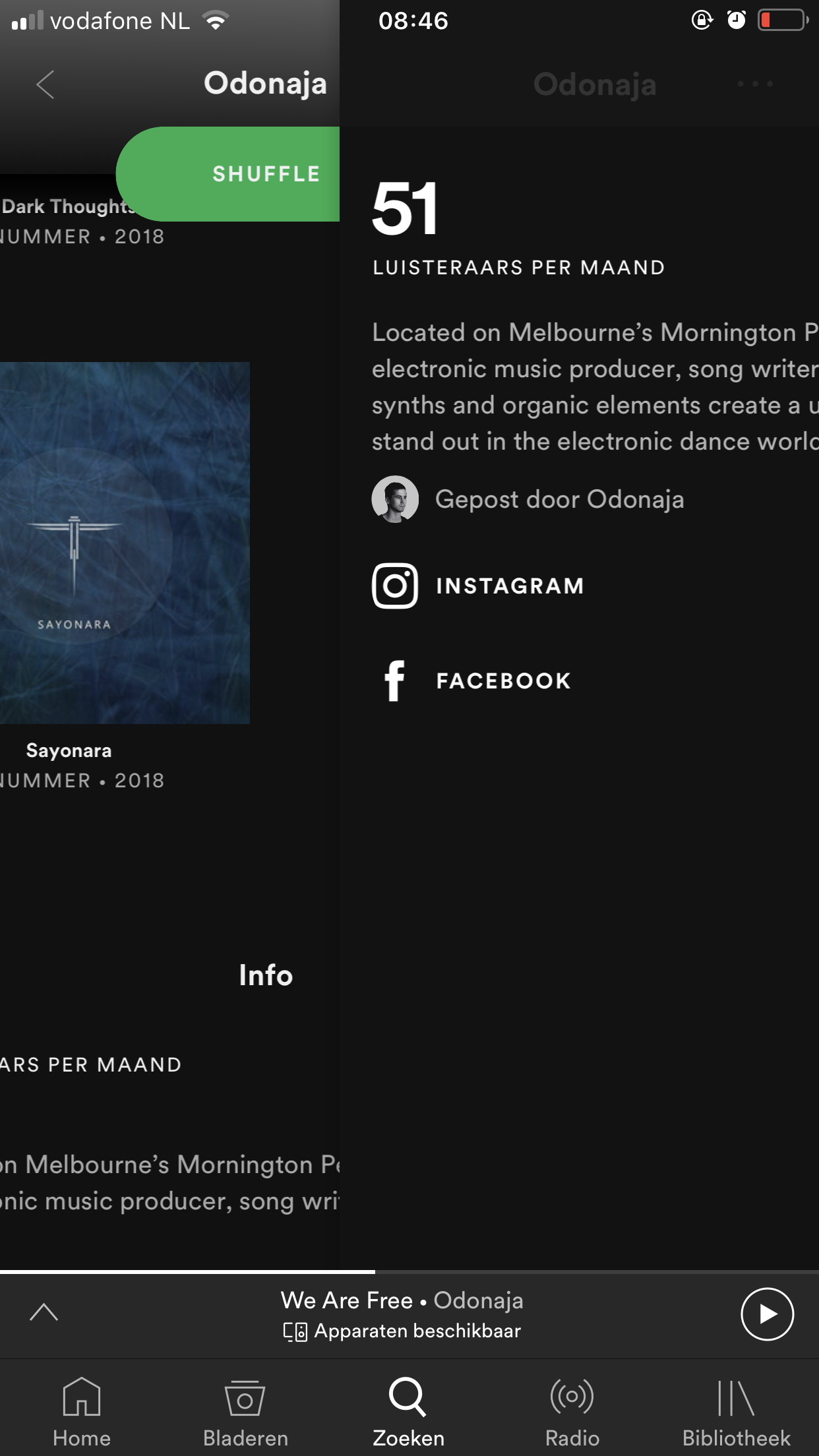 Swipe from the left, but not all the way
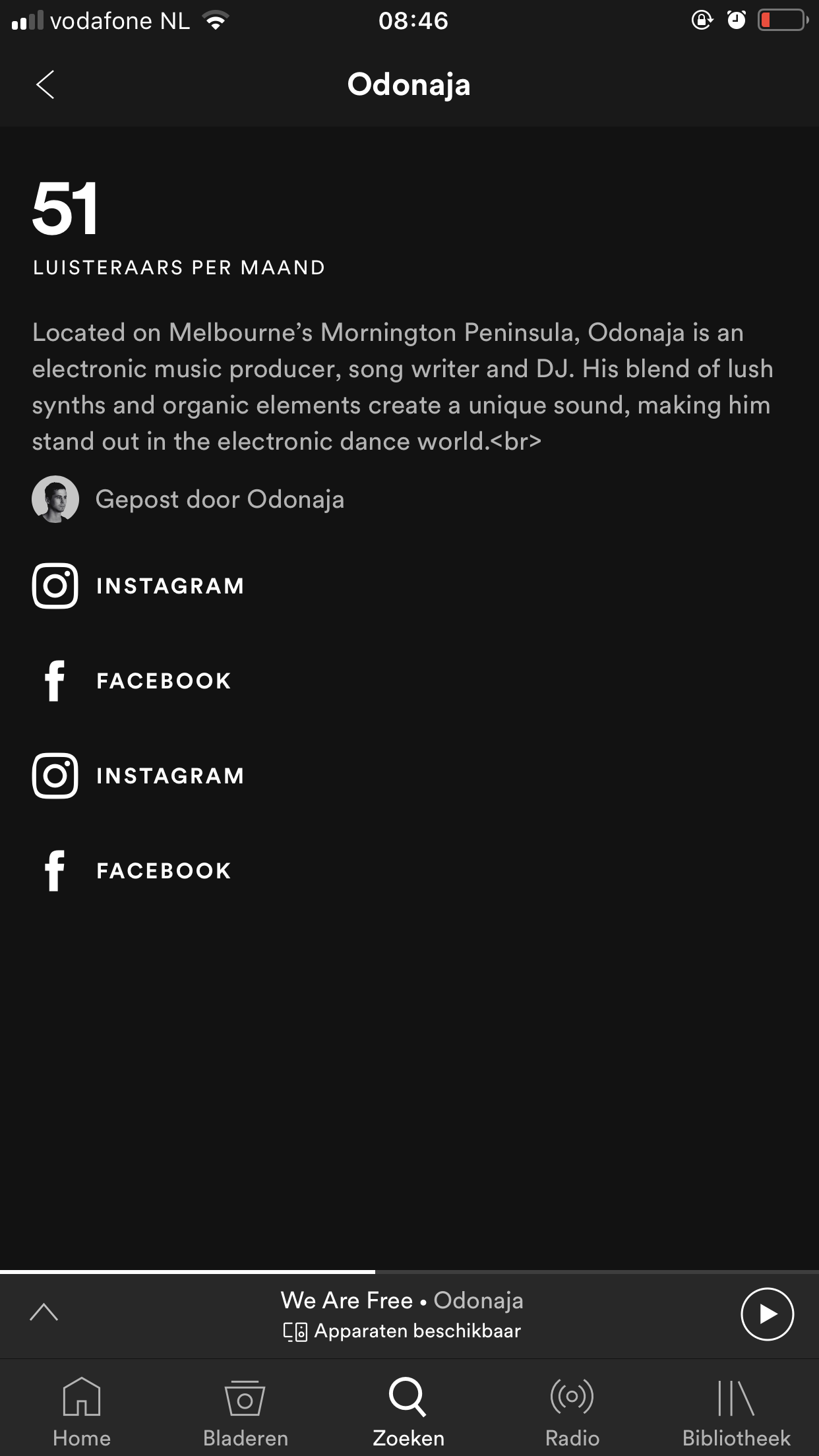 Swipe back, social icons are added again.
Plan
Premium
Country
Netherlands
Device
iPhone 7
Comments
Hi Loxer,
Fresh install gives the same result.
Spotify version: 8.4.67.665.
iOS 12.0 (16A5364a) public beta 8

Hey @Rjanq,
Thanks for your quick reply!
It seems you're on iOS 12 Beta which is an unreleased version of Spotify.
If you happen to have a device with iOS 11, try with your account there too and let me know how it goes.
Thanks! 🙂
It also appeared on an iOS 11 device.
Hey @Rjanq,
Thanks for letting me know!
Would you mind telling me which iOS 11 version and which device?
Thanks! 🙂

Hey folks,
We're looking into this and will be back with more info. Please click vote if you're having this issue too. Please post below with your:
- Device
- OS
- Spotify version
Thanks!

Hey there folks,
We can see that there is a newer version of the app available. Just to confirm, does the issue still occur after updating to that latest version?
If so, please make sure to leave a comment with the following details:
- Device
- OS
- Spotify version
Thanks!
/K
@Rjanq How's it going? Did you update your Spotify version? Do you still experience this after the update?
It’s not solved with the latest update.
Hey folks,
This should now be fixed with the latest update, which includes a slightly different view of the artist's page. Just make sure to have your apps up-to-date.
Thanks! 🙂
Still got the same issue 😞
Using version 8.4.75.664
Hey @Rjanq, welcome to the Community.
Hope you're doing great!
Thanks for taking time to write this!
I'll pass it to the right folks at Spotify.
In the meantime, could you try a quick clean reinstall of the app. Just follow these steps.
If you're still having trouble, could you let me know the exact version of Spotify and the exact version of the operating system you're running?
Also, if you can, do you know when this issue started to happen?
Thanks! 🙂