problems playing music in web player

Plan
Premium
Country
Netherlands
Device
Chromebook
Operating System
Chromebook
My Question or Issue
I am not able to play music in the web-player, whenever i play a song or playlist it will just randomly go to 5 other songs in quick succession, eventually it will start playing a totally different song for 10 sec and then it completely stops playing music. How do i resolve this?
Comments

Hey @berne1007
Please tell me your operating system and Spotify's version (Windows Store app or not). 🙂
Does this happen on the web player as well?
Let me know!

Plan
Free
Country
France
Device
ASUS computer I don't know the name of it
Operating System
linux
My Question or Issue
Hey everyone,
I need your help:
on Mozilla whenever I try to use spotify web browser, it automatically skip a few songs then start one song and then stop after 10 seconds. I tried different playlists, I tried turning my computer on and off, logging out and logging in again, it always does that : stopping after exactly 10 seconds of playing a song.
So i downloaded the addon player for mozilla and same thing happens
So I tried using it on Opera (and also downloaded the addon for opera) but it asks me to enable the player except I don't know how to do this on Opera
I am not a tech person, I know nothing about coding and I really just want to listen to music,
Can someone help me please ?
Thanks a lot !

I'm having this same issue. I use spotify in the web player to listen to music at work. The songs that I try to listen to will skip 3 or 4 different songs and stop at 9 seconds. However, it doesnt fo this on the spotify app.

Thanks for reaching out. One other commenter posted another exact issue I get, which is when you click play for a song, it skips down two more songs on its own, and begins playing that third song. Then always stops exactly at :10.
As far as the Web Player, I am on a work PC and am not allowed to install the Web Player. Matter of fact, I had it on here before and I.T. removed it remotely. They are pretty gangster about it. Spotify app functions just fine on my iPhone.
So regarding Spotify version, I cannot find a version for the online player so I assume it is always current when I visit play.spotify.com. If you know where I can find it, I'll provide.
Operating system is Windows 7 Enterprise.
Thanks for your reply!!!
Oh, it's not the web player they removed, I think it was the installable Spotify app. 🙂
The web player (open.spotify.com) just needs a web browser to function.
I'd suggest clearing your browser's cookes and cache to see if this solves the problem.
Let me know how it goes!
Hey @Calixta
The web player should definitely work under Firefox and Chrome
Opera has issues under Linux as it's missing encrypted media extensions (not available for the platform, as said 2 years ago).
I'd suggest wiping your browser's cookies and cache to see if this cures anything.
Also, try incognito window of the browser.
Let me know how it goes 🙂
I know it should work with Firefox because I have been using Spotify for around 3 years and I never had any problems !
I already tried wiping the cookies and it's still not working...
I even tried desinstalling mozilla and downloading it again and it's sills not working
I haven't tried the incognito mode, I will try that and let you know !
Anyway, thanks for the answer !

I am having the same problem. I can't play almost any song in Firefox any longer. It skips over many songs until it can find one to play, or starts a song, and then stops after a few seconds and skips it. Sometimes it skips so many that it goes right into the ads. Then it skips many more and plays the ads again. About a week ago, it played everything, so what happened?
This is not just in my playlists, but also in a search results list of songs. Nothing has changed on my end - same computer, same browser version, same internet speeds. Spotify just doesn't work any longer.
Just checked: this is also on Chrome, so not just a Firefox problem. This is a Spotify problem.

Hello, I never had a problem with Spotify's WebPlayer but today it's started working in a very weird way: whenever I select a song it plays another and then it stops after 5-10 seconds and doesn't restart. I tried controlling it from my smartphone but, while it works on the phone, it doesn't on the computer, I can't manage to reproduce any song, everytime I try it crashes. Did anyone have the same problem?

Hey @Billie13! Welcome to the Spotify Community. ^^
That's odd.
Have you tried to use a different browser, to see if this happens there too?
And try to clear your browser cache/cookies to see if that helps.
Let me know if that helps, thanks! ^^
Peace

Windows 10
Most up to date firefox and chrome web browsers.
I can't click any specific song to play in spotify. When I do it skips a couple times to a completely random song and once it plays it plays for only 9 seconds...
Why am I paying for premium if I can't listen to anything for the past week?
Spotify has the most useless customer service that makes you jump 20 hurdles before you can even post a question. Why do they need to cheap out and not have a customer service line or online ticket system? This is getting ridiculous. This issue will only be solved one day when it randomly starts working again and no spotify engineer seems to know whats going on. There are a million post like this and nothing changes.

Same here, latest Chrome i get this, I tried everything nothing works.
Enable player in your browser

Hi, I have tried what you propose what it does not work neither
Any other tips?
I have a colleague that already has the same problem
Hey all!
That's a slightly odd suggestion, but make sure your system's clock is correct. 🙂
Let me know how it goes!

Same problem here, player starts playing the first song of a playlist for the first 9 seconds then it stops. Using windows 7, chrome web browser.

I've been having exactly the same problem for the last two days under Firefox ESR 52.5, and can confirm that clearing the browser cache/cookies does not fix it.
It was working fine before about two days ago.

I have the same issue. It skips 2 soungs as if they are not available to load. They load the third song, and plays for 10 seconds and stops. Using Google Chrome too, and never had the issue before. Just started 2 days ago.
Something is clearly broken with the Web Player.
I have the same problem. Has only been happening last 2, maybe 3 days. Skips 2 or 3 songs, plays for 10 seconds and then stops. I use Google Chrome. Been always working fine, just not now. So Spotify broke their Web Player, for sure.
And my computer time has not been changed.
Computer time has not been changed, and is at the correct time. This is an Web Player issue, for sure.

Hi the problem isn´t fixed, or?
Hi! Thank you, but unfortunately I tried all of this and it doesn't work
We are multiple people having that issues. Several threads about it, but nothing from Spotify so far. Something is broken in Spotifys Web Player.

Hi folks,
We're seeing more people experiencing this, and would like to help out as much as we can. First, check for any updates for your browser and make sure it's up to date.
After this, try clearing cache on your browser, and restart your device. Also try a different browser.
If it's still not working, hit a +VOTE and comment the following:
- Device and OS
- Browser
- A screenshot
Thanks!
Probably if you haven't removed my post for the chrome solution that i gave a lot of people will had now a fully functional web player, but it seems you have issues when others gives solutions, is it a "disease"?
@Jemi wrote:We're seeing more people with this issue
I cleared the cache. I restarted my computer. I desinstalled and reinstalled firefox. I logged out and logged in again. I tried incognito mode. and it still gives me the same result : spotify automaticallty skips a few songs and then play a song for 10seconds and then it stops.
I have an ASUS computer (I don't know the precise name of it) and linux
I have a spotify account (free) for years and it had never happened before. But surely the problem must come from you since in the other comments it also happen under windows and with Chrome...
@JemiwroteHi folks,
We're seeing more people with this issue, and would like to help out as much as we can. First try clearing cache on your browser, and restart your device. Also try a different browser.
If it's still not working, hit a +VOTE and comment the following:
- Device and OS
- Browser
- A screenshot
Thanks!
Device is Computer, running Windows 8.1
Browser is Google Chrome, tried with and without AdBlock and Incognito mode. I also always clear my cache.
Only been an issue last 3 to 4 days, before that was NO issues. Havent installed anything on PC in any of those days. I tried it on another internet connection, and its still the same issue. Works in Desktop Client App, Phone and so on. Only connected to the Web Player.
It always skip at least 2 songs, and then plays third song for 10 seconds and then abruptly stops. Sometimes its 3 songs it skip, but it always stops playing after 10 seconds.
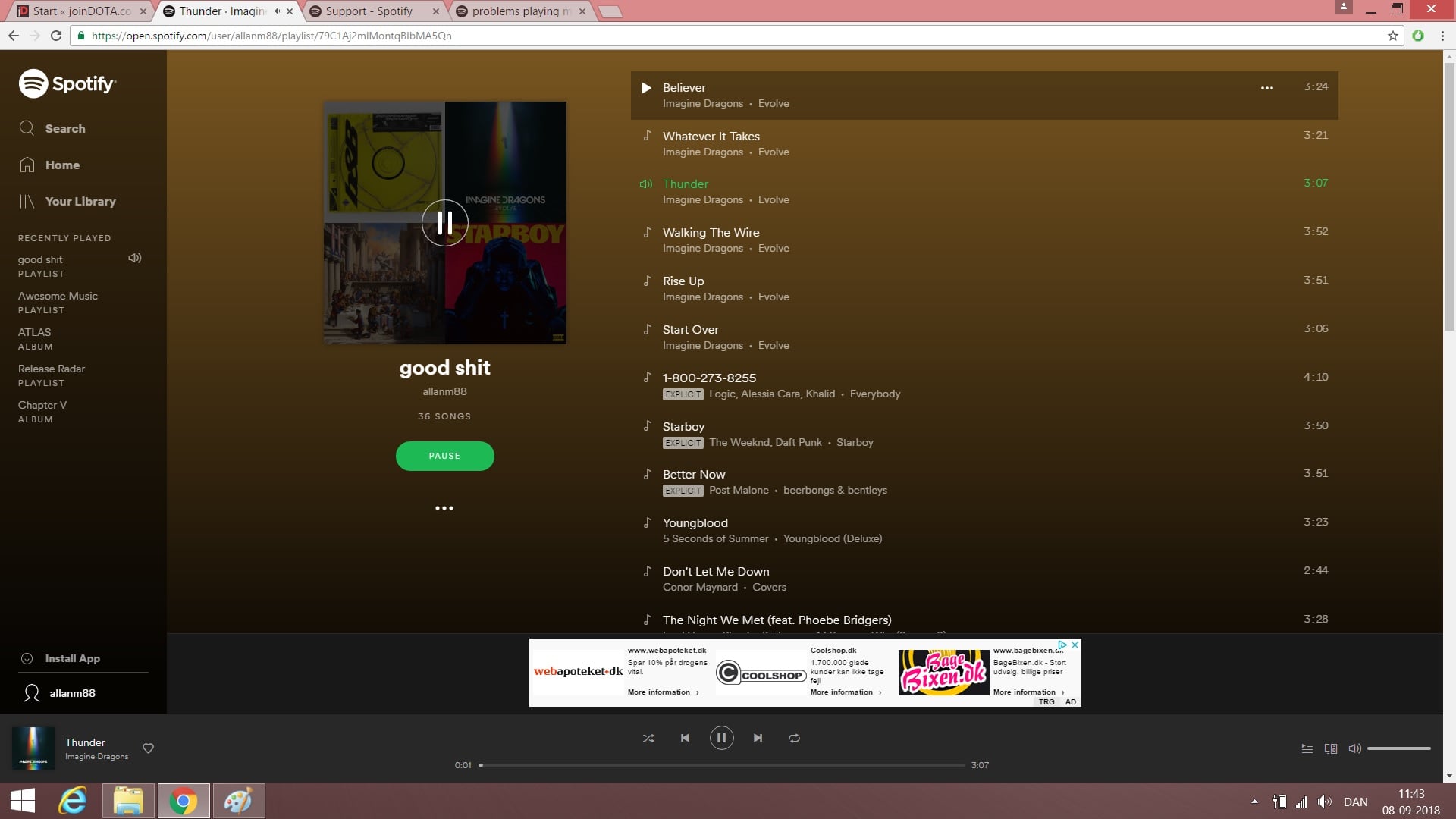 First song clicked play
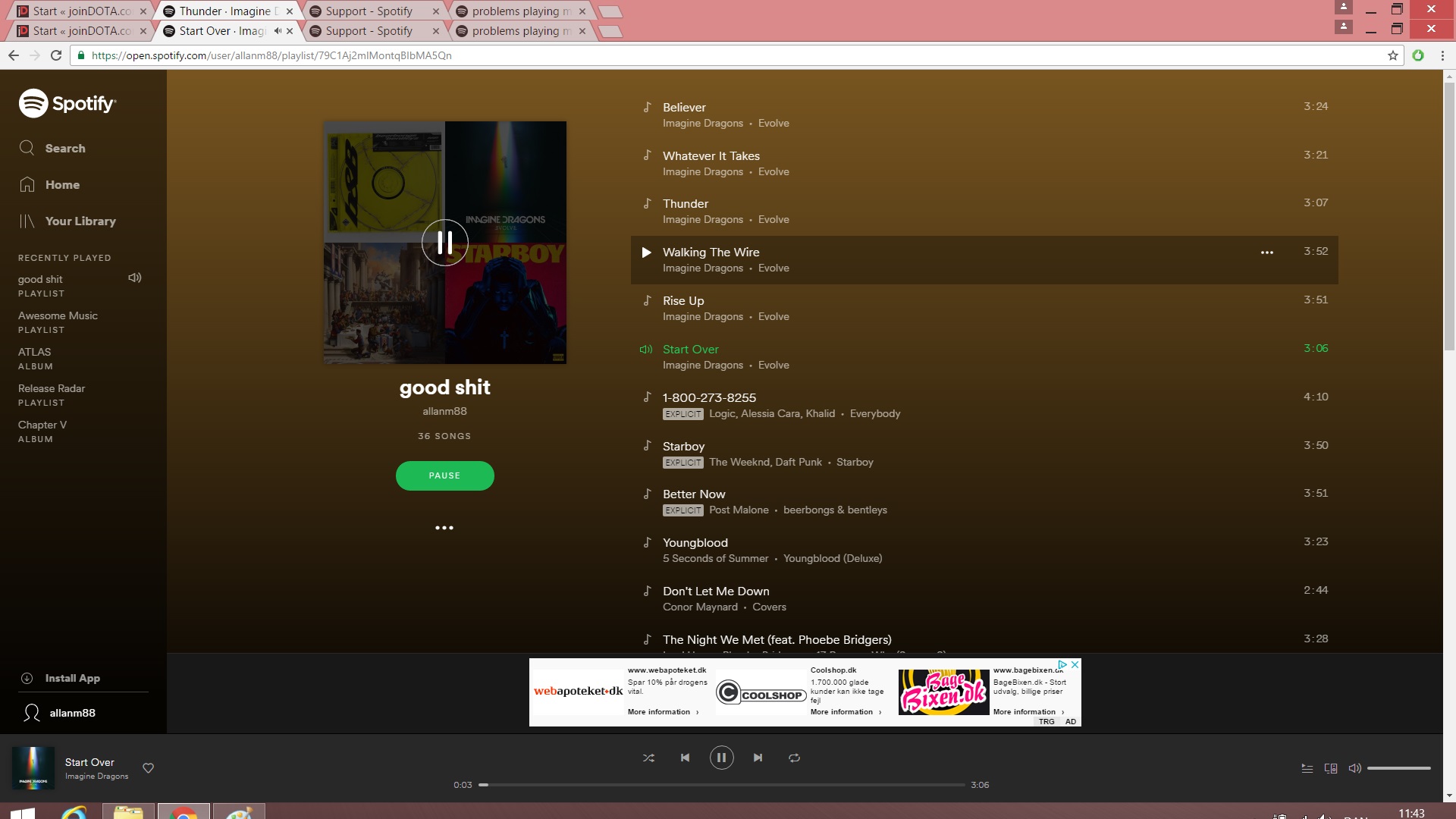 Fourth song clicked play
Rekle. The site you are linking to is NOT the site you usually get chrome from. Be careful when downloading from that link.
Normally you ALWAYS go to chrome.google.com. It will always give you the latest version from there.
Since the exist of chrome, devs that left google running this site and it downloads the version from the OFFICIAL site, have saved me thousands times when i had problems. It is safe,
@AllanM88 wrote:Rekle. The site you are linking to is NOT the site you usually get chrome from. Be careful when downloading from that link.
Normally you ALWAYS go to chrome.google.com. It will always give you the latest version from there.
don't misguiding the users.
Good afternoon,
This started today, every song that plays will stop at exactly :10, every time.
I have tried different playlists, albums, searching and playing songs not in my library, etc. Song will start fine and stop at :10 every single time.
I searched for this topic and see it has surfaced in the past, however no solutions are shown. One thread shows 'solved', however the 'solution' is to contact Spotify.
Believe me, I have attempted to contact Spotify in the past and this forum is basically the only way.
Anybody have this same issue recently and if so, is there a solution? Using Firefox on PC. thanks