Daily mixes cannot be opened on Android

Plan
Premium (Family)
Device
Samsung Galaxy 9
Operating System
Android Oreo
My Question or Issue :
Hello Since 1 week I started losing my daily mixes, one by one, in total I have 5 mixes, and still seeing them on my profile, but when I try to open one of them I was getting an error message (Please see attached). Now all of them are not working, but this happens only on Android ! Tested on windows, tested on Mac, Tested on Linux, tested on iOS and each time it was working.
And more strange when I start a mix on another device than Android, I am able to continue listening to the mix on Android. I can only press next, previous, play/pause, but I can't access to the list.
I tried to clean the cache, and to remove the app and install it again. But it didn't help !
Any idea how I can solve this ?
Thank you !
Comments

I am having the same problem. At first, I noticed that the daily mixes went to only random. And then they slowly went away. I thought I was just blocked from getting the daily mixes but then I got on my desktop computer and they play just fine. I can find the daily mixes by searching for 'daily mix', but when I click on them they do not play.
I tried
- closing and reopening the app.
- logging out and then back in.
- deleting the cache from inside the app.
- Deleting the cache in Android, outside the app.
- deleting the app and then reinstalling.
At this point I don't know what to do next.

Hey folks,
Thanks for reaching out on the Community about this.
Could we ask you to leave the following information:
- device and OS
- Spotify version
Could you also confirm that you have tried a clean reinstall?
Keep us posted!
Hello Peter,
Thank you for your answer.
For me the problem can be reproduced using :
Device & OS: Samsung S9, Android 8.0
Spotify version Android: 8.4.74.463.
Clean & reinstall : Yes many times.
Thank you !
I just uninstalled and reinstalled with the same results.
Samsung Galaxy S7.
Andriod 8.0
Spotify 8.4.74.463 armV7
BTW, I don't know if it matters but I am on the free account. I think OP has premium.

Hey there @BenGjerstad and @MohamedB,
Thanks for getting back in touch with this.
We can see that there's a newer version of the app available. Can you update the app with a clean reinstall and let us know if the issue persists?
On another note, keep in mind that you should receive your Daily Mix after around 2 weeks of listening. If you’re new to Spotify or haven't used the app in awhile, we'll need to get an idea of your music taste first before they show up.
We'll be keeping an eye for your replies 🙂
I've been using Spotify over 5 months now. I had the daily mixes before. I
was listening to them almost every day. But then, as I said, they went away.
@Katerina Thank you for replying. I have updated the app, cleaned the cache, deleted it and installed it again. But always same problem.
I have been using my account for 6 months now, and I got 5 daily mixes that was working fine on all platforms. But now since 1 month, only 1 from the 5 is working for me on Android. I am seeing the other 4 mixes but I am not able to play them on Android.
But those 5 mixes are working fine on :
- iPhone application,
- Windows desktop application,
- Mac desktop application,
- Linux desktop application,
More strange, when I start playing a mix on another device than Android (Windows desktop application for example) , and then I open the Spotify Android application I am able to continue listening to that mix but without being able to open it to see the track list.
P.S: I guess this a pure IT problem.

Hey folks,
Thanks for the info provided so far. We're seeing reports on this, so if you're also experiencing this, please reinstall the app and see if that works. If not, let us know the following:
- Your device and OS.
- Your Spotify version.
- A screenshot of the error message
- Is this happening while using other devices?
- How many Daily Mixes do you have, and how are inaccessible?
- How do you find your Daily Mixes?
Thanks!
@Jemi : (Let me resume it here to have the same template as tne others)
- Your device and OS :
- Samsung Galaxy S9 + Android 8.0
- Your Spotify version :
- 8.4.75.670 (Android)
- A screenshot of the error message :
- Attached at the end of my message
- Is this happening while using other devices? : Yes
- Pixel 2 + Android 9.0
- Samsung Galaxy S8 Plus + Android 8.0
- How many Daily Mixes do you have, and how are inaccessible?
- 5 In total : 4 are not working and 1 is working fine
- How do you find your Daily Mixes:
- From the main screen
- From Radio Screen (Open it from the bottom)
- From "Your library" I select "Made for you"
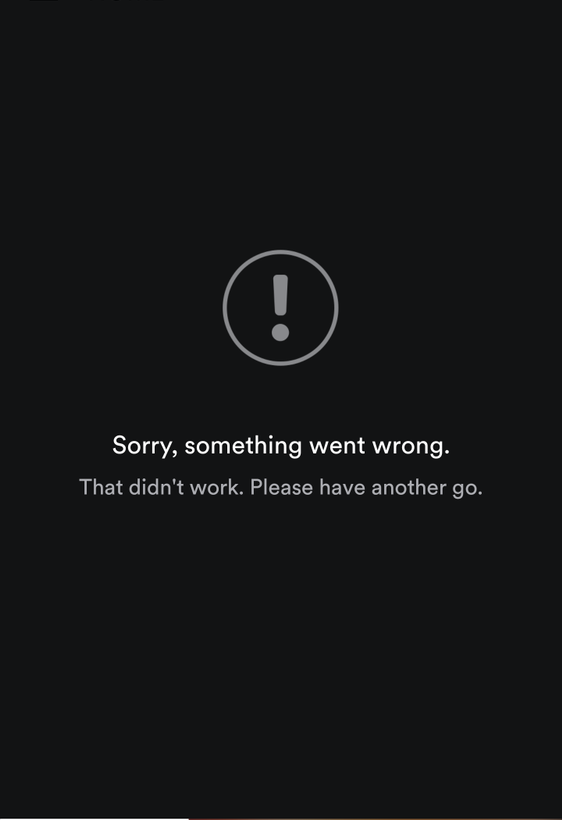
Hey @MohamedB and @BenGjerstad,
Just so we have all the info, what version of the Spotify app did you end up with after the last reinstall? If it's still 8.4.74, please reinstall and inform us the Spotify version. There should be a new version out, so try it out and see if the issue persists.
Keep us posted 🙂
@Jemi no the version that I have is : 8.4.75.670 (the Latest version) and yes i did a reinstall many times. Each new update, since 1 month ago, I am doing that.
The daily mix appeared under the "Made For You" section this afternoon. Before, I did not have this section as an option. I think what prompted the appearance of the option is that I clicked on the "release radar" notification. I listen to that list this afternoon.
It still doesn't play when I do the search for the daily mix playlist.
Now, I have 6 daily mixes in the "Made For You" section and they all play.
Thanks.
And now none of the 5 mixes is working on Android for me (I still can see them, but can't play them)
Hey @MohamedB,
Thanks for getting in touch and for providing your feedback.
Would you mind supplying the information which we've requested in the update at the top? We will then be in a position to pass it on to our tech folks 🙂
Thanks!
@MohamedB wrote:Hello Peter,
Thank you for your answer.
For me the problem can be reproduced using :
Device & OS: Samsung S9, Android 8.0
Spotify version Android: 8.4.74.463.
Clean & reinstall : Yes many times.
Thank you !
@MohamedB wrote:@Jemi : (Let me resume it here to have the same template as tne others)
- Your device and OS :
- Samsung Galaxy S9 + Android 8.0
- Your Spotify version :
- 8.4.75.670 (Android)
- A screenshot of the error message :
- Attached at the end of my message
- Is this happening while using other devices? : Yes
- Pixel 2 + Android 9.0
- Samsung Galaxy S8 Plus + Android 8.0
- How many Daily Mixes do you have, and how are inaccessible?
- 5 In total : 4 are not working and 1 is working fine
- How do you find your Daily Mixes:
- From the main screen
- From Radio Screen (Open it from the bottom)
- From "Your library" I select "Made for you"
@Peter I already did !


Hey @MohamedB,
We've released Spotify version 8.4.77 recently. Could you update your app and let us know if the issue still persists?
Looking forward to your reply.
Have a nice day.
Hey there @MohamedB,
Thanks for bearing with us so far.
Just to confirm, does this issue still persist for you? We can also see that there's a new version available. We'd recommend performing a clean reinstall and letting us know what happens.
We'll be keeping an eye out 🙂
Hey @MohamedB,
As @Katerina mentioned, there's a new version available and we're wondering whether it solved it for you. Can you reinstall the app and let us know how it goes, and which version you end up with? 🙂
All the best!
Hey folks,
We are closing out this thread.
If you are still experiencing this issue, could you head over to this thread?
Make sure to click +VOTE and to leave the requested information.
Thanks!
Up
Any one ? :'(