Can't see disliked songs in Discovery Weekly

Using the latest Spotify version on iOS 12.
For about two weeks now I haven't at all been able to see which songs I disliked.
Normally they are "greyed out" but I can still play the songs when I press on them. Now they aren't greyed out so I can't see which ones I disliked and nothing happens when I press a song that I disliked.
Comments

Hey folks!
We've passed this on to our tech folks and they're looking into this. Make sure to click +VOTE if this happens to you.
You can also leave a comment with the following:
- Device model
- OS version
- Spotify version
Also, could you let us know if this is happening just for Discover Weekly, or also for the other personalised playlists (Daily Mixes, Release Radar)?
As a workaround, you can 'unblock' the song through your desktop.
Thanks!
Hey there @_mv,
So we can pass this on to the right team, could you let us know the following details:
- Device model
- OS version
- Spotify version
- Is this is happening just for Discover Weekly, or also for the other personalised playlists (Daily Mixes, Release Radar)?
We'll be keeping an eye for your reply!
iPhone 7 Plus, iOS 12
Spotify 8.4.74
Happening in Discover Weekly & Release Radar.
Have tried logging in/out + deleting app/re-installing.

Hey @_mv,
If you see that a song you've disliked, hover over it on the list and you should see another dislike button to the right of the song (near the "added date" column). Do you see it? Click the dislike button and you should get the option to "un-dislike" it. Does this change anything? Give us a screenshot and we'll check it out.
Let us know if that helps 🙂
No, the issue is that I cannot see which songs I disliked (see my first post + other replies).
See photo: the songs in red should be disliked + greyed out, but they're not. Also when I click on them, I cannot play them. So there's a couple bugs going on here.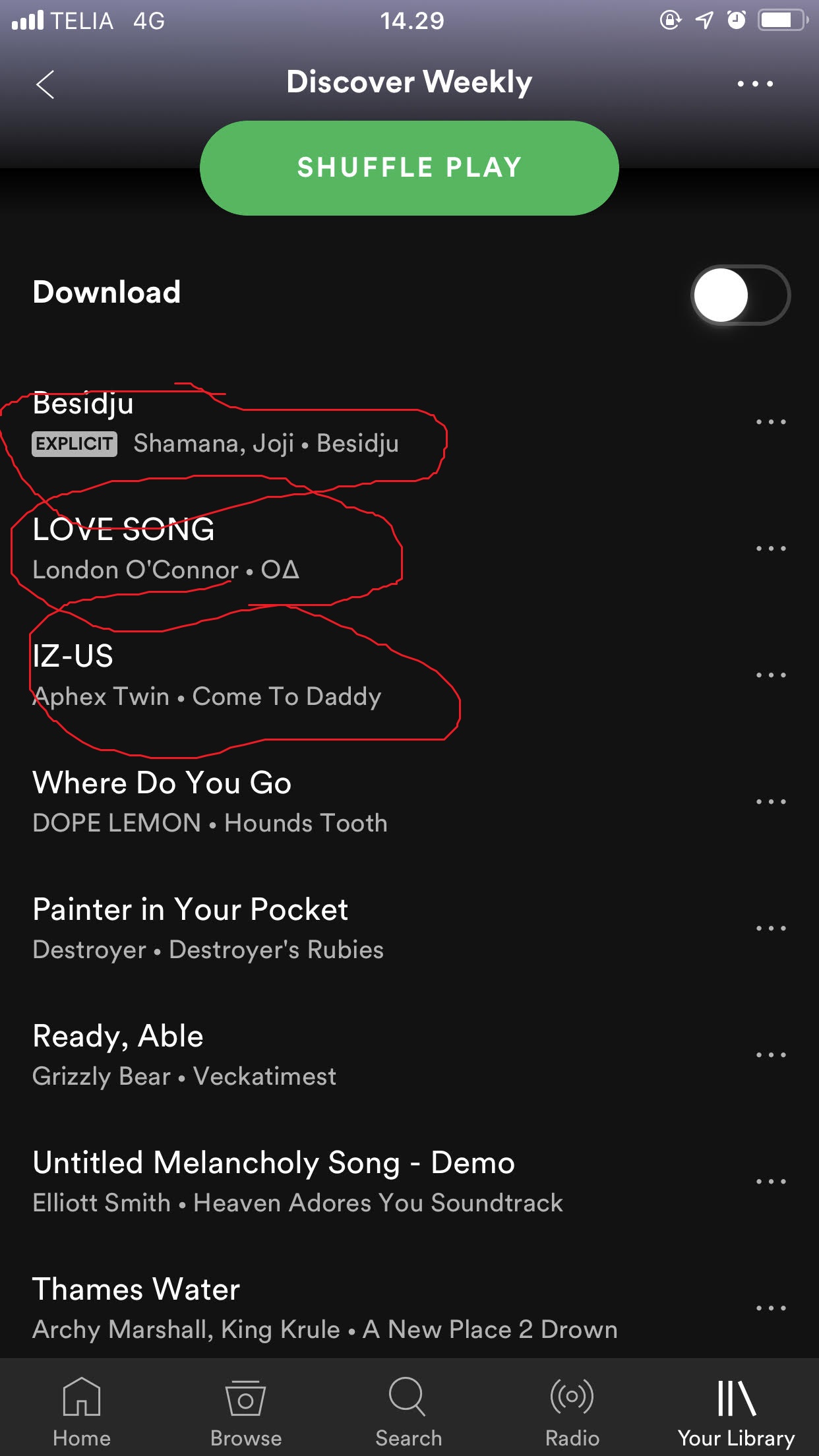

Hey @_mv,
Thanks for getting back to us.
We haven't been able to reproduce this issue on several devices.
Does your phone happen to be rooted or running an older OS version?
Let us know 🙂

Same thing happening here, on iOS 12.0.1 and spotify version 8.4.75
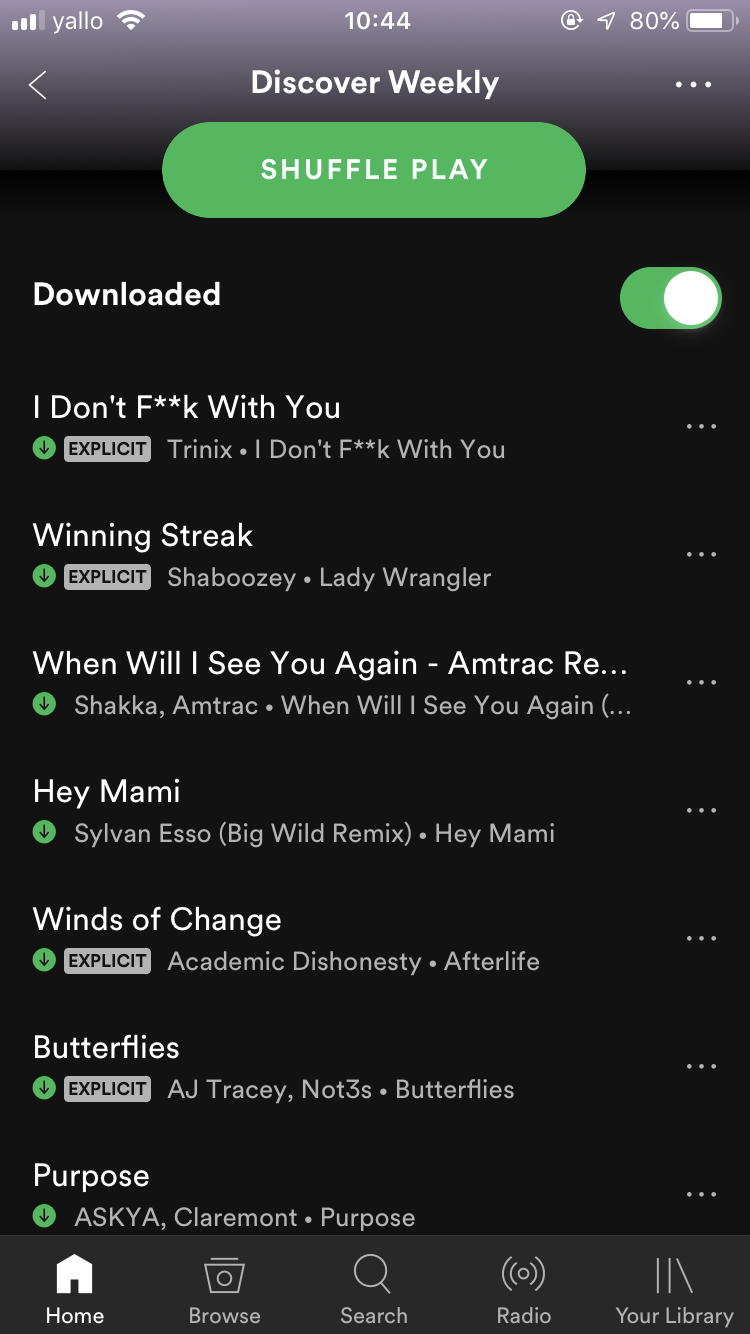
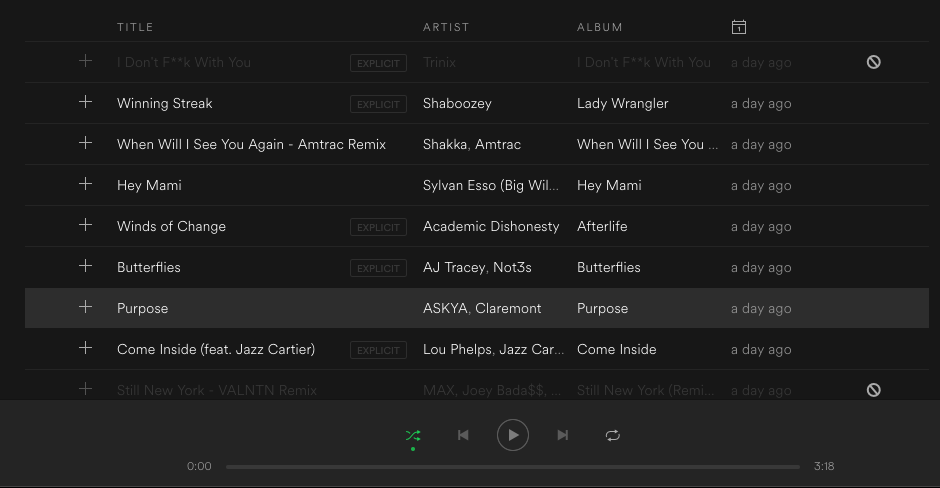
Hi @Peter as I wrote, I'm running the newest version of iOS as of today 16.10.18, and no it's not rooted/jailbroken/anything.
Hey there @1127869873 and @_mv,
We can see that there's a newer version of the app available. Just to confirm, could you reinstall the app on your device and let us know if the issue perists?
If it does, kindly leave a comment with the version you end up updating to so we can pass it on to the right folks.
Thanks for bearing with us!
Hi Katerina,
The issue persists, no I actually even get a notification "Spotify can't play this song right now, if you have the file on your pc. [...]"
This is after reinstalling the iOS app, now on version 8.4.77.1041; and updating the MacOS app to v. 1.0.92.390.g2ce5ec7d
Don't worry, it's not a big deal and I like to help.
Best,
Manuel
Hi agian, I logged out and re-installed the newest version from the App Store (8.4.77.1041). I'm still having the same issue. Are there more troubleshooting steps I can try to take?

Hello devs!
Yeah, I’ve had this exact issue for more than a month now. I update the app whenever there’s a new version, it changes how the bug operates sometimes (from time to time disliking a song doesn’t do anything, it stays white and i can still play it) never fixed anything. The songs I disliked aren’t greyed out and I can’t play them anymore.
As far as I know it only happens in Discovery Weekly, but I haven’t tried anywhere else.
I have an iPhone SE, running the latest version os iOS12, and the very last version of Spotify.
Update: I've since reset/restored my iPhone, and re-installed Spotify & signed-in and it still doesn't work!! So something's definitely wrong with the app itself!

Hey everyone,
Thanks for your patience!
Make sure your app is up to date, this should be fixed now 🙂
Have a great day.
Thank you dev team, you guys rock.
It's fixed! Thank you!
Hello dev team, sorry to say but the issue is happening again now that my Discover Weekly & Release Radar playlists updated!!
Same issue... can't see which songs I disliked and they're not playing when I click on them...
Hey everyone,
Thanks for reporting this. We'll get right on it, but we need a bit more info from you guys:
In the meantime, try reinstalling the app and see if this works.
Steps to recreate:
Make sure to click +VOTE if this happens to you. As an alternative, you can 'unblock' the song through your desktop.
Have a great day!