Desktop Overlay Problem for Windows App

I am using spotify windows app and it got update today. Version is 1.0.93.244.g1e3a05e7
I turned off "show desktop overlay when using media keys". However, it shows the overlay when I turn off and then on the app. When I check the settings it shows that this option is still turned off. Please fix it.
Comments

I have the same issue, again.
This was a bug that got fixed already in another update and now it's back...

Same issue. Again. It's irritating and disturbs my concentration.
Fix it and stop breaking it.
If I could easily transfer my playlists to other services I'd have dropped Spotify by now and tried my luck elsewhere. If the Android app isn't bugging and crashing, my Windows app isn't working right. It's getting old.

Confirming this issue. Very, very annoying! I never want to see this overlay again.

Yeah before the update everything was working fine. I hope this get fixed fast!

Problem/Bug is back from previous versions.. extremely annoying
Whenever you start Spotify the display options "Show Desktop overlay when using media keys" is active even though the setting for me is NOT enabled.
I have to manually enable the setting just to immediatelly disable it again EACH time i Start Spotify.....
Testing team must have been asleep ? 😉

Yep, same thing here. Very frustrating.

Yeah, this **bleep** bug returned

Same here. How many time has this one come back now? Do you do regression testing?

Confirming I see this bug too on Windows 10 with Spotify 1.0.93.244.g1e3a05e7
Toggling the setting on and off again fixes it for the current session. Closing and re-opening Spotify causes the overlay to show up again.
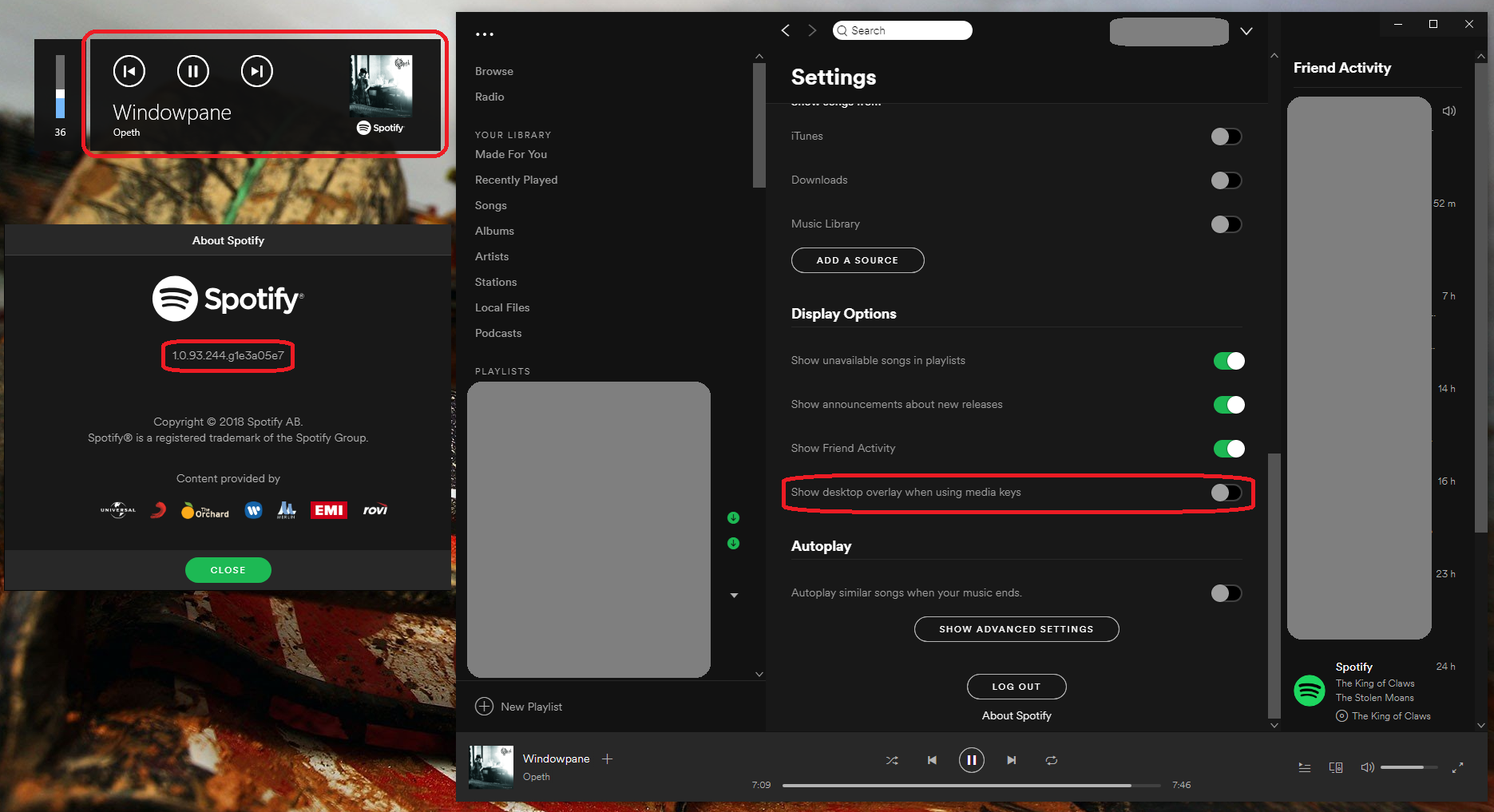
Same here

Spotify please fix this bug permanently. The bug is very annoying.

Same problem here. Would be nice if they issued a fix.

Or just remove "desktop overlay" altogether if you can't fix this. Nobody is using that anyway,right?
All in favor? 🙂

What bothers me the most is that it used to happen to me using the normal Spotify installer App. That's why I switched to the Microsoft Store version. The issue went away with that version. Now it's back. Really frustrating.

Reenabling and disabling the option will get rid of the banner till Spotify is started again. Obviously this is not a solution. Spotify, please fix this bug you reintroduced.

Why haven't they taken action yet? This bug was around earlier this year and they fixed it. Surely they can do it again, or let us downgrade our Spotify version without forcing us to update? Sick of this bug.

Hey folks,
Thanks for letting us know about this. We've passed this on to the right team.
In the meantime, reinstall the app, and if that doesn't work, add a +VOTE and get back to us with the following:
- Device and OS
- Spotify version
- A screenshot
Also let us know if re-enabling the option and disabling it again helps.
We'll keep you updated as soon as we have more info.
Thanks!

Can't you not just remove that **bleep** option?? It's practially every other update the bug with it returns in

win 10
make this thing SMALLER or get rid of it pls.
Hey @Jemi
If you check all the post in this topic you can see the screenshots, spotify version, device and OS. Now, I think this helps you to solve the problem and it still continues...

Spotify version: 1.0.93.244.g1e3a05e7
SO version: Windows 10 Pro x64
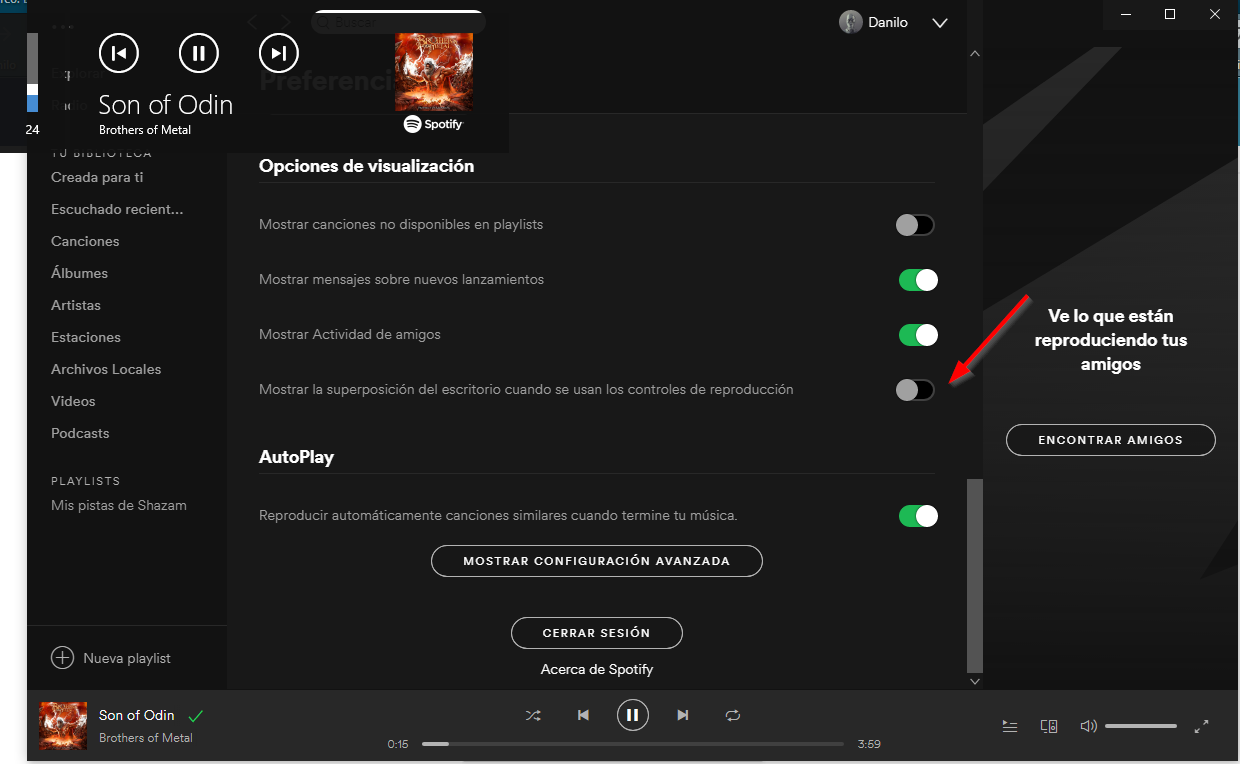
Spotify version: 1.0.93.244.g1e3a05e7
OS: Windows 10 Enterprise 2016 LTSB - but it does the same on my home PC with Windows 10 professional too.
Version is, I am guessing, the same.
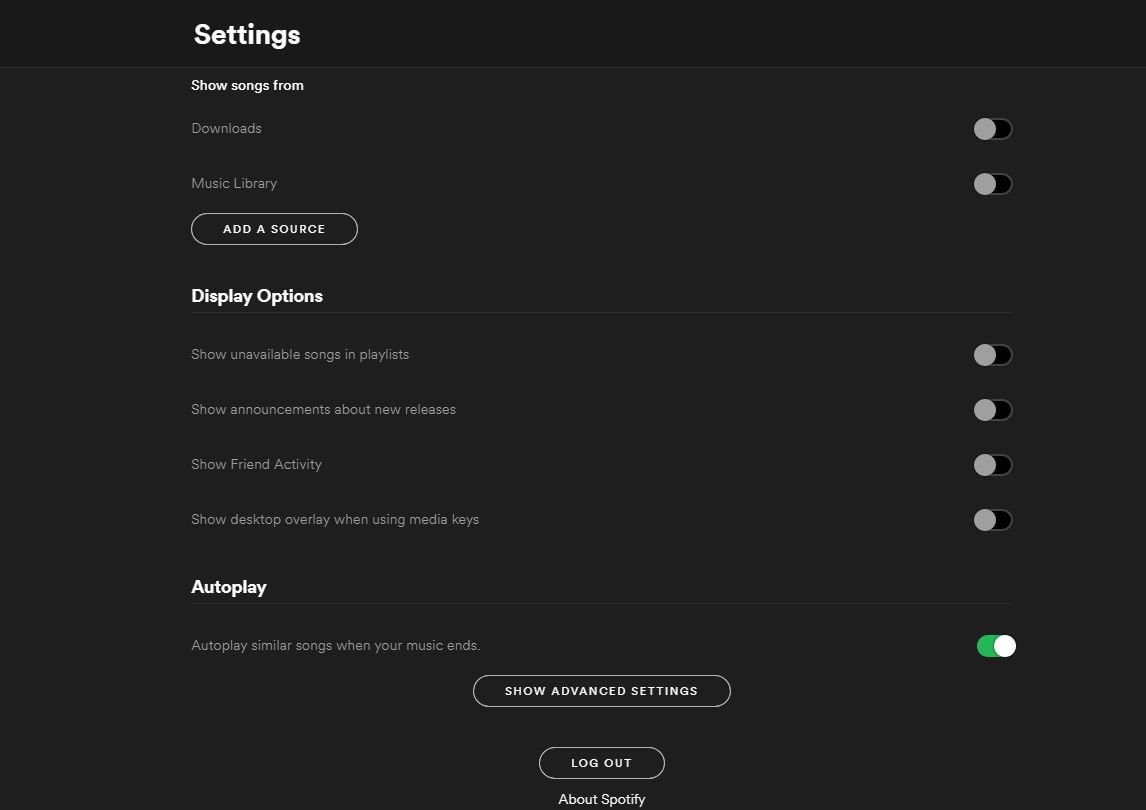

So sick of this stupid overlay returning every time i open spotify!
spotify v: 1.0.93.244.g1e3a05e7 and previous versions
Windows 10 home v1803
Have the same issue on windows 10 1809, spotify version 1.0.93.244.g1e3a05e7 (Windows Store version), re-enabling the option and disabling it again helps.

+1 had this issue before, it finally went away and now it's back again.
Windows 10 with Spotify 1.0.93.244.g1e3a05e7.
Reinstall didn't fix it, it's like the setting isn't saved properly, only works for current session.

reinstalling the app, reinstalling windows, moving to mars won't fix it, I reported this a year ago and still no fix
and android app still shows you random promotion pop-ups (like that google home mini ad) even when you're premium and no option to opt out of these ads, massive hoops to to even contact a human
good thing we have options, i hate to see spotify turning into Skype when Discord comes.

Same issue.

V: 1.0.93.244.g1e3a05e7 (Windows Store-Version)
OS: Windows 10 Pro x64 1809 Build 17763.134
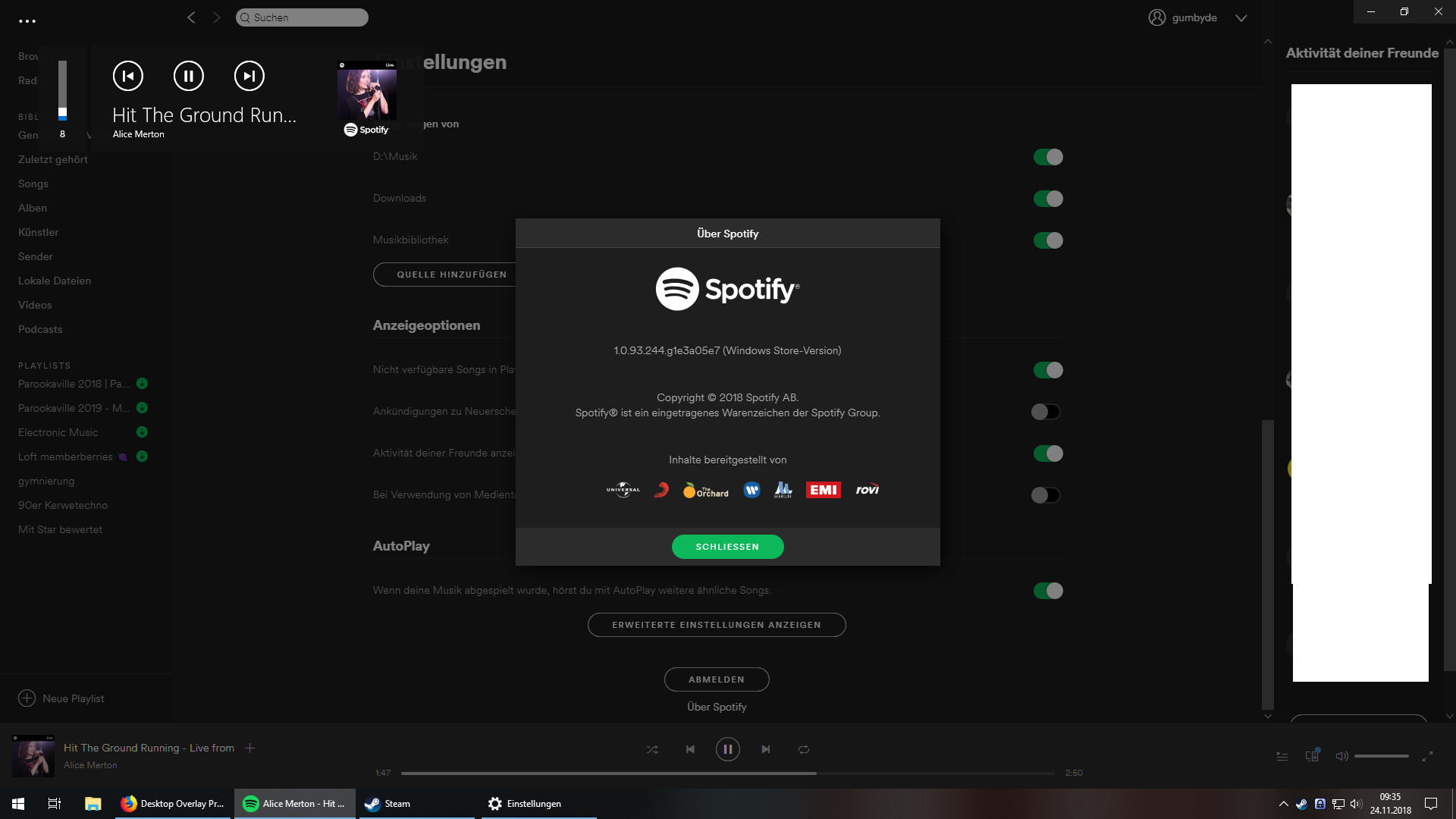
Can confirm. Displays overlay even when the setting is turned off.
Same thing happens with "Show accouncement about new releases", displays ads anyway despite being premium. Sometimes the settings reset itself without updating the UI.
I'm posting a video confirmation.