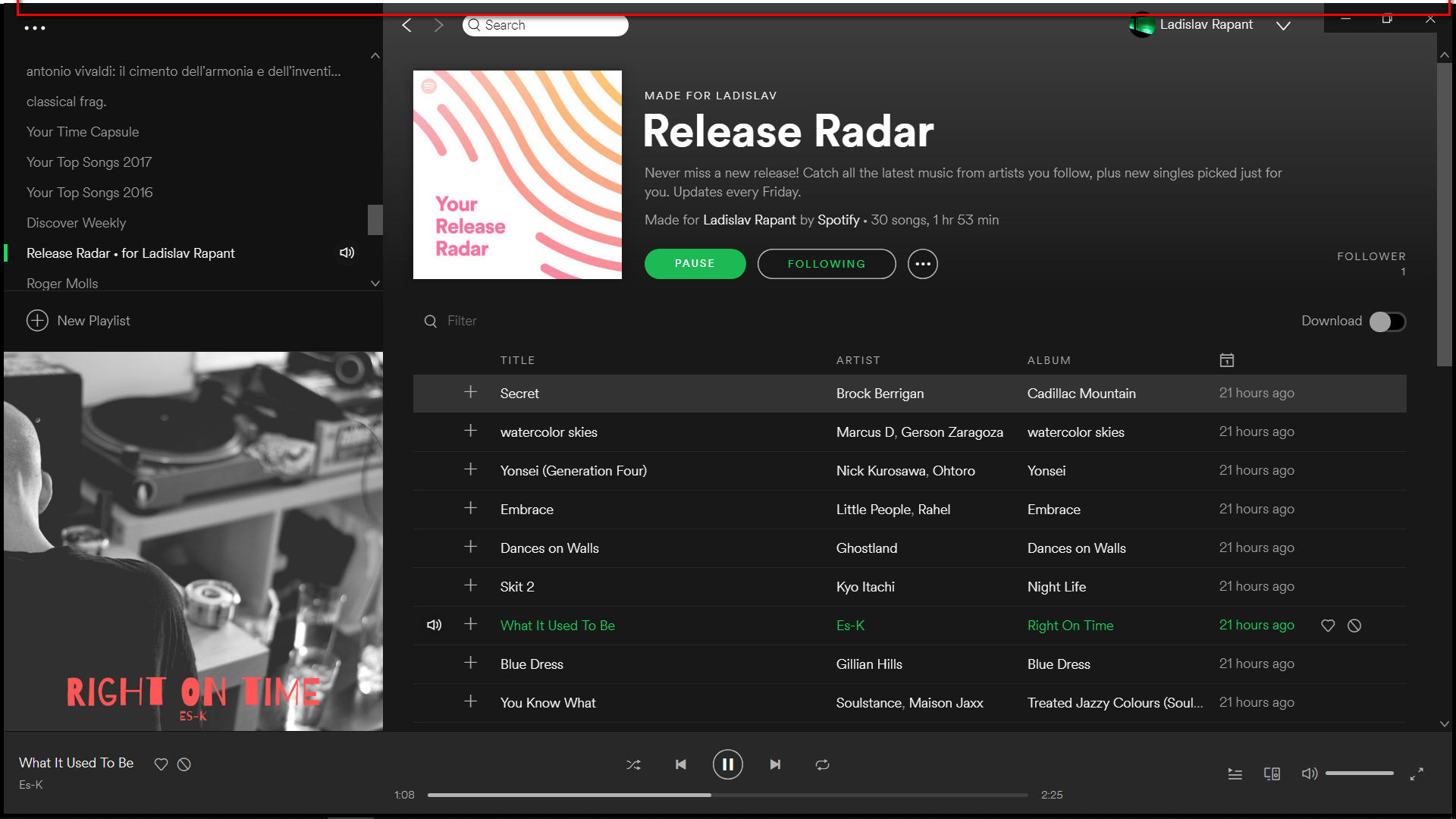
Maximized window with Taskbar Autohide has issues.

Operating System
Windows 10
Spotify Version
1.0.95.289.g342899da
My Issue
On the attached screenshot notice the extra border all around the window. Happens
only on maximized window with Taskbar Autohide. I tried reinstalling Spotify; did not help.
Accepted answers
All comments
Spotify version 1.0.96.181.gf6bc1b6b has the same issue.

Probably Spotify winter theme

Today's update (1.0.96.181.gf6bc1b6b) does not resolve the issue.

I have this issue, too.
I deleted the software (desktop version), then downloaded app from Microsoft Store but this problem came up in the app version, too. I've just got an update but this issue's not resolved, yet.

Same issue here with the Windows Store app version 1.96.181.0. Would love a fix as it is quite distracting!
Version 1.0.98.78.gb45d2a6b still have the problem.
Same
Hey Spotify Are you kidding me?!
I pay for it

Same issue here.
It seems like only very few people use the autohide feature. Hence, there aren't many people reporting this issue.
I agree with you
But in the past it was fine
Thats inexcusable approach to problem solving
Especially for paying customers
We've been having this issue for more than 1 month. I can't believe they couldn't fix the problem, yet.

Same here. If you remember a while ago you could't see podcasts tab. Then they release an update and they fix it but since then this white bar appeared.
Finally it seems like they fix it. What about you guys?
I'm still having the issue. Windows Store app version 1.98.78.0.
I have the 1.0.99.250.g936eab8d version from their site not WS.
Just installed the same version from their site and can confirm the issue is resolved with 1.0.99.250.g936eab8d. Thanks for the headsup! I'd imagine they'll push the update to the app version, but I guess I'll stick with this one since it seems it gets updates sooner.
Can confirm!
The issue is solved in v1.0.99.250.
Gonna try this one. Thanks for the update. 🙂
Confirm
Nice black skin 🙂
Thanks for support
WS version has been fixed, too. Finally.


It's not like I'm riding for free! Sheez, any other service would be trying to make up for**bleep** somehow.
Same issue
White bar at the top after last update Reinstal doesn't work