Sending an Invite for Family

I've been trying to send an invite. I follow the instructions:
Invite a member
- Go to your account page
- Click Premium for Family in the menu on the left.
- Click SEND INVITE.
Problem is - There is no "Premium For Family" on the left in the menu!
PLEASE HELP! So frustrating......
Theres a Premium for Family on the RIGHT that i cant click. Under that is "Manage Plan" That just brings me to the different Spotify plans. Theres nothing that asks me to invite
Accepted answers
All comments

Hey @Godzilla,
Thanks for reaching out.
Can you please post a screenshot of the following page: https://www.spotify.com/account/subscription/?
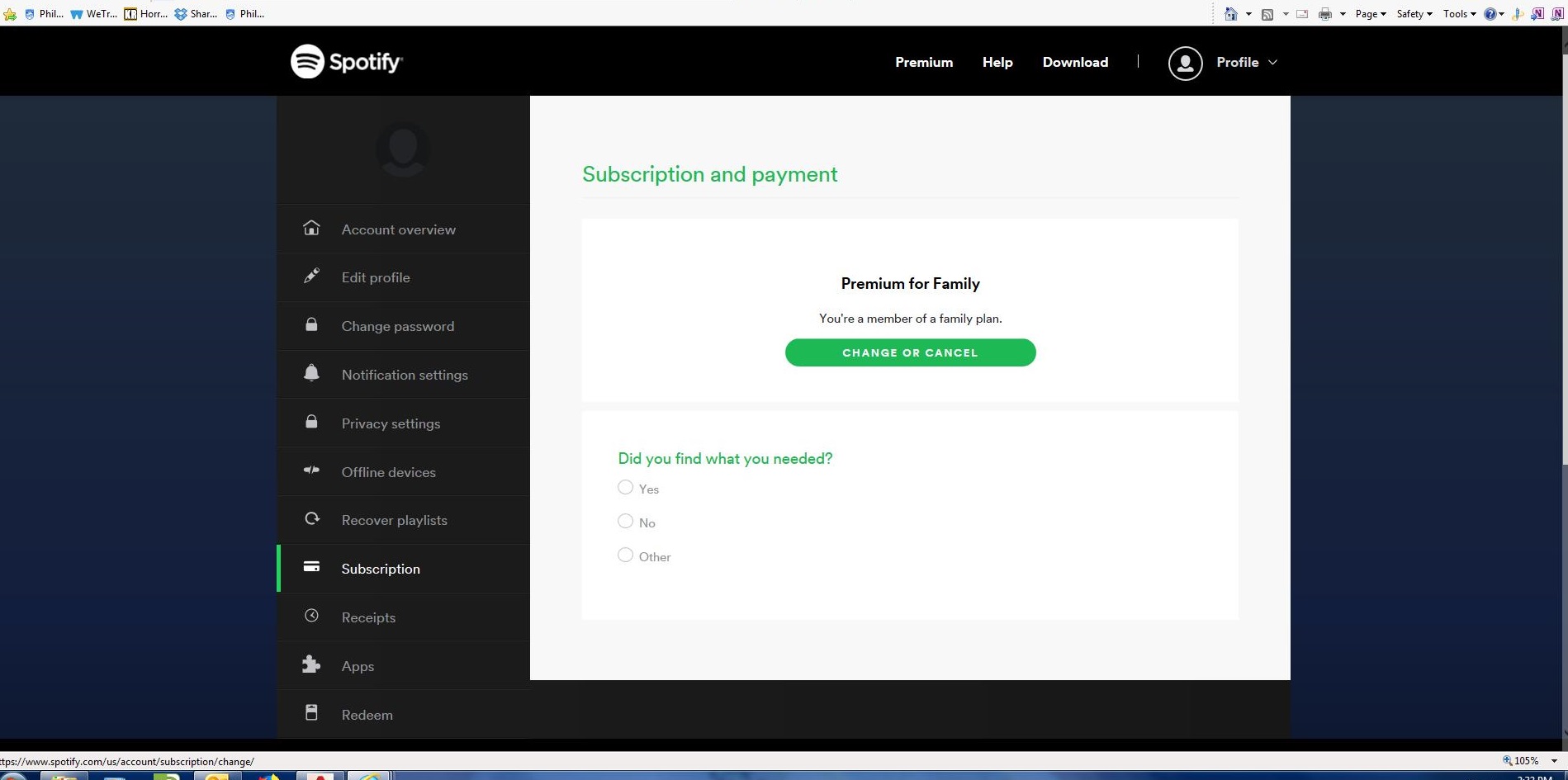
Thanks for the screenshot.
It looks like you're just the member of the Premium for Family plan. There's one account that is the owner of the plan, and it's the only one who has got permission to remove or invite new members.
You can check out this support article for finding accounts: https://support.spotify.com/article/do-i-have-an-additional-account/
Let me know how it goes.
, Thank you - I see the error now.

Hi Maxim, I'm the plan manager for a premium family plan. Currently there is me and 3 other members. I am trying to invite a 5th member, but when I click on "Manage your family plan" it just lists the 4 existing members and has no link to click on to invite a new member. Nothing on that page has a link. I've tried logging in on line and on the app - same problem.
Thanks for the screenshot.
It looks like you're just the member of the Premium for Family plan. There's one account that is the owner of the plan, and it's the only one who has got permission to remove or invite new members.
You can check out this support article for finding accounts: https://support.spotify.com/article/do-i-have-an-additional-account/
Let me know how it goes.