[Android] Landscape mode on Now Playing view

When using my phone in the car I put it in a car holder. The holder is horizontal in order to have better view for navigation etc. I use spotify also a lot in the car but when using the playing music I'm not able to rotate the screen but the playlists dose rotate
Comments

Hi.
When I use Landscape view in the now playing section the view is kinda messed up- it shows the album picture and control buttons clumped together on the right side of the screen, instead of spreading them around. It wasn't like this all the time, but started awhile ago. Ideas?
Plan
Premium
Device
Xiaomi Redmi Note 4x
Operating System
Android
ya I tried everything you sad it just started doing this after the update yall put out the other day before that everything was working fine is there something in the settings I need to change now because this really dose suck I am paying for something that is not working right and that is a big no no for me were I will stop paying and move on to something else and not pay for this app anymore

Hey @RL78.
At Spotify, they are often testing and launching improvements and new features. When Spotify is testing, you may see something on the app your friend doesn’t, or get a new feature for only a temporary period.
Tip: Make sure you don't miss a thing by enabling automatic updates on your device.
I hope this helps! Let me know if you have any more questions 🙂

This doesn't seem like a big deal but it definitely is. This is a deal breaker for me too.
Why in the world would they remove landscape view?

I have a galaxy s7 and my screen dont look like that 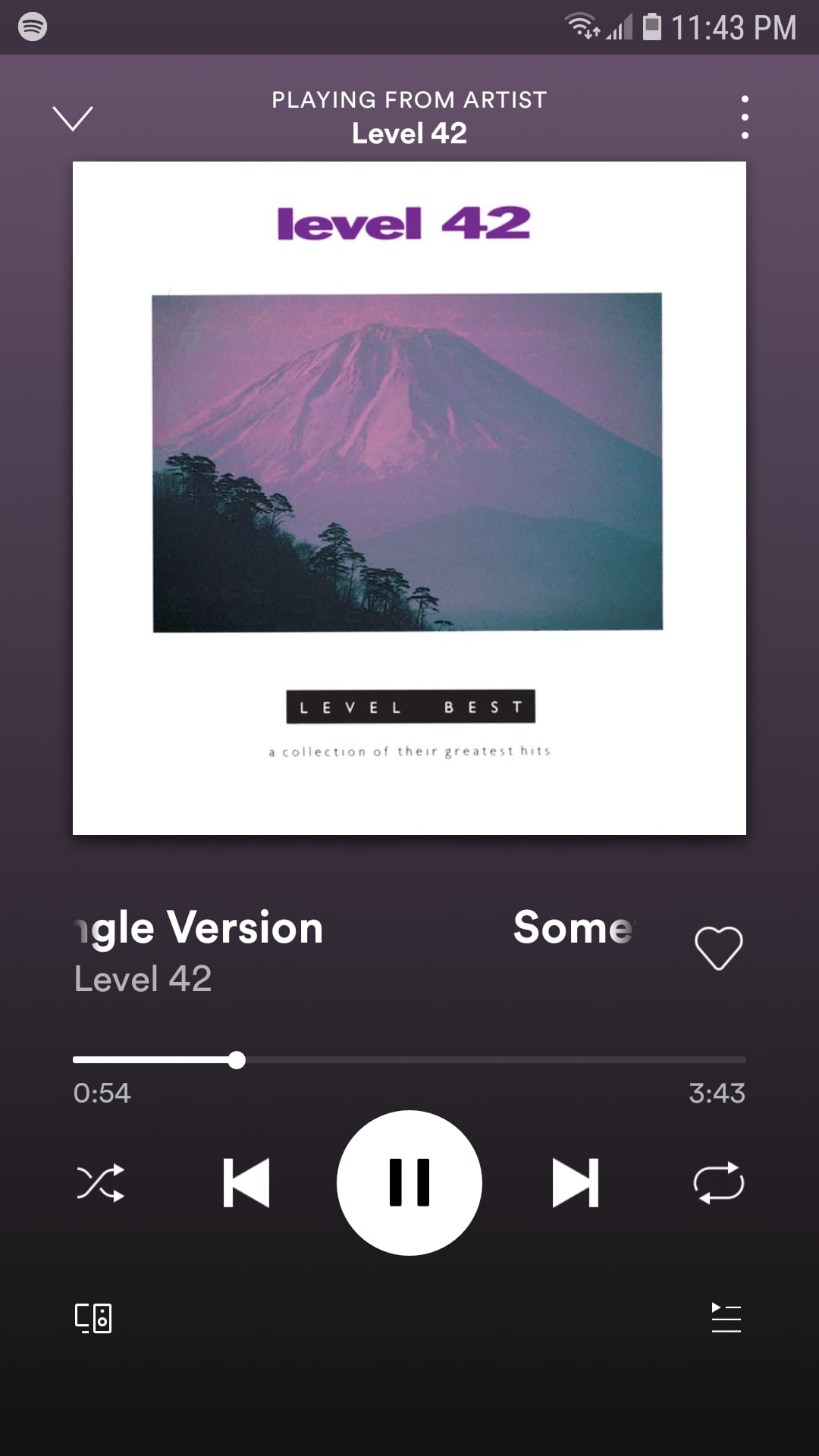

Same here, using Android phone in landscape mode in car. It was annoying to see this morning that the Interface has changed and landscape mode has been removed.
Please bring it back!

Same for me after the update.
I think they are forcing portrait due to them now always displaying lyrics which you cannot disable and they most likely cannot figure out how to design a good UI to incoporate yet another shitty forced feature no one asked for.

Hey there folks,
Thanks for reporting having troubles with the Now Playing view not switching to landscape mode on your Android devices. We've passed this on to the right teams and they'll be looking into this.
If you haven't tried already, we'd suggest trying a quick reinstall of the app on your device and toggling off/back on Auto-rotate on your phone's settings.
If you're still experiencing this, make sure to add your +VOTE and leave a comment with the following:
- Your device and its OS version.
- The exact version of the Spotify app you're currently on.
- Any screenshots of what you see would be helpful. Just make sure that no private/sensitive info is displayed.
We'll let you know here as soon as we have any updates.
Im not re installing the app as you will lose all downloaded saved songs. Please stop suggesting this.

People have been asking for Spotify to give us a decent landscape view since 2014 with still no action. I use landscape on my tablet and some screens in Spotify display portrait another landscape. I must look a fool keep having to twist my head to use Spotify. Come on Spotify, 5 years without a landscape is a joke.

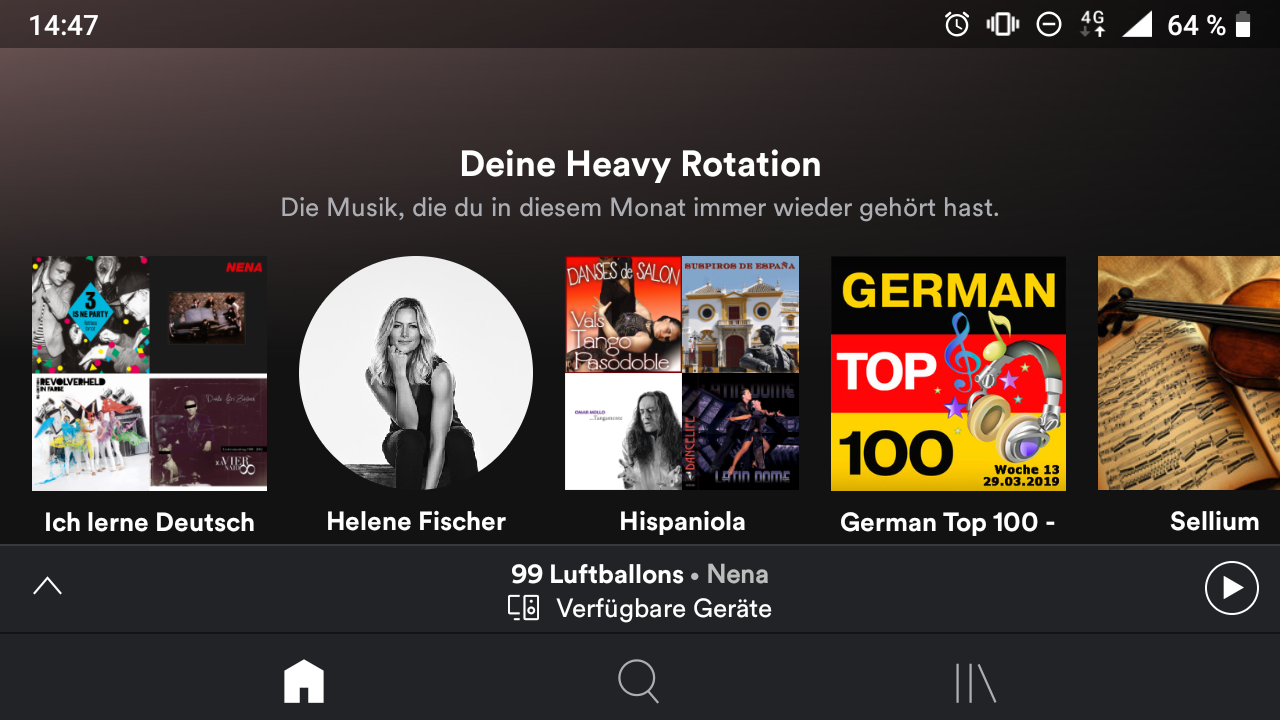


Plan: Premium
Country: Portugal
Handy: Nokia 5 (TA-1024)
Android version: 9 Updated: February the 1st, 2019
Same problem here... (All screens taken on landscape mode.

Same issue. Tried the suggested fixes, to no avail. Now Playing view reverts to portrait orientation when phone is in landscape. App doesn't recover from it well, either, once I try to get back to the list view (final screenshot).
Device: Samsung Galaxy J7 Prime
OS: Android 8.1.0
Spotify Version: 8.4.98.892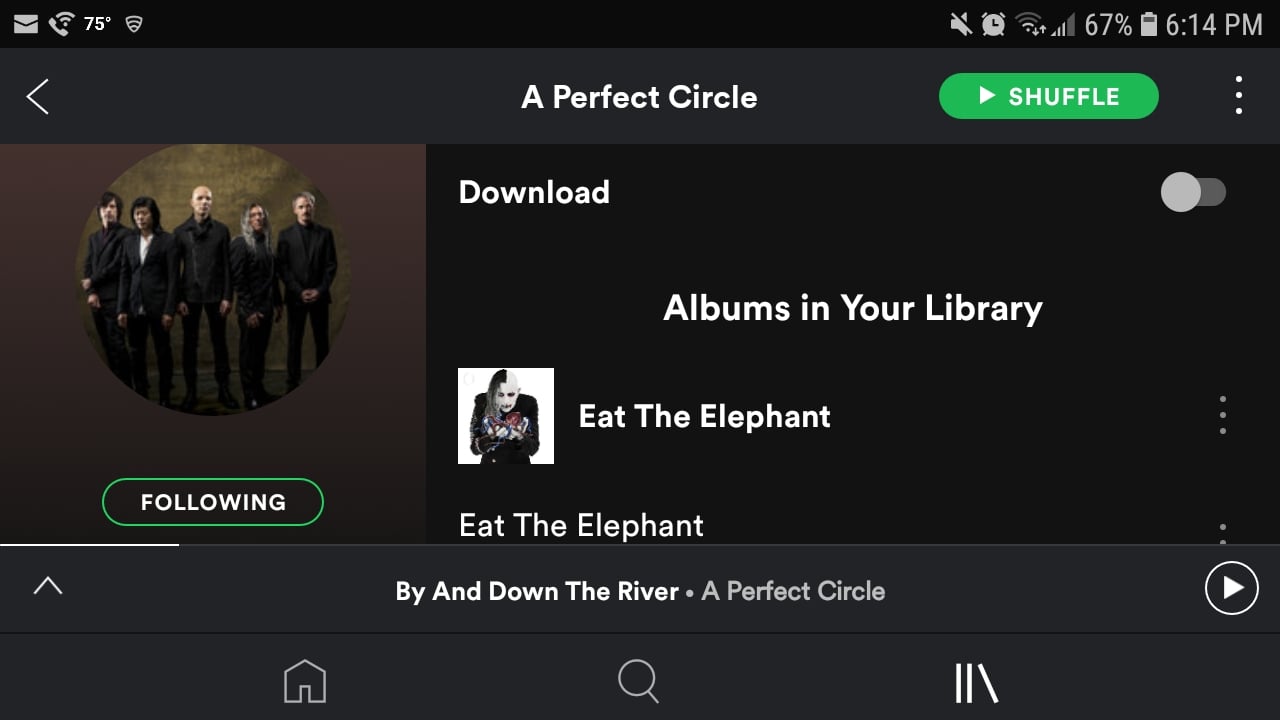
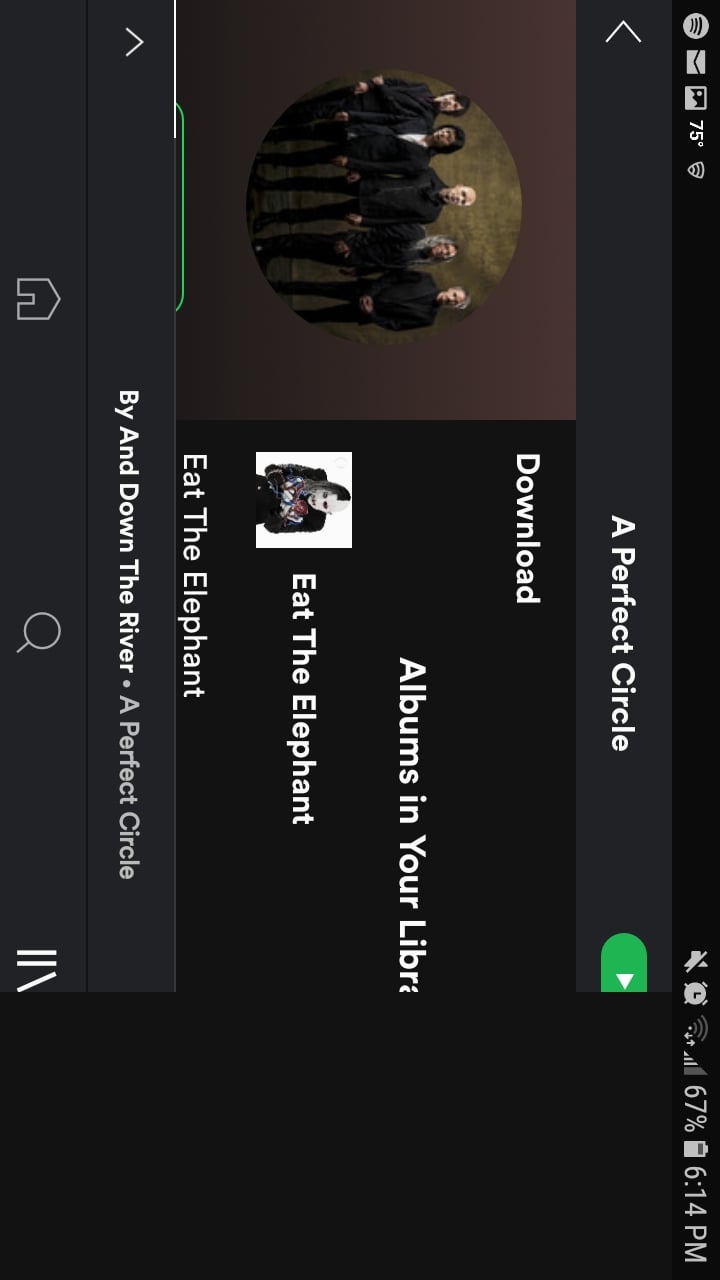
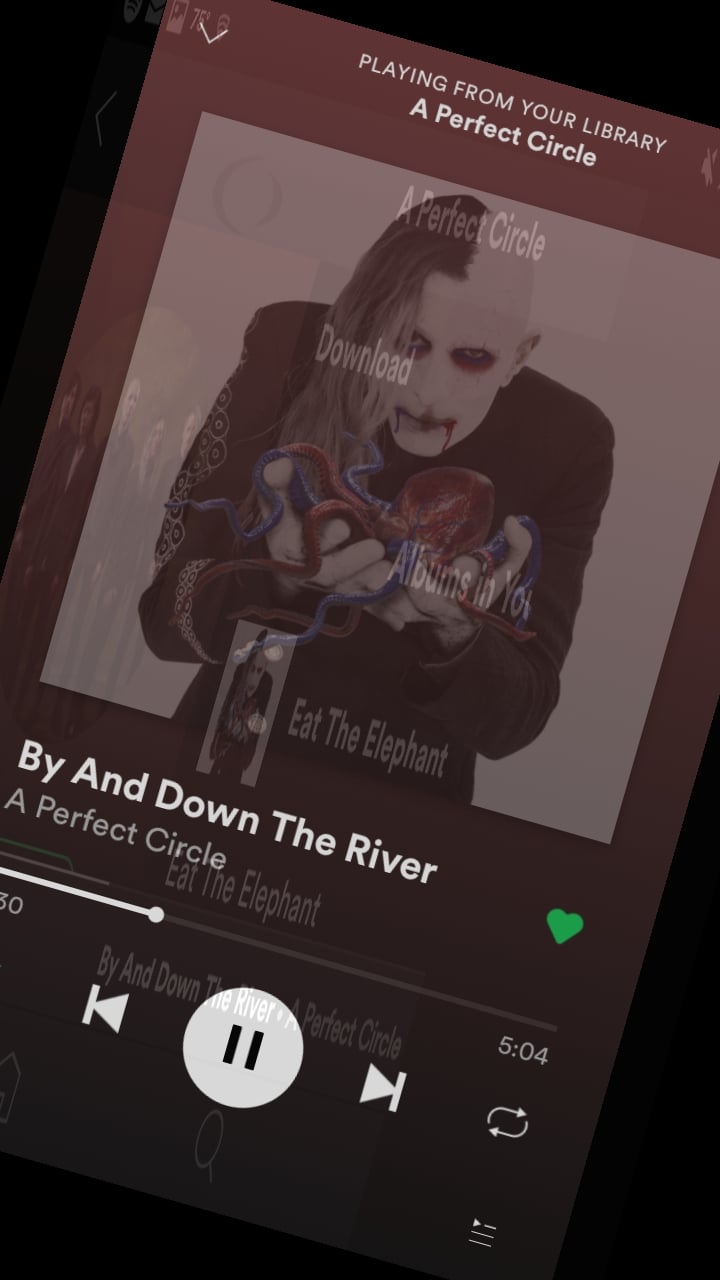

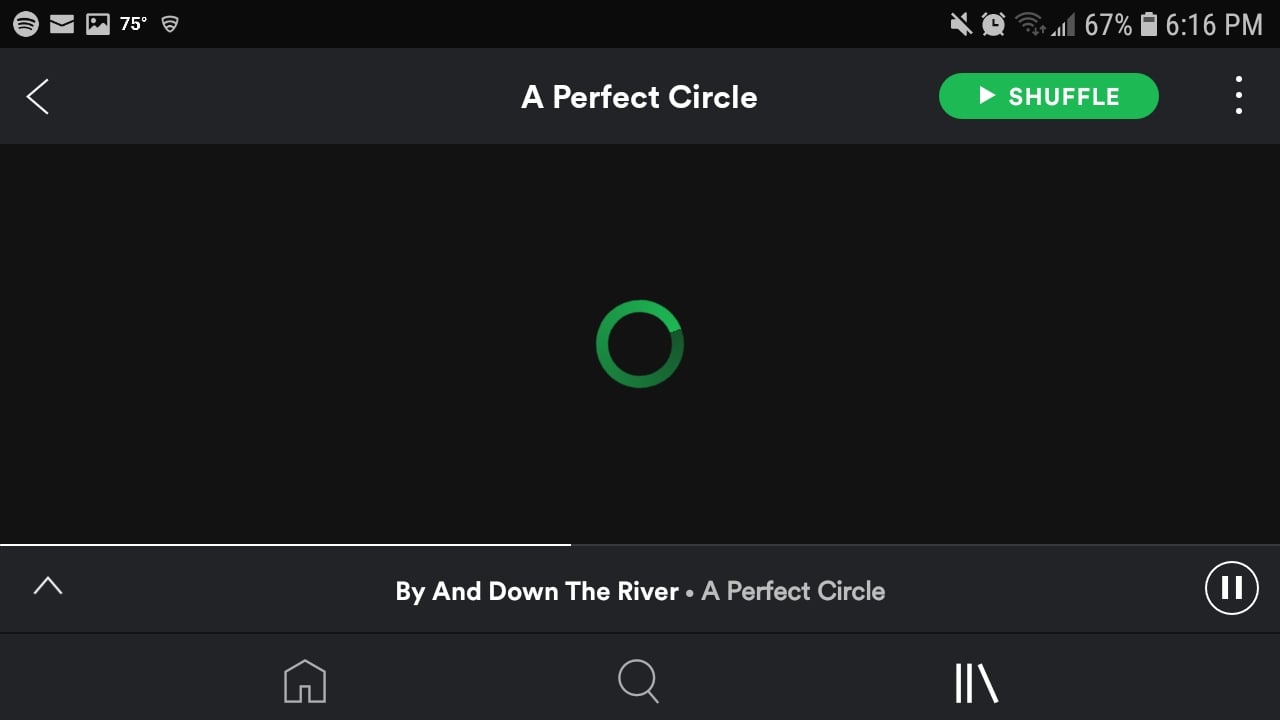

Same problem on the Huawei P10! Latest version available installed.
Thx for looking into this problem 🤝

Same issue on my two devices
Latest version of spotify on both.
LG g6 android 8.0
Huawei P30 pro android 9.0

I have the same issue. Android 9.0 on a Galaxy Note 8. This issue seems to coincide with a new design for the Now Playing page that was released this week.

Fun fact: The ADs still rotate?

Issue still occuring for me. I also have behind the lyrics displaying, despite having disabled that particular feature in settings.
I installed the app today, so I'm definitely using the newest version. Something I've noted after several reinstalls of the app, when I freshly reinstall the app, it will work in landscape... until the first time it enters portrait mode in the cover flow. once it enters portrait mode once, it stays that way. reinstalling the app replicates the one-time fix reliably.
Am using the latest spotify version, and an S8+ running Android ver. 9. Can provide further technical details upon request.
It's really annoying so I hope it's fixed soon. I have my phone on a landscape wireless charger as a music display, and it being in portait only is sorta harshin' my mellow over here.

Same here since today !! wth give us back our landscape mode stupid assholes!! How can we drive with 90 degree head ??? **bleep** !

Same issue before and after reinstall. Moto Z Force, Android 8.0, Spotify 8.4.98.892

Samsung Galaxy S7 active
Spotify version 8.4.98.892
The app rotates correctly when in a playlist.
The app fails to rotate when in the "currently Playing" screen.
This is a huge inconvenience for me while my phone is in its dock. I expect a fix to be promt.

I'm having the same issue.
Model: S10+
Android version: 9
Spotify version: 8.4.98.892

I am experiencing the same issue. I've got an LG G7 ThinQ with Android 8.0.0 and Spotify 8.4.98.892. All the app's menus, search screens, and playlist management screens rotate, but Now Playing does not. I have re-installed the app, and tried toggling the auto-rotate feature with no impact.
It is immensely frustrating, especially as I have the phone in landscape position at my desk and in my car all day long and that's the only way that charging and headphone cables fit!
EDIT: Updated app to version 8.5.0.735 and I still have the problem.
Updated 30 minutes ago and still it isn't fixed.
Time: 08:30 a.m. Lisbon/London, April the 9th, 2019

Same issue for me, driving me crazy when using my phone in landscape in my car mount!
Galaxy S10+, Android 9 Pie.
Works fine in Playlist mode, but as soon as it's in Now Playing it turns back to portrait mode.
Please fix ASAP Spotify!
@Katerina wrote:[...]
If you haven't tried already, we'd suggest trying a quick reinstall of the app on your device and toggling off/back on Auto-rotate on your phone's settings.
If you're still experiencing this, make sure to add your +VOTE and leave a comment with the following:
- Your device and its OS version.
- The exact version of the Spotify app you're currently on.
- Any screenshots of what you see would be helpful. Just make sure that no private/sensitive info is displayed.
First: Thumbs up @ Katerina for helping us!
But: clearly this is not a issue depending on OS Version and/or the device that is used. Your developers know that they made a new version of the screen that shows the current track. And they just did not implement a landscape mode of this screen. So please stop wasting peoples time by asking them to reinstall the app or for exact phone model, screenshots and version numbers. This does not help and i hate it when software developers/supporters at first try to search for errors at technical advanced users.
The developers removed a useful feature from the app what annoys a lot of people out there. Let's hope we reach a critical mass so that the developers will make a now playing screen version which supports landscape mode.
Maybe the developers already planned to add landscape mode later, an information about that would be more helpful.
Thank you!

Having same problem. Screen won't go to landscape while in now playing view. It did this morning but now it just goes to portrat view. Please fix this iam a premium member and want this feature back.
Australia
Note9
Premium account.

Samsung S7 Android 8.0.0, the Spotify version is: 8.5.0.735
I re-install the app and I can't still rotate the "Now Playing" view to landscape.
Have the same issue in my tablet and car Android Radio. Neither has landscape view of the "Now Playing" screen


I hit the same issue and figured out a filthy work-around.
If your phone supports split-screen view (in particular the pop-up variant of this view), as my Samsung Note does, you can open spotify in a pop-up window with any other landscape-mode application in the background (e.g. phonebook) and drag the corners of the spotify window until it fills the screen.
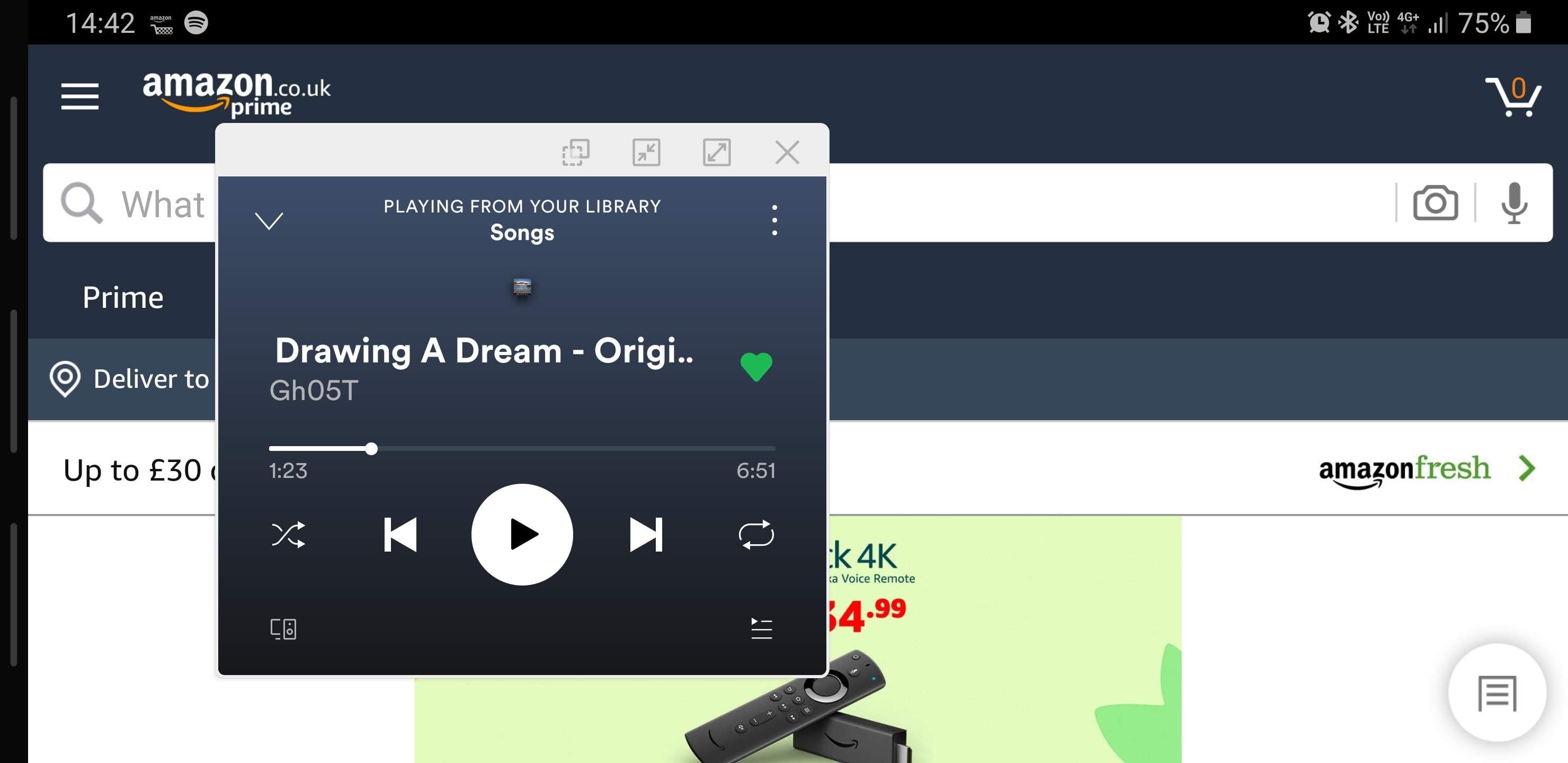
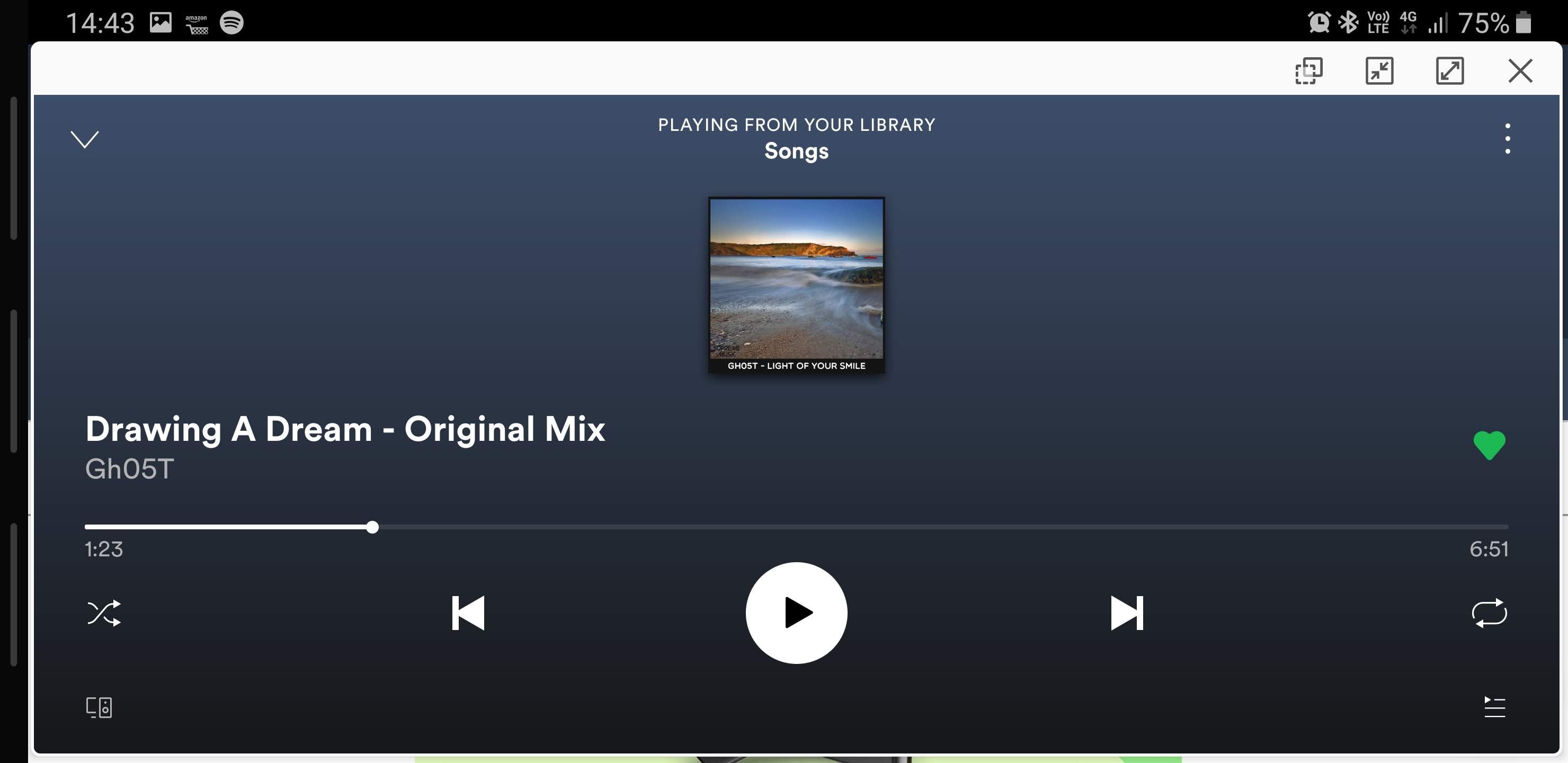
Told you it was filthy.
To find the split screen / pop-up option, either press and hold the square (recent applications) button, or on newer android versions, bring up the recent applications list and press the application icon to get to the windowing options.
*Edit: in fact this works with the regular split-screen view too which is on stock android, although you'll lose a bit of the side of the screen to some other app 🤷♂️.
I still believe Spotify programmers should fix or bring back the landscape view capability.
Hey @RL78, and welcome to the community.
Hope you’re doing great!
Could you try restarting your device? If that doesn’t help, try a clean reinstall of the app.
Let me know how this goes 🙂