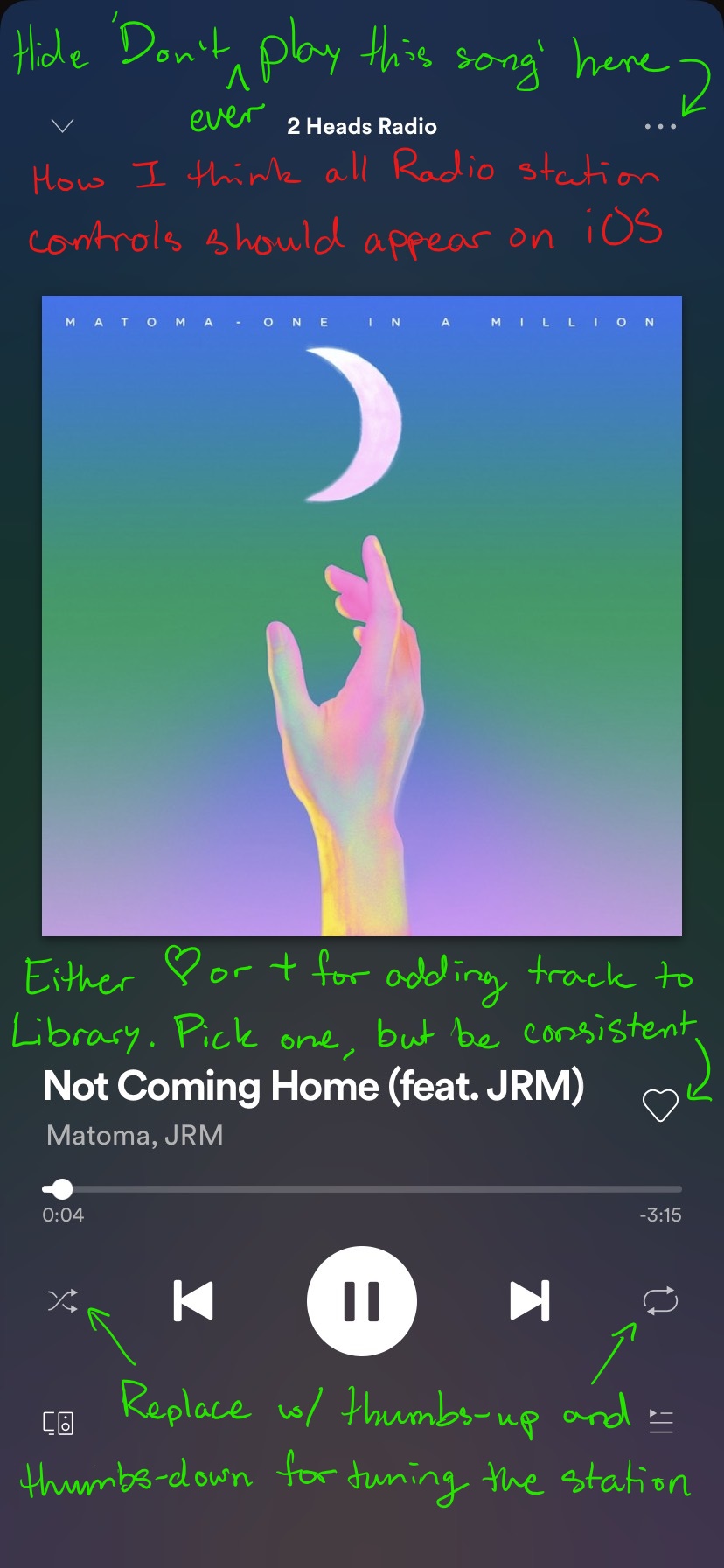
There are significant inconsistencies relating to the Radio feature depending on the source material used to create the station and the device used to listen. Most notably, where the station goes when it is saved and the placement and availability of controls for liking and disliking songs on the playback screen.
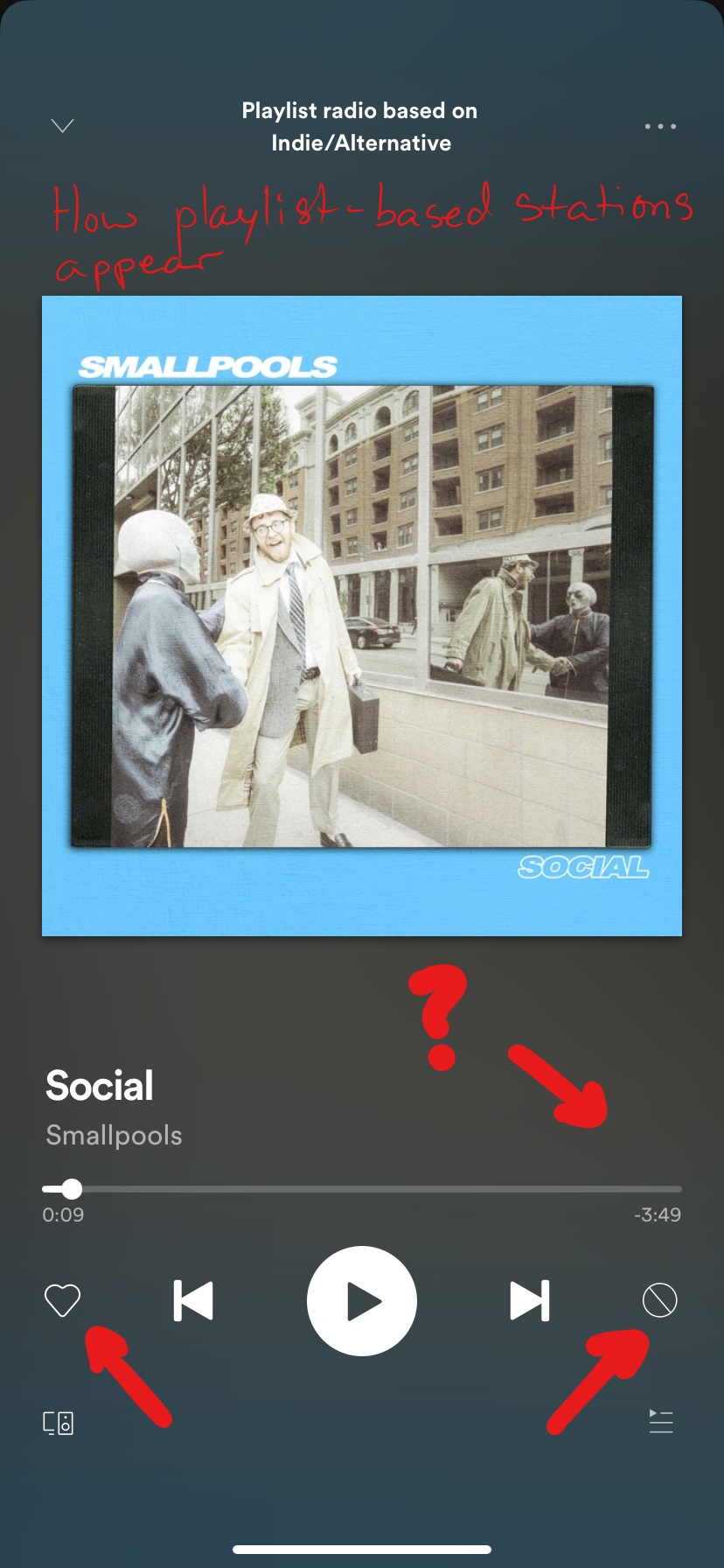
At the time of this submission, playlists, artist profiles, albums, and individual tracks all offer a 'Go to radio' option under their respective ellipsis (...) context menus on iOS. However, if 'Go to radio' is selected from a personal playlist, the user is directed to a true radio station with an unlimited number of tracks. On iOS the playback control screen features the Heart button on the lower left below the track progress bar (opposite of its placement at literally any other time) and the circle with a line through it is in the lower right. On desktop, there are thumbs-up, thumbs-down icons, and plus icons and it is not clear how their functions differ from the icons on iOS. On desktop, Following a playlist-based station saves it to the Stations section of Your Library. As far as I can tell there is no way to save playlist-based radio stations to Stations in Your Library on iOS, only add the tracks to a new or existing playlist.
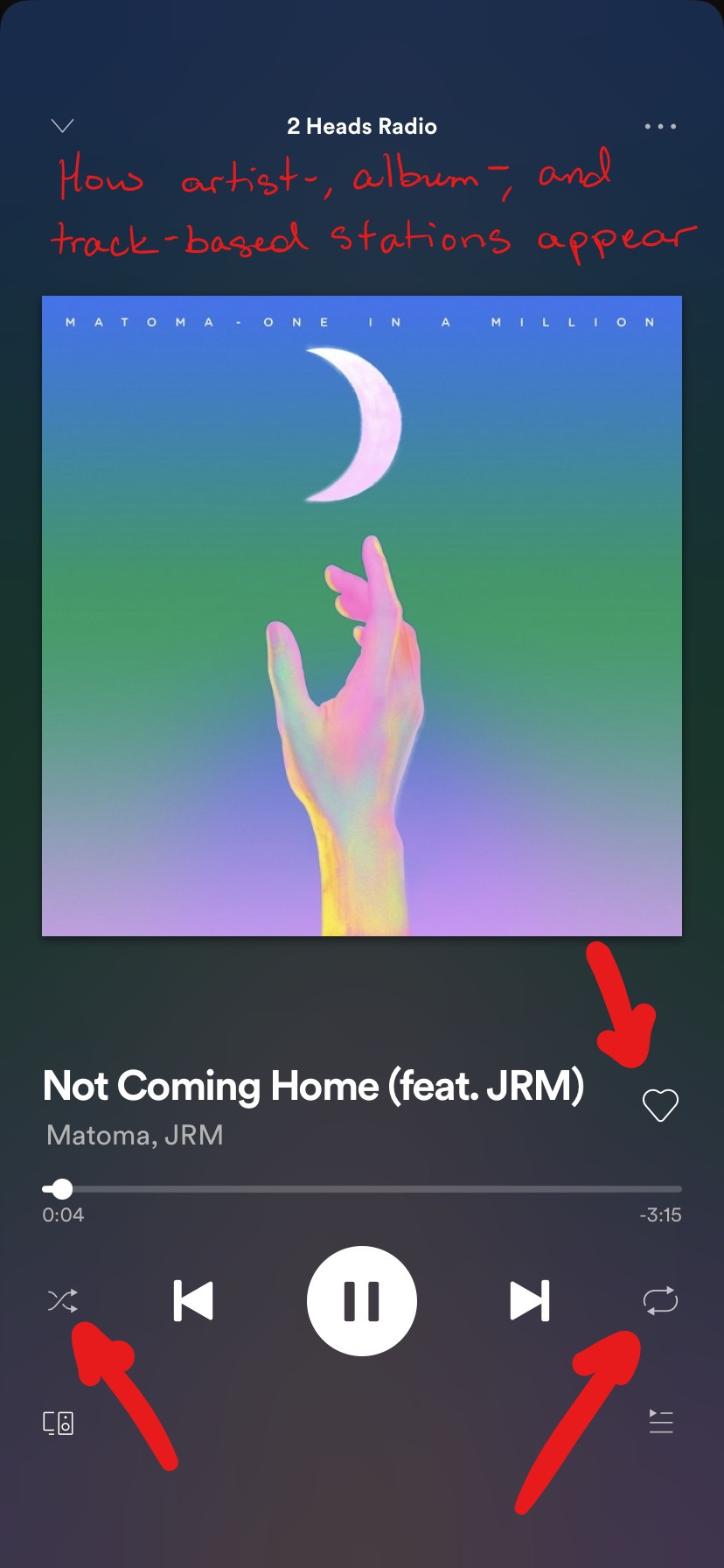
Alternatively, if 'Go to radio' is selected from an artist profile, album, or individual track, then the user is directed to a playlist of only 50 songs and Following from iOS or desktop creates a new playlist in Your Library. With these stations it seems that you-get-what-you-get and there is no way of adjusting the results as you listen. On iOS the Heart button is back in the upper right, there is no circle with a line through it and shuffle/repeat controls are now below the track progress bar. (what a mess!)
My suggestions:
- If you are going to have a Stations section in Your Library, then make all radio stations the same and distinct from playlists. Make them unlimited and allow for modification of station results based on user input (thumbs-up, thumbs-down). That's what makes it a station and not a static playlist. Having a Stations section but saving most of the saved stations under Playlists only confuses matters.
- Implement the thumbs-up and thumbs-down buttons for radio stations on all devices so that users can tune the station to their liking as they go.
- On radio stations, leave the Heart or plus icon for adding a song to Your Library in the top right where it usually is and place the thumbs-up and thumbs-down icons for tuning the station below the track progress bar where shuffle and repeat icons usually live. (Shuffle/repeat do not apply to an unlimited-track station)
- Tuck the 'Don't play this song' button (circle w/ line through it) away under the ellipsis context menu with a text label since this is a feature that people do not want to use very frequently and is likely to be pressed regularly by users who unknowingly think they are just tailoring their station results.