[All Platforms] I want my artists back even if I have just one of their songs liked

If I want to create a playlist now, I have to go through hundreds of songs that i have liked rather than just jumping to the artist's page to select what I'm looking for. Such a HUGE waste of time. Please return it to the way it was!
Comments

Updated on 2019-09-03
Hey!
We've changed it so now when choosing an Artist from your Artists section, you'll first be taken to a list of songs that you have saved from said Artist.
Happy listening 🙂
times over the last few times and it doesn't work the way you say it does...
In "artists" there is nobody, so I first follow an artist, then click on
them through "artists" but it just takes me to their page with ALL of their
songs.
Am I doing something wrong?

Not working for me either, tried it on desktop and android....

tunes are in a playlist • ‘liked’.
I go to the •liked playlist play the song, •click on the right side, the three dots, then •click, add to playlist, it takes you to screen •’add to playlist ‘, I •click that green bar it states, then,• ‘create new playlist’.
I then •erase the title of that song that’s playing and listed, and •type the ‘Artists’ name.
I also make playlist titles assorted faves!!! Whatever you want.
I then at some point, go to playlist ‘liked’, find that artist that now has songs I love in their own playlist
folder. Or leave the duplicates.
It solves that problem, I go by artists largely.
All the songs that are suggestions you green heart go to ‘liked’ automatically!

Hi @mschildt14,
For me it does like. When I click an artists i follow from the artist tab, I see the liked albums and songs. Like this
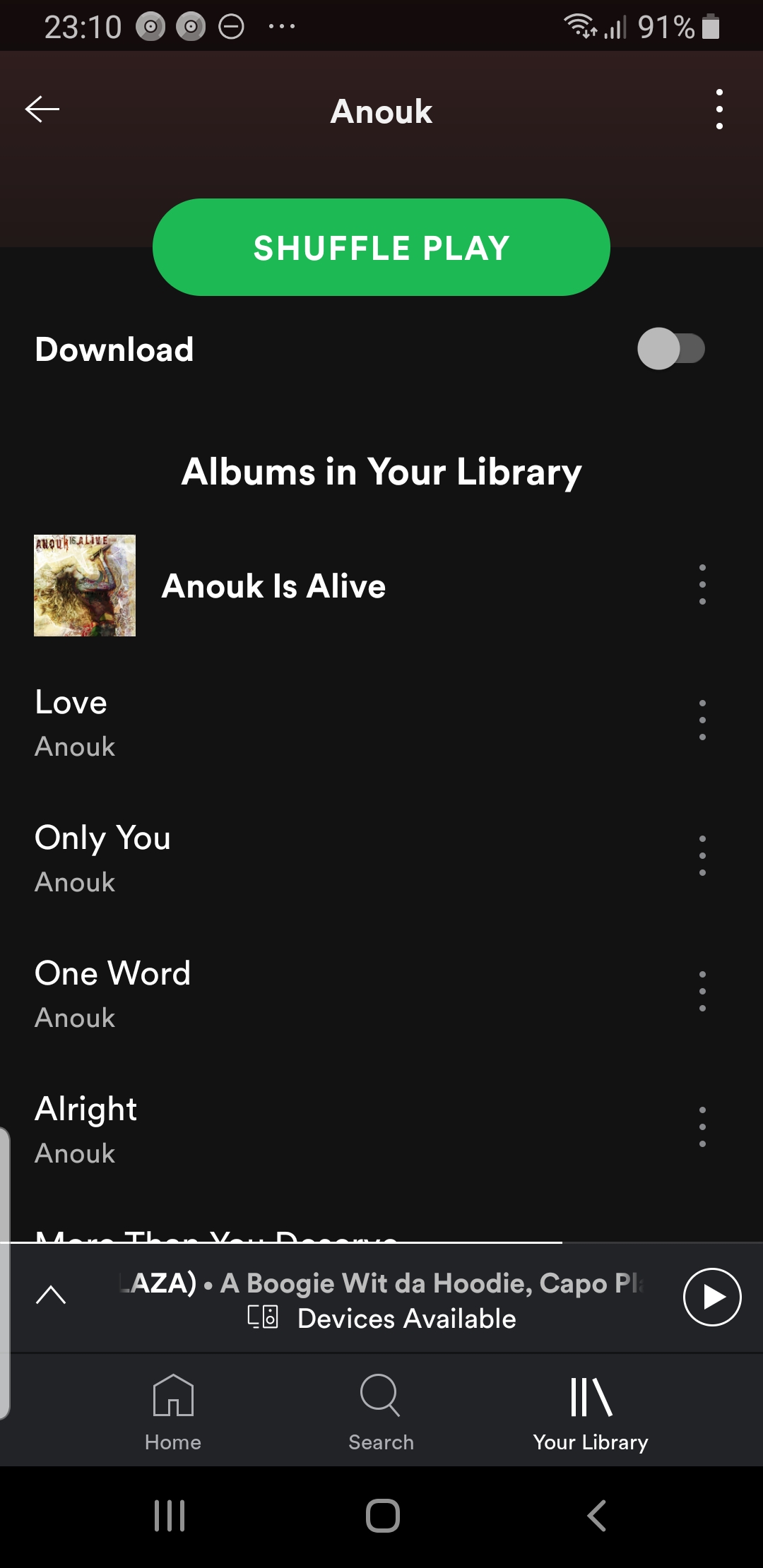
Regards,
René
Hi @mschildt14,
It only works if you navigate via the artist tab and you must have liked a song or an album of the artis.
Regards,
René
When I go to the artist via the artist tab, ALL of their songs show up -
not the ones I have "liked".
Hi @mschildt14,
all the songs? So that's not the regular artist page which would only show the top 5 songs followed with the albums etc.
Can you post a screenshot?
thanks,
René
them divided by albums. I don't want/need that. I use to click on
"artists" and then on a specific artist and only saw the songs I actually
"liked" by them. SO much more convenient that way.
Hi @mschildt14,
This is really weird since it is implemented just the way you describe. So why doesn't this work for you?
Which device do you use? Android/iPhone? Which version of spotify fo you have?
Do you have an option to try with another mobile device.
Regards,
René
Try this, •hourglass search for any artist
•Select any song
Listen, •click heart
•Look in playlist area if it’s in ‘liked’ folder
If so, •click three dots , ‘•create new playlist’
On that screen, box •erase songs name and
•type Artists name
Any time you are listening to to any liked song if you’ve placed it under Artists name and don’t want •duplicate either I click •solid green like heart
or when in ‘liked playlist’ click ‘dots’ erase song,it will remove from liked playlist!
For me It’s a life saver to stay with Spotify!

If you want only 'liked songs' appear under the artist, you need to follow the artist.
Then go to their page through the 'artist' section in your library. It should show you only the songs you've liked from that artist.
I'm on desktop version 1.1.14.475.g566c8beb, it's not working for me still.
Is it android only? Premium only? Only in specific region?

everything you have suggested (follow the artist, then go to their page
through the "artist" section of my library) but it just takes me to their
generic page with ALL of their songs and ALL of the albums - frustrating!
Happens on desktop (PC) as well as laptop (MAC)...
Do this, a bit different way, type the search magnifier, bottom, say, Buddy Guy, click artist BG, select song, then, green like heart it! The program takes it now to your ‘liked songs’ playlist. Find all the songs there. Now click a song, click the three dots, states, create playlist, click it, now click upper green bar, ‘create new’ playlist pops up, song title needs to now be erased and u put artist there! I know it’s a few steps but the tunes you get to enjoy all the while!
I have songs I’ll never put under artist, I created a playlist of best of best, when I don’t want to think about ‘who’ to look for to play.
Hi @mschildt14,
so which version do you have of the desktop app? Me I have 1.1.15.448.g00fba0e3. This is how it looks like:
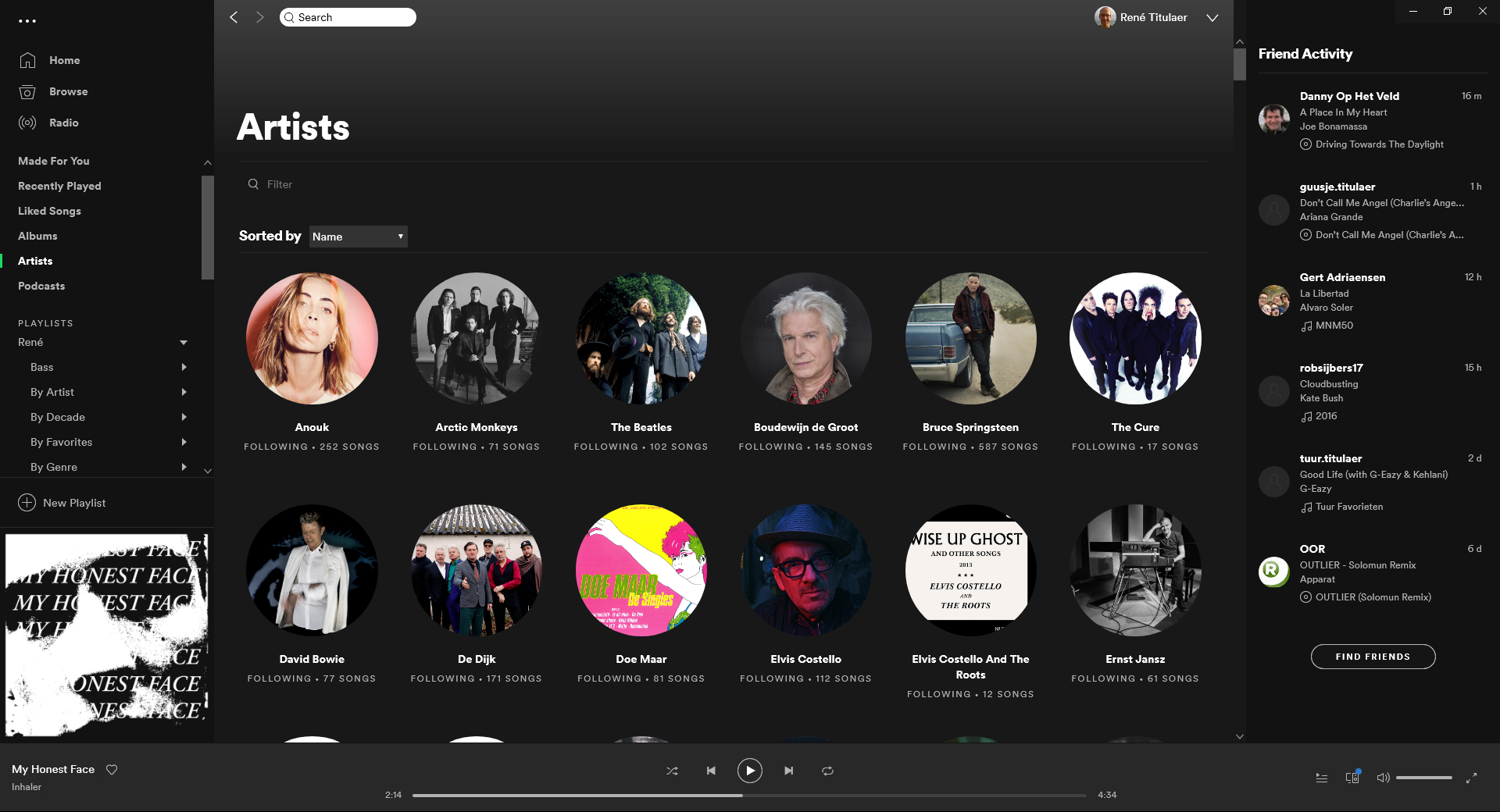
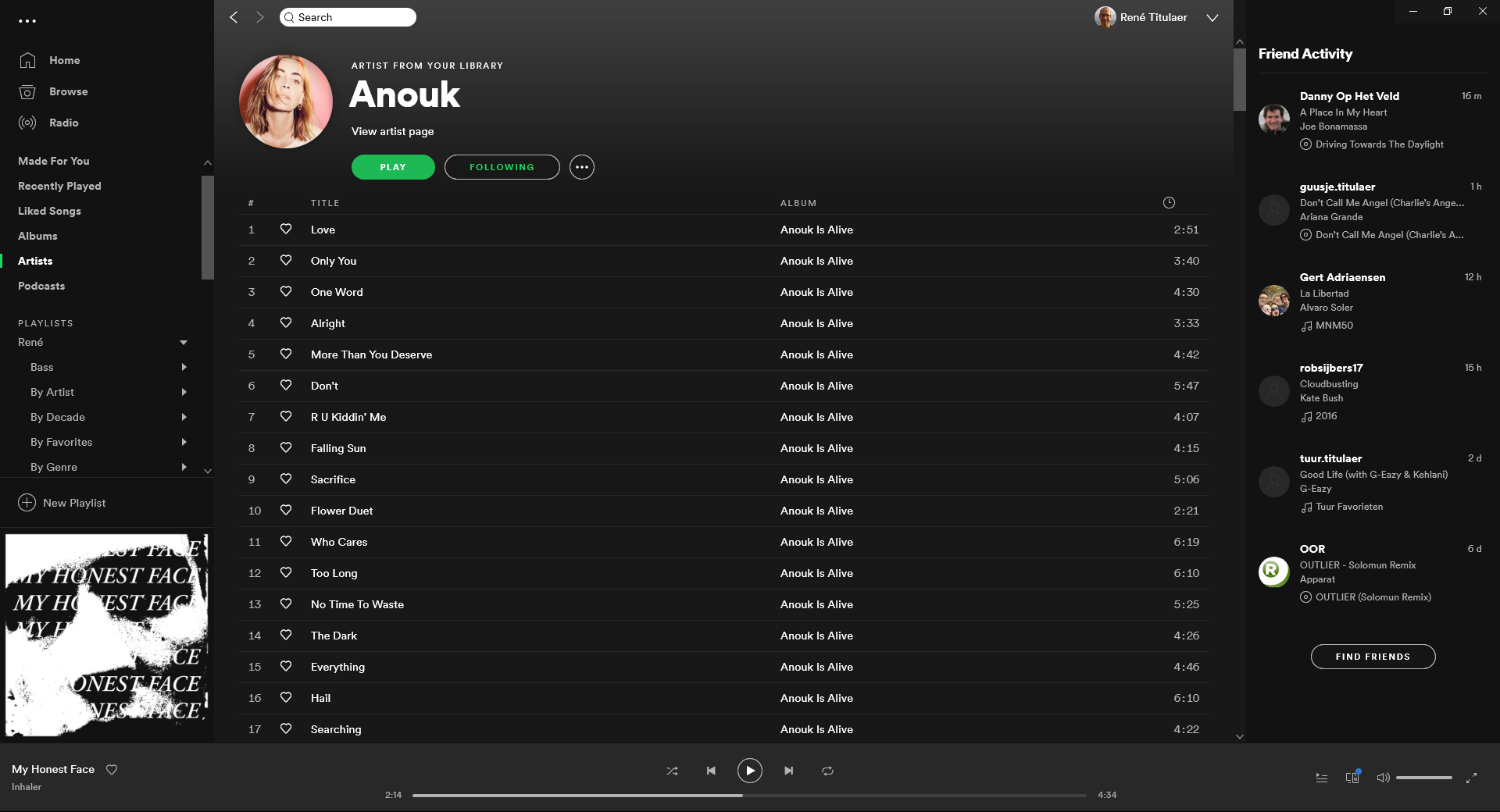
Can you send me you screenshots also.
Thanks,
René

Yeah it doesnt work for me either. If i follow an artist then go to the artist tab. I do not see what songs i have saved from that artist. It just takes me to their artist store page where everything they have done is. I cant even veiw an artist while offline. It just tells me to go online to view.
Does this mean I have to re-download? I haven't ever had to do that in the
last 3+ years...ere are the screen shots when I go to "artists" and choose
one tht i am following - I get ALL of their stuff - not just the ones I
"like"
I just received the 1.1.15.448.g00fba0e3 update, and it's still not working...

Hi @user-removed,
Your images don't show up. Can you please do it again? I really want to see how it looks like.
@mschildt14 can you do this also?
Thanks,
René
Before the change, in "artists" all of the artists that I had liked songs
of showed up there with just the songs of theirs I liked.
After the change, "artists" was completely empty.
I can get name back into "artists" now by following them, but ALL of their
stuff with their ENTIRE page show up instead of just the ones I liked.
Really it looks the EXACT same as if I didn't follow them and just went to
their home page.
Hi @mschildt14,
Just to be sure. What do you mean with all of them stuff and entire page? This could mean two things.
1. You see the 5 top songs followed by the albums and singles
2. You only see a list of songs
Option 1 is not ok. Option 2 is ok, you see the songs you liked and the songs of the albums you saved.
Regards,
René
Create your liked songs list. Many artists.
What I do is, like the song, it is sent to ‘liked’., if I love it I ‘create a folder’ With their name. I have playlists listed as ‘assorted best of’, (when I don’t want to find it)whatever
you want the title to be. After I place a song under an artist by their name I go back and while listening to it undo the green heart, it is then removed from assorted liked songs and is where it should be, under artists name! It will then be alphabetically listed.