[Android] App freezes/crashes when clicking on three-dot menu in playlist

Plan
Premium
Country
United Kingdom
Device
Umidigi F1
Operating System
Android 9
My Question or Issue
spotify crashes when you click the 3 dots to add to playlist, share ,view artist. etc
Comments

Hey @miss_herewini! Welcome to the Spotify Community. ^^
I'm sorry, that this feature isn't working properly.
Please note that Spotify is already working on it and an update should be out to fix it soon.
And be sure to check this Ongoing Issues thread out for more details about it. ^^
Peace

Same S**t here. Oneplus 5T. Did everything, install, reinstall.
Waiting for an update.

Same thing happening to me. So annoying!


Plan
Premium
Country
UK
Device
Pixel 3
Operating System
Android 9
My Question or Issue
Whenever I click on the 3 dots to the right of an album, single or EP when they are in a vertical list the app just shuts down and I have to restart it. If I go into the album and click on the dots to do something like add it to queue or to a playlist then itsi fine, it's just when it's on the vertical list page it crashes.

I have the exact same problem.
A reinstall of the app did not work for me. I have no clue what i can do to make it work again..
My device: LG G6
OS: Android 8.0.0

Me too.
Spotify v 8.4.89.515
Android v 8
Phone is LG V20
My experience differs in that the app always restarts on it's own. I have only noticed it in the last week.

Y I K E S the app is literally unusable now

I am having exactly the same issue on Android 9.0 PIE, only since the last update, press triple dot screen shadows out and app crashes.. 😞

I have the same problem. Any 3 dot menu that I click, Spotify closes. I've tried reinstall but it didn't work. I'm running Resurrection Remix 7.0, based on Android 9.0.
Spotify version: 8.5.3.716

Plan
Premium
Country
Brazil
Device
Galaxy S6
Operating System
Android 9.0
My Question or Issue
When i click on the three dots song menu nothing appears and then my app crashes. Already reinstall the app, clean cache, disable blue light filter.

Been having this issue as of lately. Weak sauce. Also, I'm not a robot Spotify.

I'm having exactly the same problem, spent an hour in chat with customer support and he had no clue, complete waste of time they just made me uninstall reinstall 3 times log in with their test profile, clear caches all the standard things any kid knows and was basically told my phone that was only released 5 months ago (oukitel c15 pro running Android 9) was the problem and couldn't handle the updates which is complete bs asked to speak to supervisor was told they'd email me in 24 hours, it's now been 2 days and nothing. Not impressed was an early adopter of Spotify and have always loved it but this experience has made rethink wether the $180 a year I'm paying is really worth it considering as soon as there's a problem Spotify's answer is to blame the user rather than admit any faults or errors.
Just thought I'd give updatean update.
If you would like someone to actually attempt a fix be sure to email
support@spotify.com
I've been going back and forth with support@spotify.com since yesterday and this what they've asked for so far, chat support didn't ask for any of this info so I thought I could potentially save others having this issue the time I've wasted on chat support and at least a couple of emails just be sure to include all this in your initial email.
- Your platform and operating system (including the OS version/number), e.g. Mac Sierra 10.12, Windows 7, iPhone 6S, Android 7.0 etc.
- The version of Spotify you're running (you'll find this under About Spotify in the app's settings).
- Is this happening over WiFi? 3G/4G? Both?
- How much storage you have left on your device?
- Do you use any cache-clearing or task-killing apps?
- Is there an external SD card installed on your device?
- A full description of the issue, with as much detail as possible.
- How long you've had this issue.
- What actions led to it happening.
- Does the issue appear on any other devices that you use Spotify on?

I have the same problem on my F1
Thank god, I thought I was the only one. My F1 updated at around 10pm GMT on Friday and it's been crashing ever since whenever I click that botton.

I'm also having this issue. I updated during the weekend with the latest wireless update and only noticed I can't**bleep** with Spotify anymore.
I can also confirm a friend of mine who also owns an F1 has the same issue.

I got the Same Problem... PLEASE fix, i wanna cry

**bleep** same...I think it's just the umidigi F1's having this issue

I have the same problem, this needs to get resolved ASAP. This is some bs. You think updating your phone would fix problems not create them smfh... 😭💀
Ironically I just posted that Spotify isn't working on my F1. It's actually working now, hopefully you guys get it resolved as well!
What have you done 😯?! I need to know

I'm having the same issue. Hoping spotify or F1 or someone resolves this ASAP because it is extremely frustrating.
I have no clue, I wish I could tell you 😭.

Plan
Premium
Country
Brazil
Device
(Asus Max Plus M1)
Operating System
(Android 9)
My Question or Issue
After I upgrade to Android 9, every time I click on the player options (where I can share music on social networks and add and remove from playlist) spotify stops working and restarts.
Images below after i click the screen look like this
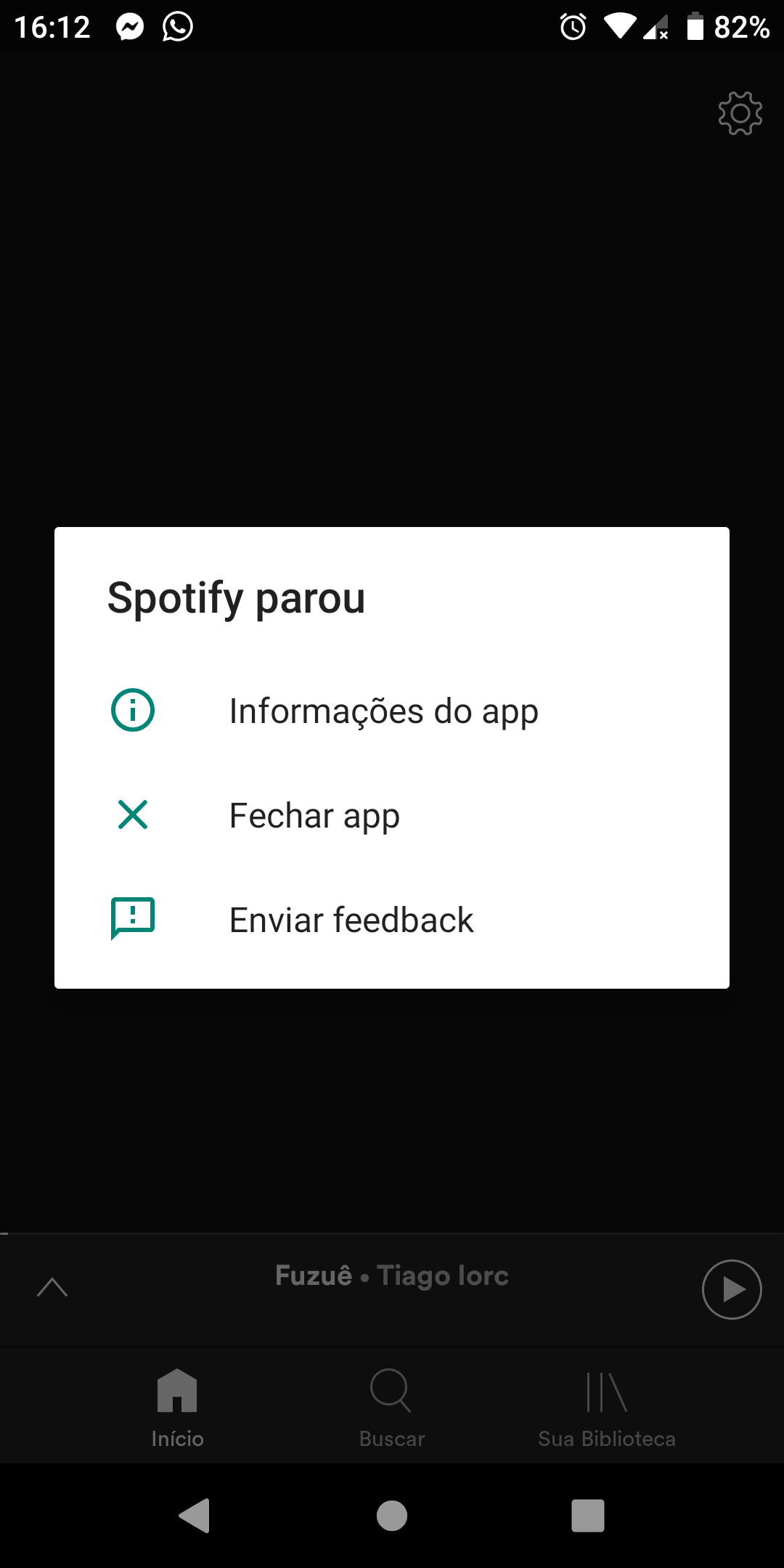 and it happens
 upper right radio button

I have the same issue on my ulefone armor 6e with Android 9. Can't add any songs to playlists etc. Reinstalled, cleared everything but nothing works. Any help or any fix?
It's actually still crashing smh 😭, I thought it was working normal again it's back to crashing 😔💀.

I do have the same problem, my phone is an umidigi A5 pro updated to the last rom 1.4. Spotify lite does work, but it doesn´t have the same functions as the regular app. I guess is a rom problem?



Hey @Tuker & @Bennirie,
Thanks for writing in the Community about this.
Please follow these steps:
1. Go to Settings on your phone.
2. Select "Apps".
3. Tap "Spotify" in the app list.
4. Tap on "Storage> Clear Data" for a clean reinstallation.
5. Tap Uninstall.
6. Open Google Play and install the Spotify Music app.
If this doesn't work go to:
- Mobile Settings> Apps> Spotify> Permissions. Allow everything you see there.
- Mobile settings> Apps> Spotify> Battery> Optimize battery usage> select top All (not optimized for apps)> Spotify> disable.
- Then restart the phone. Then everything would have to work fine 🙂
Let us know how it goes.
Plan
Premium/ Email login......
Country
New Zealand
Device
Samsung Galaxy 7
My Question or Issue
So everytime I go into the menu to "share" my spotify app keeps crashing/closing down. It was working fine about 3 days ago. I generally just use the share option to copy the link to the song.
I have uninstalled and reinstalled the app. Reset my phone. Signed in and out of my account. Cleared cache/ devices from my spotify account and still nothing.
Please help!! Its super frustrating.